
Introduction
This manual provides detailed instructions for the setup, operation, maintenance, and troubleshooting of your TISHLED K82 Typewriter Style Mechanical Gaming Keyboard. Please read this manual thoroughly before using the product to ensure optimal performance and longevity.
Package Contents
- 1 x TISHLED K82 Mechanical Keyboard
- 1 x USB-A to USB-C Cable
- 1 x User Manual
Setup
Connecting the Keyboard
- Locate the USB-C port on the keyboard and the USB-A port on your computer (PC or Laptop).
- Connect the USB-C end of the provided cable to the keyboard.
- Connect the USB-A end of the cable to an available USB port on your computer.
- The keyboard is plug-and-play and does not require additional drivers for basic functionality.


Operating Instructions
Basic Keyboard Functions
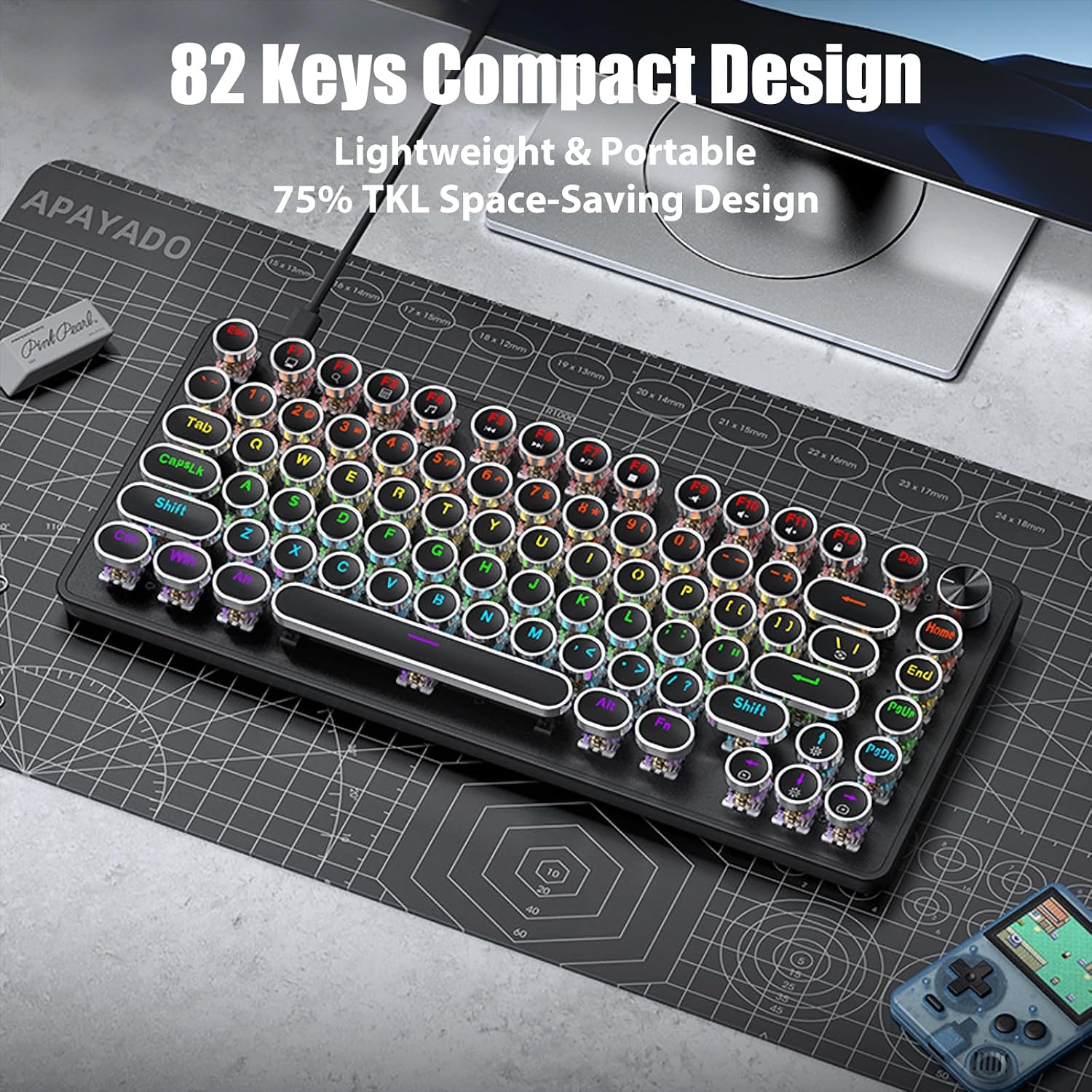
The TISHLED K82 functions as a standard 82-key keyboard. All keys perform their labeled functions upon connection.
Multimedia Metal Knob
The metal knob located on the top right of the keyboard has dual functionality:
- Switching Modes: Press and hold the knob for approximately 5 seconds to switch between Backlight Mode and Multimedia Mode.
- Backlight Mode:
- Press the knob to cycle through different lighting effects.
- Rotate the knob to adjust the brightness of the backlight.
- Multimedia Mode:
- Press the knob to mute or unmute audio.
- Rotate the knob to adjust the system volume.


Adjustable Rainbow LED Backlight
The keyboard features 20 distinct rainbow LED lighting effects.
- Changing Lighting Effects: Press "Fn + \" to cycle through the 20 available lighting effects.
- Adjusting Brightness: Press "Fn + Up Arrow" to increase brightness or "Fn + Down Arrow" to decrease brightness. The backlight can be completely turned off at the lowest brightness setting.


NKRO (N-Key Rollover) and Hot-Swappable Switches
- NKRO: All 82 keys feature anti-ghosting technology, ensuring that every keystroke is registered accurately, even when multiple keys are pressed simultaneously. This is beneficial for fast typing and intense gaming.
- Hot-Swappable: The keyboard supports 3-pin sleeve hot-swappable switches. This allows users to change mechanical switches (e.g., red, blue, brown, black) without soldering or disassembling the keyboard, offering customization options.


Retro Typewriter Keycaps
The keyboard features vintage steampunk round keycaps with silver rings. These are double-shot injection molded, ensuring clear, uniform backlighting and durable lettering that resists wear.


Maintenance
- Cleaning: Use a soft, dry cloth to wipe the keyboard surface. For dust between keycaps, use compressed air. For stubborn dirt, gently remove keycaps (using a keycap puller, if available) and clean the switches and plate with a soft brush or cloth.
- Cable Care: Avoid sharp bends or excessive pulling on the USB cable to prevent damage. The detachable design allows for safe storage.
- Storage: Store the keyboard in a cool, dry place away from direct sunlight and extreme temperatures.
Troubleshooting
| Problem | Possible Cause | Solution |
|---|---|---|
| Keyboard not responding | Loose USB connection, faulty cable, or incorrect USB port. |
|
| Backlight not working or dim | Backlight brightness set to minimum, or lighting effect turned off. |
|
| Multimedia knob not controlling volume/brightness | Knob is in the wrong mode (Backlight vs. Multimedia). |
|
| Keys are not registering or double-typing | Dust/debris under keycap or switch, or faulty switch. |
|
| Keyboard feels warm | Normal operation heat, or prolonged use with high brightness. |
|
Specifications
| Feature | Detail |
|---|---|
| Model Number | K82 |
| Brand | TISHLED |
| Connectivity Technology | Wired USB |
| Keyboard Description | Typewriter Style Mechanical Keyboard |
| Key Count | 82 Keys (75% TKL Compact Design) |
| Switch Type | Clicky Blue Mechanical Switches (Hot-Swappable 3-pin sleeve) |
| Keycaps | Retro Steampunk Round Keycaps, Double-Shot Injection Molded |
| Backlight | Rainbow LED Backlit (20 effects) |
| Special Features | Multifunction Metal Knob, NKRO (N-Key Rollover), Hot-Swappable, Detachable USB-C Cable |
| Compatible Devices | Laptop, PC |
| Product Dimensions | 12.8 x 5.4 x 1.7 inches (32.5 x 13.7 x 4.3 cm) |
| Item Weight | 1.9 pounds (0.86 kg) |
| Material | Acrylonitrile Butadiene Styrene, Metal |
Warranty and Support
This product is covered by a return policy allowing for refund or replacement within 30 days of purchase. For further assistance or warranty claims, please contact TISHLED customer support through the retailer where the product was purchased.
For additional information, you may visit the TISHLED Store on Amazon.