
Introduction
The Acer AHR140 Wireless Sports Headphones are designed for active users, featuring open-ear air conduction technology that allows you to enjoy audio while remaining aware of your surroundings. These headphones offer a comfortable and secure fit, high-definition audio, and reliable Bluetooth connectivity, making them suitable for various sports and outdoor activities.
Package Contents
Please check that all items are present in your package:
- Acer AHR140 Wireless Sports Headphones
- USB-C Charging Cable
- User Manual
Product Overview
Familiarize yourself with the components and features of your Acer AHR140 headphones.
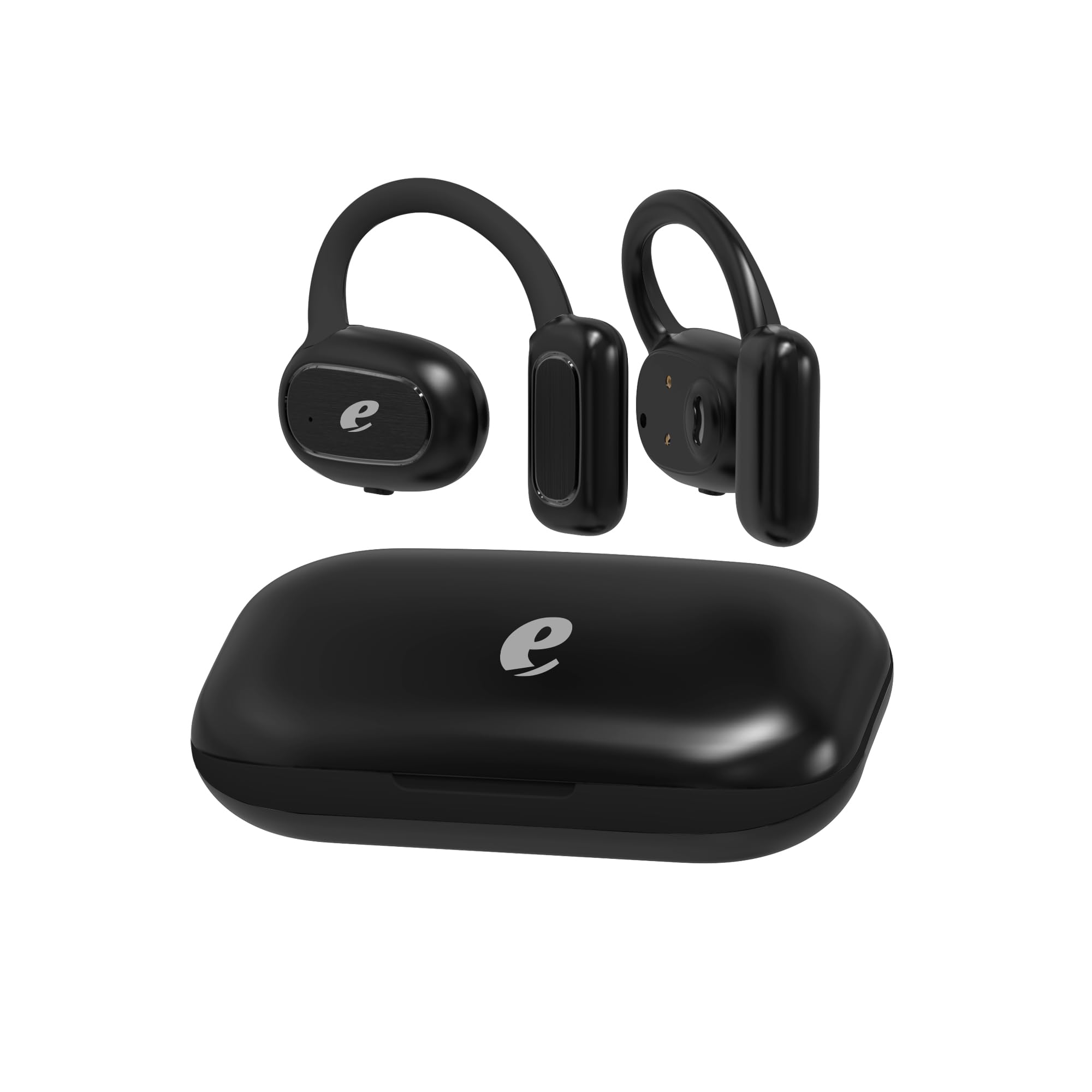
Image: The Acer AHR140 Wireless Sports Headphones charging case, presented in black.

Image: Visual representation of key features including HD Voice, comfortable wear design, long battery life, and a 14.2mm audio driver.

Image: A detailed view of one earbud, highlighting the light indicator and the multi-functional touch button for control.
Key Features:
- Open-Ear Air Conduction Technology: Allows ambient sound awareness for safety during outdoor activities.
- Long Battery Life: Provides extended hours of use on a single charge.
- Fast Type-C Charging: Enables quick and efficient recharging.
- High-Definition Audio & Bluetooth Connectivity: Ensures clear sound and stable wireless connection for calls and music.
- Lightweight and Comfortable Fit: Ergonomically designed for secure and non-intrusive wear throughout the day.
Setup
1. Charging the Headphones
- Connect the provided USB-C charging cable to the charging port on the headphones.
- Plug the other end of the cable into a compatible USB power adapter (not included) or a computer's USB port.
- The indicator light will show the charging status. A full charge typically takes approximately 1.5 hours.
2. Powering On/Off
- Power On: Press and hold the multi-functional button on the earbud for approximately 3 seconds until the indicator light flashes.
- Power Off: Press and hold the multi-functional button for approximately 5 seconds until the indicator light turns off.
3. Bluetooth Pairing
- Ensure the headphones are powered off.
- Press and hold the multi-functional button for about 5-7 seconds until the indicator light flashes red and blue alternately, indicating pairing mode.
- On your device (smartphone, tablet, laptop), enable Bluetooth and search for available devices.
- Select "Acer AHR140" from the list of devices.
- Once connected, the indicator light will flash blue slowly.
Operating Instructions
Music Playback
- Play/Pause: Single tap the multi-functional button.
- Next Track: Double tap the multi-functional button on the right earbud.
- Previous Track: Double tap the multi-functional button on the left earbud.
- Volume Up: Triple tap the multi-functional button on the right earbud.
- Volume Down: Triple tap the multi-functional button on the left earbud.
Call Management
- Answer/End Call: Single tap the multi-functional button.
- Reject Call: Press and hold the multi-functional button for 2 seconds.
- Voice Assistant: Press and hold the multi-functional button for 2 seconds (when not on a call).
Maintenance
- Cleaning: Wipe the headphones with a soft, dry cloth. Do not use abrasive cleaners or solvents.
- Storage: Store the headphones in a cool, dry place away from direct sunlight and extreme temperatures.
- Water Exposure: These headphones are not water-resistant. Avoid exposure to water, rain, or excessive moisture.
Troubleshooting
| Problem | Solution |
|---|---|
| Headphones do not power on. | Ensure the headphones are fully charged. |
| Cannot pair with device. | Ensure headphones are in pairing mode (flashing red/blue). Turn off and on Bluetooth on your device. Move closer to the device. |
| No sound or low volume. | Check volume levels on both headphones and your connected device. Ensure headphones are properly connected. |
| Intermittent connection. | Ensure no obstacles are between the headphones and your device. Move away from other wireless devices that may cause interference. |
Specifications
| Feature | Detail |
|---|---|
| Brand | Acer |
| Model Name | AHR140 |
| Color | Black |
| Ear Placement | Over Ear |
| Headphones Form Factor | Over Ear |
| Connectivity Technology | Wireless |
| Wireless Communication Technology | Bluetooth |
| Bluetooth Version | 5.0 |
| Bluetooth Range | 10 Meters |
| Audio Driver Size | 14.2 mm |
| Audio Driver Type | Dynamic Driver |
| Frequency Response | 20 Hz - 20,000 Hz |
| Impedance | 32 Ohms |
| Sensitivity | 3 dB |
| Noise Control | Sound Isolation |
| Control Type | Touch Control |
| Water Resistance Level | Not Water Resistant |
| Material | Plastic |
| Recommended Uses | Gaming, Making calls, Running, Cycling |
| Compatible Devices | Phones, Tablets, Laptops, Desktop Computers |
Warranty Information
The Acer AHR140 Wireless Sports Headphones come with a one-year limited warranty from the date of purchase. This warranty covers manufacturing defects and workmanship under normal use. It does not cover damage caused by misuse, accidents, unauthorized modifications, or exposure to water. Please retain your proof of purchase for warranty claims.
Support
For further assistance, technical support, or warranty inquiries, please refer to the official Acer support website or contact their customer service. Detailed contact information can typically be found on the Acer official website or in the product packaging.


