
Introduction
Thank you for choosing the PerGar 1080P HD Bike Rear View Camera with Tail Light. This device is designed to enhance your cycling safety by providing a clear rear view and an integrated tail light. Please read this manual carefully before use to ensure proper operation and maintenance.
Package Contents
- Camera Body
- Battery
- USB Cable
- Mount
- User Manual
Product Features
- Integrated Camera and Tail Light: Features a tail light that automatically flashes in low light conditions for enhanced night riding safety. Offers 6 adjustable lighting modes.
- Real-Time Rear View: Connects to your smartphone via a mobile application to display real-time road conditions behind you.
- High Definition Wide Angle View: Provides 1080P HD resolution video with a 150° wide-angle lens for a broad field of view.
- IPX6 Waterproof Rating: Designed to withstand various weather conditions, including rain.
- Long-Lasting Battery: Equipped with a built-in 3500mAh rechargeable battery, offering up to 6 hours of operation. Features a Type-C interface for quick charging and a battery percentage display.
Setup
1. Mounting the Camera
Attach the camera to your bicycle using the provided mount. Ensure it is securely fastened and positioned to provide an optimal rear view.

Image: Quick release design for easy installation and removal of the camera mount.
2. Charging the Battery
Before first use, fully charge the camera's battery using the provided USB Type-C cable. Connect the cable to the camera's Type-C port and a compatible USB power source (5V).

Image: Close-up of the USB-C 5V charging port on the camera.
3. Checking Battery Status
Press the 'TEST' button on the back of the camera to check the current battery level. Indicator lights will illuminate to show the charge status (25%, 50%, 75%, 100%). An audio notification will alert you when the power is below 25%.

Image: Diagram showing the battery status indicator lights and 'TEST' button.
Operating Instructions
1. Power On/Off
Press and hold the power button (usually marked with a power symbol) to turn the camera on or off.

Image: Close-up of the power and 'OK' buttons on the camera.
2. Tail Light Modes
The camera features 6 adjustable tail light modes. When the camera is on and detects a low light environment, the tail light will automatically flash. You can cycle through the modes using the designated button (refer to the specific button layout on your device).

Image: Illustration of the smart light mode activating in low light conditions.

Image: Visual representation of the 6 adjustable lighting modes.
3. Real-Time Rear View and App Control
To utilize the real-time rear view feature, download the dedicated mobile application (check the product packaging or manufacturer's website for app details). Connect your camera to your phone via Wi-Fi. Once connected, you can monitor the road conditions behind you directly on your phone screen. The app also allows for one-key sharing of your recorded videos.

Image: A smartphone screen showing the real-time rear view from the camera, with cyclists behind.
Video: This video demonstrates the PerGar 1080P HD Bicycle Rearview Camera with Tail Light, showcasing its compact design, IPX6 waterproof rating, 5-hour recording time, and 6 different light modes. It also includes footage of the camera in use during day and night cycling, providing a clear view of traffic behind the rider.
Maintenance
1. Cleaning
Wipe the camera lens and body with a soft, dry cloth. Avoid using harsh chemicals or abrasive materials that could damage the device.
2. Waterproofing
The camera has an IPX6 waterproof rating, making it resistant to strong jets of water. However, avoid submerging the device in water. Ensure the USB port cover is securely closed to maintain water resistance.
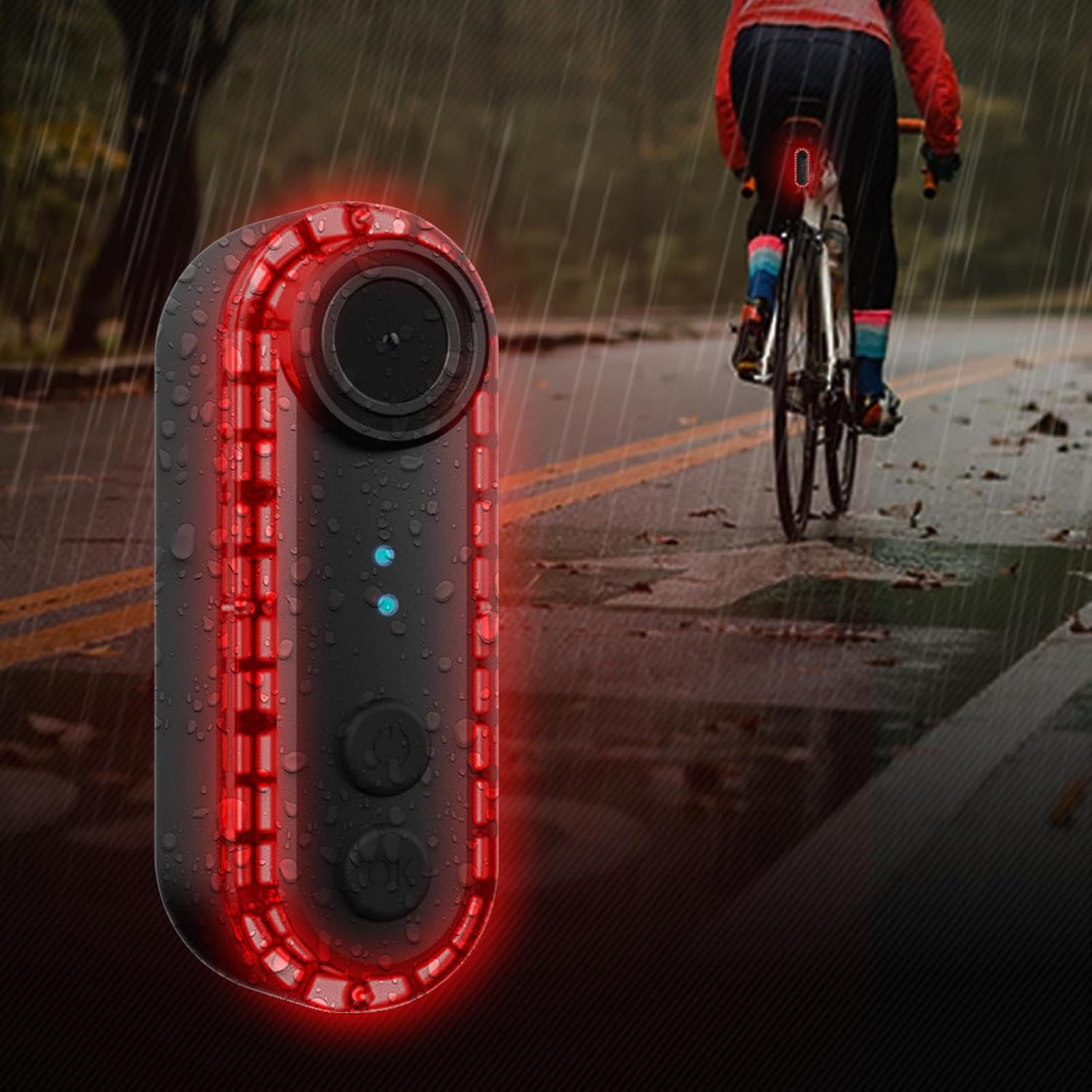
Image: The camera mounted on a bicycle, demonstrating its waterproof capability in light rain.
3. Battery Care
To prolong battery life, avoid fully discharging the battery frequently. Charge the device regularly, especially if it will be stored for an extended period.
Troubleshooting
- Camera not turning on: Ensure the battery is charged. Connect to a power source and try again.
- No real-time view on phone: Check if the camera's Wi-Fi is enabled and your phone is connected to the camera's Wi-Fi network. Ensure the mobile app is open and updated.
- Tail light not working: Verify the camera is powered on. Cycle through the light modes to ensure it's not set to an off mode.
- Poor video quality: Clean the camera lens. Ensure there is sufficient lighting.
- Short battery life: Ensure the battery is fully charged. Reduce usage of high-power features if possible.
Specifications
| Feature | Specification |
|---|---|
| Brand | PerGar |
| Model Name | PerGarug6gh2kews |
| Video Capture Resolution | 1080p |
| Wide Angle Lens | 150 Degrees |
| Waterproof Rating | IPX6 |
| Battery Capacity | 3500mAh |
| Battery Life | Up to 6 hours |
| Charging Interface | USB Type-C |
| Connectivity Technology | Wi-Fi |
| Flash Memory Type | Micro SDXC |
| Item Weight | 12.1 ounces |
| Package Dimensions | 5.12 x 3.94 x 3.54 inches |
Warranty and Support
This PerGar product comes with a standard manufacturer's warranty. For detailed warranty information, please refer to the warranty card included in your package or visit the official PerGar website. For technical support, troubleshooting assistance, or any inquiries, please contact PerGar customer service through the contact information provided on the product packaging or website.