
Viozon I6
Viozon Portable Selfie Stick Instruction Manual
Model: I6
Brand: Viozon
Product Overview
The Viozon Portable Selfie Stick is a versatile and compact accessory designed to enhance your mobile photography and videography experience. It features a lightweight, extendable stainless steel tube and an all-in-one design with a wireless remote, making it compatible with a wide range of iPhone and Android phones (4-7 inches). Its adjustable clamp allows for both horizontal and vertical phone rotation, perfect for vlogging, travel, and filming.
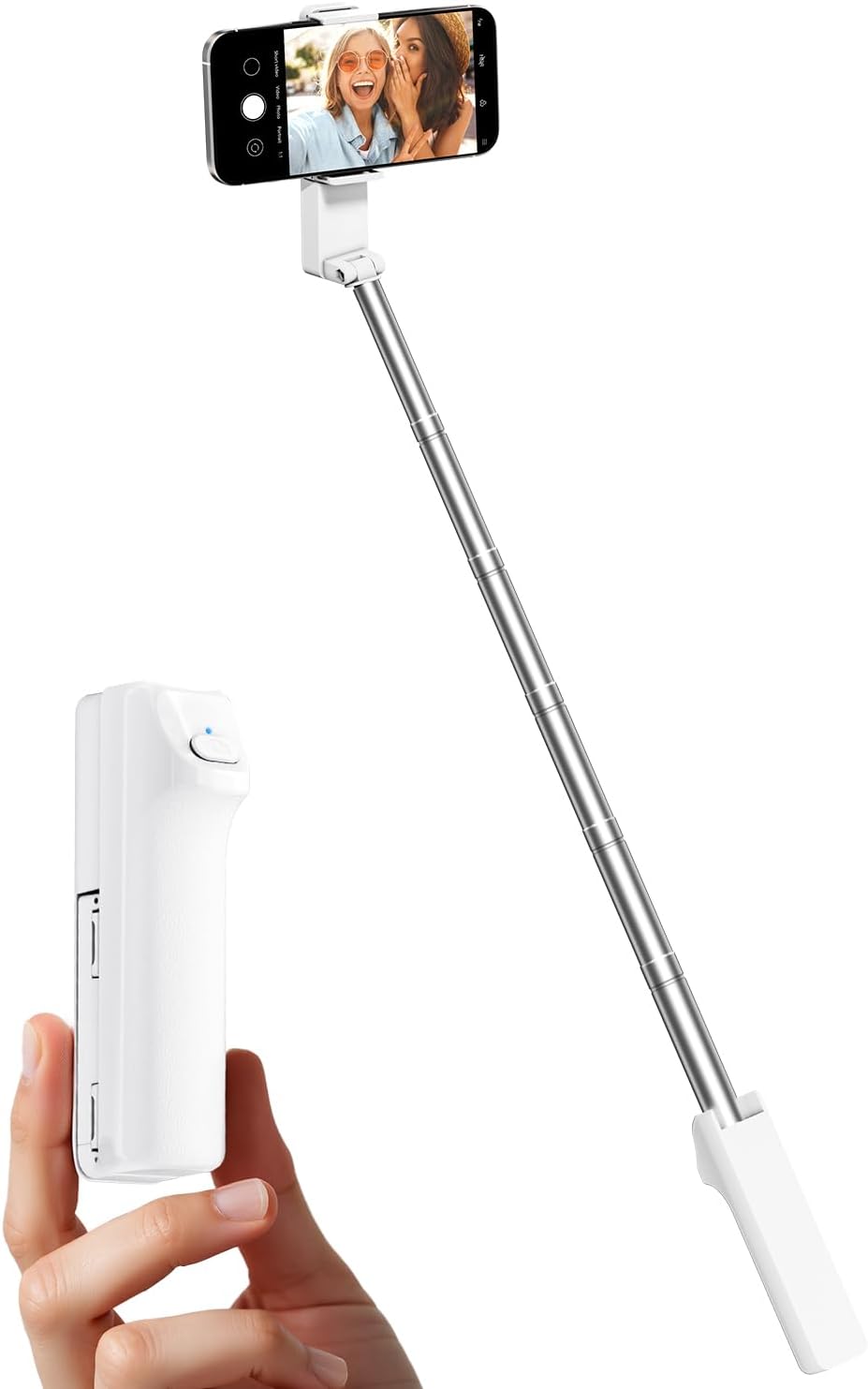
Figure 1: Viozon Portable Selfie Stick in folded and extended configurations.
Key Features
- Wide Compatibility: Designed for smartphones between 4 and 7 inches, including various iPhone and Android models. The adjustable pull clip ranges from 2.4 to 3.9 inches.
- Adjustable Length & Super Lightweight: Extends up to 26.38 inches (72 cm) and folds down to a compact 1.2 x 1.9 x 4.7 inches. Weighs approximately 0.24 lbs (110g) for easy portability.
- Wireless Connection & One-Click Shooting: Features a wireless remote for convenient photo and video capture.
- Ergonomic Design: The grip ensures comfortable and secure use, reducing arm fatigue during extended sessions.
- High-Quality Material Selection: Constructed from durable Stainless Steel and premium lightweight ABS for wear-resistant and shockproof performance.

Figure 2: Wide compatibility with various smartphone sizes.

Figure 3: Compact folded size and extended arm length.

Figure 4: The selfie stick's lightweight design for easy carrying.
Setup
1. Initial Setup and Battery Activation
Upon unboxing, locate the wireless remote control integrated into the handle. Before first use, remove the protective film from the battery compartment side of the remote. This activates the battery for operation.
2. Bluetooth Pairing
- Press and hold the button on the selfie stick's remote for 2 seconds until the blue indicator light begins to flash. This indicates it is in pairing mode.
- On your smartphone, navigate to your Bluetooth settings.
- Search for available devices and select "Selfie-I6" from the list.
- Once paired, the blue light will stop flashing and remain solid, indicating a successful connection.

Figure 5: Bluetooth pairing process with a smartphone.
3. Mounting Your Phone
Gently pull open the phone clamp at the top of the selfie stick. Carefully place your smartphone into the clamp, ensuring it is securely held. The clamp is designed to accommodate phones between 2.4 and 3.9 inches in width.
Operating Instructions
1. Extending and Retracting the Stick
To extend the selfie stick, simply pull the telescopic tube upwards from the handle. It can extend up to 26.38 inches (72 cm). To retract, push the tube back into the handle until it is fully collapsed.
2. Adjusting Phone Holder Angle
The phone clamp features a rotatable dual-shaft design, allowing for 360-degree smooth rotation at any angle. You can also fold the clamp 180 degrees to adjust the viewing or shooting perspective. This enables seamless switching between horizontal and vertical orientations for photos and videos.
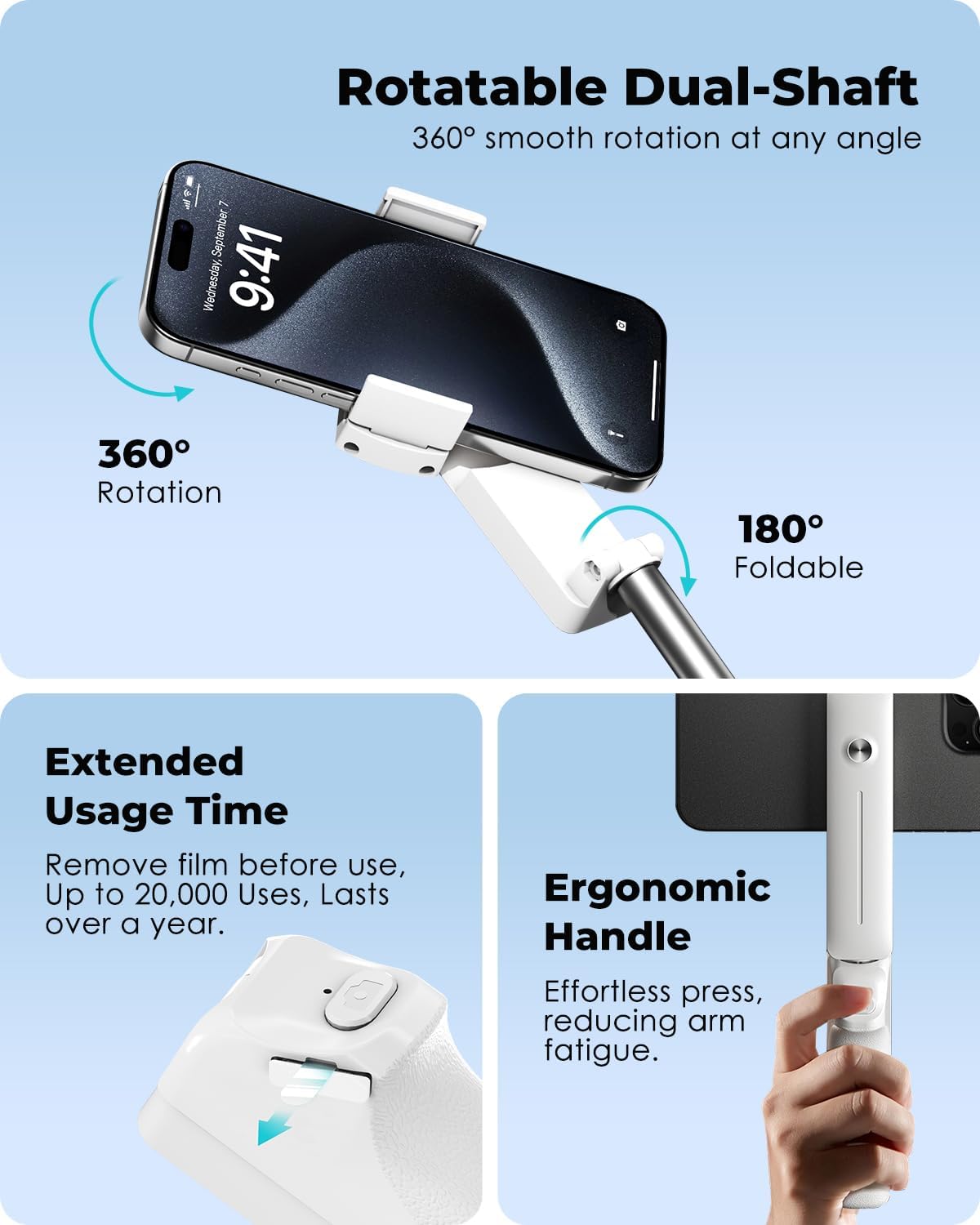
Figure 6: Rotatable dual-shaft for flexible phone positioning.
3. Using the Wireless Remote
Once paired via Bluetooth, open your smartphone's camera application. Press the button on the wireless remote to take photos or start/stop video recording. The remote provides convenient control without needing to touch your phone's screen.

Figure 7: Capturing moments with the extended selfie stick.
Maintenance
- Keep the selfie stick clean by wiping it with a soft, dry cloth.
- Avoid exposing the device to extreme temperatures or direct sunlight for prolonged periods.
- Store the selfie stick in a dry place when not in use.
- Ensure the telescopic tube is fully retracted before storing to prevent damage.
Troubleshooting
- Remote not connecting: Ensure the remote's battery protective film has been removed. Recharge or replace the battery if necessary. Make sure Bluetooth is enabled on your phone and the remote is in pairing mode (blue light flashing). Try unpairing and re-pairing the device.
- Phone not fitting in clamp: Verify your phone's dimensions are within the 2.4-3.9 inch compatibility range. Remove any bulky phone cases if they prevent a secure fit.
- Stick feels wobbly when extended: Ensure all telescopic sections are fully extended and locked into place. Avoid excessive force or heavy phones that exceed the recommended weight capacity.
Specifications
| Feature | Specification |
|---|---|
| Brand | Viozon |
| Model Number | I6 |
| Compatible Devices | Cellphone (4-7 inches) |
| Folded Size | 1.2 x 1.9 x 4.7 inches |
| Extended Length | Up to 26.38 inches (72 cm) |
| Item Weight | 4.2 ounces (110g) |
| Material | Stainless Steel, ABS |
| Color | White |
Warranty and Support
Viozon offers a 1-year warranty for quality-related issues. If you encounter any problems with your product within this period, you are eligible for a replacement or refund. For any questions or assistance, please contact our friendly support team. We are committed to replying to your inquiry within 24 hours.
Ask a question about this manual
Ask about setup, troubleshooting, compatibility, parts, safety, or missing instructions. Manuals+ will review the question and use this page’s manual context to help answer it.