
1. Introduction
This manual provides comprehensive instructions for the installation, operation, and maintenance of your MALIIGAZA Intelligent Motion Sensor LED Stair Light Kit. Please read this manual thoroughly before installation and use to ensure proper function and safety.
2. Safety Information
- Ensure power is disconnected before any installation or maintenance.
- This product is designed for indoor use only. Do not expose to moisture or extreme temperatures.
- Installation should be performed by a qualified individual if you are unsure about electrical wiring.
- Use only the provided power supply. Connecting to an incorrect voltage can damage the unit and pose a safety risk.
- Keep all components out of reach of children.
3. Package Contents
Verify all items are present before beginning installation:
- 1x LED Controller
- 1x Remote Control
- 1x Main Line (for 16 or 20 steps, depending on kit)
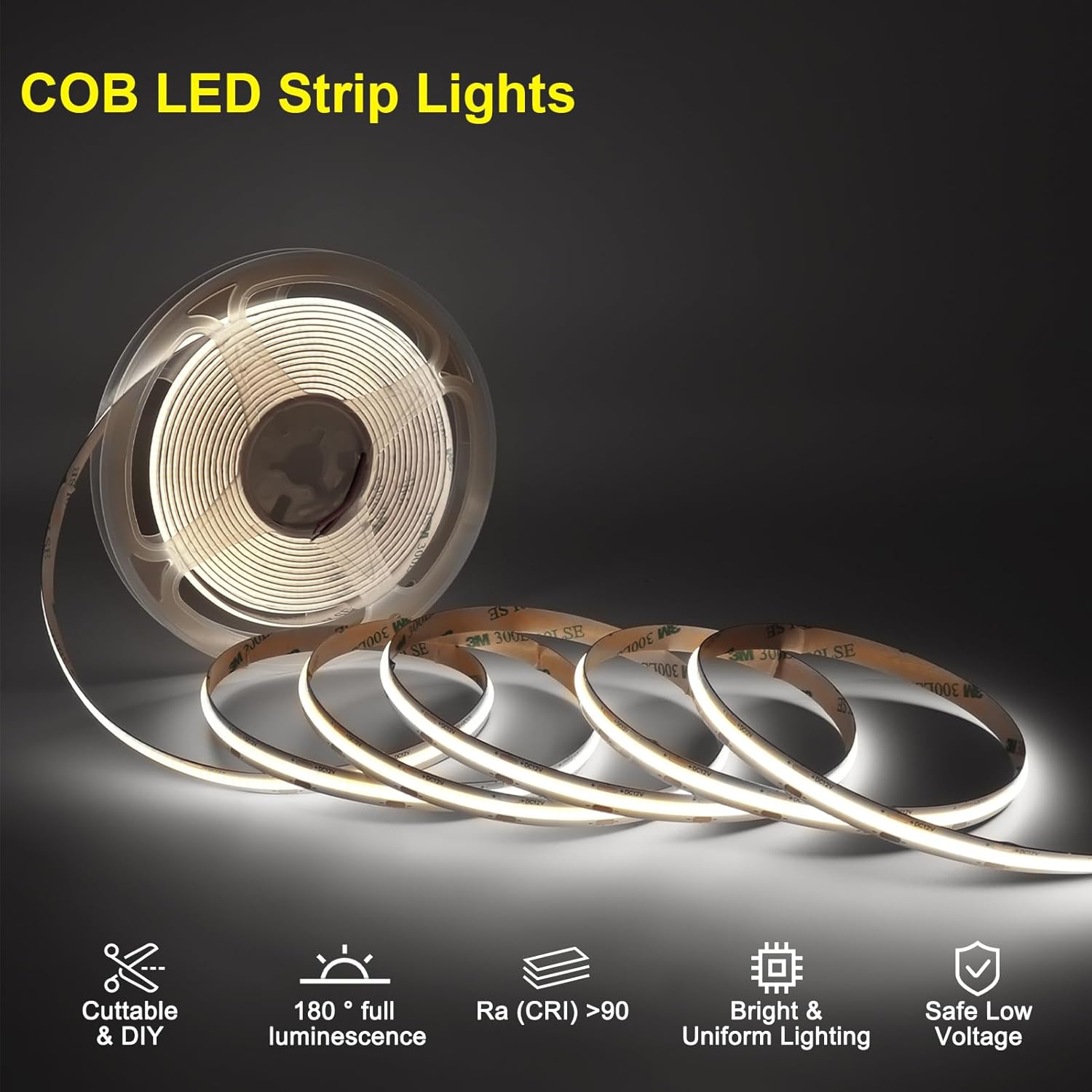
- 16/20x COB LED Strip Lights (47.2 inches each)
- 2x PIR Motion Sensors
- 1x Daylight Sensor
- 1x Sensor Extension Cable (5m/16.4ft)
- 1x 2-Pin Wire (for connecting controller and power supply)
- 1x Power Supply + Plug
- Mounting Clips and Screws
- Instruction Manual
Note: Due to product upgrades, the small screwdriver mentioned in some older manuals may not be included.
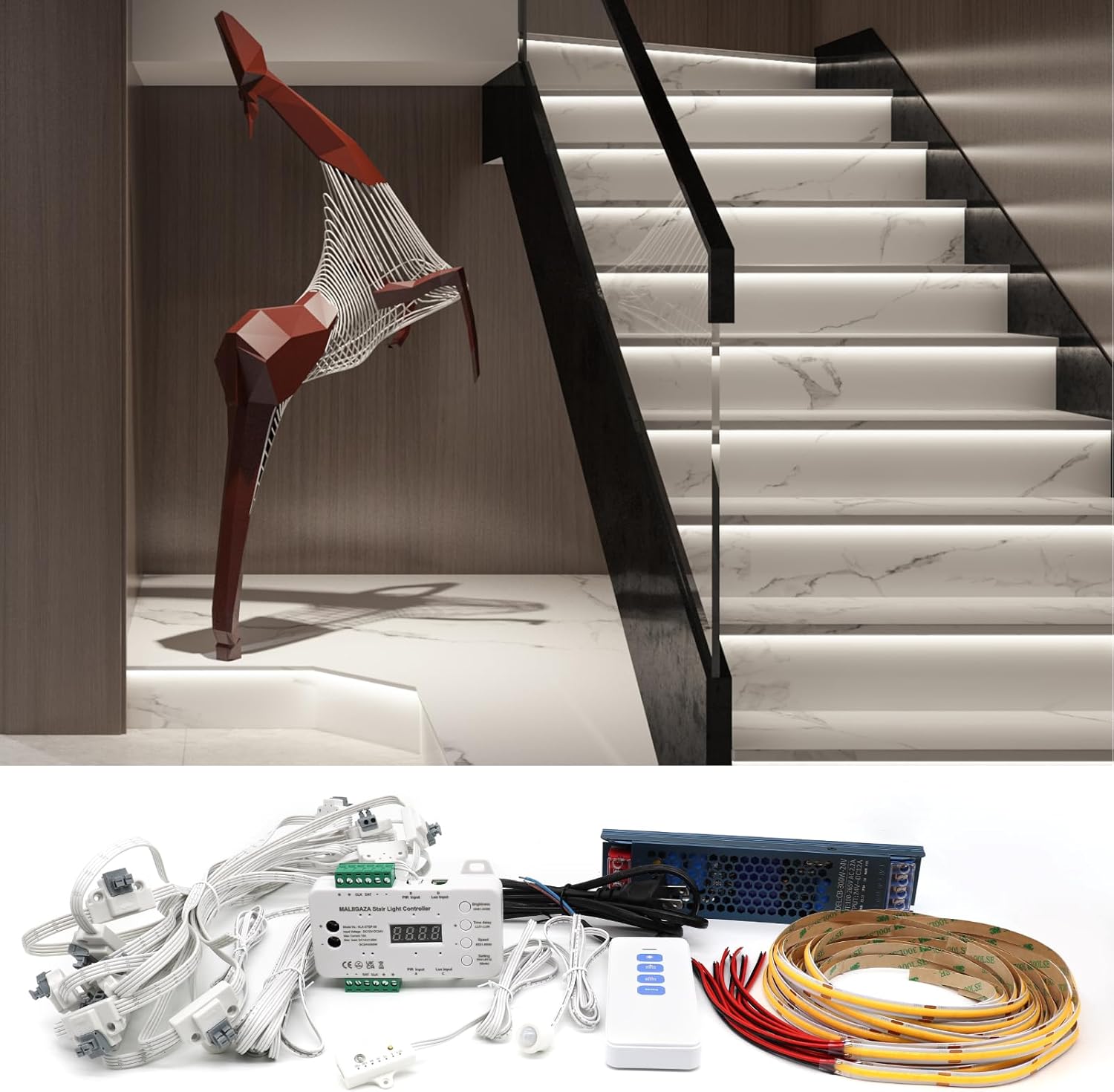
Image showing all components included in the MALIIGAZA Intelligent Motion Sensor LED Stair Light Kit, laid out on a white surface. Components include the main controller, remote, power supply, main line cable, LED strips, PIR sensors, daylight sensor, and various connectors and mounting hardware.
4. Setup and Installation
4.1. Pre-Installation Considerations
- Measure your stair spacing. The distance between connection points on the main cable is 40cm (15.75 inches). Ensure this matches your stair dimensions.
- Determine your preferred installation method: under the stair tread or on the side wall.
- Gather necessary tools: screwdriver, electric drill.
4.2. Wiring Connections (Initial Test)
Before permanent installation, it is recommended to connect all components on a flat surface to test functionality.
- Connect Power Supply: Connect the power plug to the power supply. Connect the 2-pin wire (red to V+, black to V-) from the power supply to the controller's power input terminals.
- Connect Main Line: Connect the main line cable to the controller. Ensure the arrow on the main line connector points towards the direction of travel up the stairs. Incorrect orientation will prevent proper sequential lighting.
- Connect LED Strips: Connect each COB LED strip to the main line connectors. Ensure the red wire of the LED strip connects to V+ and the black wire to V- on the main line connector.
- Connect Sensors: Connect the PIR motion sensors (Input A and B) and the daylight sensor (Input C) to the controller.
- Power On: Plug in the power supply to a standard AC power outlet. The system should power on and respond to motion.
Video demonstrating the unboxing and initial wiring connections for the MALIIGAZA Stair Light Kit. It shows how to connect the power supply, main line, LED strips, and sensors to the controller for a preliminary test.
Video illustrating the complete wiring process for the Intelligent Motion Sensor LED Stair Light Kit, including connecting the power supply, controller, main line, LED strips, and motion/daylight sensors. It also demonstrates the sequential lighting effect.
Detailed wiring diagram showing the connections between the power supply, controller, main line, LED strips, and sensors. Labels indicate positive and negative terminals and sensor inputs.

Close-up image showing how to connect an LED strip to a main line connector, highlighting the correct polarity (red to V+, black to V-).
4.3. Physical Installation (Under Tread Method)
- Secure Controller: Fix the main controller unit to a stable, discreet location, such as under the first or last step.
- Route Main Cable: Route the main line cable along the side of the stairs, securing it with the provided clips or screws. Ensure the arrows on the cable points are oriented upwards (towards the direction of travel).
- Install LED Strips: Cut LED strips to the appropriate length for each step. Peel off the adhesive backing and firmly press the strip onto the clean, dry surface under the stair tread. Drill small holes to pass the LED strip wires through to connect to the main line.
- Install Sensors: Install one PIR motion sensor at the bottom of the stairs and another at the top. Install the daylight sensor in a location that accurately detects ambient light.

Diagram illustrating the installation of the MALIIGAZA stair light kit, showing the placement of the controller, main line, LED strips under each tread, and motion sensors at the top and bottom of the staircase.

Image demonstrating the PIR motion sensor functionality, showing a person walking up stairs and the lights activating sequentially. Text indicates 'Light on detecting movement, Light off after motion disappears'.
Image illustrating the daylight sensor's function, showing stairs lit in darkness when motion is detected, and remaining off during daylight hours to save energy.
5. Operating Instructions
5.1. Remote Control
The included remote control allows for various adjustments:
- Brightness: Adjust the overall brightness of the LED strips.
- Time Delay: Set the duration the lights remain on after motion is no longer detected (e.g., 200 seconds / 3.3 minutes).
- Speed: Adjust the speed of the sequential lighting effect.
- Setting (Mode): Select from various lighting modes (e.g., step-by-step, all on).

Image showing the MALIIGAZA stair light controller and its remote control. The remote has buttons for delay, speed, and number (mode) settings.
5.2. Daylight Sensor Settings
The daylight sensor can be configured to prevent lights from activating during bright conditions, saving energy.
- OFF: Daylight sensor is off. PIR sensors work both day and night.
- 5 Lux: Sensor activates when it is quite dark.
- 15 Lux: Sensor activates in low light conditions.
- 30 Lux: Sensor activates in moderately dim conditions.
- 50 Lux: Sensor activates in slightly dim conditions.
- 100 Lux: Sensor activates when light is dim.
- 150 Lux: Sensor activates when light is bright.
Press the button on the daylight sensor to cycle through the settings. An indicator light will show the current Lux level.
Video demonstrating the various lighting effects and modes of the MALIIGAZA STEP-09 Stair Light Kit, showcasing its dynamic control capabilities.
Video showcasing the real-world lighting effect of the MALIIGAZA Stair Light Kit, demonstrating its brightness and sequential activation in a home environment.
6. Maintenance
- Keep the LED strips and sensors clean and free from dust to ensure optimal performance.
- Use a soft, dry cloth for cleaning. Do not use abrasive cleaners or solvents.
- Regularly check all connections for security.
7. Troubleshooting
7.1. Lights Not Turning On
- Check all power connections. Ensure the power supply is plugged in and the controller is receiving power.
- Verify the main line is correctly connected to the controller, paying attention to the arrow direction.
- Check LED strip connections for correct polarity (red to V+, black to V-).
- Ensure sensors are properly connected and not obstructed.
- If the daylight sensor is enabled, check the ambient light level. Try disabling the daylight sensor temporarily to test.
7.2. Lights Not Activating Sequentially
- Confirm the main line is connected with the correct arrow direction (towards the direction of travel).
- Check the mode setting on the remote control or controller to ensure a sequential mode is selected.
7.3. Motion Sensor Issues
- Ensure PIR sensors are installed in optimal locations, free from obstructions.
- Check sensor connections to the controller.
- Adjust the time delay setting if lights turn off too quickly or stay on too long.
8. Specifications
- Brand: MALIIGAZA
- Model Name: Step Light Kit
- Item Model Number: STEP-09-20S-CW-1.2M-HB300W-SET
- Color Temperature: 6000 Kelvin (Cool White)
- Voltage: 24 Volts
- Wattage: 300 watts
- Number of Light Sources: 480 (per strip, total depends on number of strips)
- Special Features: Main Line, Motion Sensor, Remote Controlled, Daylight Sensor
- Installation Type: Surface Mount
- Indoor/Outdoor Usage: Indoor
- Material: Metal, Plastic
- Cuttable LED Strip: Yes (every 1.97 inches)
9. Warranty and Support
For warranty information, technical support, or to purchase additional components (such as extension cables for longer main lines), please contact MALIIGAZA customer service. Refer to the product packaging or official MALIIGAZA website for contact details.