
WOOPKER KC-906
WOOPKER Portable DVD Player User Manual
Model: KC-906
1. Product Overview
The WOOPKER KC-906 Portable DVD Player is a versatile entertainment device featuring a 7-inch HD (1024x600) digital screen and Hi-Fi stereo speakers. Designed for portability, it includes a 4000mAh rechargeable battery providing up to 7 hours of playback. This player supports multiple media formats including DVD, CD, USB, and offers Bluetooth, AUX, and AV connectivity. It is equipped with user-friendly functions such as memory playback, a sleep timer, and a remote control for convenient operation.
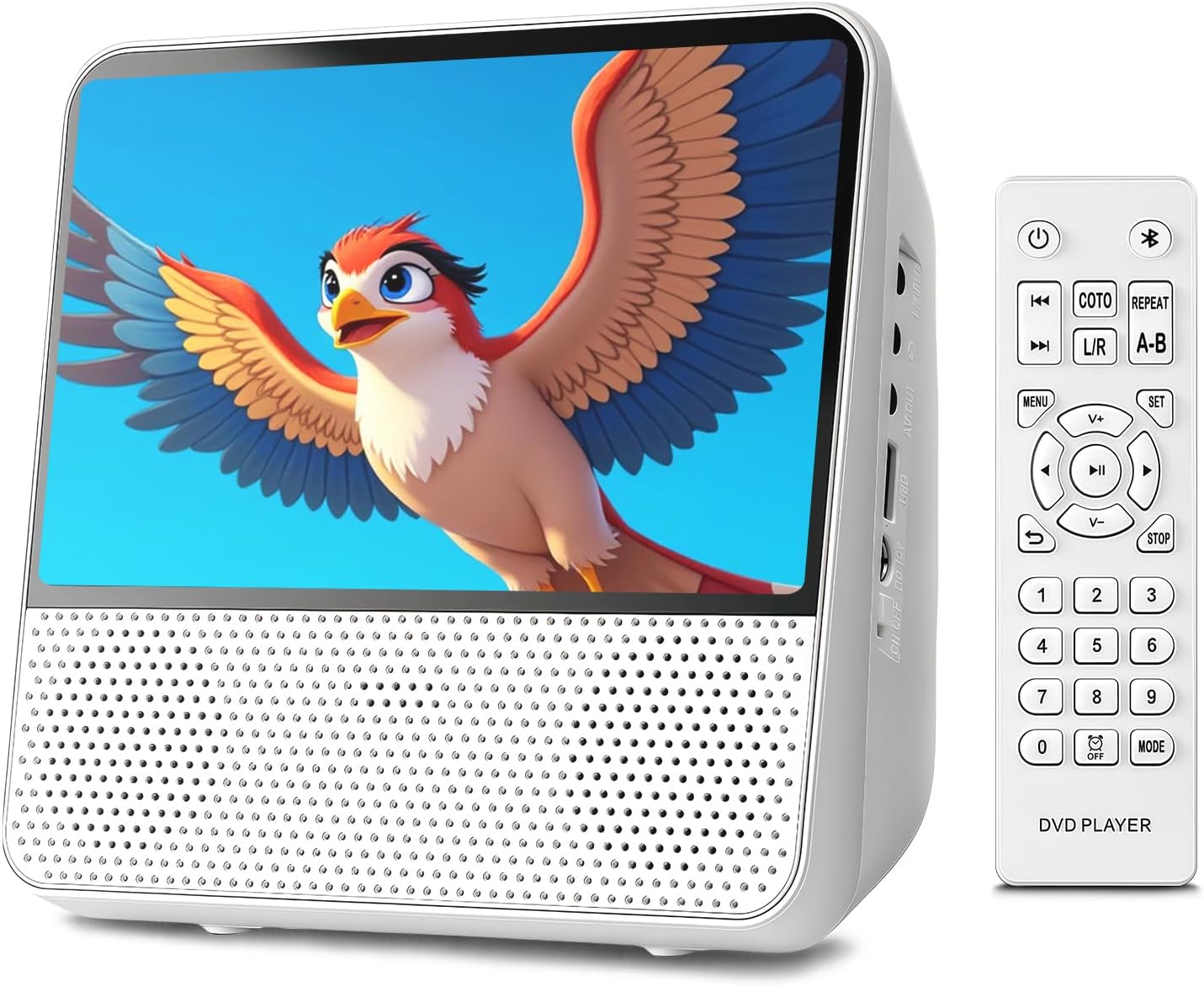
Image 1.1: Front view of the WOOPKER Portable DVD Player with its remote control, displaying a vibrant image on screen.

Image 1.2: Overview of key features including All Region support, Memory Playback, Built-in Speaker, No Internet Required, Bluetooth Playback, 4000mAh Battery, and AUX Mode.
2. What's in the Box
Upon opening the package, please ensure all the following items are present and in good condition:
- WOOPKER Portable DVD Player (KC-906)
- User Manual
- Remote Control
- 12V/1.5A Power Adapter
- AV Cable
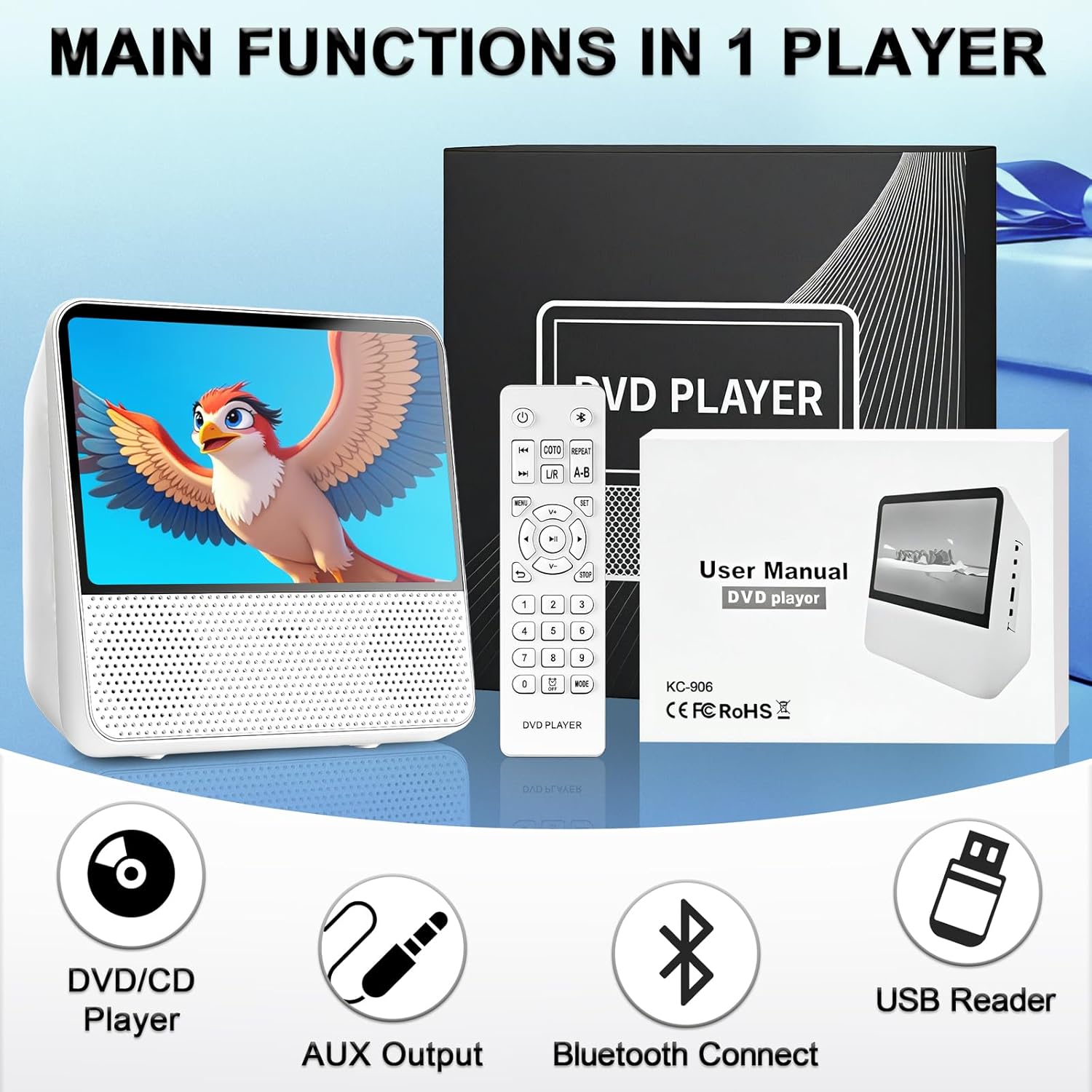
Image 2.1: The portable DVD player, remote control, user manual, and power adapter, illustrating the main components included in the package.
3. Setup and Connections
3.1 Powering On and Charging
Before first use, fully charge the built-in 4000mAh battery. Connect the 12V/1.5A power adapter to the DC-12V Power Interface on the side of the player and plug it into a wall outlet. The charging indicator will show the charging status. A full charge provides up to 7 hours of playback.
3.2 Identifying Ports and Controls
Familiarize yourself with the various ports and controls located on the device:

Image 3.1: Detailed view of the player's side, showing the 3.5mm AUX Out, AV Output, USB Port, DC-12V Power Interface, Power Switch, and top panel controls including Brightness Adjustment, Button Lock, Previous/Next, Volume-/+, Repeat, Play/Pause, and Mode buttons.
- Power Switch: Turns the device on or off.
- DC-12V Power Interface: Connects the power adapter for charging and operation.
- USB Port: For connecting USB drives to play media files.
- AV Output: Connects to a TV or larger display using the provided AV cable.
- 3.5mm AUX Out: For connecting headphones or external speakers.
- Top Panel Controls: Buttons for brightness, button lock, track navigation, volume, repeat, play/pause, and mode selection.
3.3 Connecting to a TV (AV Output)
To view content on a larger screen, connect the portable DVD player to your TV using the AV output cable:
- Connect one end of the AV cable to the AV Output port on the portable DVD player.
- Connect the other end of the AV cable (red, white, yellow plugs) to the corresponding AV Input ports on your television.
- Select the correct AV input source on your TV.

Image 3.2: Illustration of the portable DVD player connected to a television using an AV cable, demonstrating how to share content on a larger display.
3.4 Connecting External Audio (AUX Output)
For private listening or enhanced audio, connect headphones or external speakers:
- Plug your headphones or external speakers into the 3.5mm AUX Out port on the player.
- Adjust the volume on the player or connected audio device.

Image 3.3: Visual representation of AUX output to speakers/headphones and AUX input from a smartphone/laptop, highlighting the versatility of audio connections.
4. Operating Instructions
4.1 Disc Playback (DVD/CD)
The player supports DVD/DVD+R/DVD+RW/DVD-R/DVD-RW/VCD/SVCD/CD/CD-R/CD-RW/CD-G/WMA/MP3 discs (excluding Blu-ray/MP4). It is region-free.
- Open the disc compartment.
- Insert a compatible disc with the label facing up.
- Close the disc compartment. The player will automatically begin reading the disc.
- Use the remote control or top panel buttons for playback control (Play/Pause, Stop, Next/Previous, Volume).
4.2 USB Playback
Insert a USB flash drive into the USB port. The player will detect the drive and display its contents. Navigate through folders and select your desired media file (WMA/MP3 for audio, JPG/PNG/JPEG/VOB/MPG/AVI/MPEG/MOV/VOB for video/images).
4.3 Bluetooth Functionality
The player features a built-in Bluetooth receiver, allowing it to function as a Bluetooth speaker.
- Turn on the player and switch to Bluetooth mode using the "Mode" button.
- Enable Bluetooth on your smartphone, tablet, or computer.
- Search for "WOOPKER KC-906" (or similar device name) in your device's Bluetooth settings and pair.
- Once connected, audio from your paired device will play through the portable DVD player's speakers.

Image 4.1: A user enjoying music from the portable DVD player, demonstrating its wireless Bluetooth capability.
4.4 Memory Playback (Breakpoint Resume)
The intelligent Break-Point Memory feature allows the player to remember where you left off in a movie or audio track. When you power the device back on, it will resume playback from the last stopped point, eliminating the need to start from the beginning.
4.5 Repeat Functions
The player offers various repeat modes for continuous playback:
- REP 1: Repeats the current track/chapter.
- REP ALL: Repeats all tracks/chapters on the disc/USB.
- RANDOM: Plays tracks in a shuffled order.
- REPEAT A-B: Repeats a specific segment between point A and point B.

Image 4.2: Display of the repeat function options: Repeat One, Repeat All, Shuffle Play, and A-B Repeat.
4.6 Sleep Timer Function
The sleep timer allows you to set a specific time after which the player will automatically turn off. This is useful for bedtime listening or viewing.
5. Maintenance and Care
Proper maintenance ensures the longevity and optimal performance of your portable DVD player.
- Cleaning: Use a soft, dry cloth to clean the exterior of the player. For the screen, use a microfiber cloth specifically designed for electronics. Do not use liquid cleaners or abrasive materials.
- Disc Care: Handle discs by their edges. Keep them clean and free of scratches, dust, and fingerprints. Store discs in their cases when not in use.
- Storage: When not in use for extended periods, store the player in a cool, dry place away from direct sunlight and extreme temperatures.
- Battery: To maintain battery health, avoid fully discharging the battery frequently. If storing for a long time, charge the battery to about 50% every few months.
- Avoid Impacts: Protect the device from drops and impacts, which can damage internal components or the screen.
6. Troubleshooting
If you encounter issues with your WOOPKER Portable DVD Player, refer to the following common problems and solutions:
| Problem | Possible Cause | Solution |
|---|---|---|
| Player does not turn on. | Low battery or power adapter not connected properly. | Connect the power adapter and ensure it's plugged into a working outlet. Allow time for charging if the battery is depleted. |
| No disc playback. | Disc is dirty, scratched, or incompatible format. | Clean the disc with a soft cloth. Try a different, known-good disc. Ensure the disc format is supported (not Blu-ray/MP4). |
| No sound. | Volume too low, mute enabled, or external audio device not connected correctly. | Increase volume. Check if mute is active. Ensure headphones/speakers are properly plugged into the AUX Out port. |
| Bluetooth pairing fails. | Player not in Bluetooth mode, or device too far. | Ensure the player is in Bluetooth mode. Move the pairing device closer to the player. Restart both devices and try pairing again. |
| Image not displayed on TV. | AV cable not connected properly or incorrect TV input selected. | Check AV cable connections on both the player and TV. Select the correct AV input source on your TV. |
7. Specifications
Detailed technical specifications for the WOOPKER KC-906 Portable DVD Player:
- Model Number: KC-906
- Screen Size: 9.8 Inches (diagonal), 7-inch HD Digital Screen (1024 x 600 resolution)
- Display Type: LED
- Product Dimensions: 7.09 x 6.69 x 3.35 inches
- Item Weight: 2.2 pounds
- Battery: 4000mAh Rechargeable Battery
- Battery Life: Up to 7 hours (approx.)
- Supported Disc Formats: DVD, DVD+R, DVD+RW, DVD-R, DVD-RW, VCD, SVCD, CD, CD-R, CD-RW, CD-G, WMA, MP3 (Note: Does not support Blu-ray or MP4 files)
- Supported USB Media Formats: WMA, MP3 (audio); JPG, PNG, JPEG, VOB, MPG, AVI, MPEG, MOV (video/images)
- Connectivity: Bluetooth (Receiver), USB, 3.5mm AUX Out, AV Output
- Color: White
- Manufacturer: WOOPKER

Image 7.1: The portable DVD player with its dimensions (7.08 inches width, 3.34 inches depth) and battery capacity (4000mAh) highlighted.
8. Warranty and Support
WOOPKER is committed to providing excellent customer service. If you have any questions, require assistance, or encounter issues with your product, please contact our dedicated customer support team.
- Customer Support: Our team is available to respond to inquiries within 24 hours.
- After-Sales Service: We are dedicated to ensuring your satisfaction with the product.
Please refer to your purchase documentation or the WOOPKER official website for specific warranty terms and contact information.
Ask a question about this manual
Ask about setup, troubleshooting, compatibility, parts, safety, or missing instructions. Manuals+ will review the question and use this page’s manual context to help answer it.