
1. Introduction
Thank you for choosing the GALAX PRO 180W Oscillating Multi-Tool TD9523. This versatile power tool is designed for a wide range of tasks including cutting, sanding, scraping, and polishing various materials. Please read this manual carefully before operating the tool to ensure safe and efficient use. Keep this manual for future reference.
1.1 Product Overview
The GALAX PRO TD9523 is a powerful 180W oscillating tool, delivering 22,000 oscillations per minute (OPM) for efficient work. Its robust metal gear head ensures durability and extended service life. The compact design and ergonomic handle provide optimal grip and control, especially in confined spaces.

Image 1.1: GALAX PRO 180W Oscillating Multi-Tool TD9523

Image 1.2: Overview of the GALAX PRO Oscillating Multi-Tool highlighting 22,000 OPM and its capabilities for cutting, sanding, scraping, and polishing.
1.2 Intended Use
This oscillating multi-tool is suitable for a variety of materials including wood, PVC, bamboo, soft non-ferrous metals, plasterboard, laminates, carpets, and ceramic tiles. It is ideal for tasks such as:
- Sawing and cutting baseboards, pipes (copper, plastic).
- Sanding wood and metal surfaces.
- Scraping old paint, adhesive, or caulk.
- Trimming door bottoms without removal.
1.3 Package Contents
Upon unpacking, ensure all items listed below are present and undamaged:
- 1x GALAX PRO TD9523 Oscillating Multi-Tool
- 1x Stainless Steel Blade
- 2x High Carbon Steel Blades
- 1x Semi-Circular Plastic/Wood Saw Blade
- 1x Triangular Sanding Pad
- 6x Sandpaper sheets (2x 60 grit, 2x 80 grit, 2x 120 grit)
- 1x User Manual
2. Safety Instructions
Always follow basic safety precautions when using electric tools to reduce the risk of fire, electric shock, and personal injury. Read all warnings and instructions provided with the tool.
2.1 General Power Tool Safety
- Work Area Safety: Keep your work area clean and well-lit. Cluttered or dark areas invite accidents. Do not operate power tools in explosive atmospheres, such as in the presence of flammable liquids, gases, or dust.
- Electrical Safety: Power tool plugs must match the outlet. Never modify the plug. Avoid body contact with earthed or grounded surfaces. Do not expose power tools to rain or wet conditions.
- Personal Safety: Always wear eye protection. Use hearing protection when operating noisy tools. Dress properly; avoid loose clothing or jewelry. Secure long hair.
- Tool Use and Care: Do not force the power tool. Use the correct power tool for your application. Disconnect the plug from the power source before making any adjustments, changing accessories, or storing power tools.
2.2 Specific Oscillating Tool Safety
- Hold the power tool by insulated gripping surfaces when performing an operation where the cutting accessory may contact hidden wiring or its own cord.
- Always ensure the workpiece is securely clamped or stabilized before beginning work.
- Be aware of kickback when cutting or sanding.
- Do not touch the accessory immediately after use; it may be extremely hot.
3. Technical Specifications
| Feature | Specification |
|---|---|
| Brand | GALAX PRO |
| Model Number | TD9523 |
| Power | 180W |
| Voltage | 220 Volts (AC) |
| Oscillations Per Minute (OPM) | 22,000 |
| Oscillation Angle | 3 degrees |
| Power Source | Corded Electric (AC) |
| Item Dimensions (L x W x H) | 31 x 10 x 8.3 centimeters |
| Special Features | Powerful Motor, Tool-free Blade Change, Ergonomic Design |
| Country of Origin | China |
4. Assembly and Setup
4.1 Attaching Accessories
The GALAX PRO TD9523 features a quick accessory change system, allowing for easy and rapid attachment of blades and sanding pads. An Allen key is provided for secure fastening.
- Ensure the tool is unplugged from the power source before changing accessories.
- Locate the universal screw on the tool holder.
- Use the provided Allen key to loosen the universal screw.
- Align the desired accessory (blade or sanding pad) with the tool holder.
- Insert the accessory onto the tool holder, ensuring it sits flush and is properly oriented for your task.
- Tighten the universal screw firmly with the Allen key to secure the accessory. Do not overtighten.

Image 4.1: Step-by-step guide for installing various multi-tool accessories.

Image 4.2: Illustration of the quick release lever mechanism for effortless accessory changes.
5. Operation
5.1 Starting and Stopping the Tool
The tool is equipped with a simple on/off switch for ease of use.
- To start: Plug the tool into a suitable power outlet. Press the on/off switch located on the top of the tool.
- To stop: Release the on/off switch.

Image 5.1: Diagram showing the aluminum gear case, on/off switch, and tool holder of the GALAX PRO Oscillating Multi-Tool.
5.2 General Operating Tips
- Always hold the tool firmly with both hands during operation.
- Allow the tool to reach full speed before engaging with the workpiece.
- Apply light, even pressure. Do not force the tool, let the oscillations do the work.
- The 3-meter power cable provides ample working space.

Image 5.2: A hand demonstrating the grip on the GALAX PRO Oscillating Multi-Tool.
5.3 Specific Applications
The GALAX PRO TD9523 is highly versatile. Here are some common applications:
5.3.1 Cutting
Use appropriate saw blades for cutting wood, plastic, or soft metals. The 3-degree oscillation angle is particularly effective for precise cuts in narrow corners and tight spaces.
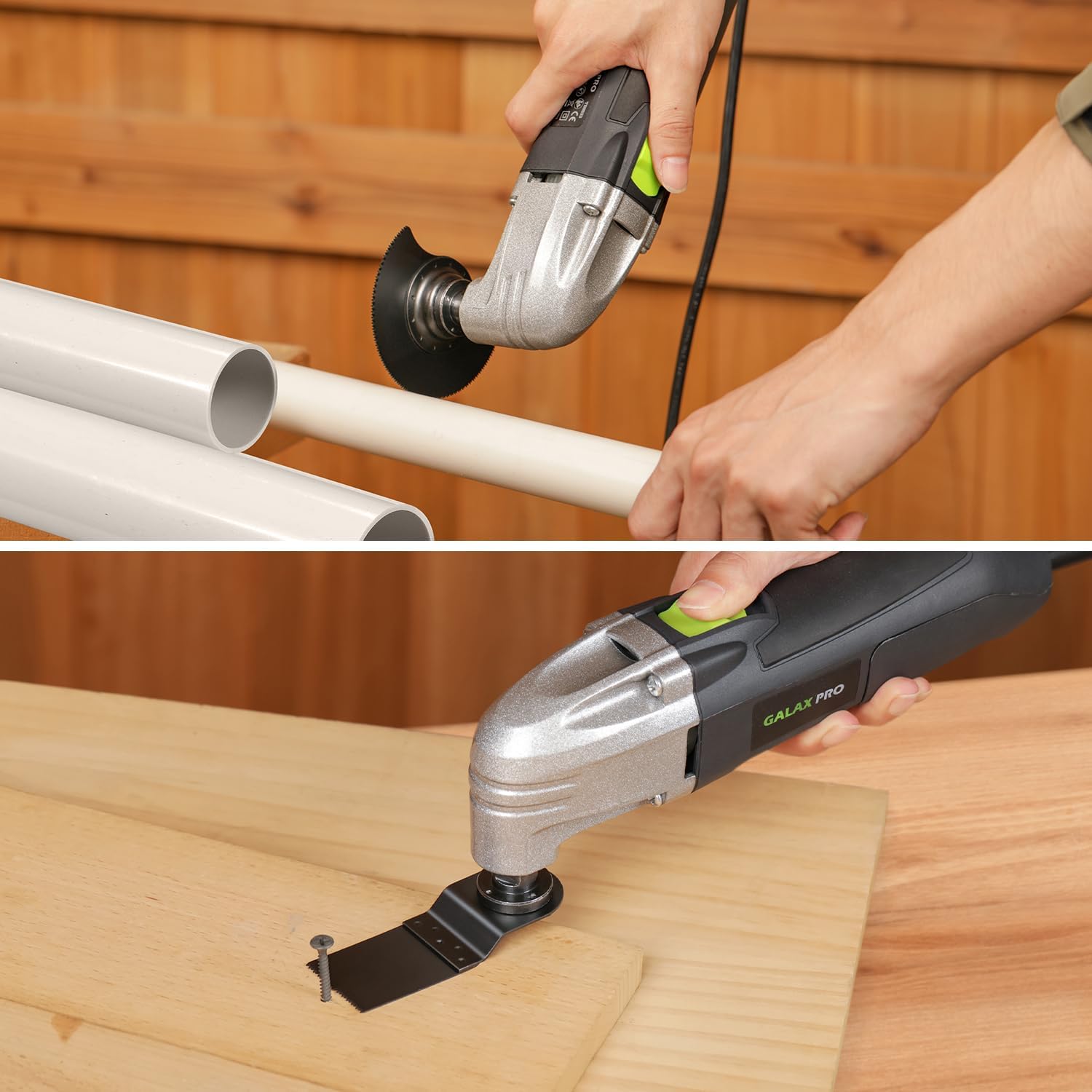
Image 5.3: Demonstrating the oscillating tool cutting a PVC pipe and a piece of wood.

Image 5.4: The oscillating tool cutting into a wall, illustrating the 3-degree oscillation angle for precise work in corners.
5.3.2 Sanding
Attach the triangular sanding pad and appropriate sandpaper grit (60, 80, or 120 grit) for sanding wood or metal surfaces. The triangular shape allows access to corners and edges.

Image 5.5: The oscillating tool being used for sanding a wooden surface and scraping a wall.

Image 5.6: The oscillating tool with a triangular sanding pad, showing available sandpaper grits (60, 80, 120 mesh).
5.3.3 Scraping
Use the scraping blade to remove old paint, adhesives, or other stubborn materials from surfaces.

Image 5.7: The oscillating tool with a scraping blade being used on a floor surface.

Image 5.8: A collage showing the multi-tool in various applications: cutting metal, sanding wood, grinding metal, and sanding floors.
6. Maintenance
Regular maintenance ensures the longevity and optimal performance of your GALAX PRO Oscillating Multi-Tool.
6.1 Cleaning
- Always unplug the tool before cleaning.
- Clean the ventilation openings regularly to prevent overheating. Use a soft brush or compressed air.
- Wipe the tool housing with a soft, damp cloth. Do not use harsh chemicals or abrasive cleaners.
- Remove any debris or dust from the tool holder and accessory mounting area.
6.2 Storage
- Store the tool in a dry, secure place, out of reach of children.
- Protect the tool from direct sunlight and extreme temperatures.
- If storing for an extended period, ensure all accessories are removed and cleaned.
7. Troubleshooting
If you encounter issues with your GALAX PRO Oscillating Multi-Tool, refer to the following troubleshooting guide:
| Problem | Possible Cause | Solution |
|---|---|---|
| Tool does not start | No power supply Faulty power cord/plug On/off switch malfunction | Check power outlet and connections Inspect cord for damage; replace if necessary Contact customer support |
| Excessive vibration/noise | Loose accessory Damaged accessory Internal issue | Ensure accessory is securely tightened Replace accessory Discontinue use and contact customer support |
| Poor cutting/sanding performance | Dull or incorrect accessory Applying too much pressure Overheating | Replace with a sharp, appropriate accessory Reduce pressure, let the tool work Allow tool to cool down; clean vents |
| Tool gets hot quickly | Blocked ventilation Continuous heavy use | Clean ventilation openings Allow tool to rest periodically during heavy tasks |
If the problem persists after attempting these solutions, please contact customer support.
8. Warranty and Support
GALAX PRO products are manufactured to high-quality standards. For warranty information, please refer to the warranty card included with your purchase or visit the official GALAX PRO website. Keep your proof of purchase for any warranty claims.
8.1 Customer Support
For technical assistance, spare parts, or any questions regarding your GALAX PRO TD9523 Oscillating Multi-Tool, please contact our customer support team:
- Website: www.galaxpro.com (Example, please refer to actual product documentation for correct website)
- Email: support@galaxpro.com (Example, please refer to actual product documentation for correct email)
- Phone: +1-XXX-XXX-XXXX (Example, please refer to actual product documentation for correct phone number)
When contacting support, please have your model number (TD9523) and purchase date ready.
