
Introduction
The ENGFYADSY D88 AI OWS Language Translator Earbuds are designed to facilitate seamless communication across language barriers, provide high-quality audio for music, and enable clear phone calls. These earbuds support real-time, two-way translation in up to 144 languages with high accuracy. They feature an Open-Wearable Stereo (OWS) design for comfort and situational awareness, along with Bluetooth connectivity for broad compatibility with various devices.
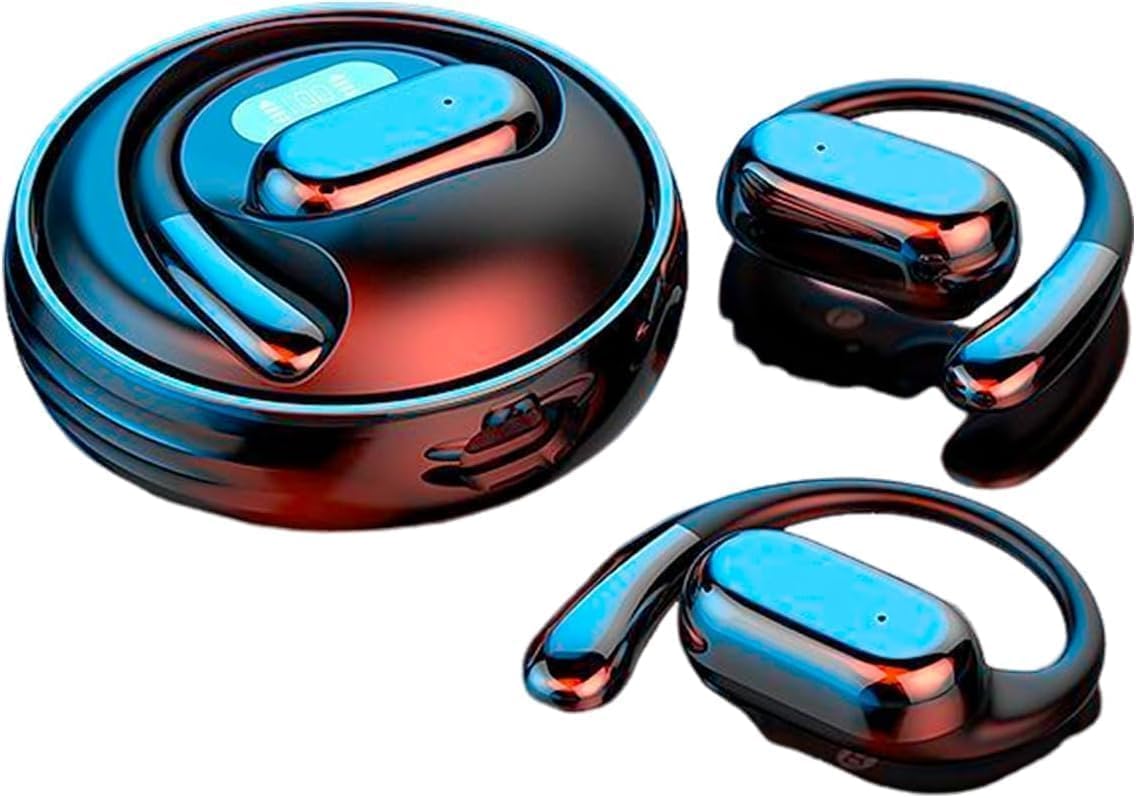
Image: The D88 AI OWS Language Translator Earbuds shown with their charging case, highlighting their sleek design.

Image: A visual representation of a globe adorned with various national flags, indicating the earbuds' support for over 144 languages for translation.

Image: An illustration demonstrating the high accuracy (98%) and rapid response time (0.2 seconds) of the simultaneous translation feature, alongside images of the earbuds.
Setup
Package Contents
- ENGFYADSY D88 AI OWS Language Translator Earbuds
- Charging Case
- Charging Cable
App Download and Device Binding
To utilize the full translation capabilities, download the companion application on your smartphone or tablet. The app is compatible with Android and iOS devices.
- Scan QR Code: Locate the QR code in the physical user manual or on the product packaging. Scan it with your device's camera to download the AI application.
- Install and Open App: Install the downloaded application and open it.
- Login/Register: Follow the on-screen prompts to create an account or log in.
- Bind Device: Within the app, navigate to the 'Mine' section and select 'Binding Device'. Scan the QR code provided for device binding. Each earbud unit has a unique binding code.

Image: A series of smartphone screenshots illustrating the step-by-step process of downloading the AI application, logging in, and binding the earbuds to the app using a QR code.
Bluetooth Pairing
The earbuds feature one-step pairing for convenience.
- Power On: Open the charging case. The earbuds will automatically power on.
- Activate Bluetooth: Ensure Bluetooth is enabled on your smartphone, tablet, or computer.
- Connect: In your device's Bluetooth settings, search for 'Earphones' or 'TWS' and select it to connect. The earbuds will automatically connect to each other.

Image: An illustration depicting the earbuds connecting via Bluetooth to a smartphone, tablet, and laptop, emphasizing broad compatibility with Windows, iOS, and Android systems.
Compatibility
The D88 earbuds are widely compatible with any device that supports Bluetooth functionality, including Android, iOS, and Windows operating systems.
Operating Instructions
3-in-1 Functionality
The D88 earbuds offer versatile functionality, serving as a language translator, music player, and hands-free calling device.

Image: A graphic highlighting the earbuds' three primary functions: real-time translation, music playback, and phone call management.
Translation Modes
The AI application provides multiple translation scenarios:
- Silent Mode: Displays translation results without audio output.
- Earphone Mode: Speak into your phone, and listen to the translation through your headset.
- Speaker Mode: Press and hold the earbud to speak, then release to end. The translated audio is played through your phone's speaker.
- Two Earphone Mode: Each person wears a headset, speaks into their respective headset, and the translated audio is played through the other person's headset.
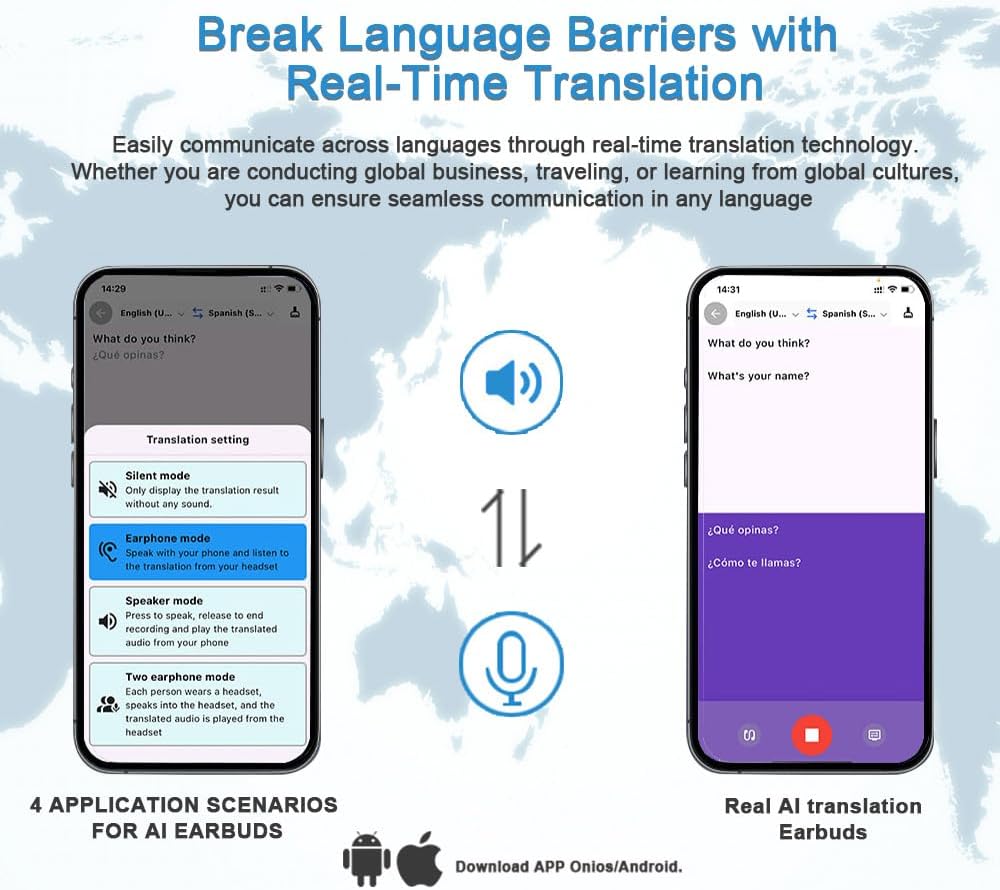
Image: Smartphone interface displaying various translation settings and modes, including Earphone mode, Speaker mode, and Two earphone mode, alongside examples of real-time AI translation.
Music Playback and Phone Calls
Once paired, the earbuds function as standard Bluetooth headphones for audio playback and hands-free calls. Use the touch controls on the earbuds to manage these functions.
Touch Control
The earbuds feature intuitive touch controls for managing calls, music, and translation functions. Refer to the specific instructions within the AI application for detailed touch gestures related to translation modes.
Maintenance
Charging the Earbuds and Case
The earbuds provide up to 4 hours of use per charge. The accompanying charging case can quickly replenish the power, extending usage duration.
- Place the earbuds into the charging case. Ensure they are correctly seated.
- Connect the charging cable to the case and a power source.
- The LED digital display on the charging case will indicate the battery level during charging.

Image: A detailed graphic showcasing various features of the earbuds and charging case, including the LED digital display for real-time battery monitoring and the total playtime capacity.
General Care
- Keep the earbuds and charging case clean and dry.
- Avoid exposing the device to extreme temperatures or direct sunlight.
- Do not use abrasive cleaners or solvents. Wipe with a soft, dry cloth.
Troubleshooting
Common Issues and Solutions
- Earbuds not pairing: Ensure both earbuds are in the charging case, then remove them to activate pairing mode. Check your device's Bluetooth settings and try reconnecting.
- No sound: Verify the earbuds are connected via Bluetooth and the volume on both your device and the earbuds is turned up. Check the audio output settings on your device.
- Translation not working: Ensure the AI application is open, the earbuds are connected, and you have selected the correct translation mode. Check your internet connection for online translation services.
- Charging issues: Ensure the charging cable is securely connected to both the case and the power source. Check for any debris in the charging ports.
Resetting the Earbuds
If you experience persistent issues, try resetting the earbuds. Refer to the AI application or the manufacturer's website for specific reset instructions, as procedures may vary.
Specifications
| Feature | Specification |
|---|---|
| Model Name | D88 |
| Brand | ENGFYADSY |
| Connectivity Technology | Wireless (Bluetooth 5.0) |
| Translation Support | 144 Languages |
| Battery Life (Earbuds) | Up to 4 Hours |
| Charging Time | 4 Hours (for case/earbuds) |
| Control Method | Touch |
| Noise Control | Active Noise Cancellation |
| Compatible Devices | Android, iOS, Windows devices with Bluetooth |
| Item Weight | 0.01 Kilograms (0.352 ounces) |
| Frequency Range | 20 Hz - 20,000 Hz |
| Impedance | 20 Ohm |
| Material | Plastic |
Warranty and Support
Customer Support
Should you have any questions about the product after delivery, please reach out to us by message. We are committed to providing a solution within 24 hours.
Return Policy
This product is eligible for a refund or replacement within 30 days of purchase, subject to the retailer's return policy.