
Introduction
Thank you for choosing the Delumu Smart Bluetooth Tracker. This device is designed to help you locate your valuable items using Apple's Find My network. This manual provides detailed instructions to ensure optimal use and understanding of your tracker's features.
Package Contents
Upon opening your Delumu Smart Bluetooth Tracker package, please verify that all the following items are included:
- Delumu Smart Bluetooth Tracker (4 units)
- Key Rings (4 units)
- CR2032 Batteries (4 units, pre-installed)
- User Manual (this document)

Image: Contents of the Delumu Smart Bluetooth Tracker 4-pack, showing the trackers, key rings, and packaging.
Setup Instructions
The Delumu Smart Bluetooth Tracker is designed to work exclusively with Apple's Find My network. An iOS device (iPhone, iPad, or Mac) is required for setup and operation. Android devices are not supported.
Pairing with Apple Find My
- Ensure Bluetooth is enabled on your iOS device.
- Open the "Find My" application on your iPhone, iPad, or Mac.
- Navigate to the "Items" tab within the Find My app.
- Tap the "+" icon to add a new item.
- Select "Add Other Item" or "Other Supported Item" from the options.
- Press and hold the button on your Delumu Smart Bluetooth Tracker for approximately 10 seconds until you hear a beep.
- Your iOS device should detect the "Hello TAG". Tap "Connect" to pair the tracker.
- Follow the on-screen prompts to name your tracker and assign an emoji, if desired.
- Once paired, the tracker will appear in your "Items" list within the Find My app.

Image: Step-by-step guide showing how to open the Find My app, select "Add Item," and connect the "Hello TAG" by pressing its button.

Image: The Delumu Smart Bluetooth Tracker integrates with the Apple Find My network, allowing location tracking via an iPhone. Note: Android devices are not supported.
Operating Instructions
Locating Items with Sound Alerts
When your tracker is within Bluetooth range of your iOS device, you can play a sound to help locate it.
- Open the "Find My" app on your iOS device.
- Select the Delumu Smart Bluetooth Tracker you wish to locate from the "Items" tab.
- Tap the "Play Sound" option. The tracker will emit a loud sound (100-130dB) to guide you to its location.
- Tap "Stop Sound" once you have found your item.

Image: Using the "Play Sound" feature in the Find My app to locate keys attached to a Delumu Smart Bluetooth Tracker.
Left Behind Remind
The "Left Behind Remind" feature notifies you if you leave your tracked item behind.
- When your Delumu Smart Bluetooth Tracker moves out of Bluetooth connection range from your iOS device, you will receive a push notification.
- This notification will inform you that the item has been left behind and provide its last known location.
- You can then view the specific location on the map and get directions to retrieve your item.

Image: An iPhone user receiving a "Left Behind Remind" notification when their Delumu Smart Bluetooth Tracker, attached to keys, is no longer detected nearby.
Lost Mode
If an item with a Delumu Smart Bluetooth Tracker is lost, you can enable "Lost Mode" in the Find My app.
- In Lost Mode, you can enter a contact phone number and a message.
- If another Apple device user finds your item, they can tap their device to your tracker to see your contact information and help return it.
- You will also receive a notification when your lost item is detected by another device on the Find My network.
Sharing with Family and Friends
You can share access to your Delumu Smart Bluetooth Trackers with trusted family members or friends through the Find My app. This allows multiple individuals to help locate a shared item.

Image: Examples of how the Delumu Smart Bluetooth Tracker can be used to protect important items, including keys, luggage, wallets, pets, bags, and backpacks.
Maintenance
Battery Replacement
The Delumu Smart Bluetooth Tracker uses a replaceable CR2032 coin cell battery, which provides up to two years of battery life under normal usage.
- To replace the battery, gently twist the back cover of the tracker counter-clockwise to open it.
- Remove the old CR2032 battery.
- Insert a new CR2032 battery with the positive (+) side facing up.
- Align the back cover and twist clockwise to secure it.
Waterproofing
The Delumu Smart Bluetooth Tracker has an IPX6 waterproof rating. This means it is protected against powerful water jets and can withstand splashes, rain, and brief immersion. It is not designed for prolonged submersion.
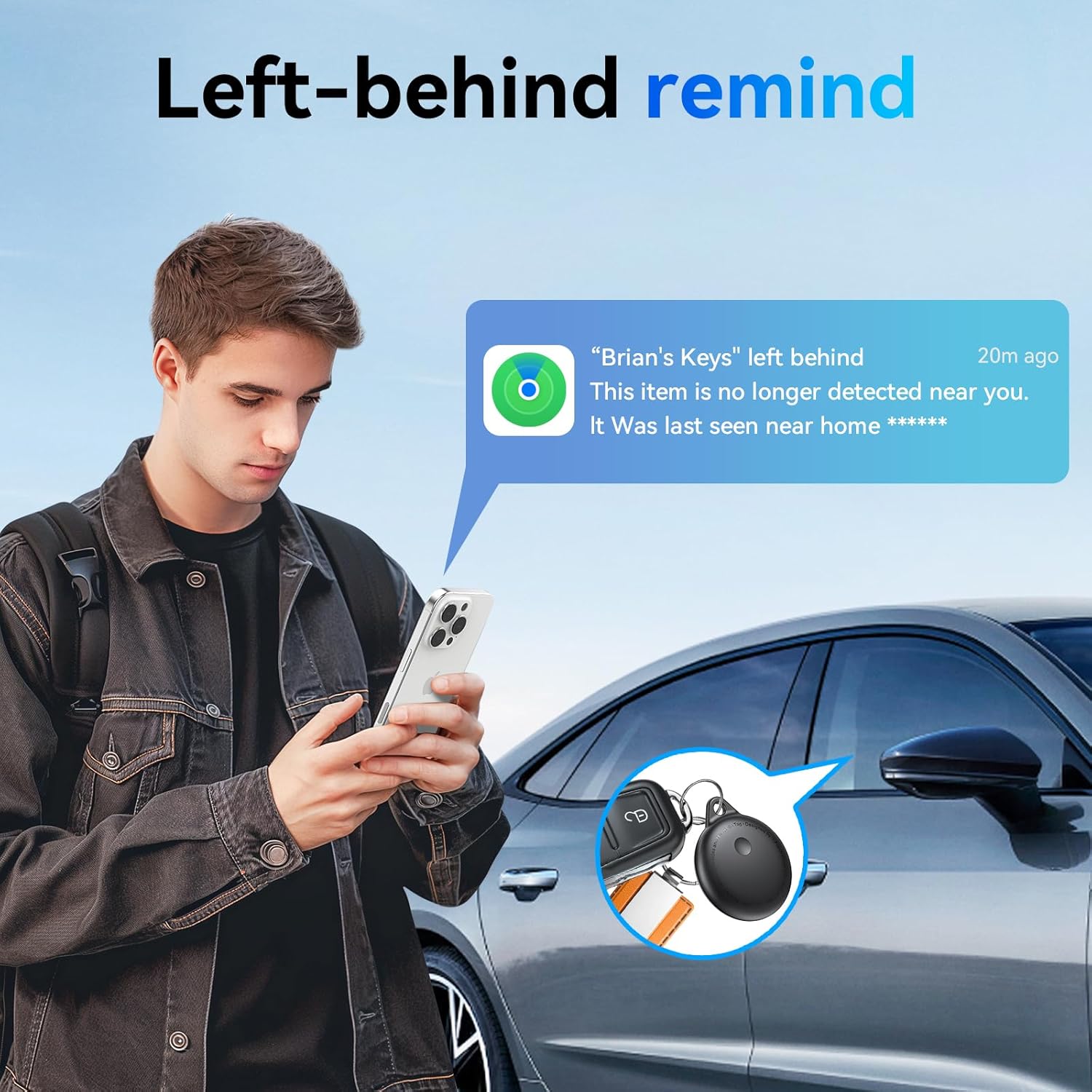
Image: The Delumu Smart Bluetooth Tracker demonstrating its IPX6 waterproof capabilities, suitable for daily use and exposure to rain.
Troubleshooting
- Tracker not connecting to iPhone:
- Ensure Bluetooth is enabled on your iPhone.
- Verify that the Find My app has Bluetooth permissions enabled in your iPhone settings.
- Check the tracker's battery. Replace if necessary.
- Try restarting your iPhone and repeating the pairing process.
- Ensure you are pressing and holding the tracker's button for the full 10 seconds during pairing.
- Sound alert is too quiet or not working:
- Ensure the tracker is within Bluetooth range of your iPhone.
- Check the battery level of the tracker. A low battery can affect sound output.
- Ensure there are no obstructions covering the tracker's speaker.
- "Left Behind Remind" notifications not appearing:
- Verify that notifications for the Find My app are enabled in your iPhone settings.
- Ensure "Notify When Left Behind" is enabled for the specific tracker in the Find My app settings.
- Check that Location Services are enabled for the Find My app.
- Tracker not appearing in Find My app:
- Confirm the tracker was successfully paired. If not, repeat the setup instructions.
- Ensure your iPhone's operating system is up to date.
- Only some trackers in a multi-pack are working:
- For individual faulty units, please contact customer support for assistance.
Specifications
| Model Name | Hello Tag |
| Dimensions (Tracker) | 1.38 inch (35mm) diameter, 0.38 inch (9.6mm) thickness |
| Weight (per tracker) | Approximately 0.52 ounces (14.7g) |
| Connectivity | Bluetooth |
| Bluetooth Range | Up to 100m / 350ft |
| Battery Type | CR2032 Coin Cell (replaceable) |
| Battery Life | Up to 2 years |
| Waterproof Rating | IPX6 |
| Sound Output | 100-130dB |
| Compatible Devices | iOS devices (iPhone, iPad, Mac) with Find My app |

Image: Detailed specifications of the Delumu Smart Bluetooth Tracker, including dimensions, battery life, Bluetooth range, and sound output.
Warranty Information
Specific warranty details for the Delumu Smart Bluetooth Tracker are not provided in this manual. For information regarding product warranty, please refer to the product packaging or contact Delumu customer support directly.
Customer Support
If you encounter any issues or have questions regarding your Delumu Smart Bluetooth Tracker, please do not hesitate to contact our customer support team. We are committed to providing assistance and resolving any concerns you may have.
Contact information can typically be found on the product packaging or the official Delumu website.
