
1. Introduction
Thank you for choosing the SWEETFULL S20 Baby Stroller Fan. This portable fan is designed to provide a safe and comfortable cooling experience for infants and adults alike, featuring a pinch-proof design, long-lasting battery, and versatile mounting options. Please read this manual thoroughly before use to ensure proper operation and maintenance.
2. Safety Information
- Pinch-Proof Design: The fan is engineered with a protective cover to prevent accidental contact with the blades, ensuring safety for small fingers.
- Battery Safety: The fan contains a built-in, non-removable 4000mAh rechargeable battery (Model: 103450) within a sealed housing. Do not attempt to open or replace the battery.
- Charging: Use only the provided USB-C charging cable. Ensure the charging port is dry before connecting.
- Placement: Ensure the fan is securely attached to a stable surface (stroller, crib, car seat, desk) to prevent it from falling.
- Water Exposure: Do not expose the fan to water or excessive moisture.
- Cleaning: Disconnect the fan from power before cleaning. Refer to the maintenance section for proper cleaning instructions.
3. Package Contents
Verify that all items are present in your package:
- SWEETFULL S20 Baby Stroller Fan
- USB-C Charging Cable
- Flexible Tripod
- User Manual (this document)
4. Product Overview
The SWEETFULL S20 fan offers multiple features for enhanced user comfort and convenience.
Key Features:
- Pinch-Proof Design: Safe for use around children.
- 4-Speed Adjustable Airflow: Customize cooling from soft to maximum airflow.
- 15-Hour Runtime: Powered by a 4000mAh rechargeable battery.
- Fast USB-C Recharge: Fully recharges in approximately 3 hours.
- Smart LED Display: Shows battery life and current speed setting.
- Whisper-Quiet Operation: Operates at a low noise level of 25dB.
- 3-Level Dimmable Night Light: Provides gentle illumination.
- 360° Adjustable Head: Allows for precise airflow direction.
- Stable Mini Clip-On/Tripod: Flexible legs for secure attachment or freestanding use.
Component Identification:
- Fan Head (with protective grille)
- Power/Speed Button
- Night Light Button
- LED Display
- USB-C Charging Port
- Flexible Tripod Legs
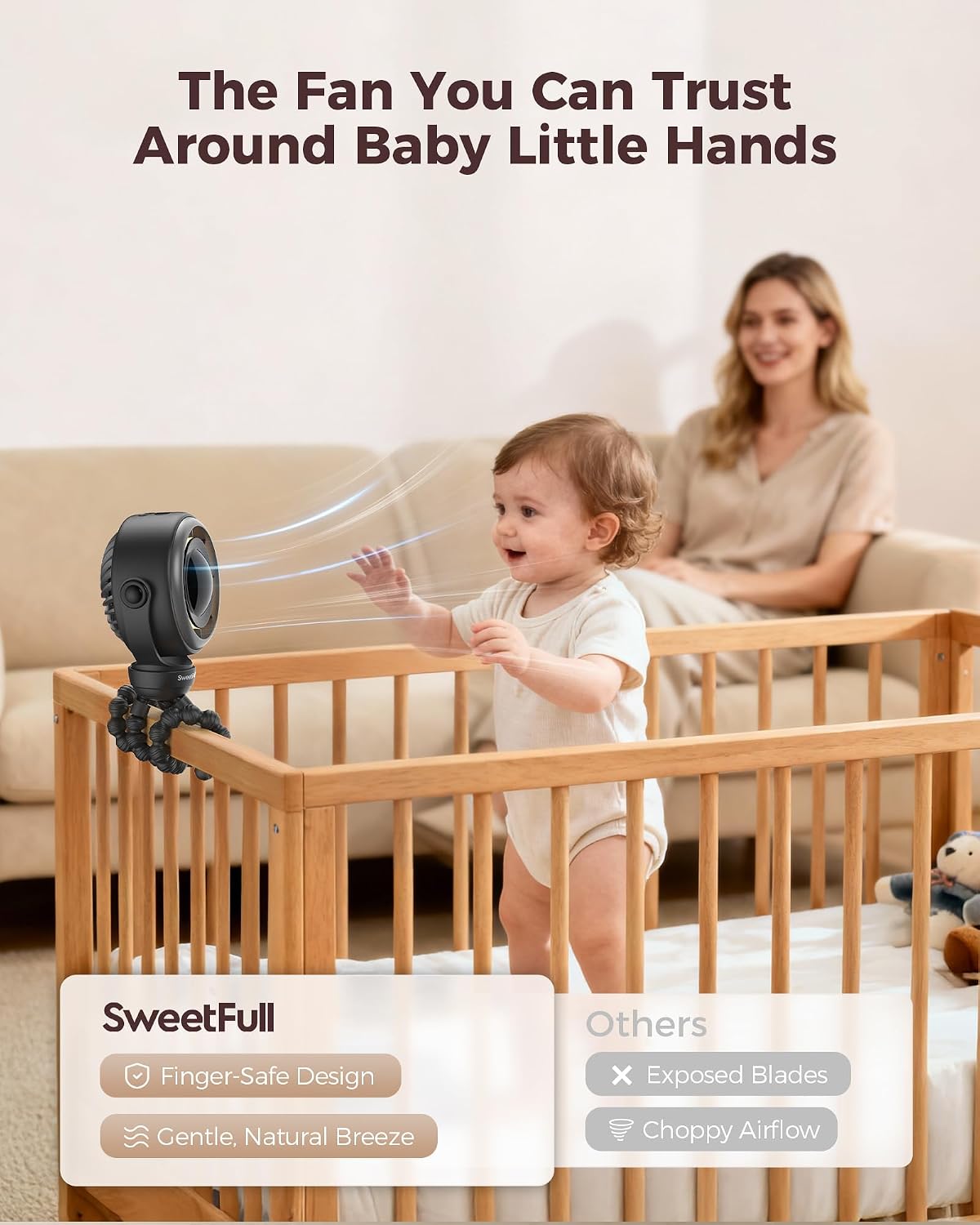
Figure 4.1: The SWEETFULL S20 fan securely attached to a stroller, demonstrating its airflow capabilities.

Figure 4.2: The fan positioned on a crib, illustrating its safe, pinch-proof design for use around infants.
5. Setup
Attaching the Fan:
- Flexible Tripod: The fan comes with flexible tripod legs. These can be bent and wrapped around various objects such as stroller handles, car seat bars, crib rails, or bicycle handlebars.
- Secure Attachment: Ensure the tripod legs are firmly wrapped and stable to prevent the fan from shifting or falling during use.
Freestanding Use:
- The flexible tripod legs can also be positioned to stand independently on a flat surface, converting the unit into a desk or table fan.
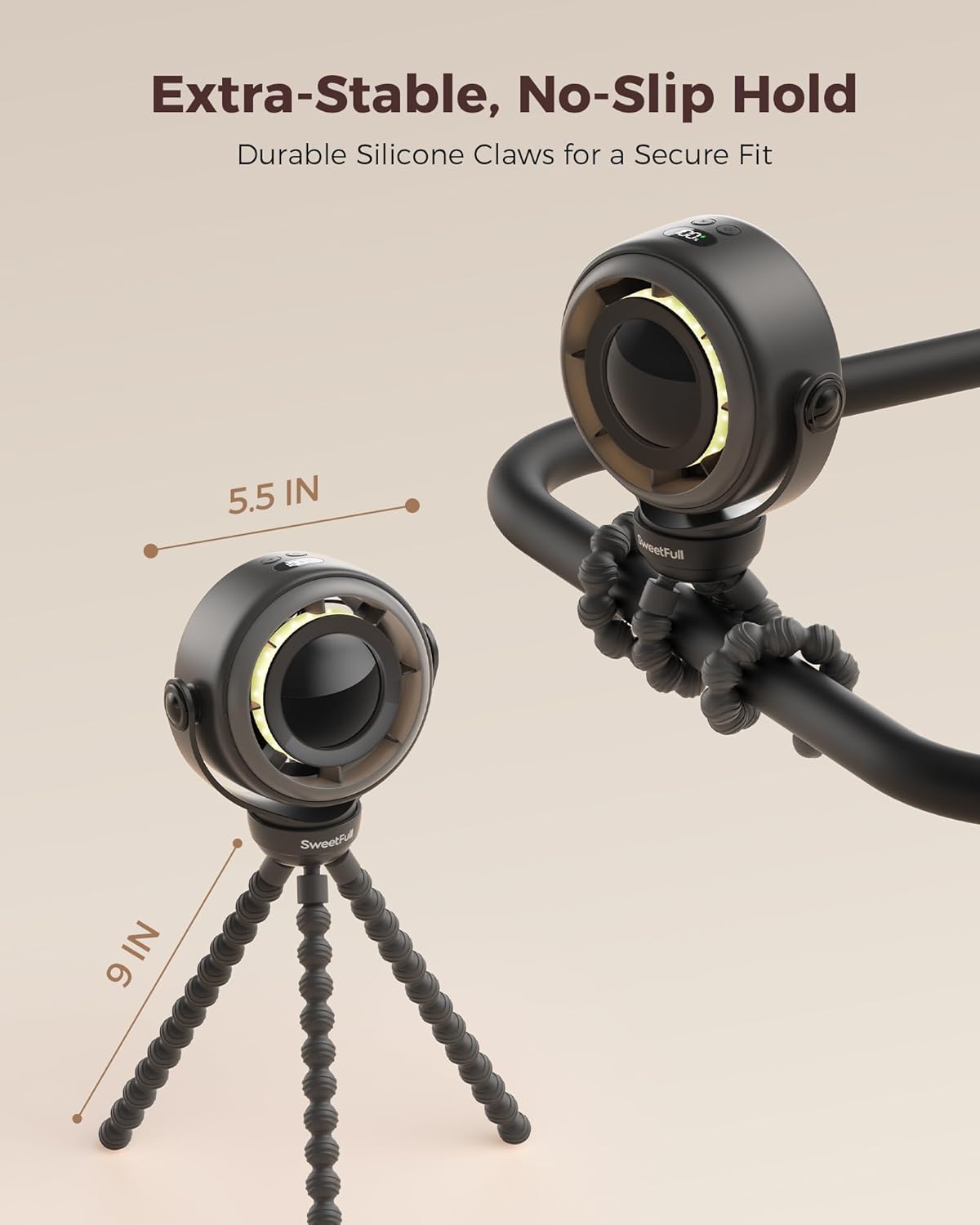
Figure 5.1: The fan demonstrating its flexible tripod legs for versatile attachment or freestanding use.
6. Operating Instructions
Charging the Fan:
- Locate the USB-C charging port on the side of the fan.
- Connect the provided USB-C cable to the fan and the other end to a compatible USB power source (e.g., wall adapter, power bank, computer USB port).
- The LED display will show the charging status. A full charge takes approximately 3 hours.
Video 6.1: A demonstration of the SWEETFULL S20 Baby Stroller Fan, showcasing its features and operation. (Source: SWEETFULL Technology)
Power On/Off and Speed Adjustment:
- Power On: Press the Power/Speed button once to turn on the fan at speed 1.
- Adjust Speed: Press the Power/Speed button repeatedly to cycle through speeds 1, 2, 3, and 4. The LED display will show the current speed (F1, F2, F3, F4).
- Power Off: After speed 4, pressing the button again will turn the fan off. Alternatively, press and hold the Power/Speed button for 2 seconds to turn off the fan from any speed setting.
Using the Night Light:
- Turn On/Adjust Brightness: Press the Night Light button once to turn on the light at level 1. Press again to cycle through levels 2 and 3.
- Turn Off: After level 3, pressing the button again will turn the night light off.

Figure 6.2: The smart LED display indicating battery percentage and fan speed settings.
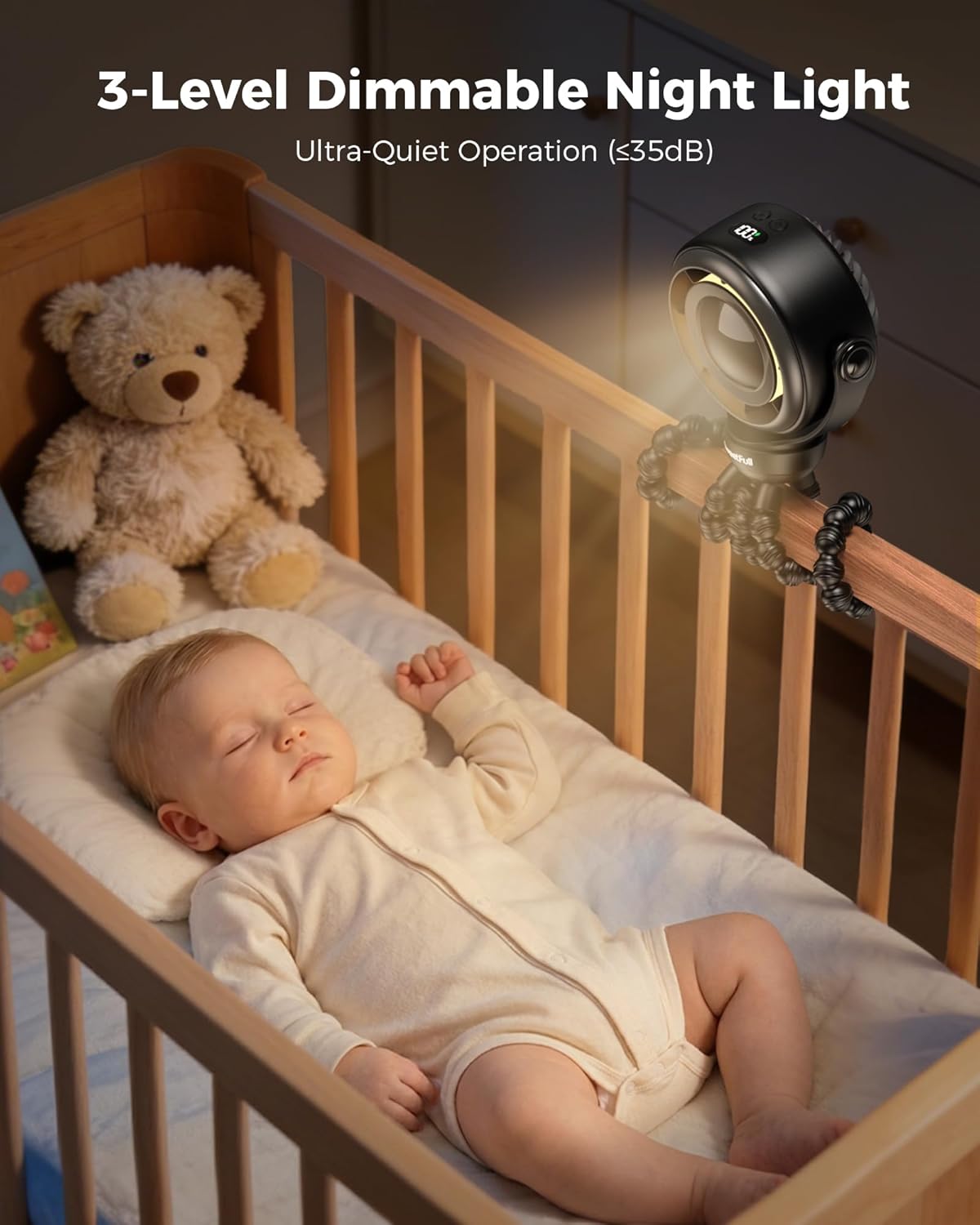
Figure 6.3: The fan's 3-level night light providing soft illumination for a sleeping baby.
7. Maintenance
Cleaning the Fan:
- Ensure the fan is turned off and disconnected from any power source before cleaning.
- The front grille of the fan can be carefully removed for blade cleaning. Gently twist or unclip the grille as indicated by the product design.
- Use a soft, dry cloth or a slightly damp cloth to wipe the fan blades and the interior of the grille. Do not use harsh chemicals or abrasive materials.
- Ensure all parts are completely dry before reassembling the grille and using the fan again.

Figure 7.1: Illustration of how to detach the front grille for easy blade cleaning.
8. Troubleshooting
If you encounter any issues with your SWEETFULL S20 fan, please refer to the following common problems and solutions:
| Problem | Possible Cause | Solution |
|---|---|---|
| Fan does not turn on. | Battery is depleted. | Charge the fan using the provided USB-C cable. |
| Power button not pressed correctly. | Ensure the Power/Speed button is pressed firmly. | |
| Weak or no airflow. | Fan speed is too low. | Increase the fan speed using the Power/Speed button. |
| Obstruction in front or back grille. | Check for and remove any obstructions. Clean the fan blades if necessary. | |
| Battery not charging. | Charging cable or adapter is faulty. | Try a different USB-C cable or power adapter. |
| Charging port is dirty or damaged. | Ensure the charging port is clean and free of debris. | |
| Night light not working. | Night Light button not pressed correctly. | Ensure the Night Light button is pressed firmly. |
9. Specifications
| Feature | Specification |
|---|---|
| Brand | SWEETFULL |
| Model Name | S20 |
| Power Source | Battery Powered (4000mAh) |
| Battery Type | Built-in Non-Removable Rechargeable (Model: 103450) |
| Charging Port | USB-C |
| Number of Speeds | 4 |
| Noise Level | 25 dB |
| Night Light | 3-Level Dimmable |
| Control Method | Button Control |
| Product Dimensions (D x W x H) | 2.4"D x 5.7"W x 13.5"H |
| Item Weight | 12.8 ounces |
| Material | Aluminum, Plastic, Silica Gel |
| Installation Type | Clip-On / Tripod |
| Manufacturer | Shenzhen Shiwu Technology Co., LTD |
10. Warranty and Support
SWEETFULL products are manufactured with quality and reliability in mind. For any product-related inquiries, technical support, or warranty claims, please contact SWEETFULL customer service through the retailer where the product was purchased. Please retain your proof of purchase for warranty service.