
1. Introduction
Thank you for choosing the TRUDIN Food Scale with Split Wireless LCD Display. This digital kitchen scale is designed for accurate measurement of various ingredients, offering convenience with its wireless display and multiple functions. Please read this manual carefully before use to ensure proper operation and maintenance.
2. Product Features
- Split Wireless LCD Display: Innovative design separates the scale platform from the display for unobstructed viewing.
- Automatic Wireless Connection: Scale and display connect automatically upon powering on.
- Multiple Display Placement Options: Flat, stand, magnetic, or adhesive wall mount.
- 7 Measuring Units: Grams (g), kilograms (kg), pounds:ounces (lb:oz), fluid ounces (fl:oz), milliliters (ml), milk milliliters (milk ml), thin layers (tl).
- High Accuracy: Measures from 1g/0.1oz up to 15kg/33lb.
- One-Touch Tare Function: Easily zero out container weight.
- Food-Grade Material: 304 stainless steel platform for safety and easy cleaning.
- Compact Design: Small and mini size for convenient storage.
3. Package Contents
Verify that all items are present in the package:
- Digital Food Scale (Platform) x 1
- Wireless LCD Display x 1
- AAA Batteries x 4
- Wall Adhesive x 2
- Instruction Manual x 1 (This document)

Image: Contents of the TRUDIN Food Scale package, showing the scale platform, the separate wireless LCD display, and four AAA batteries.
4. Setup
4.1 Battery Installation
- Locate the battery compartments on both the scale platform and the wireless LCD display.
- Open the battery covers.
- Insert the provided AAA batteries, ensuring correct polarity (+/-). The scale platform requires 2 AAA batteries, and the display requires 2 AAA batteries.
- Close the battery covers securely.
4.2 Wireless Connection
The scale and display are designed to connect automatically. Follow these steps:
- Ensure batteries are correctly installed in both the scale platform and the LCD display.
- Press the ON/OFF button on both the scale platform and the LCD display simultaneously.
- The LCD display will show "searching for device" or a similar indicator.
- Once connected, "CON" will be displayed on the LCD, indicating a successful connection.
- If connection fails, ensure both devices are within 10 meters and repeat the process.

Image: Illustration of the TRUDIN Food Scale's wireless connectivity, demonstrating how the separate display allows for clear reading even with large items on the scale platform.
5. Operating Instructions
5.1 Power On/Off
- To power on, press the ON/OFF button on the LCD display.
- To power off, press and hold the ON/OFF button for a few seconds until the display turns off. The scale will also automatically power off after a period of inactivity to conserve battery.
5.2 Unit Conversion
The scale supports 7 different units of measurement. To switch between units:
- With the scale powered on, press the MODE button on the LCD display.
- Each press will cycle through the available units: g, kg, lb:oz, fl:oz, ml, milk ml, tl.
- Select the desired unit for your measurement.
5.3 Tare Function
The Tare function allows you to zero out the weight of a container, so you only measure the contents.
- Place an empty container on the scale platform. The display will show its weight.
- Press the TARE button on the LCD display.
- The display will reset to zero. You can now add ingredients to the container, and only their weight will be measured.
- To clear the tare and return to normal weighing, remove all items from the scale and press TARE again if the display does not automatically reset to zero.
5.4 Measuring Weight
- Ensure the scale is on a flat, stable surface.
- Power on the scale and select the desired unit using the MODE button.
- If using a container, perform the Tare function as described above.
- Place the item(s) to be weighed on the center of the scale platform.
- Read the weight displayed on the wireless LCD.
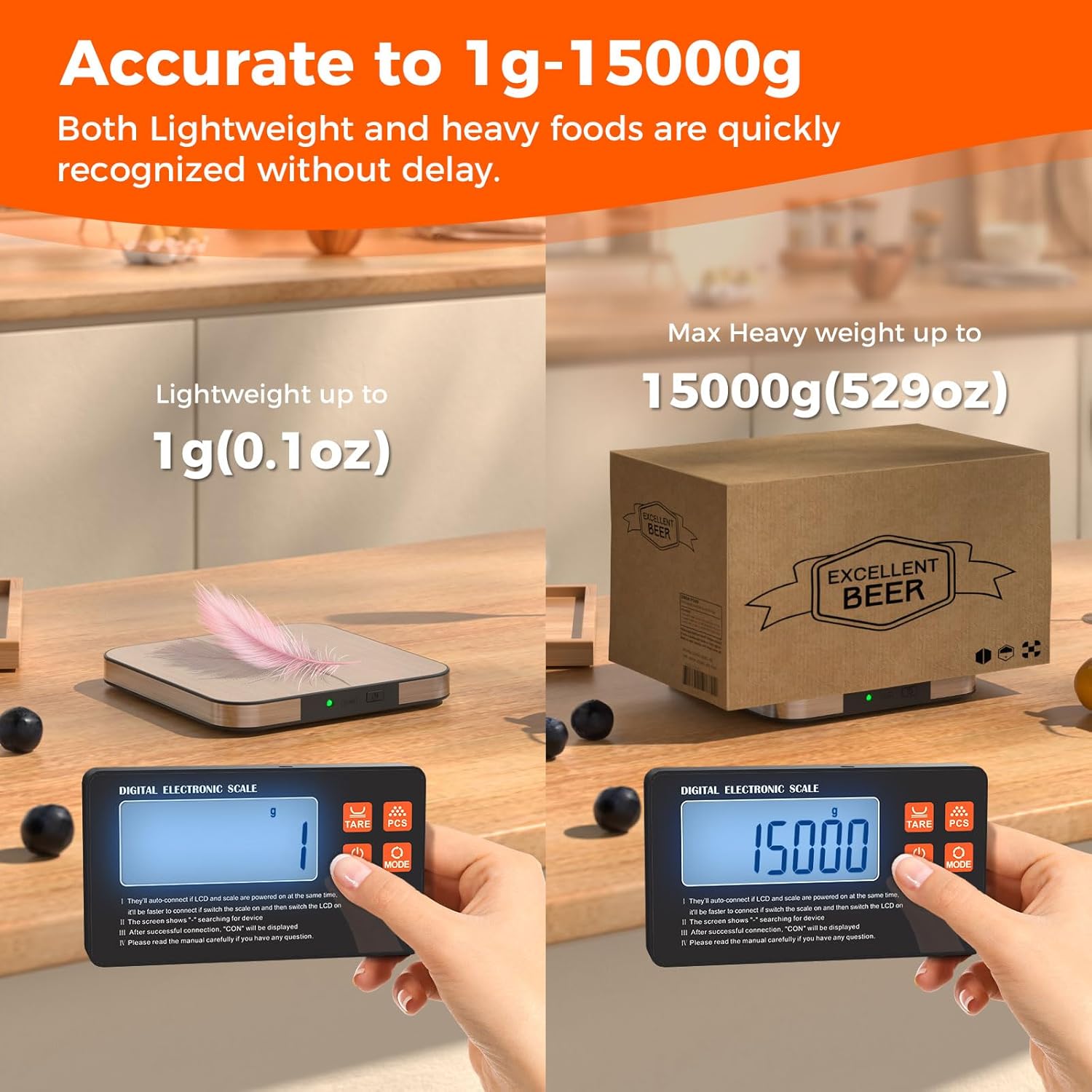
Image: Two examples showing the TRUDIN Food Scale's accuracy, measuring a feather at 1g (0.1oz) and a large box at 15000g (529oz).
5.5 PCS Function (Counting)
The PCS function allows you to count items of uniform weight.
- With the scale powered on, place a sample quantity of items (e.g., 10, 20, 50, or 100 pieces) on the scale.
- Press and hold the PCS button until a number (e.g., "10", "20") flashes on the display.
- Press the MODE button to select the sample quantity that matches the number of items you placed on the scale.
- Press the PCS button again to confirm. The display will now show "PCS" and the count of the sample.
- You can now add more items, and the display will show the total count.
6. Display Placement Options
The independent wireless LCD display offers versatile placement options for your convenience:
- Flat on Countertop: Place the display flat next to the scale.
- Stand Tilted: Utilize the integrated stand on the back of the display to prop it up at a 90-degree angle for easier viewing.
- Magnetic Attachment: The display has strong magnets on the back, allowing it to be attached to metallic surfaces like a refrigerator.
- Adhesive Wall Mount: Use the provided wall adhesives to mount the display on a non-metallic wall surface.

Image: Diagram illustrating the various placement options for the TRUDIN Food Scale's wireless LCD display, including its 90-degree stand, strong magnets, and adhesive mounting capability.
7. Maintenance and Care
- Cleaning: Wipe the scale platform with a damp cloth. For stubborn stains, use a mild detergent. Do not immerse the scale or display in water.
- Storage: Store the scale in a cool, dry place. Avoid extreme temperatures and humidity.
- Handling: Handle the scale with care. Avoid dropping it or subjecting it to strong impacts, as this can affect accuracy.
- Batteries: Remove batteries if the scale will not be used for an extended period to prevent leakage.

Image: Close-up of the TRUDIN Food Scale platform, highlighting its food-grade 304 stainless steel surface, which is safe for food contact and easy to clean.
8. Troubleshooting
| Problem | Possible Cause | Solution |
|---|---|---|
| Scale does not turn on. | Low or dead batteries; incorrect battery installation. | Replace batteries; ensure correct polarity. |
| Display shows "LO" or "Err". | Low battery power. | Replace batteries in both the scale and display. |
| Inaccurate readings. | Scale not on a flat surface; overloaded; damaged sensor. | Place on a stable, flat surface; do not exceed maximum weight capacity (15kg/33lb); contact support if persistent. |
| Wireless display not connecting. | Devices too far apart; batteries low; connection not initiated correctly. | Ensure devices are within 10 meters; replace batteries; power on both devices simultaneously. |
| Display shows "O_Ld". | Overload indication. | Remove items immediately to prevent damage. Do not exceed 15kg/33lb. |
9. Specifications
| Feature | Detail |
|---|---|
| Model Number | k7h |
| Brand | TRUDIN |
| Maximum Weight Capacity | 15 kg (33 lbs / 529 oz) |
| Minimum Measurement | 1 g (0.1 oz) |
| Measuring Units | g, kg, lb:oz, fl:oz, ml, milk ml, tl |
| Display Type | LCD |
| Material | Food-grade 304 Stainless Steel Platform |
| Wireless Range | Up to 10 meters (approx. 33 feet) |
| Power Source | 4 x AAA Batteries (2 for scale, 2 for display) |
| Dimensions (Parcel) | 22.6 x 15.1 x 1.6 cm |
| Weight (Parcel) | 300 g |
10. Warranty and Support
TRUDIN provides lifetime after-sales service for this product. If you encounter any issues or have questions regarding the operation, maintenance, or performance of your TRUDIN Food Scale, please do not hesitate to contact our customer support team. We are committed to providing high-quality assistance to ensure your satisfaction.
For support, please refer to the contact information provided with your purchase or visit the official TRUDIN website.