
Introduction
Thank you for purchasing the Gabba Goods Coca-Cola Jukebox Bluetooth Speaker. This manual provides essential information for the safe and efficient operation of your device. Please read it thoroughly before use and retain it for future reference.
This speaker combines a classic jukebox design with modern audio technology, featuring Bluetooth connectivity, FM radio, and LED lights for an enhanced listening experience.
Safety Information
- Do not expose the speaker to extreme temperatures, direct sunlight, or high humidity.
- Avoid dropping or subjecting the speaker to strong impacts.
- Do not disassemble, repair, or modify the device yourself. Refer all servicing to qualified personnel.
- Keep the speaker away from water or other liquids to prevent electric shock or damage.
- Use only the provided USB-C charging cable.
- Do not operate the speaker near flammable materials.
- Clean the speaker with a soft, dry cloth. Do not use abrasive cleaners.
Package Contents
Ensure all items are present in the package:
- Coca-Cola Jukebox Bluetooth Speaker
- USB-C Charging Cable
- Instruction Manual (this document)
Product Overview
Familiarize yourself with the speaker's components and controls.

Figure 1: Front View of the Speaker. This image displays the overall retro design of the Coca-Cola Jukebox Bluetooth Speaker, highlighting its iconic red and white color scheme and the Coca-Cola branding.

Figure 2: Control Panel. This image provides a detailed view of the speaker's control panel, indicating the location of the Type-C charging port, power on/off button, play/pause button, volume up/down controls, and the dedicated LED light button.
Controls and Ports:
- Power Button: Press and hold to turn the speaker on or off. Short press to switch between Bluetooth and FM radio modes.
- Play/Pause Button: Controls playback in Bluetooth mode.
- Previous/Volume Down Button: Short press for previous track (Bluetooth) or previous radio station (FM). Long press to decrease volume.
- Next/Volume Up Button: Short press for next track (Bluetooth) or next radio station (FM). Long press to increase volume.
- Light Button: Toggles the LED lights on or off.
- USB-C Port: For charging the speaker.
Setup
1. Charging the Speaker
Before initial use, fully charge the speaker. A full charge takes approximately 2-3 hours.
- Connect the provided USB-C charging cable to the speaker's USB-C port.
- Connect the other end of the cable to a USB power adapter (not included) or a computer's USB port.
- The charging indicator (if present, usually an LED) will show charging status. It typically turns off or changes color when fully charged.
The speaker provides a low battery voice prompt and will automatically shut down to conserve power when the battery is low.
2. Powering On/Off
- To Power On: Press and hold the Power button until the speaker turns on.
- To Power Off: Press and hold the Power button again until the speaker turns off.
Operating Instructions
1. Bluetooth Mode
The speaker will automatically enter Bluetooth pairing mode when powered on for the first time or if no device is connected.
- Ensure the speaker is powered on. If it's in FM mode, short press the Power button to switch to Bluetooth mode.
- On your mobile device (smartphone, tablet, etc.), enable Bluetooth and search for available devices.
- Select "Coca-Cola Jukebox Speaker" from the list of devices.
- Once paired, the speaker will indicate a successful connection (e.g., a sound prompt).
- You can now play audio from your device through the speaker.
The Bluetooth range is up to 10 meters (33 feet).
2. FM Radio Mode
To switch to FM radio mode:
- Short press the Power button to cycle through modes until you hear the FM radio.
- Automatic Station Scan: In FM mode, long press the Play/Pause button to initiate an automatic scan for available radio stations. The speaker will save detected stations.
- Manual Station Selection: Short press the Previous/Next buttons to navigate through saved radio stations.
The FM frequency range is 87.5 to 108 MHz.
3. Adjusting Volume
- Increase Volume: Long press the Next/Volume Up button.
- Decrease Volume: Long press the Previous/Volume Down button.
4. LED Lights
The speaker features customizable LED lights.
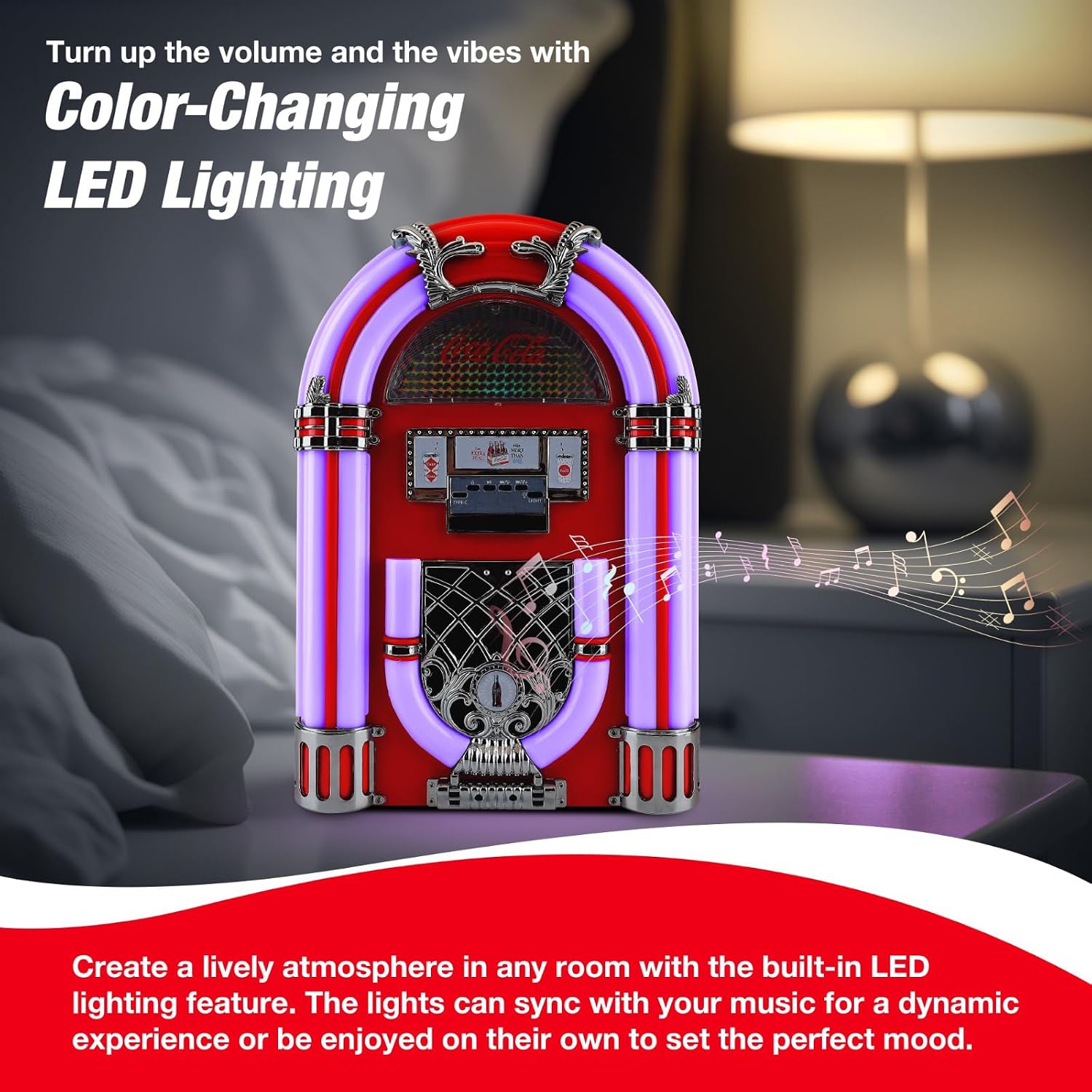
Figure 3: LED Lights in Operation. This image demonstrates the speaker with its built-in LED lights active, showcasing the color-changing effect that enhances the visual appeal and atmosphere.
- Press the dedicated Light button to turn the LED lights on or off.
- The LED lighting cycle changes with the battery status.
- Turning off the LED lights can help conserve battery power.
Maintenance
- Cleaning: Use a soft, dry, lint-free cloth to clean the speaker's exterior. Do not use liquid cleaners, aerosols, or solvents.
- Storage: When not in use for extended periods, store the speaker in a cool, dry place, away from direct sunlight and extreme temperatures.
- Battery Care: To prolong battery life, avoid fully discharging the battery frequently. Charge the speaker regularly, even if not in use.
Troubleshooting
| Problem | Possible Cause | Solution |
|---|---|---|
| Speaker does not turn on. | Battery is depleted. | Charge the speaker using the provided USB-C cable. |
| No sound from the speaker. | Volume is too low or muted. Device not connected. | Increase the volume on both the speaker and your connected device. Ensure Bluetooth is connected or FM radio is tuned. |
| Bluetooth device cannot pair. | Speaker is not in pairing mode. Device is out of range. Interference. | Ensure the speaker is in Bluetooth mode. Move the device closer to the speaker (within 10m). Turn off other Bluetooth devices. |
| Poor FM radio reception. | Weak signal. Interference. | Relocate the speaker to an area with better reception. Perform an automatic station scan again. |
Specifications
| Model Number | CC-JBS-LRG |
| Bluetooth Version | 5.0 |
| Bluetooth Range | Up to 10 meters (33 feet) |
| Speaker Output | 16W (2 x 8W) |
| Speaker Impedance | 3Ω |
| FM Frequency Range | 87.5 - 108 MHz |
| Battery Capacity | 1800mAh |
| Charging Time | 2-3 hours |
| Playback Time | 2-4 hours (varies with volume and LED usage) |
| Charging Port | USB-C |
| Dimensions | 270mm x 380mm x 165mm (approx. 10.6 x 15 x 6.5 inches) |
| Weight | 2.74 kg (approx. 6.04 lbs) |

Figure 4: Speaker Dimensions. This image illustrates the compact size of the speaker, providing visual context for its height, depth, and width measurements.
Warranty and Support
This product comes with a 1 Year Manufacturer Warranty from M&S Accessory Network.
For warranty claims or technical support, please contact the manufacturer or your retailer with your proof of purchase.
Please visit the Gabba Goods store for more information: Gabba Goods Store