
1. Introduction
The CrossBeats Hawk Gaming TWS in-Ear Buds are designed to provide an immersive audio experience for gaming and music. Featuring ultra-low latency, dynamic RGB lighting, and environmental noise cancellation, these earbuds offer high-performance audio and clear communication. This manual provides detailed instructions for setup, operation, and maintenance to ensure optimal use of your device.
2. What's in the Box
- CrossBeats Hawk Gaming TWS Earbuds
- Charging Case with Type-C Dongle
- USB Charging Cable
- User Manual
- Ear Cushions (various sizes)
- Warranty Card
3. Product Overview
Familiarize yourself with the components and features of your CrossBeats Hawk earbuds.
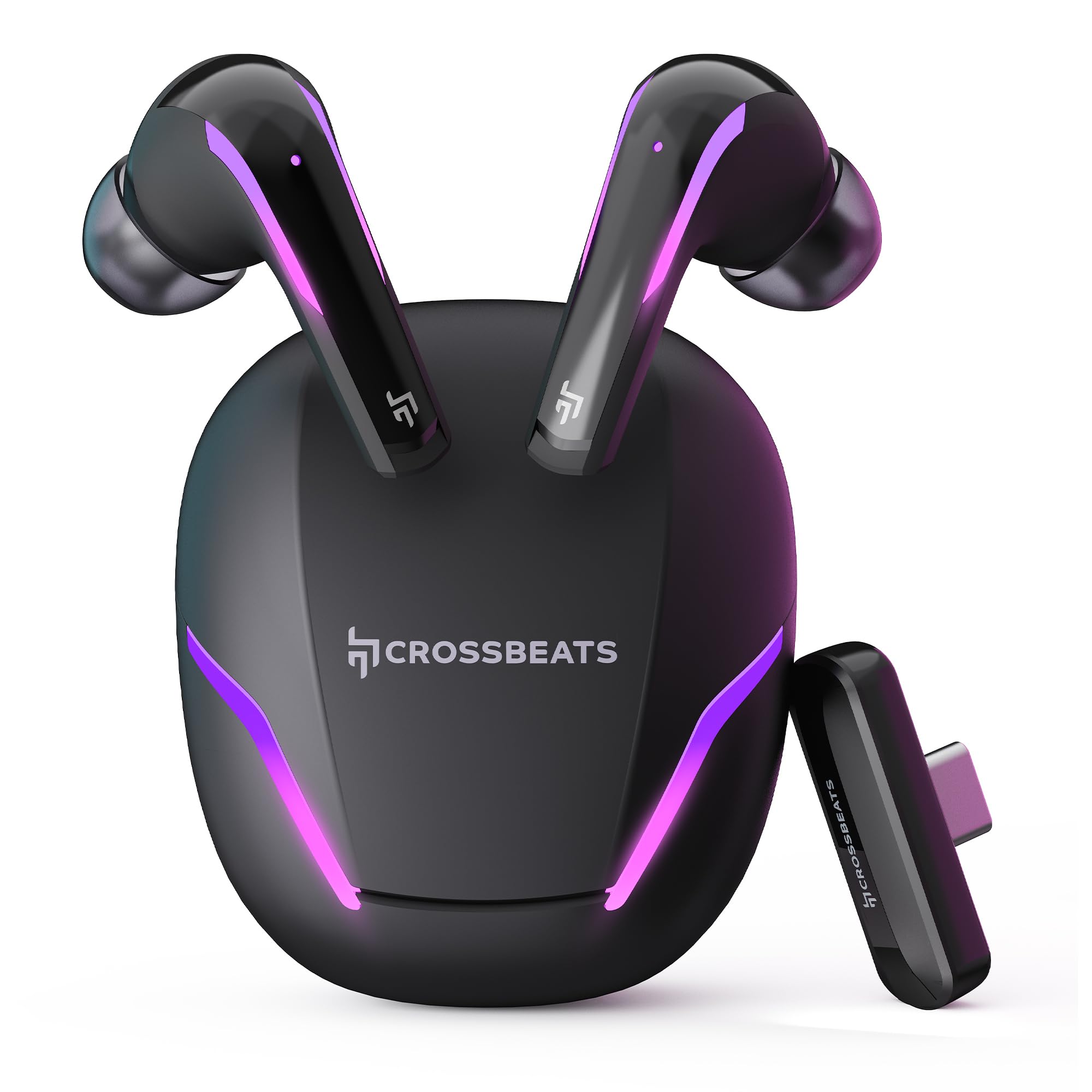
Figure 1: CrossBeats Hawk Gaming TWS Earbuds and Charging Case with highlighted features.
3.1 Charging Case and Dongle

Figure 2: The 2.4G Type C Dongle for direct connection to compatible devices.
3.2 Earbud Design and Features

Figure 3: Internal view of an earbud showcasing the 14mm Titanium Driver.

Figure 4: Earbud with Dedicated Gaming DSP for optimized audio processing.

Figure 5: Earbud with AI Environmental Noise Cancellation (ENC) for clear calls.

Figure 6: Illustration of Music Mode and Gaming Mode.
4. Setup
4.1 Initial Bluetooth Pairing
- Ensure the earbuds are charged.
- Open the charging case. The earbuds will automatically enter pairing mode, indicated by flashing RGB lights.
- On your device (smartphone, tablet, laptop), go to Bluetooth settings and turn on Bluetooth.
- Search for available devices and select "CrossBeats Hawk" from the list.
- Once connected, the earbuds will indicate successful pairing.
4.2 Connecting via Type-C Dongle (2.4GHz Wireless)
For ultra-low latency gaming, use the included Type-C dongle.
- Remove the Type-C dongle from its slot in the charging case.
- Plug the dongle into the Type-C port of your compatible gaming device (smartphone, tablet, PC, console).
- The earbuds will automatically connect to the dongle, entering dedicated Game Mode.
- Ensure your device's audio output is set to the dongle if necessary.
Video 1: Demonstration of connecting the Type-C dongle to a smartphone and launching a mobile game, showcasing the seamless integration for gaming.
5. Operating Instructions
5.1 Power On/Off
- Power On: Open the charging case, or take the earbuds out of the case. They will power on automatically.
- Power Off: Place the earbuds back into the charging case and close the lid. They will power off automatically.
Video 2: Visual guide on opening the CrossBeats Hawk charging case, removing the earbuds, and observing the dynamic RGB lighting effects.
5.2 Touch Controls
The CrossBeats Hawk earbuds feature touch controls for various functions:
- Play/Pause: Single tap on either earbud.
- Next Track: Double tap on the right earbud.
- Previous Track: Double tap on the left earbud.
- Answer/End Call: Single tap on either earbud.
- Reject Call: Press and hold either earbud for 2 seconds.
- Activate Voice Assistant: Triple tap on either earbud.
- Switch EQ Mode (Music/Gaming): Press and hold the right earbud for 2 seconds.
5.3 Switching EQ Modes
The earbuds support two Equalizer (EQ) modes: E-Sports (Gaming) and Music. To switch between modes, press and hold the right earbud for 2 seconds. A voice prompt will confirm the mode change.
6. Gaming Mode with Dongle
The dedicated Game Mode, activated via the Type-C dongle, provides ultra-low latency (under 10ms) for a synchronized audio and video experience, crucial for competitive gaming.

Figure 7: Ultra-low latency for instant action in gaming.

Figure 8: Sonic-Link Technology for high-speed wireless connection.
When the dongle is connected, the earbuds prioritize the 2.4GHz wireless connection for minimal audio delay. This mode is ideal for fast-paced games where audio cues are critical.
7. Charging
To charge the CrossBeats Hawk earbuds and charging case:
- Place both earbuds into the charging case. Ensure they are properly seated.
- Connect the provided USB Type-C charging cable to the charging port on the case and to a power source.
- The RGB lights on the case will indicate charging status. A full charge takes approximately 2 hours.
- The earbuds offer up to 10 hours of listening time on a single charge, with the charging case extending total playtime to 100 hours.

Figure 9: Charging case and earbuds illustrating extended battery life.
8. Maintenance
To ensure the longevity and performance of your earbuds:
- Cleaning: Regularly clean the earbuds and charging case with a soft, dry, lint-free cloth. Do not use harsh chemicals or abrasive materials.
- Ear Tips: Remove and clean the ear tips periodically. Ensure they are completely dry before reattaching.
- Charging Contacts: Keep the charging contacts on both the earbuds and the case clean and free of debris.
- Storage: When not in use, store the earbuds in their charging case to protect them and keep them charged.
- Water Resistance: The earbuds are water-resistant, but not waterproof. Avoid submerging them in water or exposing them to heavy rain. Dry them thoroughly if they get wet.
9. Troubleshooting
If you encounter issues with your CrossBeats Hawk earbuds, refer to the following common solutions:
- No Sound/Connection:
- Ensure earbuds are charged and powered on.
- Check Bluetooth settings on your device and ensure "CrossBeats Hawk" is connected.
- If using the dongle, ensure it is securely plugged in and your device's audio output is directed to the dongle.
- Try resetting the earbuds by placing them in the case, closing the lid for 10 seconds, then reopening.
- Earbuds Not Charging:
- Ensure the charging cable is securely connected to both the case and the power source.
- Verify the charging contacts on the earbuds and case are clean.
- Try a different charging cable or power adapter.
- Low Latency Issues:
- Ensure you are using the Type-C dongle for Game Mode. Bluetooth connection will have higher latency.
- Minimize interference by staying close to your device.
- Microphone Issues:
- Ensure the microphones are not obstructed.
- Check your device's audio input settings to confirm the earbuds are selected.
10. Specifications
| Feature | Specification |
|---|---|
| Model Name | Hawk (CB-Hawk) |
| Connectivity Technology | Wireless (Bluetooth 5.4, 2.4GHz Dongle) |
| Bluetooth Version | 5.4 |
| Bluetooth Range | 10 Metres |
| Audio Driver Type | 14mm Titanium Dynamic Driver |
| Latency | Ultra Low <10ms (with Dongle) |
| Microphones | 6 (4 with AI ENC) |
| Battery Life | Up to 100 Hours (with charging case) |
| Charging Time | 2 Hours |
| Noise Control | Sound Isolation, AI ENC |
| Control Type | Touch Control |
| Water Resistance Level | Water Resistant |
| Item Weight | 48 Grams |
| Material | Plastic |
| Special Features | RGB Lights, AI ENC, Ultra-Low Latency Gaming Mode, Water Resistance |
11. Warranty and Support
Your CrossBeats Hawk Gaming TWS in-Ear Buds come with a manufacturer's warranty. Please refer to the included Warranty Card for detailed terms and conditions. For technical support, product inquiries, or warranty claims, please contact CrossBeats customer service through their official website or the contact information provided on the warranty card.