
Introduction
This manual provides essential instructions for the setup, operation, maintenance, and troubleshooting of your NEW BAXS CS200 Dual Wireless Karaoke Microphone System. Please read this manual thoroughly before using the product to ensure optimal performance and longevity.
What's in the Box
Carefully unpack all items and ensure the following components are present:
- Handheld Microphone (x2)
- Wireless Receiver (x1)
- Rechargeable Batteries (x3)
- Anti-rolling Protection Rings (x2)
- 6.35 mm (1/4") to 3.5 mm (1/8") Adapter (x1)
- USB Charging Cable (x1)
- User Manual (x1)

Figure 1: All components included in the NEW BAXS CS200 package.
Setup Instructions
1. Battery Installation
- For Microphones: Unscrew the bottom cover of each microphone. Insert one rechargeable battery into each microphone, ensuring correct polarity. Screw the cover back on securely.
- For Receiver: Open the battery compartment of the wireless receiver. Insert the remaining rechargeable battery, observing correct polarity. Close the compartment.
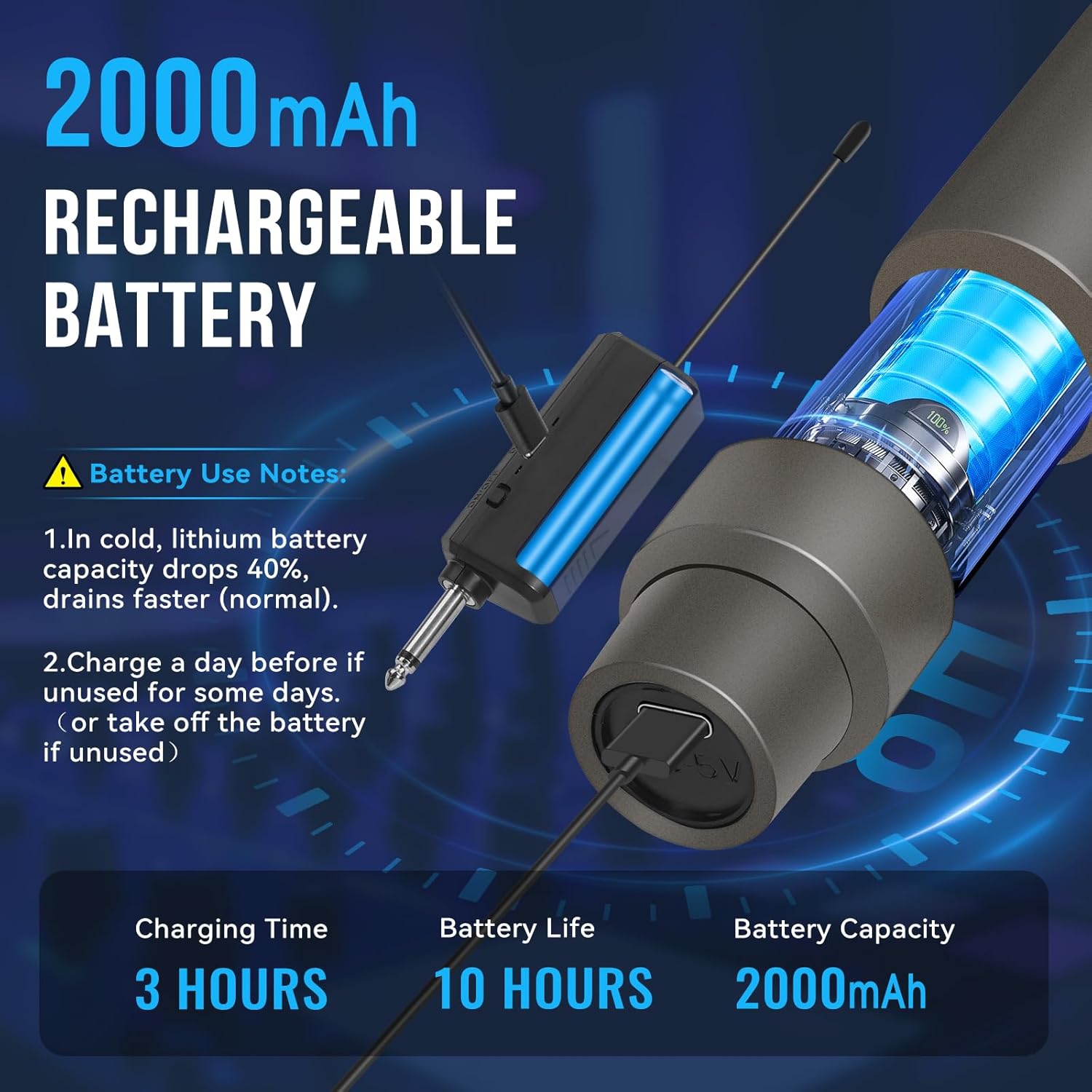
Figure 2: Battery installation and charging port on the microphone and receiver.
2. Connecting the Receiver
- Identify the 6.35mm (1/4") microphone input jack on your karaoke machine, electric speaker, amplifier, mixer, or audio interface.
- Plug the wireless receiver directly into the 6.35mm input jack. If your device has a 3.5mm (1/8") input, use the provided 6.35mm to 3.5mm adapter.

Figure 3: Connecting the wireless receiver to an audio system.
3. Powering On and Automatic Pairing
- Turn on your audio device (karaoke machine, speaker, etc.).
- Press and hold the power button on each microphone until the display illuminates.
- Press the power switch on the wireless receiver. The system is designed for automatic pairing; the microphones should connect to the receiver without manual intervention.
- The microphone display will show the frequency, indicating a successful connection.
Video 1: Demonstrates the unboxing, battery installation, and initial setup of the NEW BAXS wireless microphones and receiver.
Operating Instructions
1. Basic Usage
Once connected, simply speak or sing into the microphone. Adjust the volume on your connected audio device as needed. The microphones feature built-in thickened cotton and metallic mesh for clear sound transmission and interference prevention.
2. Wireless Range
The NEW BAXS CS200 system offers a stable transmission range of up to 150 feet (approximately 45 meters). This allows for freedom of movement during performances or presentations, both indoors and outdoors.

Figure 4: Wireless signal range demonstration.
3. Battery Life
The microphones provide up to 10 hours of usage, and the receiver up to 12 hours, on a full charge. A full charge typically takes about 3 hours.
Maintenance
1. Charging
Use the provided USB charging cable to charge the microphones and receiver. Connect the cable to the Type-C port on each device and a suitable USB power source. The charging indicator will show the charging status.
2. Cleaning
Wipe the microphones and receiver with a soft, dry cloth. Do not use harsh chemicals or abrasive cleaners. Ensure no moisture enters the microphone grille or charging ports.
3. Storage and Battery Care
- Store the system in a cool, dry place away from direct sunlight and extreme temperatures.
- In cold environments, lithium battery capacity may decrease by up to 40%. This is normal.
- If the product will not be used for an extended period, fully charge the batteries before storage. For very long storage periods, it is recommended to remove the batteries from the devices.
Troubleshooting
- No Sound:
- Ensure both microphones and the receiver are powered on and fully charged.
- Verify the receiver is correctly plugged into the microphone input of your audio device.
- Check the volume settings on your audio device.
- If connection issues persist, try turning off all devices, then power on the receiver first, followed by the microphones. They should automatically pair.
- Poor Sound Quality/Interference:
- Ensure there are no obstructions between the microphones and the receiver.
- Move away from other wireless devices or sources of electromagnetic interference.
- Check if the microphone grille is clean and free from debris.
- Short Wireless Range:
- Ensure the receiver's antenna is unobstructed.
- Avoid using the system in environments with thick walls or large metal objects that can block signals.
- Verify batteries are fully charged, as low battery can affect range.
Specifications
| Feature | Specification |
|---|---|
| Microphone Form Factor | Handheld |
| Product Dimensions (L x W x H) | 11.61 x 6.3 x 2.56 inches |
| Item Weight | 12.3 ounces (0.35 Kilograms) |
| Power Source | Battery Powered |
| Battery Type | Lithium Ion (3 AA batteries required, included) |
| Signal-to-Noise Ratio | 60 dB |
| Number of Channels | 1 |
| Connectivity Technology | RF (Radio Frequency) |
| Connector Type | 3.5 mm Jack, 6.35 mm Jack |
| Special Feature | Noise Reduction |
| Compatible Devices | Karaoke Machine |
| Color | Gray |
| Material | Plastic |
Warranty and Support
NEW BAXS provides a 24-month extended warranty for this product. For any issues or support needs, please contact customer service. We are committed to resolving any concerns to your satisfaction.
Visit the official NEW BAXS Store for more information: NEW BAXS Store