
NKPU SY69-Brown
NKPU 48-Inch Low Profile Ceiling Fan User Manual
Brand: NKPU | Model: SY69-Brown
Introduction
This manual provides detailed instructions for the installation, operation, and maintenance of your NKPU 48-inch Low Profile Ceiling Fan with Light. This fan features a reversible DC motor, dimmable LED lighting with adjustable color temperatures, and convenient control via remote or a mobile application. Designed for quiet and efficient performance, it is suitable for various indoor and outdoor patio spaces.
Key Features
- 3CCT Dimmable LED Lights: Adjustable brightness (10% to 100%) and three color temperatures (3000K warm white, 4000K natural white, 6000K cool white).
- Low Profile & Reversible DC Motor: Operates silently (as low as 30dB) and provides powerful air circulation for both summer cooling and winter heat distribution.
- Remote/App Control: Conveniently adjust fan speed, light settings, and timers using the included remote control or the "Fan Lamp Pro" mobile application.
- 6-Speed Settings: Customize airflow from a gentle breeze to a strong cooling wind.
- Energy Efficient: A-level energy efficiency rating, reducing power loss significantly compared to traditional fans.
- Durable Design: Features solid wood, double-sided blades that are UV and damp resistant.
Setup Instructions
1. Unpacking and Component Identification
Carefully unpack all components from the packaging. Verify that all parts listed in your product's included user manual are present and undamaged before proceeding with installation. This includes the motor housing, fan blades, LED light kit, remote control, and mounting hardware.
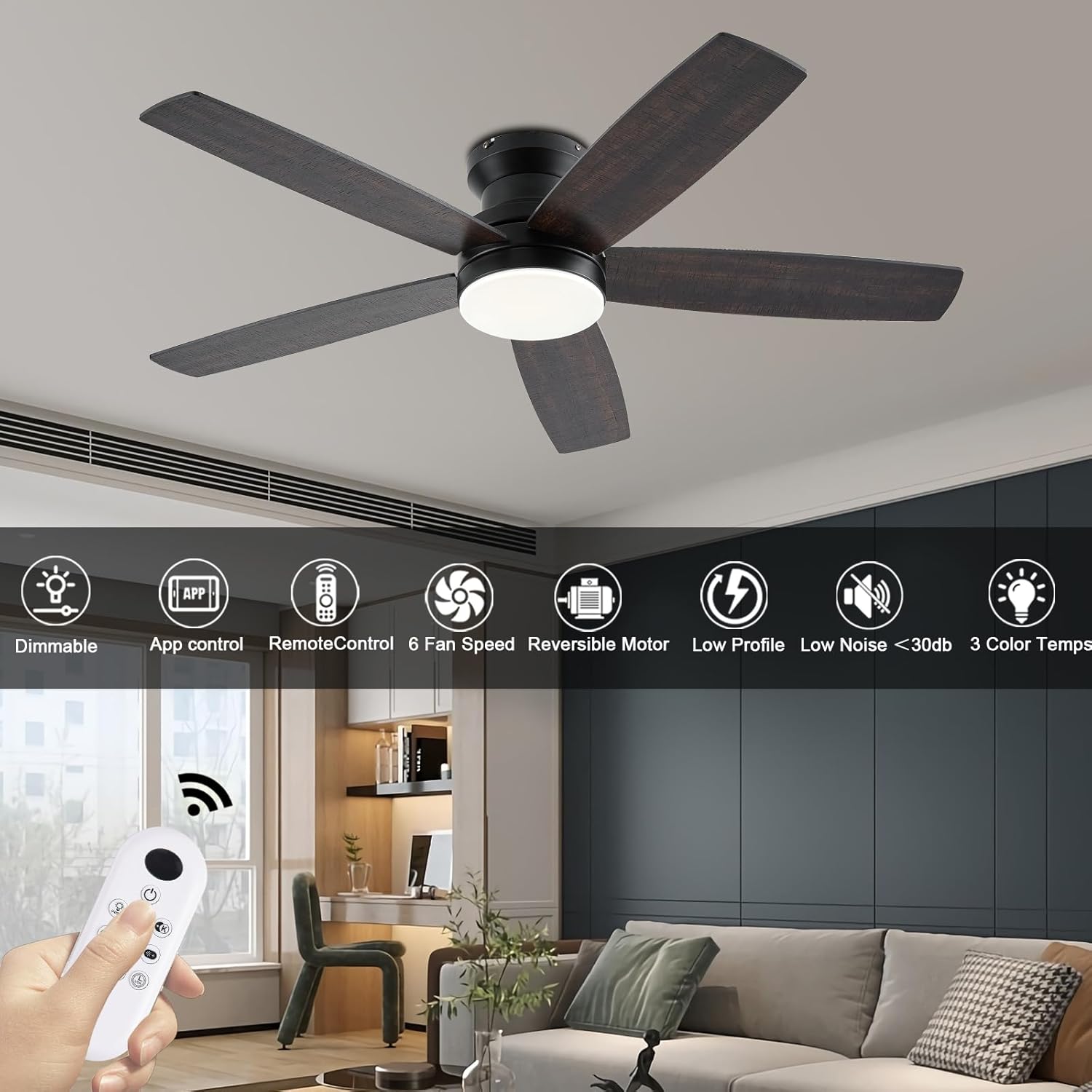
Figure 1: All components included in the NKPU 48-inch ceiling fan package. This includes the main motor unit, five reversible fan blades, a remote control, and the user manual.
2. Mounting Preparation
Before beginning any electrical work, ensure the power supply to the ceiling fan location is turned off at the main circuit breaker. Prepare the ceiling electrical box for mounting. The fan is designed for flush mount installation, suitable for rooms with lower ceilings.
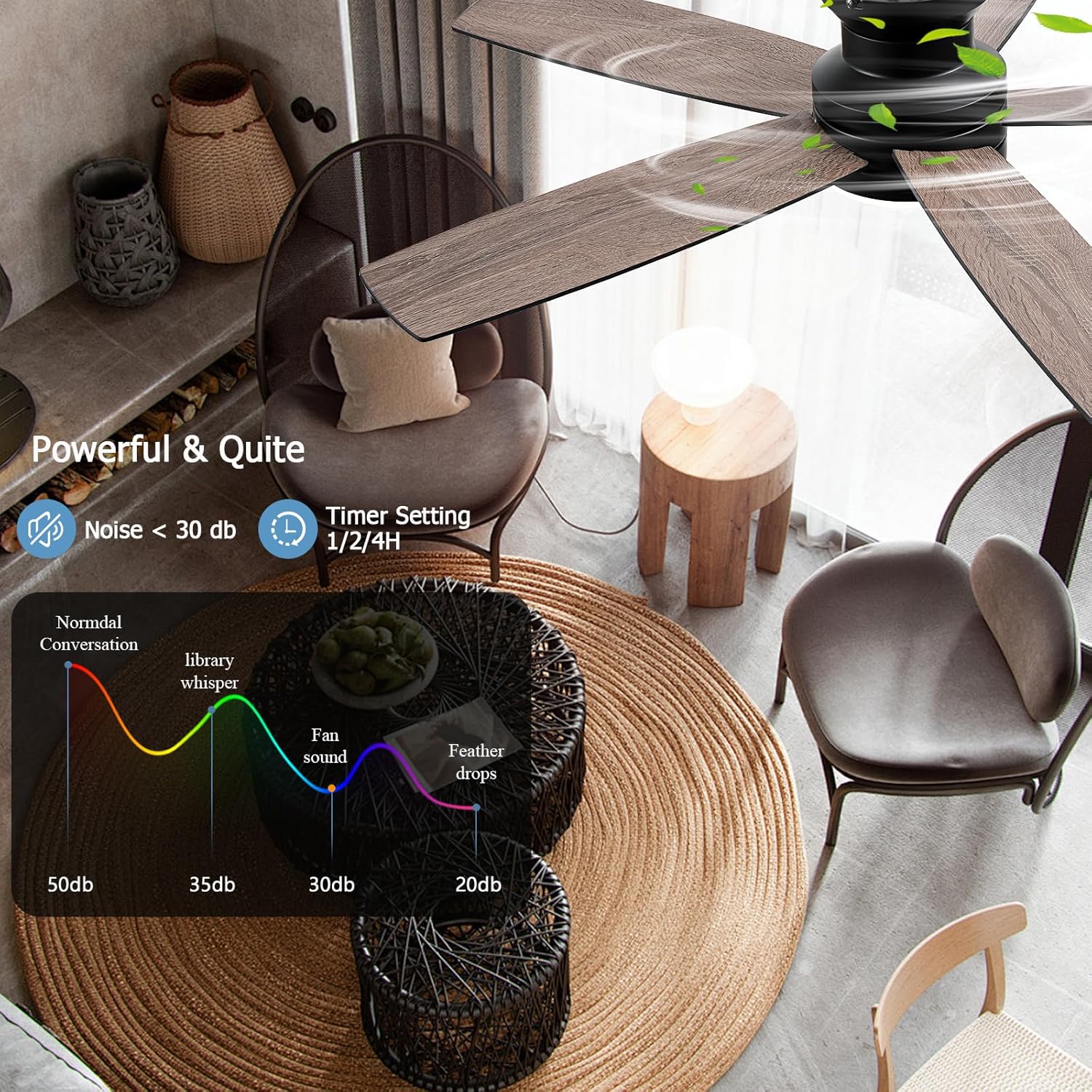
Figure 2: View of a ceiling electrical box with exposed wiring, indicating readiness for the fan's mounting bracket installation.
3. Blade Assembly
Attach the five fan blades to the motor housing. The blades are double-sided, offering a choice between a dark brown finish and a lighter brown wood grain finish. Select your preferred side and secure each blade firmly with the provided screws.
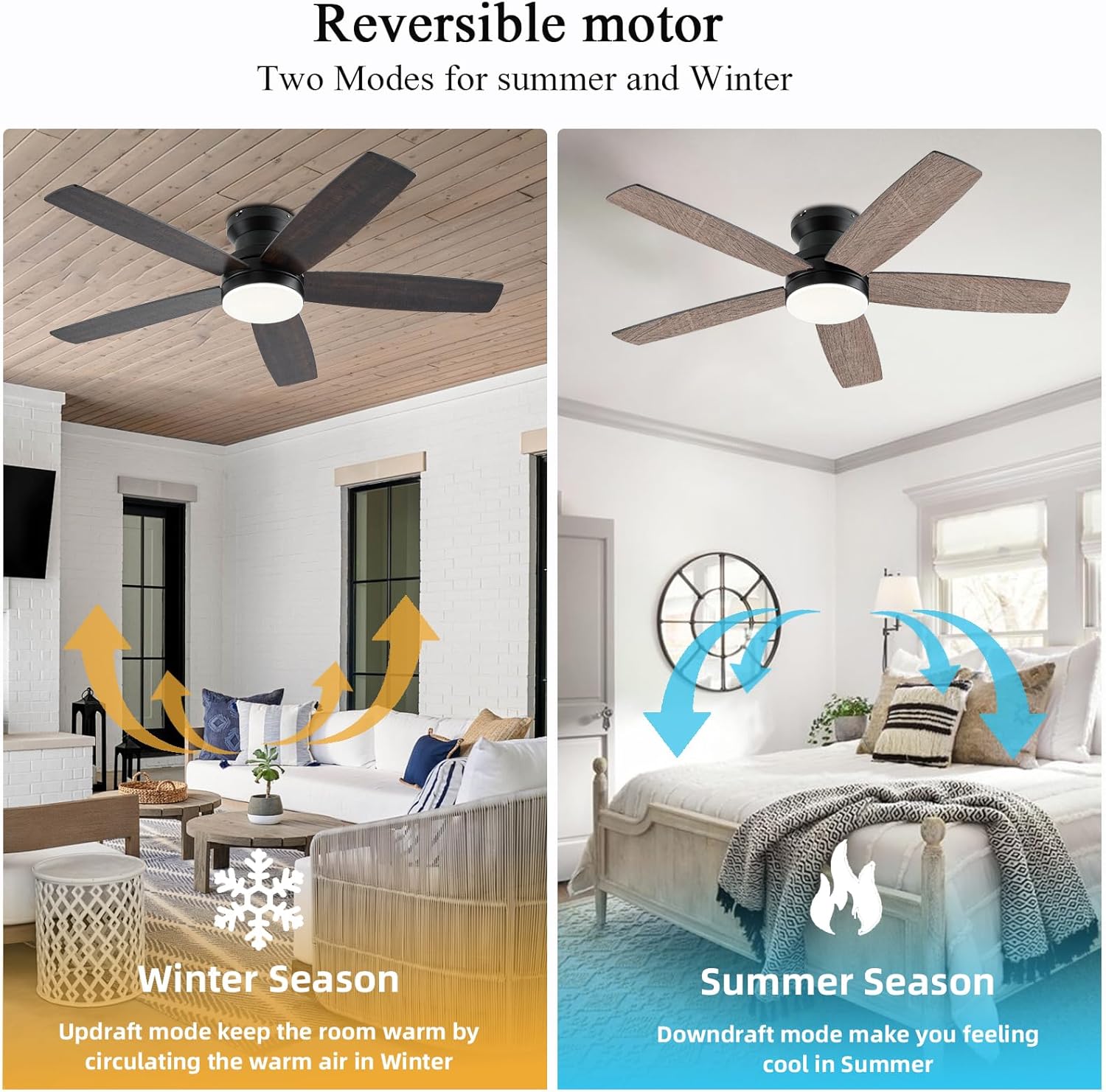
Figure 3: Close-up of the fan motor unit with one blade attached, illustrating the process of securing the blades.
4. Light Kit Installation
Install the LED light kit onto the fan's main body. This fan features a dimmable LED light with three selectable color temperature options (3000K warm white, 4000K natural white, and 6000K cool white). Follow the specific instructions in the full manual for connecting the light kit's wiring and securing the light cover.
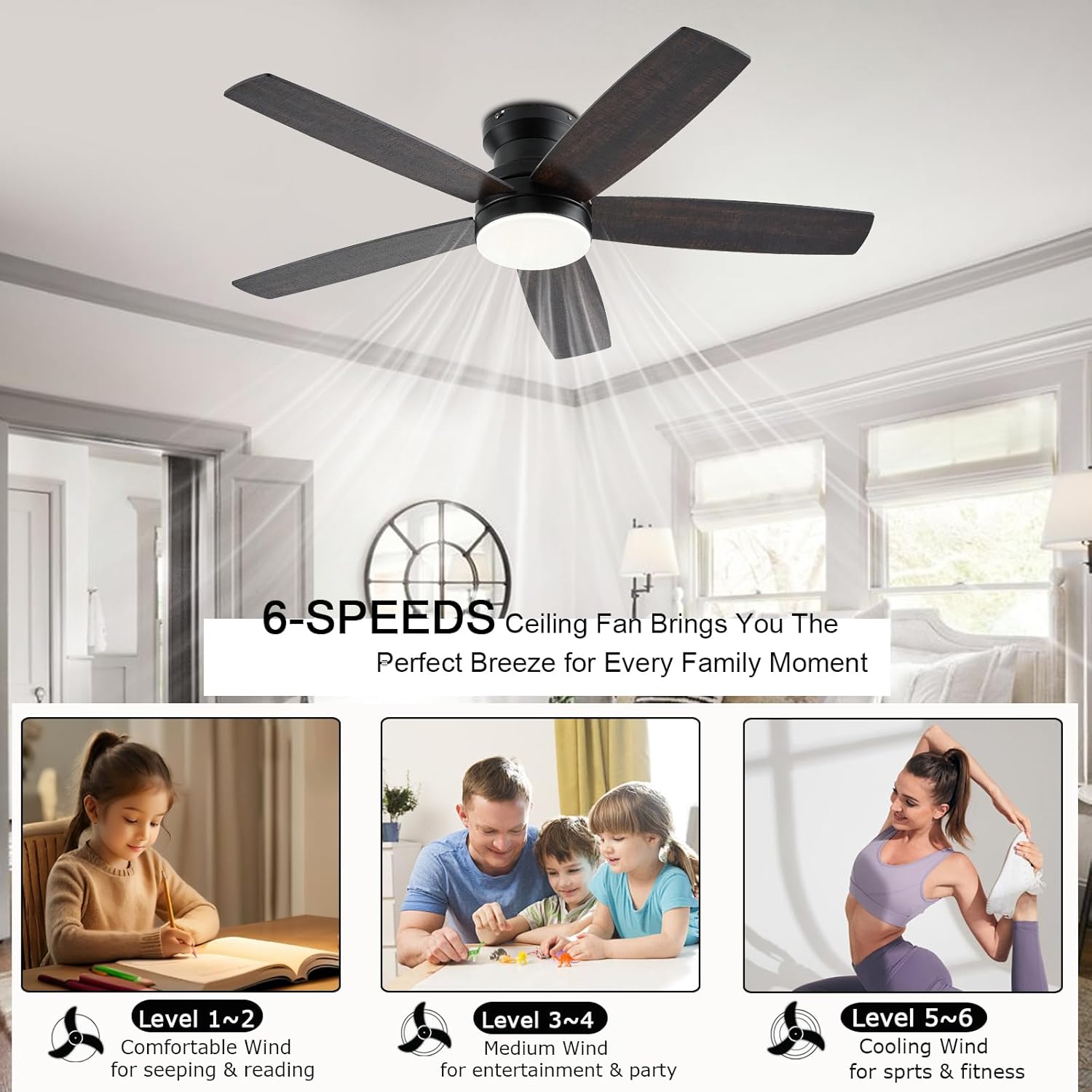
Figure 4: Installation of the LED light cover onto the central hub of the fan, completing the light assembly.
5. Final Mounting and Wiring
Mount the assembled fan to the ceiling electrical box. Connect the electrical wires according to the provided wiring diagram in the full user manual. Ensure all connections are secure and properly insulated. This fan is compatible with conventional wall switches for ON/OFF control but is not designed for use with dimmer switches or fan gear switches.
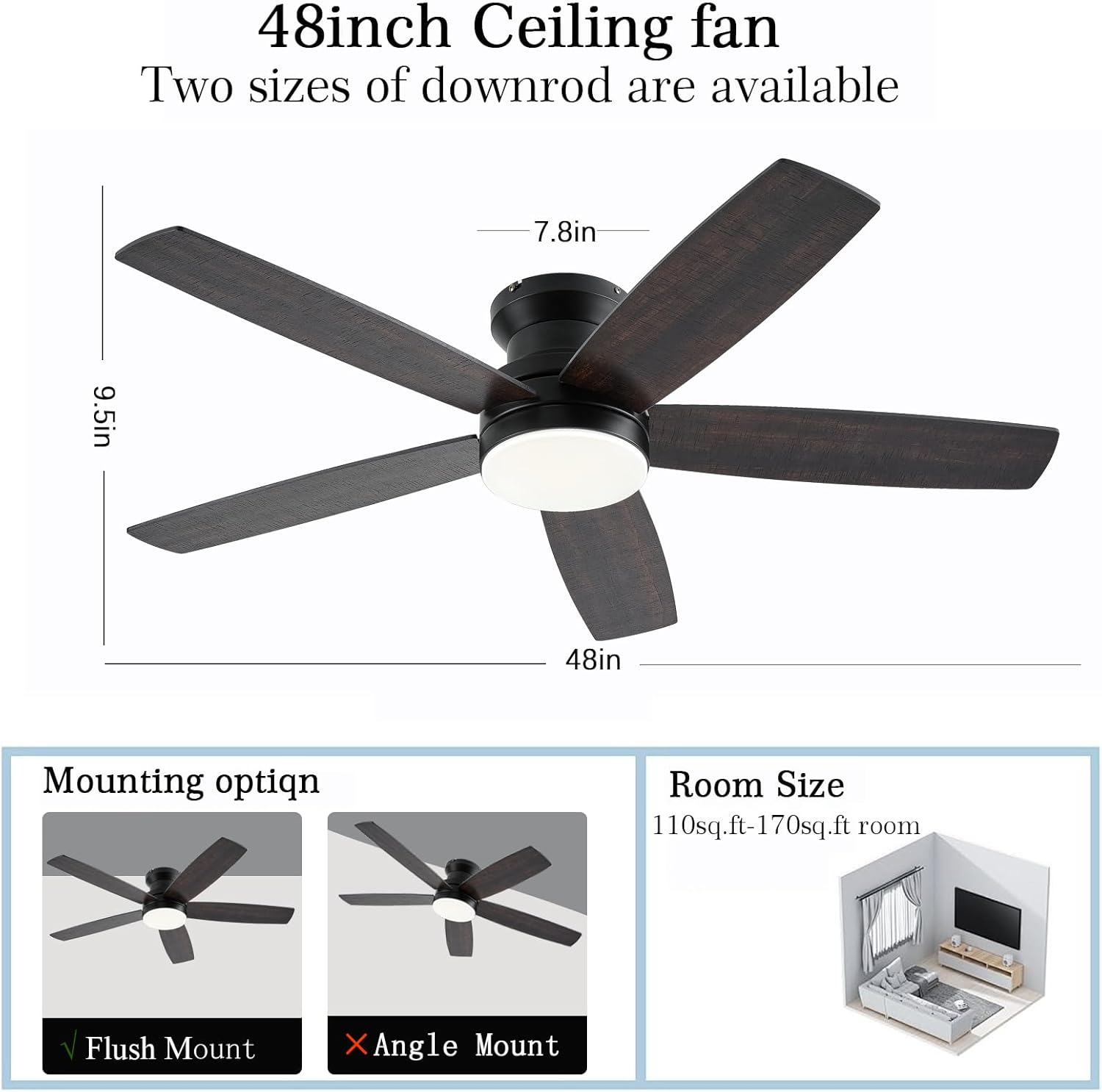
Figure 5: The final step of mounting the fan to the ceiling, showing the secure attachment of the fan body.

Figure 6: Illustration demonstrating compatible wall switch types for the fan. Only conventional ON/OFF switches are supported; dimmer or fan gear switches are not compatible.
Operating Instructions
Control Methods
The NKPU ceiling fan can be controlled via the included remote control or through the "Fan Lamp Pro" mobile application. Both methods allow for comprehensive control over fan speed, light settings, and timer functions.
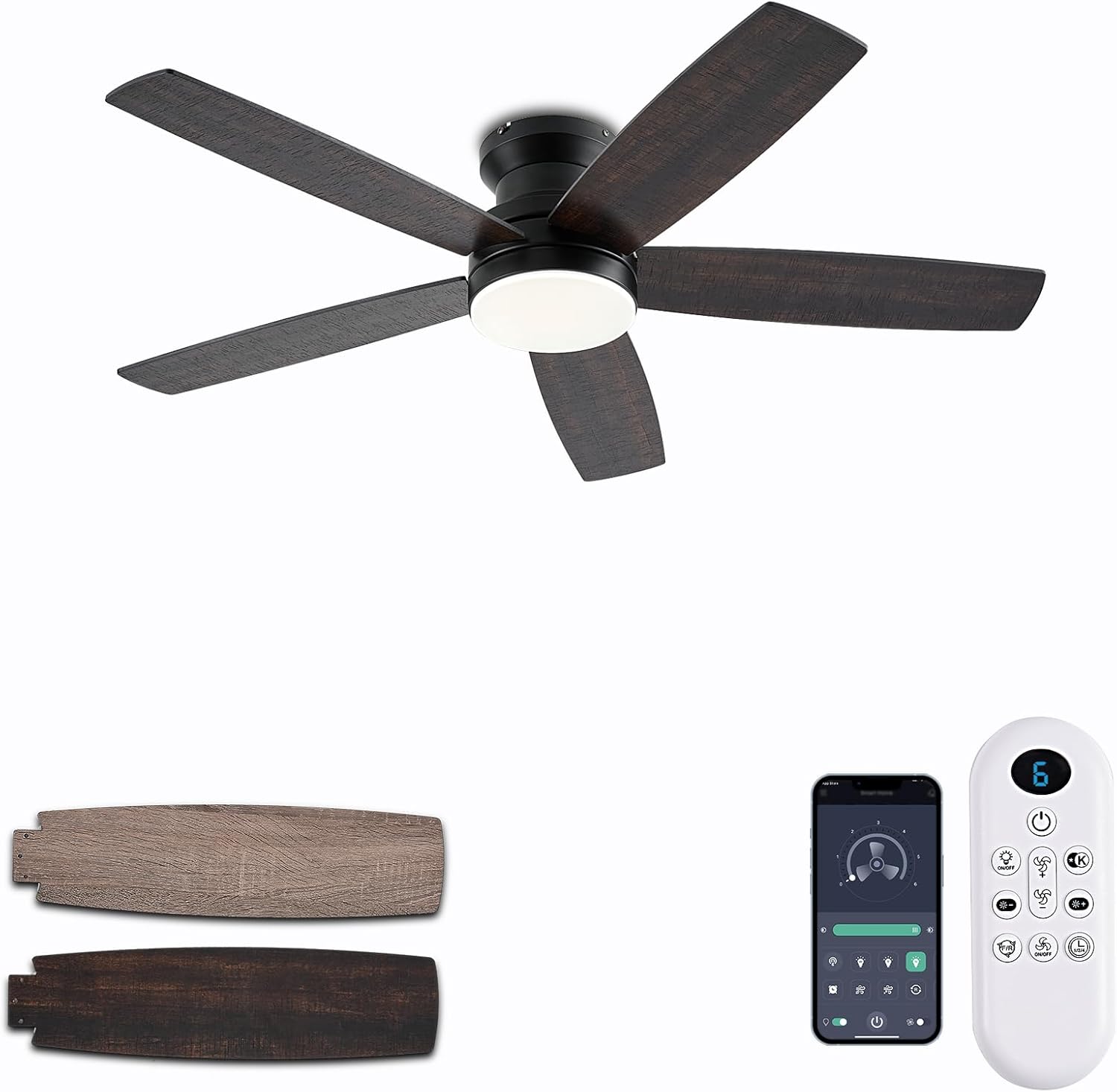
Figure 7: The ceiling fan shown with its remote control and a smartphone displaying the "Fan Lamp Pro" application, highlighting the dual control options.
Fan Speed Settings
The fan offers 6-speed settings to customize airflow to your preference. From a gentle breeze for relaxation to a powerful cooling effect for active environments.
- Levels 1-2: Comfortable wind, ideal for sleeping or quiet activities.
- Levels 3-4: Medium wind, suitable for entertainment or general use.
- Levels 5-6: Cooling wind, perfect for sports or fitness activities.
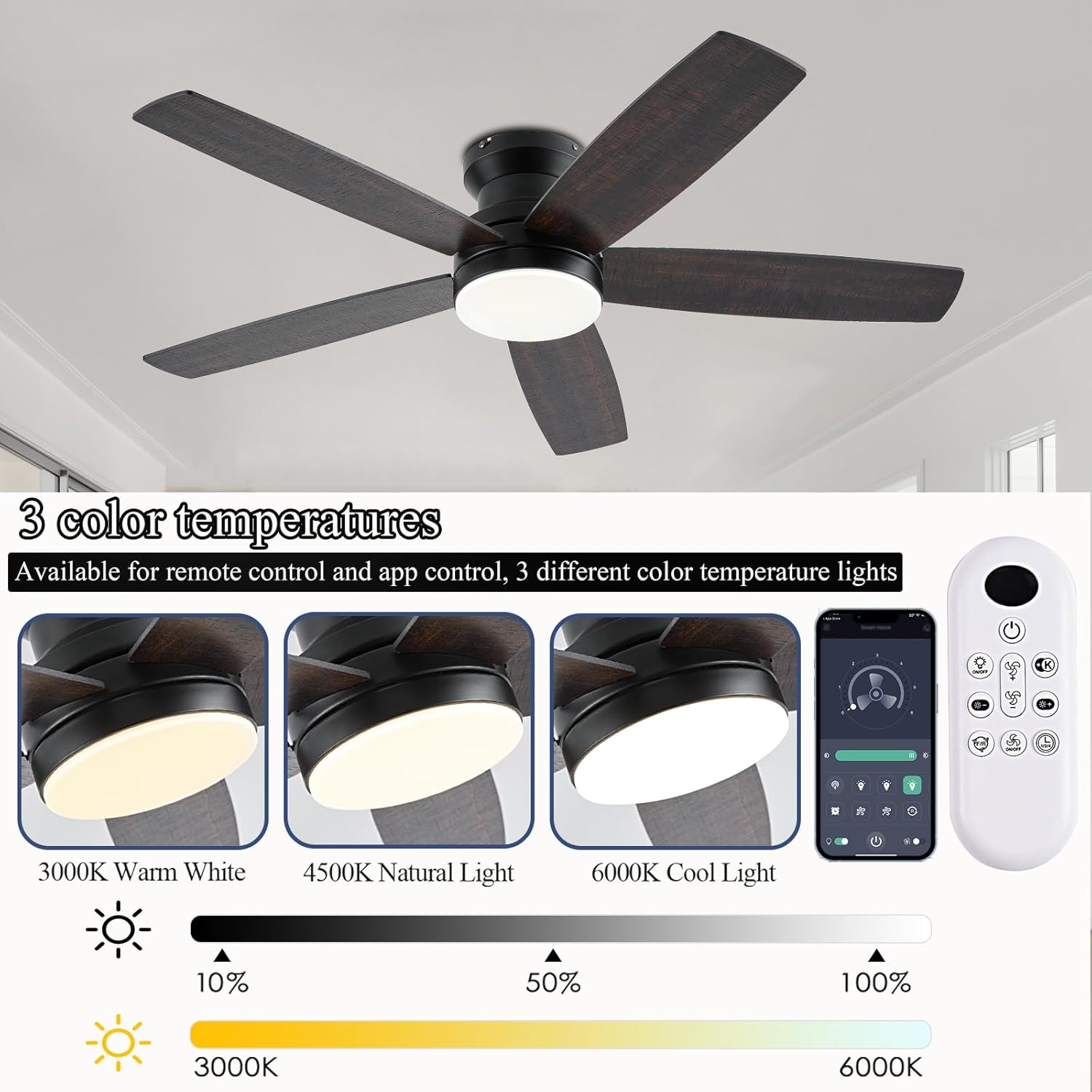
Figure 8: Visual guide to the fan's six speed settings, categorizing them by intensity and suggested use cases.
Light Control and Color Temperature
The integrated LED light is dimmable from 10% to 100% and offers three color temperature options:
- 3000K: Warm White
- 4000K: Natural White
- 6000K: Cool White
Adjust brightness and color temperature using the remote or the app to create the desired ambiance.
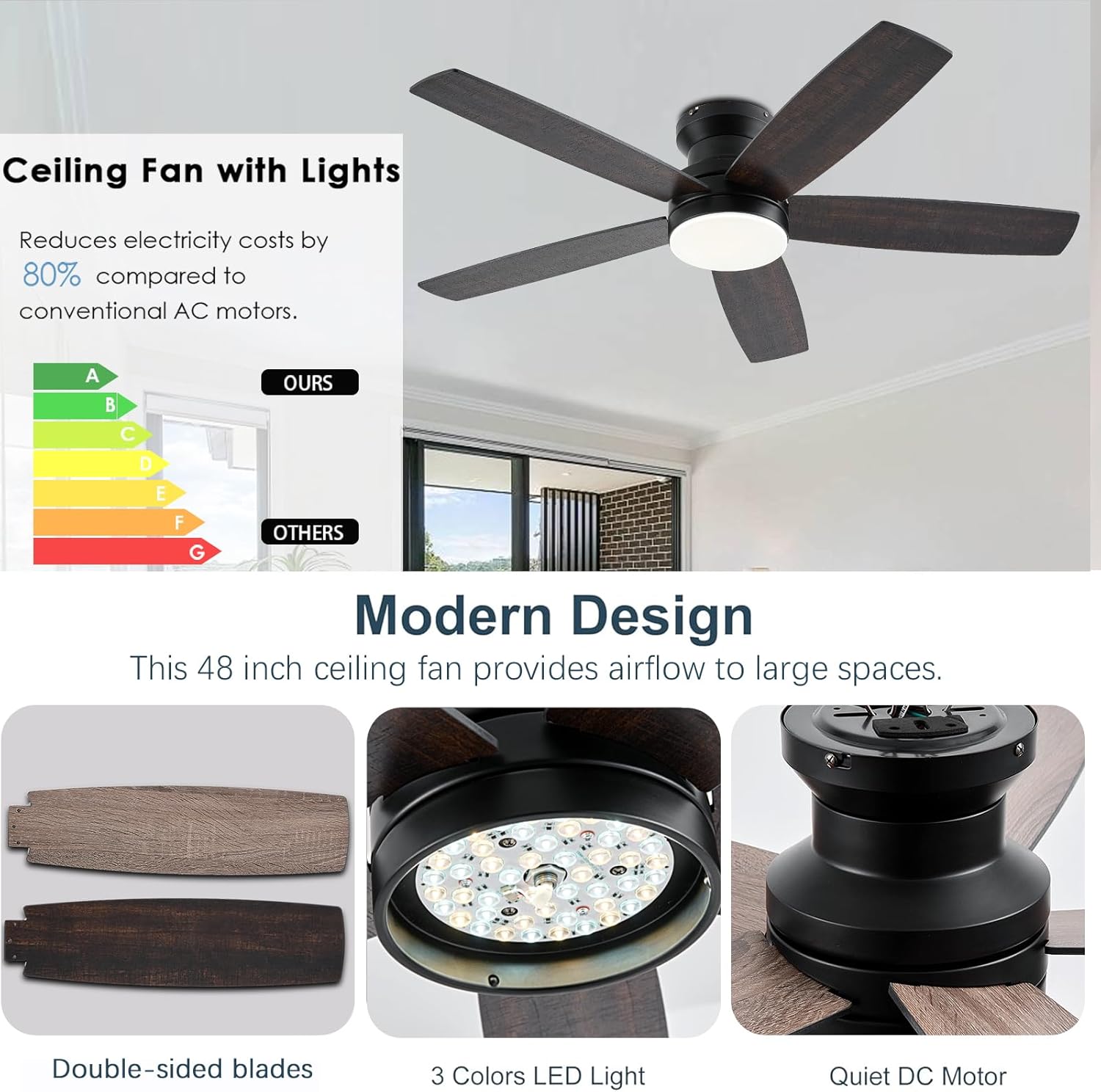
Figure 9: Demonstration of the three adjustable light color temperatures (3000K, 4500K, 6000K) and the remote control interface for light adjustments.
Reversible DC Motor
The fan features a reversible DC motor, allowing for year-round use. In summer, the fan operates in downdraft mode to create a cooling breeze. In winter, it can be reversed to updraft mode to circulate warm air trapped near the ceiling, helping to distribute heat more evenly.
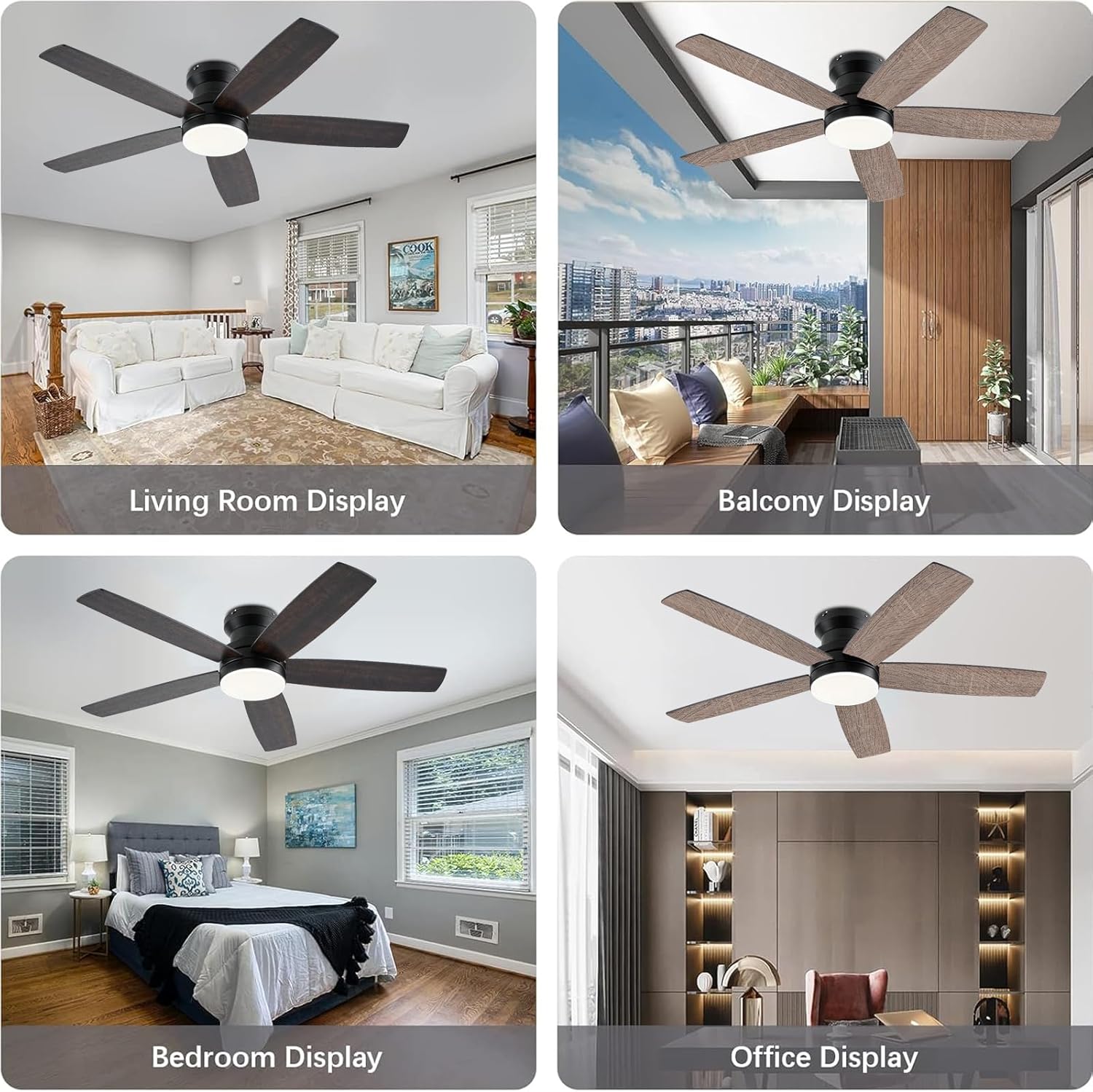
Figure 10: Visual explanation of the reversible motor's function, showing airflow patterns for both summer (cooling) and winter (heat circulation) modes.
Timer Function
Set the fan and light to automatically turn off after 1, 2, or 4 hours using the timer function on the remote control or app. This feature is convenient for energy saving and nighttime use.
Mobile App Control ("Fan Lamp Pro")
For enhanced control, download the "Fan Lamp Pro" app. Scan the QR code provided in the manual or visit http://www.jasonghost.com/fanlamppro/ to download. Follow the in-app instructions to pair your device with the fan. The app allows for full control of all fan and light functions, including speed, brightness, color temperature, and timer settings.

Figure 11: Step-by-step guide for connecting the fan to the "Fan Lamp Pro" mobile application, including a QR code for easy download.
Maintenance
Regular maintenance ensures optimal performance and longevity of your NKPU ceiling fan.
- Cleaning: Before cleaning, ensure the power is turned off at the circuit breaker. Use a soft, damp cloth to wipe down the fan blades and motor housing. Avoid using harsh chemicals or abrasive cleaners.
- Blade Care: The fan blades are durable and designed for longevity. They are UV resistant and damp resistant, requiring minimal special care.
- Motor: The DC motor is designed for quiet and efficient operation and requires no lubrication.
Troubleshooting
| Problem | Possible Cause | Solution |
|---|---|---|
| Fan does not operate. | No power supply; loose wiring; remote control battery low. | Check circuit breaker. Ensure all wiring connections are secure. Replace remote control batteries. |
| Light does not turn on or has a delay. | Loose wiring; incompatible wall switch; minor power fluctuation. | Check light kit wiring. Ensure a conventional ON/OFF switch is used (not a dimmer). A slight delay upon initial power-on is normal. |
| Fan makes excessive noise. | Loose screws on blades or mounting; unbalanced blades. | Tighten all screws. Ensure blades are properly balanced (refer to full manual for balancing kit instructions if needed). |
| Remote control or app not responding. | Battery low; pairing issue; interference. | Replace remote batteries. Re-pair the remote/app with the fan (refer to Operating Instructions). Ensure no strong interference sources are nearby. |
Specifications
| Attribute | Value |
|---|---|
| Brand | NKPU |
| Model Name | BR-SY69 |
| Item Model Number | SY69-Brown |
| Color | Brown |
| Product Dimensions | 48"D x 48"W x 12.9"H |
| Electric Fan Design | Ceiling Fan |
| Power Source | DC |
| Style | Modern |
| Room Type | Kids Room, Living Room, Bedroom, Playroom, Nursery |
| Special Feature | Remote Controlled, Adjustable Height, LED Light, Adjustable Tilt, App Operable |
| Recommended Uses | Cooling, Air Circulation, Lighting |
| Noise Level | 30 dB |
| Wattage | 60 watts |
| Finish Type | Wooden |
| Number of Blades | 5 |
| Voltage | 110 Volts |
| Switch Type | Push Button |
| Item Weight | 10.27 Pounds |
| Included Components | 1 x User Manual, 1 x Ceiling Fan with Lights Kits, Remote |
| Indoor/Outdoor Usage | Outdoor, Indoor |
| Control Method | App, Remote |
| Light Type | LED |
| Efficiency | High Efficiency |
| Size | 48inch |
| Type of Bulb | LED |
| Batteries Included? | No |
| Batteries Required? | Yes |
Warranty and Support
NKPU is committed to providing high-quality products and excellent customer service. This product includes a 24-month worry-free warranty. For any issues during installation or use, please feel free to contact NKPU customer support. Our team is available for 24-hour after-sales support.
For further assistance, please refer to the detailed installation instructions and videos available from the manufacturer.
Ask a question about this manual
Ask about setup, troubleshooting, compatibility, parts, safety, or missing instructions. Manuals+ will review the question and use this page’s manual context to help answer it.