
1. Introduction
This manual provides essential instructions for the installation, operation, maintenance, and troubleshooting of your Qinliy Q108 Wireless Cat Water Fountain Replacement Battery Host. Please read this manual thoroughly before use to ensure proper function and longevity of the product.
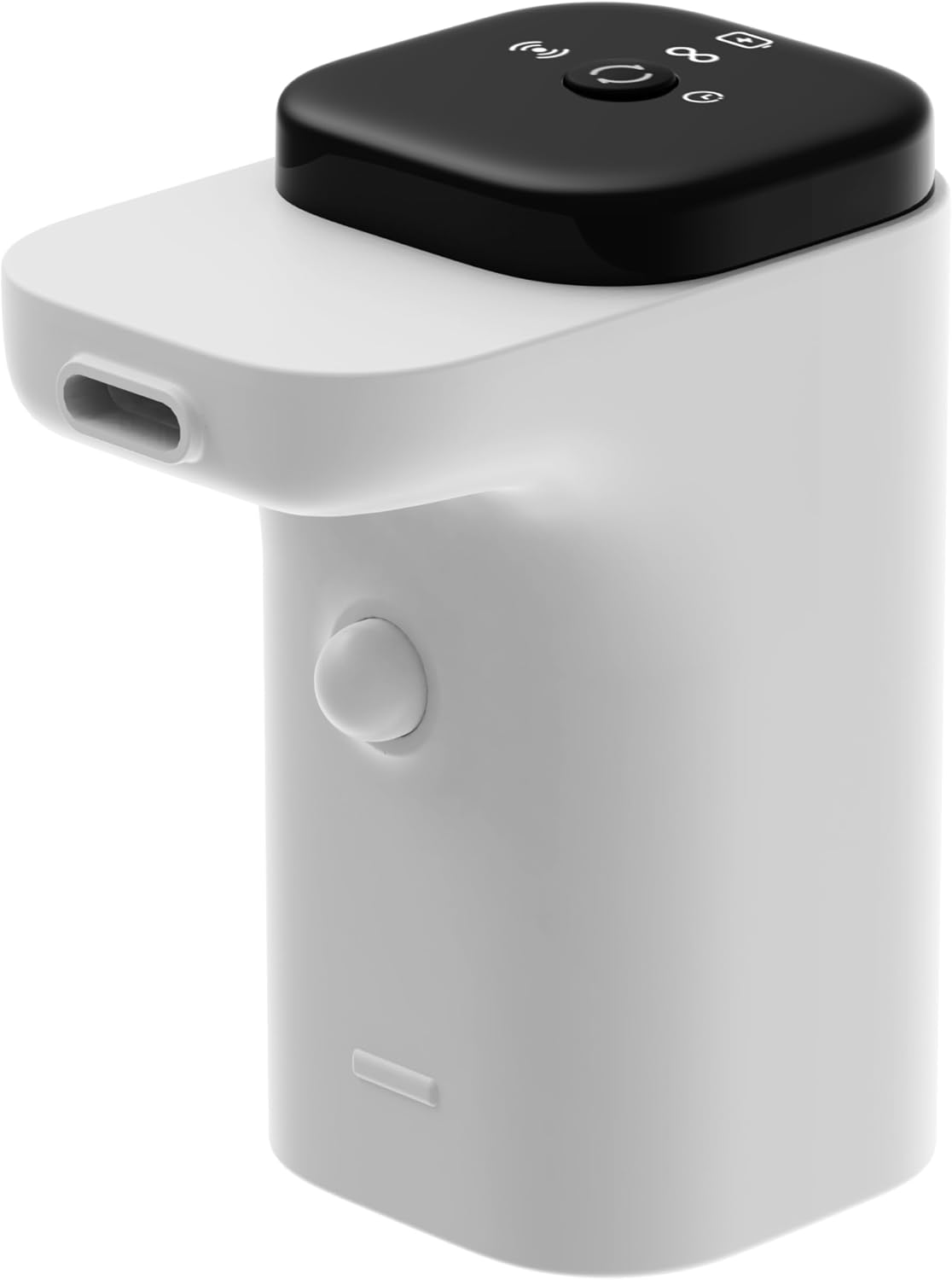
Image 1.1: The Qinliy Q108 Wireless Cat Water Fountain Replacement Battery Host. This component houses the battery and the pump mechanism for the water fountain.
2. Safety Information
- Ensure the battery host is correctly installed and sealed within the fountain to prevent water ingress.
- Do not attempt to disassemble or modify the battery host. This may void the warranty and pose a safety risk.
- Keep the power cord and charging port dry at all times.
- Use only the original or a certified compatible power adapter for charging.
- Keep out of reach of children and pets when not properly installed in the fountain.
- Dispose of used batteries according to local regulations.
3. Package Contents
Verify that all items are present in the package:
- 1 x Qinliy Q108 Wireless Cat Water Fountain Replacement Battery Host (includes battery)
- 1 x Power Cord (for charging the battery host)
4. Setup and Installation
Follow these steps to replace or install the battery host in your Qinliy Q108 Wireless Cat Water Fountain:
- Prepare the Fountain: Ensure the fountain is unplugged and empty of water. Remove the top lid and any existing filter trays.
- Access the Battery Host Compartment: Carefully lift the inner components of the fountain to expose the battery host area.
- Remove Old Battery Host (if applicable): If replacing an old unit, gently disconnect any power connections and lift the old battery host out.
- Install New Battery Host: Place the new Qinliy Q108 Replacement Battery Host into the designated compartment. Ensure it sits securely and all connections are properly aligned.
- Reassemble the Fountain: Carefully place back any filter trays and the top lid, ensuring a snug fit to prevent leaks.
- Initial Charge: Before first use, fully charge the battery host using the provided power cord. Connect the power cord to the charging port on the battery host and plug it into a suitable power source. The charging indicator light will typically show charging status.

Image 4.1: A hand opening the lid of the cat water fountain, revealing the internal components. This step is crucial for accessing the battery host.

Image 4.2: A hand removing the pump unit, which includes the battery host, from the fountain. Installation is the reverse of this process.
5. Operating Instructions
Once the battery host is installed and charged, the fountain will operate according to its design. The battery host powers the water pump, providing fresh, circulating water for your pet.
- Power On/Off: The fountain typically has a power button on the battery host or the main unit. Refer to your main fountain manual for specific power controls.
- Charging: When the battery level is low, the fountain's indicator light will signal the need for charging. Connect the power cord to the battery host's charging port. A full charge usually takes several hours.
- Wireless Operation: The battery host enables the fountain to operate wirelessly, offering flexibility in placement.
6. Maintenance
Regular maintenance ensures optimal performance and extends the life of your battery host and fountain.
- Cleaning: When cleaning the fountain, remove the battery host. Wipe the exterior of the battery host with a damp cloth. Do not submerge the battery host in water.
- Charging Cycles: For optimal battery health, avoid completely draining the battery frequently. Charge it when the low battery indicator appears.
- Storage: If storing the fountain for an extended period, ensure the battery host is charged to approximately 50-70% and stored in a cool, dry place. Recharge every few months to prevent deep discharge.
7. Troubleshooting
| Problem | Possible Cause | Solution |
|---|---|---|
| Fountain not operating after battery host installation. | Battery not charged; improper installation; power button not pressed. | Ensure battery is fully charged. Recheck installation to confirm secure fit and connections. Press the power button on the fountain. |
| Fountain pump is noisy. | Low water level; debris in pump; pump not seated correctly. | Ensure water level is adequate. Clean the pump and filter thoroughly. Reinstall the battery host and pump unit, ensuring it is seated correctly. |
| Battery not charging. | Faulty power cord; power outlet issue; charging port obstruction. | Try a different power outlet. Inspect the power cord for damage. Ensure the charging port on the battery host is clean and free of debris. |
8. Specifications
- Model: Q108
- Brand: Qinliy
- Item Weight: 8.4 ounces
- Item Package Dimensions: 4.06 x 3.35 x 2.09 inches
- Batteries: 1 9V battery (included within host)
- Material: Acrylonitrile Butadiene Styrene (ABS)
- Color: White
- Specific Uses: Indoor
9. Warranty and Support
The Qinliy Q108 Wireless Cat Water Fountain Replacement Battery Host comes with a 1-year manufacturer warranty.
For warranty claims, technical support, or any inquiries, please contact Qinliy customer service. Refer to the original product packaging or the Qinliy brand store for contact information.
Manufacturer: Qinliy
Brand Store: Visit the Qinliy Store on Amazon