
Introduction
Thank you for choosing the Wellspeed 42-inch Low Profile Ceiling Fan with Light and Remote. This manual provides essential information for safe installation, operation, and maintenance of your new ceiling fan. Please read it thoroughly before beginning installation or use, and retain it for future reference.
Important Safety Information
- Read all instructions: Before installing or operating the fan, read all safety information and instructions.
- Electrical Safety: All electrical wiring must be performed by a qualified electrician and conform to all local and national electrical codes. Disconnect power at the circuit breaker before installation or servicing.
- Mounting: The fan must be mounted to a structurally sound ceiling joist or outlet box capable of supporting a minimum of 35 lbs (15.9 kg).
- Blade Clearance: Ensure there is at least 7 feet (2.13 meters) clearance from the floor to the fan blades.
- Remote Control: Keep the remote control away from children. Replace batteries as needed, ensuring correct polarity.
- Outdoor Use: This fan is designed for indoor use or covered outdoor patios. Do not expose to direct rain or moisture.
Package Contents
Verify that all components are present before beginning installation. If any parts are missing or damaged, contact Wellspeed customer support.

Image: Overview of the Wellspeed 42-inch ceiling fan, remote control, and reversible fan blades.
- Ceiling Fan Motor Assembly
- Fan Blades (5x, reversible white/wood grain)
- Light Kit with LED module
- Remote Control with Wall Mount
- Batteries for Remote Control (2x AAA)
- Mounting Bracket
- Hardware Pack (screws, wire nuts, washers)
- Instruction Manual
Setup and Installation
Professional installation is recommended. Ensure power is disconnected at the circuit breaker before proceeding.
1. Prepare the Mounting Location
- Turn off power at the main circuit breaker.
- Securely attach the mounting bracket to a ceiling joist or an approved outlet box (suitable for fan support). The bracket is designed for outlet boxes with sizes from 7-10cm.

Image: Product dimensions and mounting bracket compatibility for outlet boxes.
2. Assemble the Fan Blades
- Decide on the desired blade finish (white or wood grain).
- Attach each fan blade to the blade arms using the provided screws. Ensure all screws are tightened securely.

Image: Reversible fan blades and remote control components.
3. Wiring the Fan
- Carefully lift the fan motor assembly and connect the electrical wires from the fan to the supply wires in the outlet box according to local electrical codes. Use the provided wire nuts.
- Ensure all connections are secure and tucked neatly into the outlet box.
4. Mount the Fan
- Attach the fan motor assembly to the mounting bracket.
- Secure the canopy to the mounting bracket with the provided screws.
5. Install the Light Kit
- Connect the light kit wires to the corresponding wires from the fan motor assembly.
- Attach the light kit to the bottom of the fan motor assembly.
- Install the LED module and diffuser cover.
Operating Instructions
Your Wellspeed ceiling fan is controlled by the included remote control.
Remote Control Functions

Image: Remote control for the Wellspeed ceiling fan.
- Fan ON/OFF: Press the fan icon button to turn the fan on or off.
- Fan Speed: Buttons labeled 1-6 control the fan speed, from lowest (1) to highest (6).
- Light ON/OFF: Press the light bulb icon button to turn the light on or off.
- Light Brightness (Dimming): Use the '+' and '-' buttons to adjust the light brightness from 10% to 100%.
- Color Temperature: Buttons labeled "WW" (Warm White), "NW" (Natural White), and "CW" (Cool White) adjust the light color temperature (3000K, 4500K, 6500K respectively).
- Timer: Buttons labeled "1H", "2H", "4H" set the fan to turn off automatically after 1, 2, or 4 hours.
- Reverse Function: Press the reverse button (often indicated by a circular arrow) to change the direction of the fan blades. This is useful for seasonal air circulation (downward airflow for cooling in summer, upward airflow for heat distribution in winter).
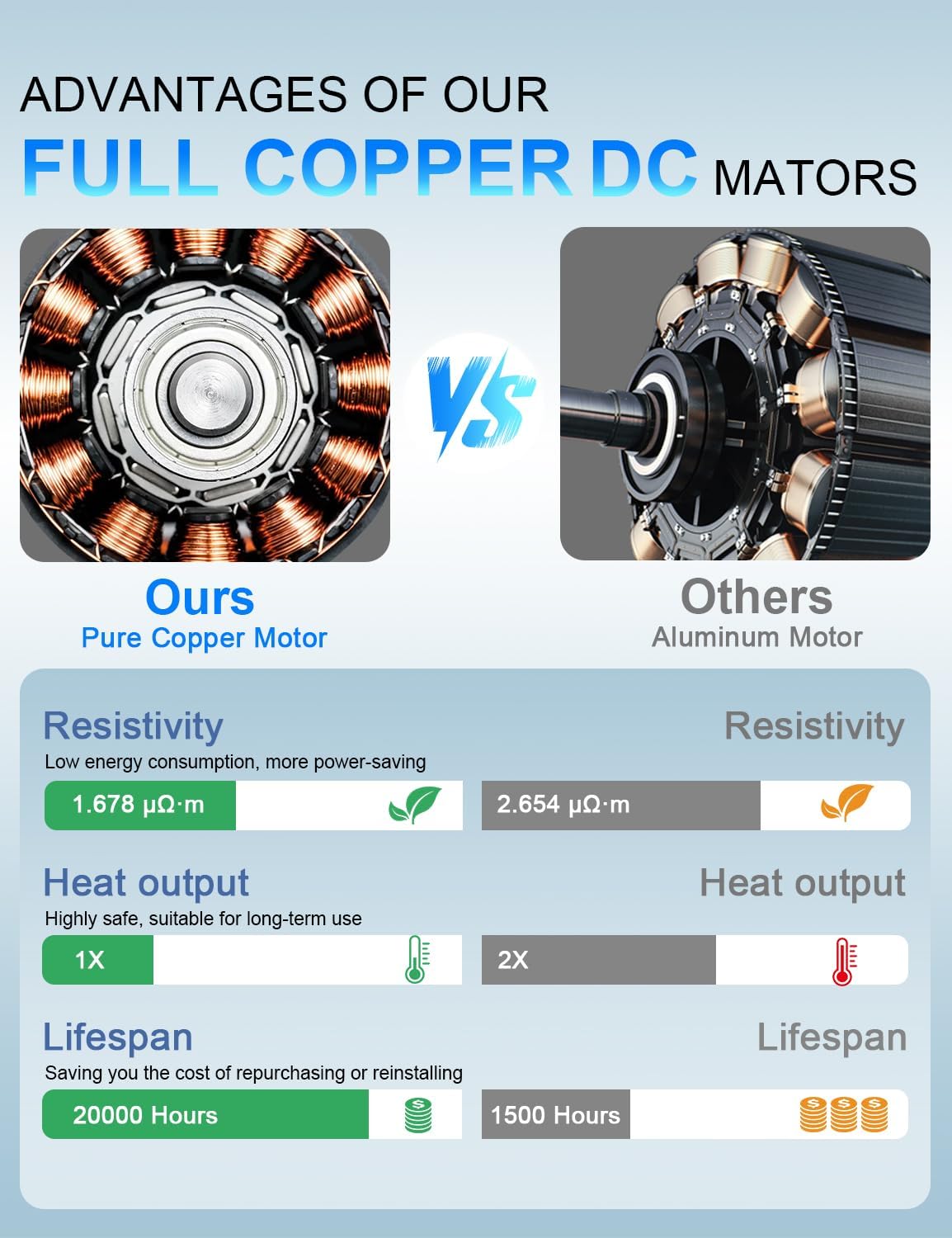
Image: Six fan speed settings for customized airflow.

Image: Adjustable light brightness and color temperature options.

Image: Detailed view of the three adjustable color temperatures and dimming range.

Image: Flicker-free lighting for reduced eye strain.

Image: Reversible DC motor function for year-round comfort.
Maintenance
- Cleaning: To clean the fan, wipe with a soft, damp cloth. Do not use abrasive cleaners or solvents. Ensure power is off before cleaning.
- Blade Tightness: Periodically check all blade attachment screws for tightness. Due to natural movement, they may loosen over time.
- Light Source: The LED light module is designed for long life. If replacement is needed, contact Wellspeed customer support.
Troubleshooting
| Problem | Possible Cause | Solution |
|---|---|---|
| Fan does not start | No power to the fan; Loose wire connections; Remote control battery low or incorrectly installed. | Check circuit breaker and wall switch; Verify all wire connections are secure; Replace remote control batteries, ensuring correct polarity. |
| Fan is noisy | Loose fan blade screws; Canopy rubbing against ceiling; Motor hum. | Tighten all blade screws; Ensure canopy is properly seated and not touching the ceiling; A slight motor hum is normal for DC motors, but excessive noise may indicate an issue. |
| Light does not work | Loose wire connection to light kit; LED module failure; Remote control battery low. | Check light kit wiring; Contact customer support for LED module replacement; Replace remote control batteries. |
| Remote control not working | Batteries dead or incorrectly installed; Remote not paired with fan. | Replace batteries, check polarity; Refer to remote pairing instructions (if applicable, usually automatic). |
Specifications
- Model: DY1132X-5B/42
- Brand: Wellspeed
- Size: 42 inch diameter
- Product Dimensions: 42"D x 42"W x 10"H
- Motor Type: DC Motor (Pure Copper)
- Fan Speeds: 6
- Light Source: Integrated LED
- Light Brightness: Dimmable (10%-100%)
- Color Temperature: 3000K (Warm White), 4500K (Natural White), 6500K (Daylight)
- Lumen Output: Up to 2300 Lumens
- Voltage: 120 Volts (DC)
- Indoor/Outdoor Usage: Indoor, Covered Outdoor Patios
- Special Features: Remote Control, Reversible Blades, Quiet Operation (<30dB), Flicker-Free LED, Timer Function
- Item Weight: 12.12 pounds
Image: Detailed product dimensions.
Image: Flicker-free lighting for eye comfort.
Image: Remote control with comprehensive functions.
Image: Six adjustable fan speeds.
Image: Dimmable LED light with three color temperature options.
Image: Reversible airflow for seasonal use.
Warranty and Support
Wellspeed offers a 2-year warranty on this ceiling fan. If the product fails within 2 years of purchase, Wellspeed will provide a replacement. For warranty claims, technical support, or missing parts, please contact Wellspeed customer service.
Contact Information: Refer to the contact details provided with your purchase documentation or visit the official Wellspeed website.


