
1. Product Overview
The Locksworth 1.7 Cubic Feet Electronic Digital Safe Box is designed to provide secure storage for your valuables. It features an electronic keypad for access, emergency keys, and a robust construction to protect against unauthorized entry. This safe is suitable for home, office, or hotel use.
Important Note:
- The safe is powered by (4) AA batteries (not included).
- Do not lock the emergency keys inside the safe. Store them in a secure, separate location.
- Please verify the safe's dimensions before purchasing to ensure it meets your space requirements.
2. Package Contents
Please check the package to ensure all components are present:
- 1 x Safe Box
- 1 x Fireproof Bag
- 2 x Emergency Keys
- 4 x Expansion Bolts (for mounting)
- 4 x Floor Protectors

Figure 2.1: Safe Box and Included Components
3. Setup
3.1 Initial Opening
To open the safe for the first time, use the emergency key:
- Insert the emergency key into the keyhole located to the left of the electronic keypad.
- Turn the key counter-clockwise.
- While the key is turned, rotate the knob clockwise to open the safe door.
3.2 Battery Installation
The safe requires four AA batteries (not included) for the electronic keypad to function.
- Open the safe door.
- Locate the battery compartment cover on the inside of the door.
- Remove the cover and insert four AA batteries, ensuring correct polarity (+/-).
- Replace the battery compartment cover.

Figure 3.1: Battery Compartment Location
3.3 Programming a New Passcode
After installing batteries, you can program your personal passcode (3 to 8 digits).
- With the safe door open, press the red reset button located on the inside of the door, near the hinges. The safe will emit two beeps, and the yellow indicator light on the keypad will illuminate.
- Enter your desired 3 to 8 digit passcode on the electronic keypad.
- Press the "#" button to confirm. The safe will emit two beeps, and the yellow indicator light will turn off, indicating successful programming.

Figure 3.2: Keypad and Reset Button
3.4 Setup and Operation Video Guide
For a visual guide on initial setup and operation, please watch the following video:
Video 3.1: How to Use Locksworth Digital Safe. This video demonstrates the initial setup and daily operation of the Locksworth Digital Safe, including opening the safe for the first time, battery installation, programming a new passcode, and using the passcode to open and lock the safe.
4. Operating Instructions
4.1 Opening the Safe with Passcode
- Enter your programmed 3 to 8 digit passcode on the electronic keypad.
- Press the "#" button to confirm. The green indicator light will illuminate.
- Within 5 seconds, rotate the knob clockwise to open the safe door.
4.2 Locking the Safe
- Close the safe door firmly.
- Rotate the knob counter-clockwise to engage the locking bolts. The safe is now locked.
5. Features
5.1 Robust Construction and Anchoring Design
The safe is constructed from reinforced solid steel, featuring two 0.8-inch (20mm) thick door bolts, concealed pry-resistant hinges, and anti-pry door construction for reliable forced-entry protection. Pre-drilled mounting holes and expansion screws are included, allowing the safe to be bolted to a wall or floor to further prevent theft.

Figure 5.1: Construction Features
5.2 Versatile Storage with Removable Shelf
This safe includes a removable interior shelf, allowing for flexible organization of items such as documents, cash, credit cards, jewelry, and small firearms. The felt-lined bottom helps prevent scratches on your valuables.

Figure 5.2: Removable Shelf for Organized Storage
5.3 Anti-Theft Alarm System & Silent Mode
The safe is equipped with an alarm system that triggers a 70-decibel alarm after three incorrect passcode attempts. This deters unauthorized access. A silent mode option is available for discreet operation, particularly useful during nighttime.

Figure 5.3: Alarm System Activation
5.4 Extra Fireproof Bag
An included fire-resistant bag provides additional protection for documents, cash, and other valuables during emergencies.
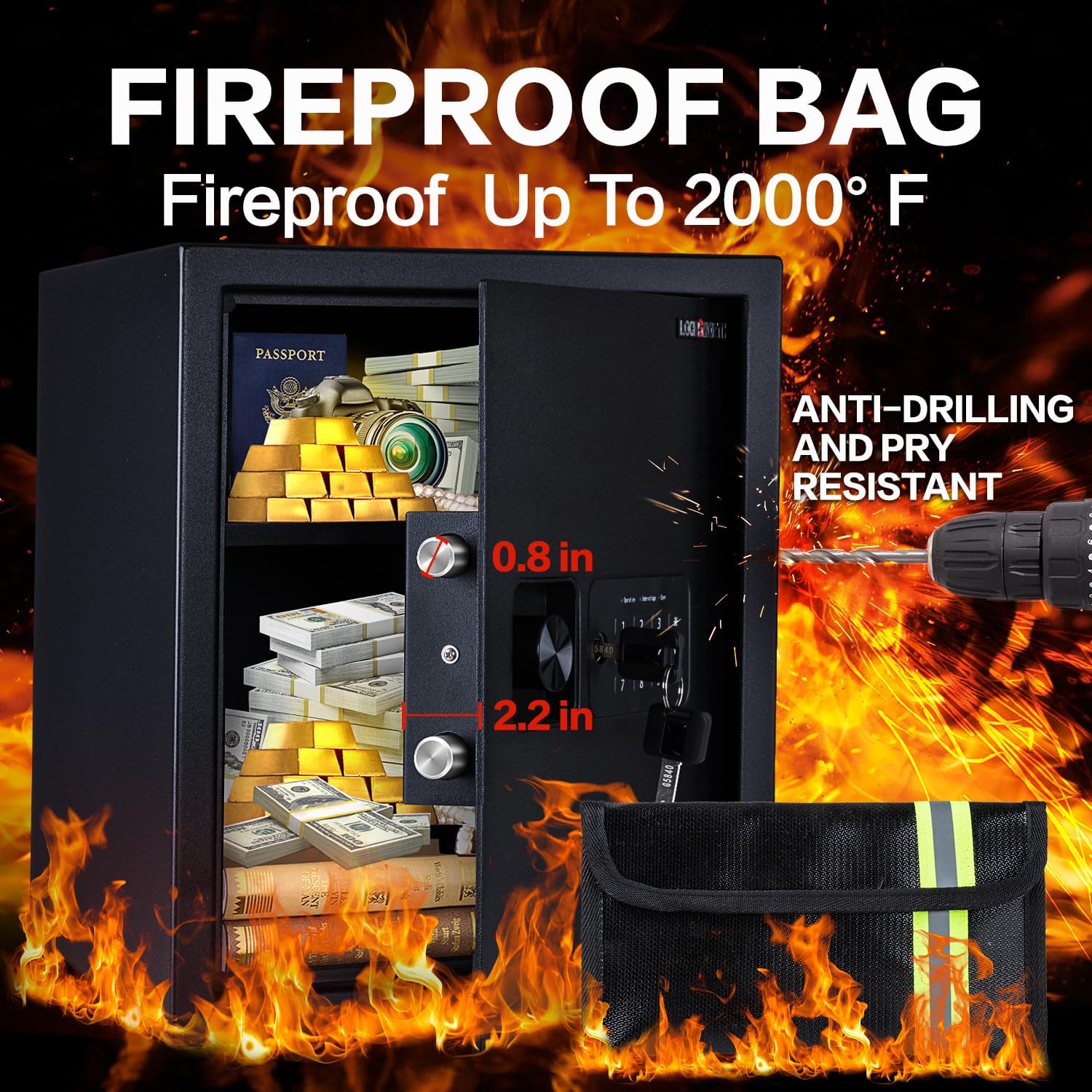
Figure 5.4: Fireproof Bag for Added Protection
6. Installation
The safe can be mounted to a wall or floor for enhanced security. Pre-drilled holes are located on the back and bottom of the safe.
- Choose a suitable location for installation.
- Mark the drilling points through the pre-drilled holes on the safe.
- Drill holes in the wall or floor using an appropriate drill bit.
- Insert the expansion bolts into the drilled holes.
- Align the safe with the bolts and secure it tightly using the provided hardware.

Figure 6.1: Wall or Floor Mounting Steps
7. Maintenance
- Battery Replacement: Replace batteries promptly when the low battery indicator appears to ensure continuous operation. Always use new AA alkaline batteries.
- Cleaning: Clean the safe's exterior with a soft, damp cloth. Avoid abrasive cleaners or solvents that could damage the finish.
- Key Storage: Keep emergency keys in a secure location outside the safe.
8. Troubleshooting
- Safe does not open with passcode: Ensure batteries are fresh and correctly installed. Re-enter the passcode carefully. If forgotten, use the emergency key to open and reset the passcode.
- Alarm sounds unexpectedly: This may occur after three incorrect passcode attempts. To silence, enter the correct passcode or use the emergency key.
- Keypad is unresponsive: Check battery levels. Replace batteries if necessary. If the issue persists, contact customer support.
- Door does not close properly: Ensure no obstructions are preventing the door from fully closing. Check that the locking bolts are retracting correctly.
9. Specifications
| Feature | Specification |
|---|---|
| Brand | Locksworth |
| Model Number | AZ4312 |
| Product Dimensions | 12.99"D x 13.78"W x 16.54"H |
| Internal Capacity | 1.5 Cubic Feet |
| Lock Type | Electronic Combination Lock, Key |
| Material | Alloy Steel |
| Color | Black |
| Special Features | Alarm System, Anti-Theft, Fireproof Bag, Removable Shelf, Scratch Resistant |
| Mounting Type | Under Counter Mount, Wall Mount, Floor Mount |
| Power Source | 4 x AA Batteries (not included) |
| Item Weight | 29.2 pounds |
10. Warranty and Support
Locksworth is committed to providing quality products and customer satisfaction. Your safe is backed by responsive customer service. For any questions, concerns, or technical assistance, please contact Locksworth customer support through the retailer's platform or the official Locksworth website.
