
Introduction
The RockTek GX1 is a Google Certified Android TV Box designed to enhance your home entertainment experience. Featuring a Realtek RTD1325 processor, 4GB LPDDR4 RAM, and 32GB eMMC storage, it supports 4K HDR streaming with Dolby Vision and Dolby Atmos audio. This device operates on Android TV 12, offering an intuitive Google TV interface, integrated Chromecast, and Google Assistant voice control. It includes WiFi 6 and Bluetooth 5.2 connectivity, along with HDMI 2.1, USB, and digital audio output ports.
This manual provides essential information for setting up, operating, maintaining, and troubleshooting your RockTek GX1 device. Please read it carefully to ensure proper use and optimal performance.
What's in the Box
Verify that all items are present in the package:
- 1x RockTek GX1 Android TV Box
- 1x Power Adapter
- 1x HDMI Cable
- 1x Bluetooth Remote Control
- 1x User Manual (this document)

Image: The RockTek GX1 box contents, showing the main unit, Bluetooth remote, power adapter, and HDMI cable.
Setup Guide
- Connect to TV: Connect one end of the HDMI cable to the HDMI port on the RockTek GX1 and the other end to an available HDMI input on your television.
- Connect Power: Plug the power adapter into the DC 12V/1A port on the RockTek GX1, then plug the adapter into a wall outlet. The device will power on automatically.
- Connect to Network:
- Wi-Fi: During the initial setup wizard on your TV screen, select your Wi-Fi network and enter the password. The GX1 supports Wi-Fi 6 for faster speeds.
- Ethernet: For a stable wired connection, connect an Ethernet cable from your router to the LAN port on the RockTek GX1.
- Initial Setup Wizard: Follow the on-screen instructions to complete the initial setup. This includes pairing the Bluetooth remote, selecting your language, connecting to Wi-Fi (if not using Ethernet), and logging in with your Google account.
- Install Apps: Once setup is complete, you can download your favorite streaming applications from the Google Play Store.
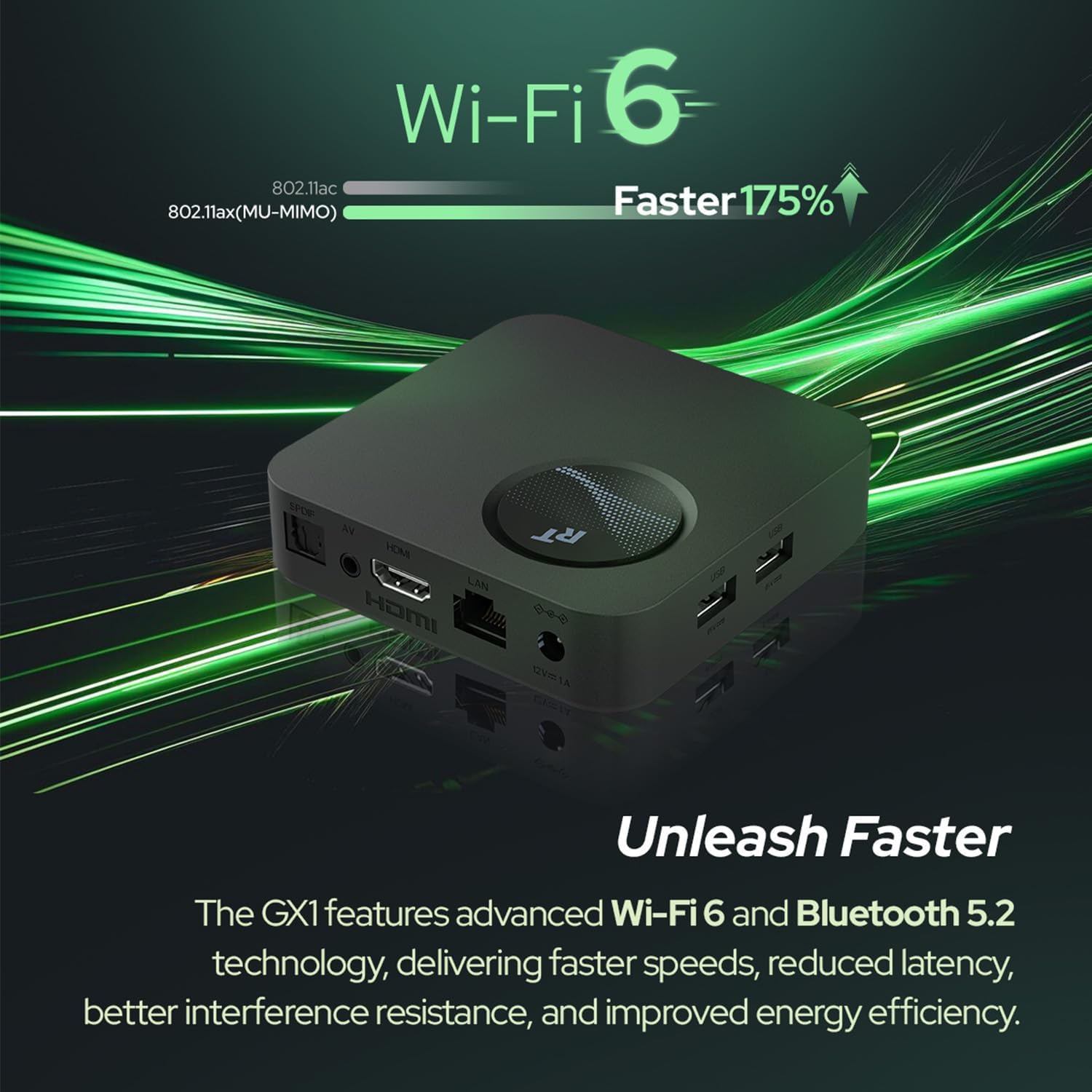
Image: Rear view of the RockTek GX1 device, highlighting the various connectivity ports such as HDMI, LAN, USB, and power input for easy setup.
Operating Instructions
Remote Control Functions
The included Bluetooth remote control allows for easy navigation and voice commands. Ensure the remote is paired during initial setup. If re-pairing is needed, go to Settings > Remotes & Accessories and follow the on-screen prompts.
- Power Button: Turns the device on or off.
- Navigation Pad (Directional Buttons): Move through menus and select items.
- OK Button: Confirms selections.
- Back Button: Returns to the previous screen.
- Home Button: Returns to the Google TV home screen.
- Google Assistant Button: Activates voice control for searching content, controlling smart home devices, and more.
- Volume Buttons: Adjusts the TV volume.
- App Shortcut Buttons: Dedicated buttons for popular streaming services (if present).
Google TV Interface
The Google TV interface organizes content from your streaming services into a personalized home screen. You can browse recommendations, access your installed apps, and manage your library.
- Home Screen: Displays recommended movies, shows, and quick access to your favorite apps.
- Apps Tab: View and launch all installed applications.
- Library Tab: Access your purchased or rented content.
- Search: Use the search function or Google Assistant for voice search to find specific content.

Image: A television screen displaying the Google TV interface, featuring personalized content recommendations and various streaming application icons.
Streaming Content
Launch your preferred streaming apps like Netflix, Amazon Prime Video, or YouTube from the home screen or Apps tab. The GX1 supports 4K HDR content with Dolby Vision and Dolby Atmos for an immersive viewing experience.
Chromecast Built-in
Cast content directly from your compatible mobile devices (phones, tablets) or Chrome browser to your TV via the RockTek GX1. Look for the Cast icon within supported applications.
Maintenance
- Cleaning: Use a soft, dry cloth to clean the exterior of the device. Do not use liquid cleaners or abrasive materials.
- Software Updates: The RockTek GX1 receives automatic software updates. Ensure your device is connected to the internet to receive the latest features and security patches. You can manually check for updates in Settings > System > About > System update.
- Storage Management: Periodically check the device storage in Settings > System > Storage. Uninstall unused apps or clear cache data to free up space and maintain performance.
- Restarting the Device: If the device becomes unresponsive, restart it by unplugging the power adapter, waiting 10 seconds, and plugging it back in.
Troubleshooting
If you encounter issues with your RockTek GX1, refer to the following common problems and solutions:
| Problem | Solution |
|---|---|
| No Power / Device Not Turning On |
|
| No Signal on TV Screen |
|
| Remote Control Not Responding |
|
| Wi-Fi Connection Issues |
|
| App Not Working / Freezing |
|
| LED Indicator is Too Bright |
The device does not feature a built-in dimmer for the LED indicator. If the light is disruptive, consider repositioning the device or covering the LED with a small, opaque sticker. |
| Specific Apps (e.g., GeForce Now, BBC iPlayer) Not Supported or Functioning Properly |
Some applications may have specific device compatibility requirements or regional restrictions. Verify the app's official support pages for Android TV compatibility. For BBC iPlayer, some users have reported using a web browser on the device as a workaround, though video quality may vary. |
Specifications
| Feature | Detail |
|---|---|
| System | Google TV (Android TV™ 12) |
| CPU | Realtek RTD1325, Quad-Core 64-bit ARM Cortex-A55 |
| GPU | Mali-G57 MC1 GPU supports Open GL ES 3.2 |
| Memory (RAM) | 4GB LPDDR4 RAM |
| Storage | 32GB eMMC 5.1 |
| Resolution | 4K x 2K Ultra HD @ 60FPS & 12-bit depth (3840x2160) |
| HDR Support | Dolby Vision, HDR10, HDR10+, HLG |
| Audio Output | SPDIF (Optical), AUX 3.5mm |
| Audio Decoding | AAC, HE-AAC, Dolby Digital Plus, Dolby Atmos (MS12) |
| Video Output | HDMI 2.1b (HDCP2.3), RCA |
| Video Decoding | AV1, VP9, H.264, H.265 HEVC |
| Wi-Fi | WiFi 6 (2.4GHz+5GHz), 802.11ax/a/b/g/n/ac (2T2R) |
| Wired LAN | 100Mbps Ethernet |
| Bluetooth | Bluetooth 5.2 |
| USB Ports | USB 2.0 x2 |
| Item Dimensions (L x W x H) | 11L x 11W x 2H centimeters |
| Item Weight | 142 Grams |
| Model Name | GX1 |
| Manufacturer | RT ROCKTEK |
| Country of Origin | China |
| Compatible Devices | Television |
| Controller Type | Remote Control |
| Supported Internet Services | Netflix, Amazon Prime Video, YouTube |
| Special Features | 4K HDR, Dolby Vision, Dolby Atmos, Chromecast, Google Assistant, WiFi 6, Bluetooth |
Image: A graphic summarizing the basic specifications and network/port details of the RockTek GX1.
Warranty and Support
The RockTek GX1 comes with a standard manufacturer's warranty. For specific warranty terms and conditions, please refer to the documentation provided with your purchase or visit the official RT ROCKTEK website.
For technical support, troubleshooting assistance beyond this manual, or to inquire about replacement parts, please contact RT ROCKTEK customer service through their official support channels. Keep your purchase receipt and product serial number handy when contacting support.


