
Fisher FBX852K
Fisher FBX852K Bluetooth PA Stereo Speakers System Instruction Manual
Model: FBX852K
Introduction
Thank you for purchasing the Fisher FBX852K Bluetooth PA Stereo Speakers System. This manual provides essential information for the safe and efficient operation of your speaker system. Please read it thoroughly before use and retain it for future reference.
Safety Information
- Do not expose the unit to rain or moisture to prevent fire or electric shock.
- Do not open the casing. There are no user-serviceable parts inside. Refer all servicing to qualified personnel.
- Ensure proper ventilation. Do not block any ventilation openings.
- Use only the power cable provided by the manufacturer.
- Keep the unit away from heat sources such as radiators, heat registers, stoves, or other apparatus that produce heat.
- Protect the power cord from being walked on or pinched, particularly at plugs, convenience receptacles, and the point where they exit from the apparatus.
Package Contents
Verify that all items listed below are included in your package:
- Fisher FBX852K Bluetooth PA Stereo Speaker System
- Power Cable
- Warranty Card
Product Overview
The Fisher FBX852K is a portable Bluetooth PA stereo speaker system designed for various audio applications, including karaoke, DJ performances, and parties. It features dual 8-inch speakers, 80W peak power output, LED lights, and multiple connectivity options.
Control Panel Overview
The control panel provides access to all functions and settings of the speaker system. Familiarize yourself with the layout before operation.
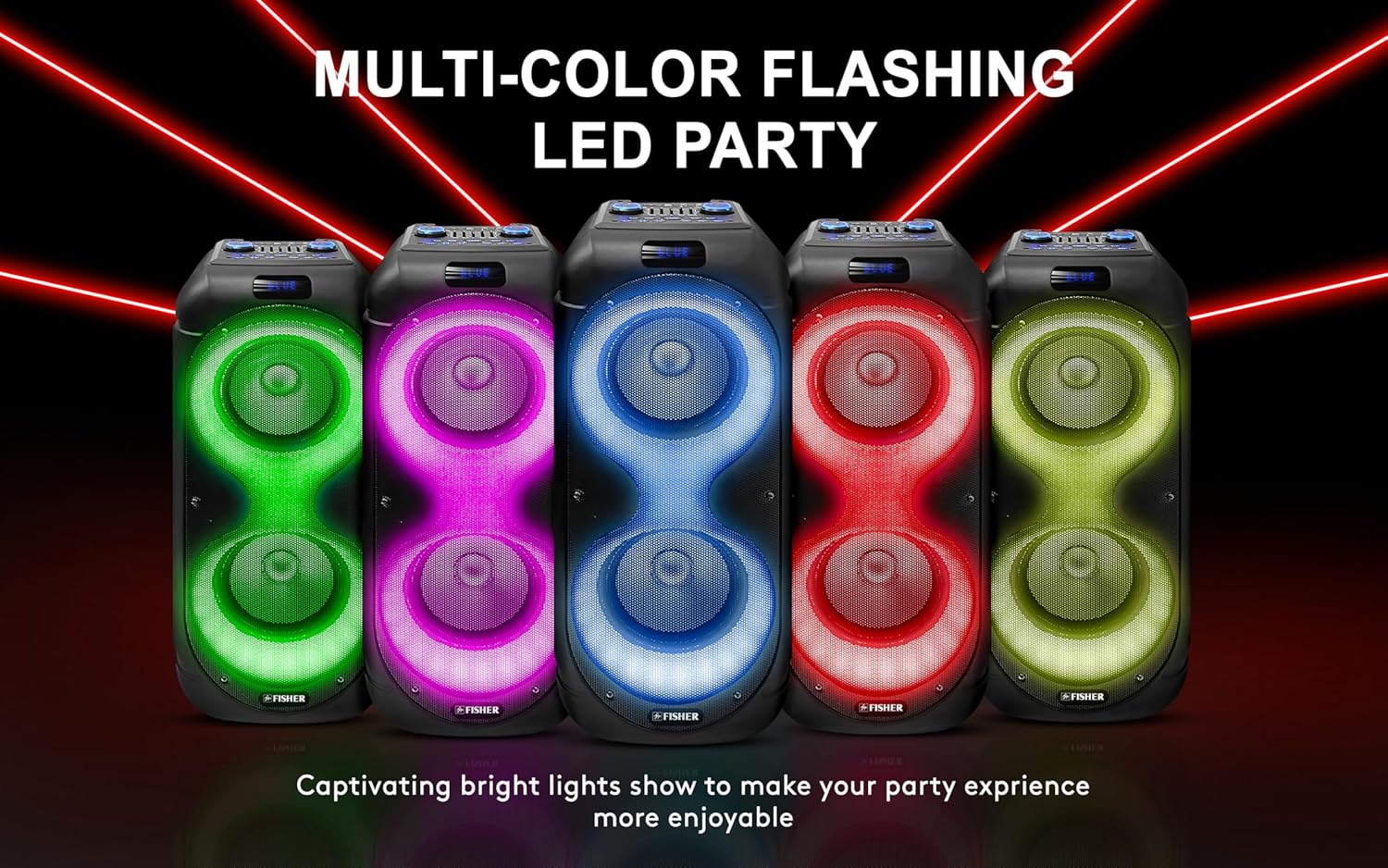
Image: Detailed view of the speaker's control panel, indicating inputs for TF card, AUX, DC 9V, USB, GT IN, MIC1, MIC2, and various control knobs and buttons for volume, echo, delay, mode, playback, X-BASS, power, treble, bass, and LED light functions.
Key controls include:
- Power ON/OFF: Turns the unit on or off.
- Master Volume: Adjusts the overall sound output level.
- Mic Volume: Adjusts the microphone input volume.
- Echo/Delay: Controls the echo and delay effects for microphone input.
- Treble/Bass: Adjusts the high and low frequencies of the audio output.
- Mode: Switches between input sources (Bluetooth, FM, AUX, USB, TF Card).
- X-BASS: Enhances bass frequencies.
- LED ON/OFF / M.LED: Controls the LED light show.
- USB/TF Card Slot: For playing audio from USB flash drives or Micro SD cards.
- AUX IN: 3.5mm input for external audio devices.
- MIC Input (MIC1, MIC2): 6.35mm inputs for microphones.
- GT IN: Input for guitar or other instruments.
Setup
Charging the Speaker
The speaker features a built-in rechargeable battery (3600mAh 7.4V) providing approximately 3 hours of playtime. Before first use, fully charge the speaker.
- Connect the provided power cable to the DC 9V input port on the speaker.
- Plug the other end of the power cable into a standard wall outlet.
- The charge indicator light will illuminate (typically red) during charging. It will change color or turn off when fully charged.
A battery level indicator light is present to monitor the charge status.

Image: The speaker highlighting its rechargeable battery and approximately 3 hours of playback time.
Powering On/Off
Press and hold the Power ON/OFF button on the control panel to turn the speaker on or off.
Operation
Bluetooth Pairing
The speaker uses Bluetooth 5.3 for wireless connectivity with a range of up to 33 feet.
- Turn on the speaker. It will automatically enter Bluetooth pairing mode, indicated by a flashing Bluetooth icon or voice prompt.
- On your mobile device (smartphone, tablet, etc.), enable Bluetooth and search for available devices.
- Select "FBX852K" from the list of devices.
- Once paired, the speaker will confirm the connection, and the Bluetooth indicator will stop flashing.
True Wireless Stereo (TWS) Function
TWS allows you to connect two FBX852K speakers wirelessly for a stereo sound experience.

Image: Two speakers demonstrating the True Wireless Stereo (TWS) feature for expanded sound.
- Ensure both FBX852K speakers are powered on and not connected to any Bluetooth device.
- On one of the speakers (this will be the primary speaker), press and hold the TWS button (often combined with the Play/Pause button).
- The primary speaker will search for the secondary speaker. Once connected, you will hear a confirmation tone.
- Now, connect your mobile device to the primary speaker via Bluetooth as described above. Both speakers will play audio in stereo.
FM Radio Operation
The speaker includes an FM radio with a digital LED display.
- Press the Mode button to switch to FM radio mode.
- Press the Play/Pause button to automatically scan and save available FM stations.
- Use the Previous/Next buttons to navigate between saved stations.
USB/Micro SD Card Playback
Insert a USB flash drive or Micro SD card (TF card) into the respective slot on the control panel. The speaker will automatically detect the media and begin playback of compatible audio files (e.g., MP3).
- Use the Previous/Next buttons to skip tracks.
- Use the Play/Pause button to pause or resume playback.
Microphone and Karaoke Mode
Connect a microphone to either the MIC1 or MIC2 input for karaoke or public address.

Image: A microphone cable being inserted into one of the microphone input jacks on the speaker.
- Adjust the Mic Volume knob to control the microphone's output level.
- Use the Echo and Delay knobs to add vocal effects.
Adjusting Audio Settings
- Master Volume: Rotate the main volume knob to increase or decrease the overall sound.
- Treble/Bass: Use the dedicated knobs to fine-tune the high and low frequencies.
- X-BASS: Press the X-BASS button to activate or deactivate the bass enhancement feature.
LED Light Show
The speaker features 9 Light FX Show Modes that synchronize with your music.

Image: Several speakers showcasing different dynamic and multi-dimensional LED light patterns.
- Press the LED ON/OFF or M.LED button to cycle through the different light modes or turn the lights off.
Maintenance
Cleaning
- Always disconnect the power cable before cleaning.
- Use a soft, dry cloth to wipe the exterior of the speaker.
- Do not use abrasive cleaners, waxes, or solvents as they may damage the finish.
Storage
- Store the speaker in a cool, dry place away from direct sunlight and extreme temperatures.
- If storing for an extended period, charge the battery periodically (every 3-6 months) to maintain battery health.
Troubleshooting
If you encounter issues with your speaker, refer to the following common problems and solutions:
| Problem | Possible Cause | Solution |
|---|---|---|
| No power | Battery is depleted; Power cable not connected; Unit is off. | Charge the battery; Ensure power cable is securely connected; Press and hold the Power ON/OFF button. |
| No sound | Volume is too low; Incorrect input mode selected; Device not connected properly. | Increase Master Volume; Press Mode button to select correct input; Re-pair Bluetooth device or check cable connections. |
| Bluetooth connection fails | Speaker not in pairing mode; Device too far; Interference. | Ensure speaker is in Bluetooth mode and flashing; Move device closer to speaker; Turn off other Bluetooth devices. |
| Microphone not working | Mic volume too low; Microphone not properly connected. | Increase Mic Volume; Ensure microphone is securely plugged into MIC1 or MIC2. |
Specifications
| Feature | Detail |
|---|---|
| Model Number | FBX852K |
| Power Output | 80W Peak Power |
| Speaker Size | Dual 8-inch |
| Connectivity | Bluetooth 5.3, AUX, USB, Micro SD (TF Card), MIC Input (x2), GT Input |
| Bluetooth Range | Up to 33 feet |
| Battery Capacity | 3600mAh 7.4V |
| Playtime | Approximately 3 hours |
| LED Lights | 9 Light FX Show Modes |
| Special Features | True Wireless Stereo (TWS), X-BASS, Digital Equalizer, FM Radio, Karaoke Mode, Trolley Handle |
| Material | Metal, Plastic |
| Item Weight | 13.2 Pounds |
| Dimensions (W x H x D) | 10.6 x 27.6 x 10.6 inches |

Image: The speaker with its dimensions clearly marked.
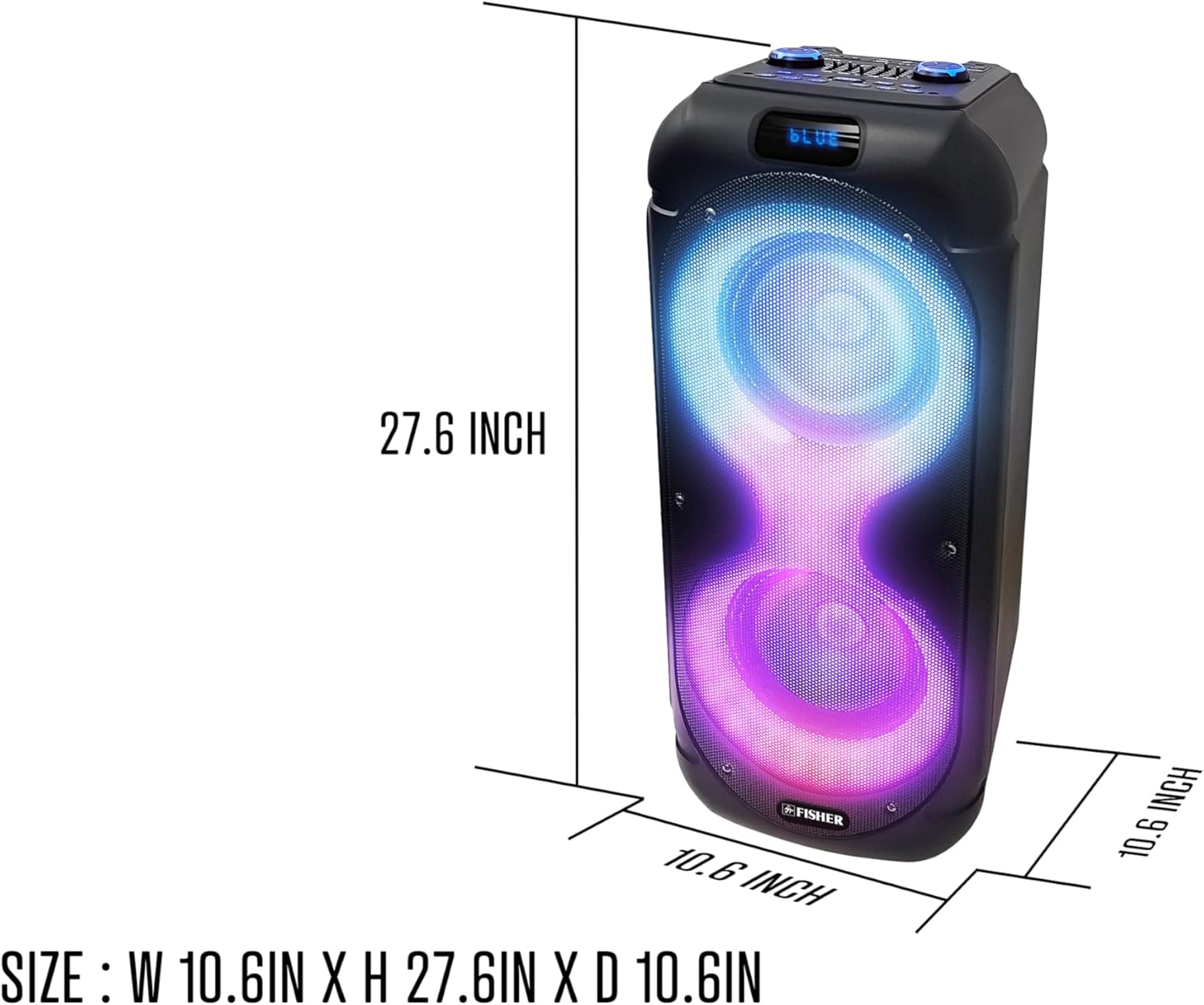
Image: A person demonstrating the portability of the speaker, highlighting its extendable carry handle.
Warranty and Support
For warranty information and customer support, please refer to the warranty card included in your package. You may also visit the official Fisher website for additional resources and contact information.