
1. Introduction
This manual provides detailed instructions for the installation, operation, and maintenance of your ATOTO A5L 10-inch Android Car Stereo. The ATOTO A5L is a 2 Din car stereo featuring a 10.1-inch touchscreen, Android operating system, 2GB RAM, 32GB storage, GPS, wireless CarPlay and Android Auto, backup camera support, MirrorLink, DSP, and FM/RDS/TF radio capabilities. Please read this manual thoroughly before using the product to ensure proper functionality and safety.

Image 1.1: Front view of the ATOTO A5L 10-inch Android Car Stereo with its user interface.
2. What's in the Box
Verify that all components are present in the package before proceeding with installation.

Image 2.1: Overview of included accessories.
- Car Stereo & Installation Frame
- AC-HD01LR Rear Camera
- Power Cable
- Rear Camera Input Cable
- RCA Connector
- USB External Storage Cable
- USB Phone Link Cable
- GPS Antenna
- Double-DIN Brackets
- Mounting Brackets
- Mounting Screws
- ISO Connector (A/B)
- Online Resources Quick Guide
- Product Care Online Support Information
3. Setup & Installation
The ATOTO A5L is designed for Double-DIN compatibility. Professional installation is recommended. Ensure your vehicle's dashboard opening and wiring harness are compatible. Additional accessories like a dash kit or antenna adapters may be required for specific vehicle models.
3.1 Wiring Diagram
Refer to the following diagram for proper wiring connections. Incorrect wiring can damage the unit or your vehicle's electrical system.

Image 3.1: Detailed wiring connections for the ATOTO A5L head unit.
- Power Connections: Connect the yellow wire to constant 12V power, red wire to accessory/ignition 12V, and black wire to chassis ground.
- Speaker Outputs: Connect the speaker wires (white, grey, green, purple) to your vehicle's corresponding speaker wires, ensuring correct polarity.
- Steering Wheel Control: Connect the steering wheel key wires (orange/black, pink) if your vehicle supports steering wheel controls.
- Rear Camera: Connect the rear camera input cable to the dedicated input.
- GPS Antenna: Connect the GPS antenna to the designated port.
- USB Ports: Utilize the USB ports for external storage, phone link, or tethering.
4. Key Features & Operation
4.1 Android Operating System
The A5L operates on an Android OS with 2GB RAM and 32GB internal storage, providing a customizable user experience. Over-The-Air (OTA) updates are available to enhance performance and maintain system integrity.
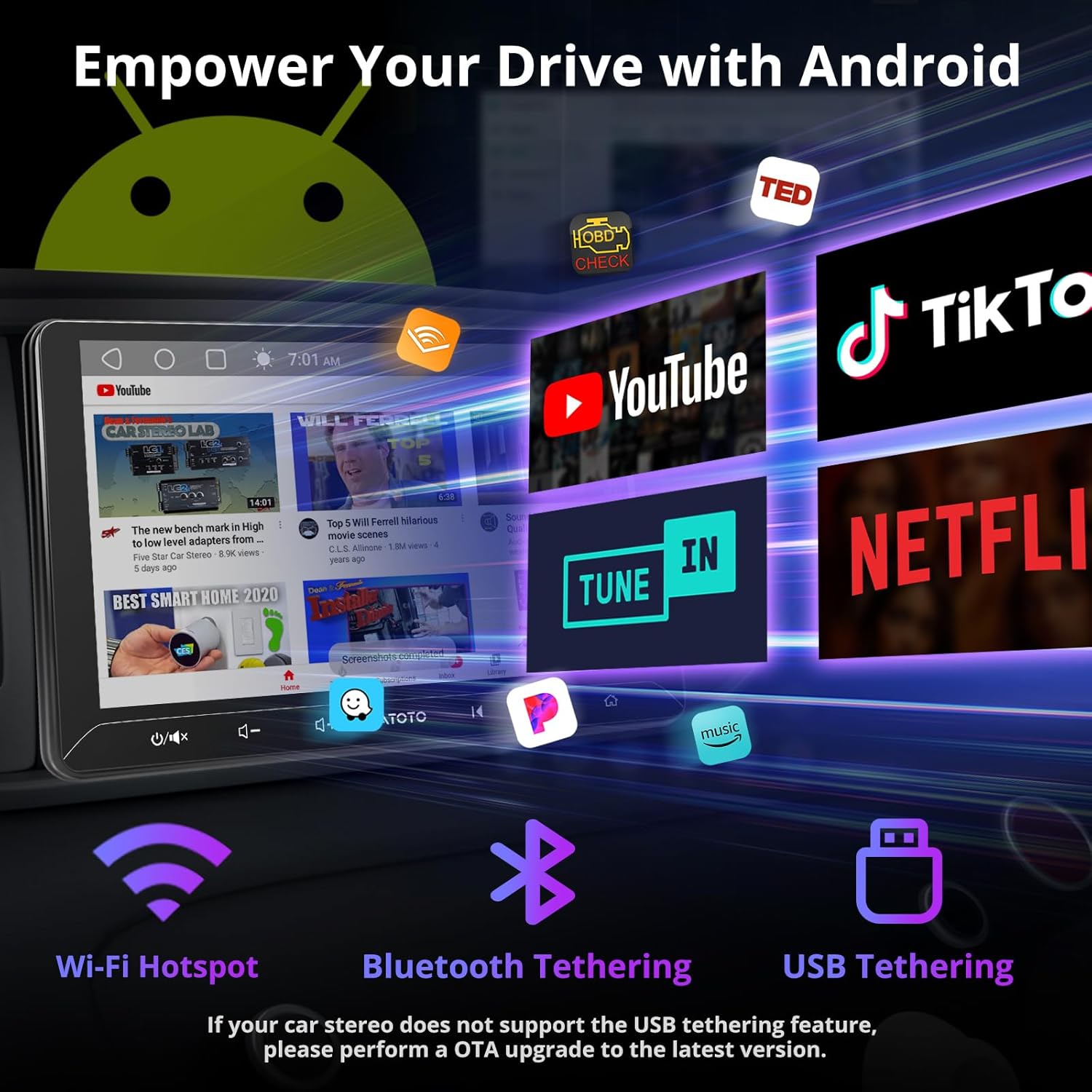
Image 4.1: The Android interface displaying various applications.
4.2 Internet Connectivity
The system offers three methods for internet connection:
- Wi-Fi Hotspot: For a fast and stable connection.
- Bluetooth Tethering: For optimal power efficiency.
- USB Tethering: To connect while charging your device.
If your car stereo does not support USB tethering, perform an OTA update to the latest version.
4.3 Wireless CarPlay and Android Auto
The A5L supports both wired and wireless CarPlay and Android Auto. Initial setup involves pairing via Bluetooth and Wi-Fi, leading to automatic reconnection for subsequent uses.

Image 4.2: Wireless CarPlay and Android Auto functionality with voice assistant integration.
4.4 Enhanced Audio Experience
Enjoy improved audio with the A5L's integrated amplifier (4x45W Peak, 4x24W RMS) and a 24-band equalizer with 9 presets. The Digital Signal Processor (DSP) allows for sound customization, including time alignment.

Image 4.3: Digital Signal Processor (DSP) interface showing equalizer and time alignment settings.
4.5 DriveChat (GenAI Voice Assistant)
The A5L integrates AI technologies like ChatGPT, providing conversational assistance. This feature allows for fluid and in-depth conversations and offers specialized advice through specific chatbots. You can also personalize your activation words.

Image 4.4: DriveChat, the GenAI voice assistant, providing conversational responses.
4.6 GPS Navigation and Tracking
The unit supports real-time GPS navigation for optimal routes. For areas with limited data access, pre-downloaded offline maps can be used. The exclusive TrackHU app offers real-time vehicle tracking, geofence capabilities, instant alerts, and route playback.
4.7 Phone Mirroring
Mirror your phone's screen to the car stereo display, supporting both wireless and wired connections. Note that some applications may not be compatible with phone mirroring.

Image 4.5: Displaying GPS tracking capabilities and phone mirroring functionality.
4.8 Multi-Device Bluetooth Connectivity
The A5L's Bluetooth allows connection to your phone and other third-party devices, such as diagnostic scanners, without interrupting music playback or phone calls.
5. Rear View Camera
The included AC-HD01LR rear camera provides a 140° visual angle and 720P AHD clarity. This feature minimizes blind spots and assists with maneuvering, with the 10.1-inch screen enhancing the rear view.

Image 5.1: The 10.1-inch IPS display showing the AHD 720P rear-view camera input with reversing guidelines.
6. Specifications
| Feature | Detail |
|---|---|
| Brand | ATOTO |
| Manufacturer | Shenzhen Yufengzhixing Electronics Tech Co Ltd |
| Model | A5L |
| Package Dimensions | 29.3 x 24.4 x 11.2 cm |
| Item Model Number | A5L |
| Operating System | Android |
| Compatible Devices | Speaker, Camera, Smartphone |
| Additional Features | Android Auto, Apple CarPlay, Integrated Bluetooth, DSP, WiFi/BT/USB Tethering |
| Color Screen | Yes |
| Audio Output Mode | Stereo |
| Audio Output Type | Speakers |
| Surround Configuration | 5.1 |
| Output Power | 4x45W Peak (180W Total Peak), 4x24W RMS |
| Batteries Required | No |
| Connector Type | Bluetooth, USB, Wi-Fi |
| Item Weight | 2.09 Kilograms |
| Connectivity Technology | Bluetooth, USB, Wi-Fi |
| Controller Type | Android |
| Surround Sound Channel Configuration | 5.1 |
| Video Encoding | H.264, H.265/HEVC |
| Number of Channels | 6 |
7. Maintenance
To ensure the longevity and optimal performance of your ATOTO A5L car stereo, follow these maintenance guidelines:
- Cleaning: Use a soft, dry cloth to clean the screen and exterior. Avoid abrasive cleaners or solvents.
- Software Updates: Regularly check for and install Over-The-Air (OTA) software updates to benefit from new features and performance improvements.
- Environmental Conditions: Avoid exposing the unit to extreme temperatures, direct sunlight for prolonged periods, or excessive moisture.
- Cable Connections: Periodically check all cable connections to ensure they are secure and free from damage.
8. Troubleshooting
If you encounter issues with your ATOTO A5L, refer to the following common troubleshooting steps. For more detailed solutions, consult the online manual or contact customer support.
- No Power: Check all power connections (constant 12V, accessory 12V, ground). Ensure the vehicle's fuse for the stereo is intact.
- No Sound: Verify speaker connections and ensure the volume is not muted or set too low. Check audio settings in the DSP.
- Touchscreen Unresponsive: Try restarting the unit. If the issue persists, a factory reset might be necessary (note: this will erase user data).
- GPS Not Working: Ensure the GPS antenna is properly connected and has a clear view of the sky. Check GPS settings in the system.
- Bluetooth/Wi-Fi Connectivity Issues: Ensure Bluetooth/Wi-Fi is enabled on both the stereo and the connected device. Try re-pairing devices.
- Rear Camera Not Displaying: Check the camera's power and video signal connections. Ensure the camera is properly activated when reversing.
9. Warranty & Support
Your ATOTO A5L comes with a 12-month warranty. You can extend this by an additional 6 months by contacting ATOTO customer support. Our customer service team is available 24/7 on weekdays to assist you with any product-related inquiries or technical support.
For further assistance, please refer to the online manual available via the QR code in your package or visit the official ATOTO website. You can also reach out to customer support through your order center or by emailing support@atotoglobal.com.
9.1 Software Updates (OTA)
ATOTO is committed to providing high-quality car audio systems and offers regular firmware updates via OTA every few months. These updates address potential system bugs and introduce new functionalities.


