
FOTING KLC-PRO150C
FOTING 5000 PSI Electric Pressure Washer KLC-PRO150C User Manual
Model: KLC-PRO150C | Brand: FOTING
1. Introduction
Thank you for choosing the FOTING 5000 PSI Electric Pressure Washer, model KLC-PRO150C. This powerful electric pressure washer is designed for efficient cleaning of various outdoor surfaces, including decks, terraces, driveways, siding, sheds, cars, and other outdoor power equipment. It features a maximum pressure of 5000 PSI and a water flow of 3.3 GPM, providing significant cleaning power. The unit is equipped with an upgraded touchscreen interface for precise pressure control and comes with multiple accessories to suit different cleaning tasks.
Please read this manual thoroughly before operating the pressure washer to ensure safe and effective use. Keep this manual for future reference.
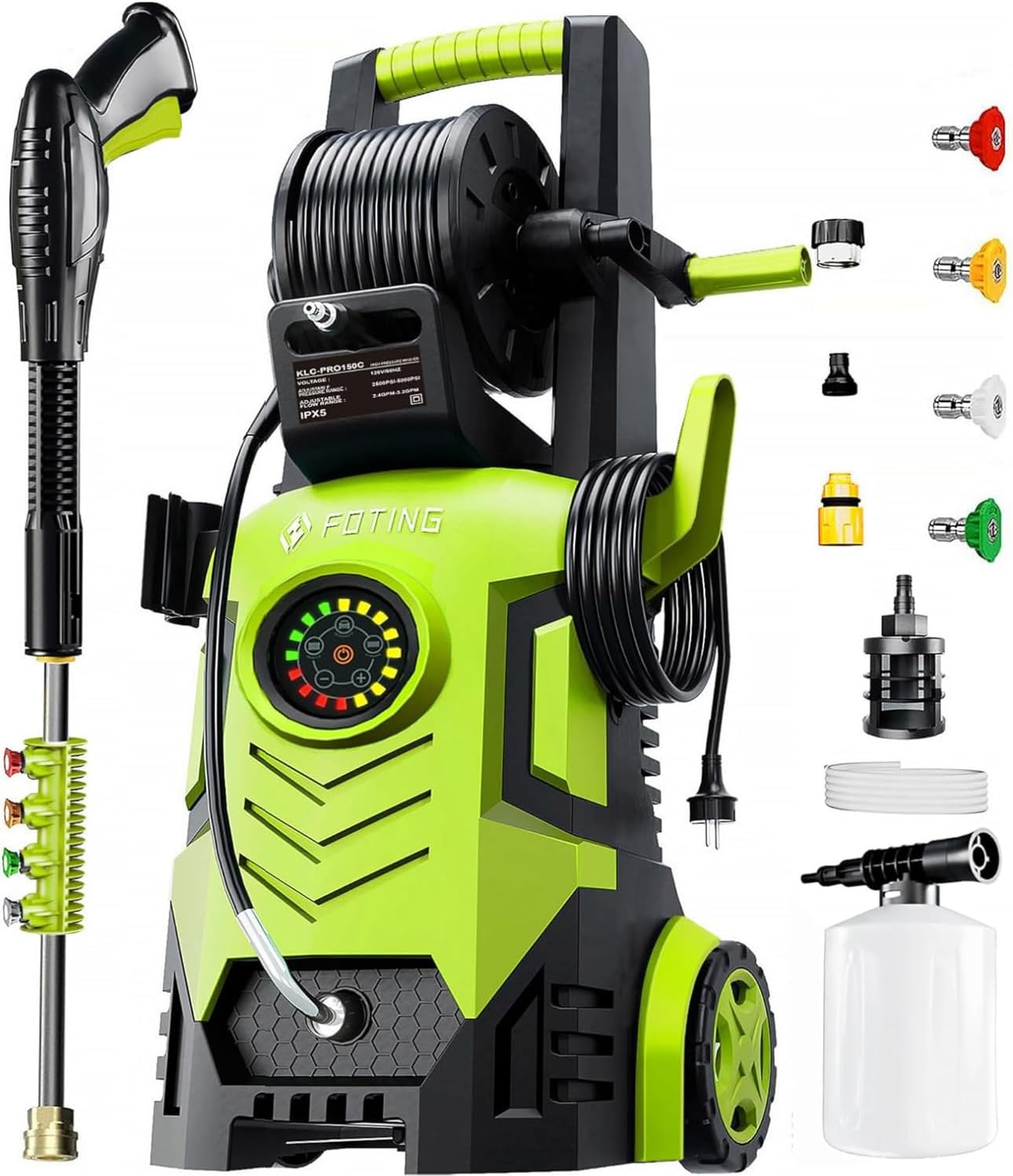
Image 1.1: FOTING KLC-PRO150C Electric Pressure Washer with included accessories.
2. Important Safety Instructions
WARNING: When using this product, basic precautions should always be followed, including the following:
- Read all instructions before using the appliance.
- To reduce the risk of injury, close supervision is necessary when an appliance is used near children.
- Know how to stop the unit and bleed pressures quickly. Be thoroughly familiar with the controls.
- Stay alert and watch what you are doing. Do not operate the appliance when you are tired or under the influence of alcohol or drugs.
- Do not operate the pressure washer if any parts are damaged or missing.
- Wear safety glasses and appropriate protective clothing when operating the pressure washer.
- Never direct the water jet at people, pets, electrical devices, or the unit itself.
- Ensure all electrical connections are properly grounded and protected from water.
- The electric pressure washer is equipped with a Safety Automatic Total Stop System (TSS), which automatically shuts off the pump when the trigger is not engaged. This enhances safety and extends pump life.
- Utilize the child safety switch on the spray gun to prevent accidental activation.
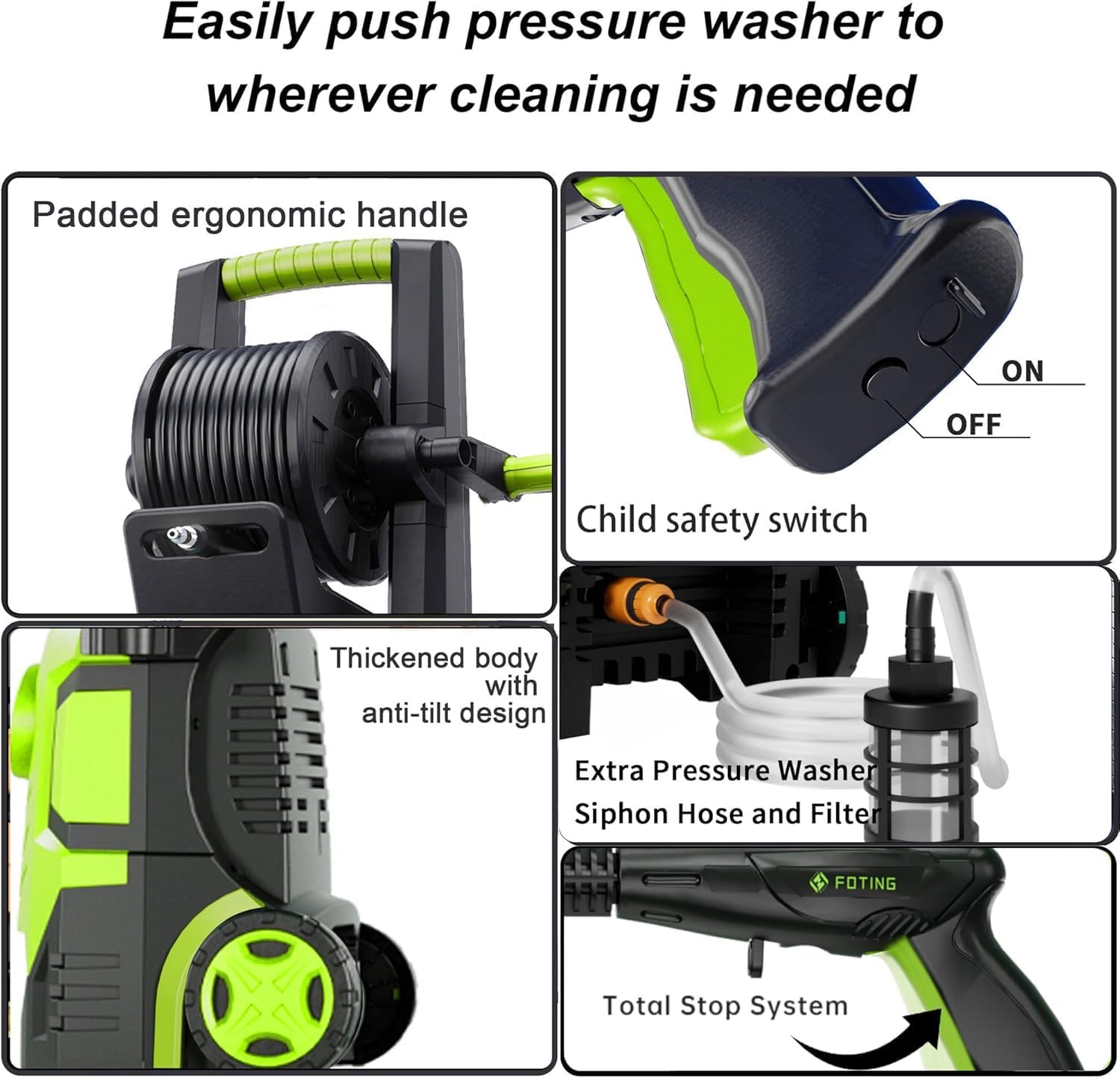
Image 2.1: Detail showing the child safety switch on the spray gun and other features.
3. Package Contents
Please check the package contents to ensure all items are present and undamaged:
- FOTING KLC-PRO150C Electric Pressure Washer Unit
- High-Pressure Spray Gun
- 4 Quick-Connect Nozzles (0°, 15°, 25°, 40°)
- Foam Cannon (Detergent Bottle)
- High-Pressure Hose (23 ft)
- Inlet Hose with Filter (5 ft)
- Power Cord (16 ft)
- Nozzle Cleaning Pin
- User Manual

Image 3.1: All components included in the FOTING KLC-PRO150C package.
4. Assembly Instructions
Follow these steps to assemble your FOTING Electric Pressure Washer:
- Mounting the Handle: Insert the handle into the designated slots on the top of the main unit and secure it with the swivel screws.
- Mounting the Bracket: Attach any necessary storage brackets for the spray gun and nozzles to the side of the unit.
- Connecting the Nozzle: Attach the desired quick-connect nozzle to the spray gun wand. Ensure it clicks securely into place.
- Installing the Water Outlet Pipe: Connect the high-pressure hose to the water outlet on the front of the pressure washer unit. Tighten securely.
- Installing the Water Inlet Pipe: Connect the inlet hose (garden hose adapter) to the water inlet on the side of the pressure washer. Ensure the filter is attached to the other end of the inlet hose before connecting to a water source.
- Power Connection: Ensure the unit is off, then plug the power cord into a suitable grounded electrical outlet.

Image 4.1: Visual guide for pressure washer assembly steps.
5. Operating Instructions
5.1 Initial Setup and Power On
- Connect the pressure washer to a water source using the inlet hose. Ensure the water supply is turned on fully.
- Plug the power cord into a grounded electrical outlet.
- Press the power button on the touchscreen interface to turn on the unit.
- Before starting, squeeze the trigger on the spray gun to purge air from the system until a steady stream of water emerges.
5.2 Adjusting Pressure with Touchscreen
The FOTING KLC-PRO150C features an upgraded touchscreen interface to control water pressure. You can adjust the pressure from 2500 PSI to 5000 PSI across 8 levels, or select from 3 pre-set scenarios (Gentle, Moderate, Strong) for common cleaning tasks.

Image 5.1: Touchscreen interface for pressure adjustment and scenario selection.
- Use the '+' and '-' buttons on the touchscreen to fine-tune the pressure level.
- Select the 'Gentle' mode for delicate surfaces like windows or painted surfaces.
- Choose 'Moderate' for general cleaning of vehicles or patio furniture.
- Opt for 'Strong' mode for tough stains on concrete, brick, or heavily soiled areas.
5.3 Quick-Connect Nozzle Selection
The pressure washer includes four quick-connect nozzles, each designed for specific applications:
- 0° (Red): For concentrated, powerful jet cleaning on stubborn stains and hard-to-reach areas. Use with extreme caution.
- 15° (Yellow): For intense cleaning of hard surfaces like concrete, asphalt, and brick.
- 25° (Green): For general cleaning of fences, wood decks, and patio furniture.
- 40° (White): For gentle cleaning of vehicles, windows, and other delicate surfaces.

Image 5.2: Quick-connect nozzles and their corresponding spray patterns.
5.4 Using the Foam Cannon
The included foam cannon allows for effective application of detergent. Fill the foam cannon with appropriate pressure washer detergent, attach it to the spray gun, and apply foam to the desired surface before rinsing.

Image 5.3: Foam cannon in use for car cleaning.
5.5 Total Stop System (TSS)
The integrated TSS automatically shuts off the pump when the trigger is released, saving energy and prolonging the pump's lifespan. The pump restarts automatically when the trigger is engaged again.
5.6 Operational Video Guide
Video 5.1: Demonstration of the FOTING Electric Pressure Washer in use, showcasing features like foam cannon and nozzle application.
6. Maintenance
- Hose Storage: After use, wind the high-pressure hose onto the integrated hose reel for neat and organized storage.
- Inlet Filter: Regularly check and clean the inlet filter to prevent debris from entering the pump.
- Nozzle Cleaning: Use the provided nozzle cleaning pin to clear any blockages in the spray nozzles.
- General Cleaning: Wipe down the unit with a damp cloth after each use. Do not use harsh chemicals.
- Winter Storage: If storing in freezing temperatures, ensure all water is drained from the pump and hoses to prevent damage. Consider using a pump protector.

Image 6.1: Features for easy movement and portable hose storage.
7. Troubleshooting
If you encounter issues with your pressure washer, refer to the following common troubleshooting steps:
- Unit does not start: Check the power connection and ensure the outlet is functional. Verify the power button on the touchscreen is pressed.
- No water pressure or low pressure: Ensure the water supply is fully open and the inlet filter is clean. Check for kinks in the hoses. Purge air from the system by squeezing the trigger with the unit on and water supply open.
- Water leaks: Check all hose connections for tightness. Ensure O-rings are properly seated and not damaged.
- Motor stops frequently (TSS): This is normal operation if the trigger is not engaged. If it stops unexpectedly during use, check for power fluctuations or overheating.
- Nozzle blockage: Use the provided cleaning pin to clear any debris from the nozzle opening.
If problems persist, please contact FOTING customer support for assistance.
8. Specifications
| Feature | Specification |
|---|---|
| Model Number | KLC-PRO150C |
| Maximum Pressure | 5000 PSI |
| Water Flow Rate | 3.3 GPM |
| Adjustable Pressure Levels | 8 (2500 PSI to 5000 PSI) |
| Rated Voltage | 120V/60Hz |
| High-Pressure Hose Length | 23 Feet |
| Power Cord Length | 16 Feet |
| Product Dimensions | 40L x 30W x 83H Centimetres |
| Item Weight | 11.36 kg |
| Waterproof Rating | IPX5 |
Note: Specifications are subject to change without notice for product improvement.
9. Warranty and Customer Support
FOTING products are manufactured to high-quality standards and are warranted against manufacturing defects. For detailed warranty information, please refer to the warranty card included with your product or visit the official FOTING website.
For technical support, troubleshooting assistance, or to inquire about replacement parts, please contact FOTING customer service. Our team is dedicated to providing professional technical support and ensuring your satisfaction.
Contact Information:
- Website: www.foting.com (placeholder, please refer to actual product documentation)
- Email: support@foting.com (placeholder, please refer to actual product documentation)
Related documentsKLC-PRO150C

Ask a question about this manual
Ask about setup, troubleshooting, compatibility, parts, safety, or missing instructions. Manuals+ will review the question and use this page’s manual context to help answer it.