
1. Introduction
This comprehensive instruction manual provides detailed guidance for setting up, operating, maintaining, and troubleshooting your Dsoon TL2100 1080P HD Time Lapse Camera. Designed for outdoor use with a 110° wide-angle starlight lens and up to 180 days of standby time, this camera is ideal for capturing long-term projects such as construction, weather patterns, plant growth, and artistic drawings in clear 1080P resolution.
2. Product Features
- 1080P HD Images and Videos: Captures and shares your world in 1080P resolution, providing clear images even in challenging low-light conditions with its 110° wide-angle starlight lens and fill light technology.
- Extra Long-Time Standby: Features a remarkable battery life of up to 180 days with a 5-minute capture interval, allowing for long-term projects without frequent charging.
- Effortless Time-lapse Setup: Connect to the power supply for continuous cycling through shots until the SD card is full, offering a seamless solution for extended time-lapse photography.
- Versatile Shooting Modes: Supports timed shooting, video time-lapse, and photo time-lapse. Manual macro focus capability allows for both macro and infinity shots.
- Professional-Grade Equipment: Engineered with IP66 waterproof design, suitable for both indoor and outdoor use.
3. Package Contents
The Dsoon TL2100 Time Lapse Camera package includes the following items:
- Dsoon TL2100 Time Lapse Camera
- Wall Bracket
- Round Tube Bracket
- Installation Strap and Rope
- 64GB TF Card (pre-installed or included separately)
- USB Cable
- User Manual

Image: All components included in the Dsoon TL2100 Time Lapse Camera package.
4. Setup
4.1 Battery Installation
The Dsoon TL2100 camera requires 4 to 12 AA batteries for operation. For optimal 180-day standby time, it is recommended to use all 12 battery slots. Open the battery compartment by unlatching the side clips and inserting the batteries according to the polarity indicators.
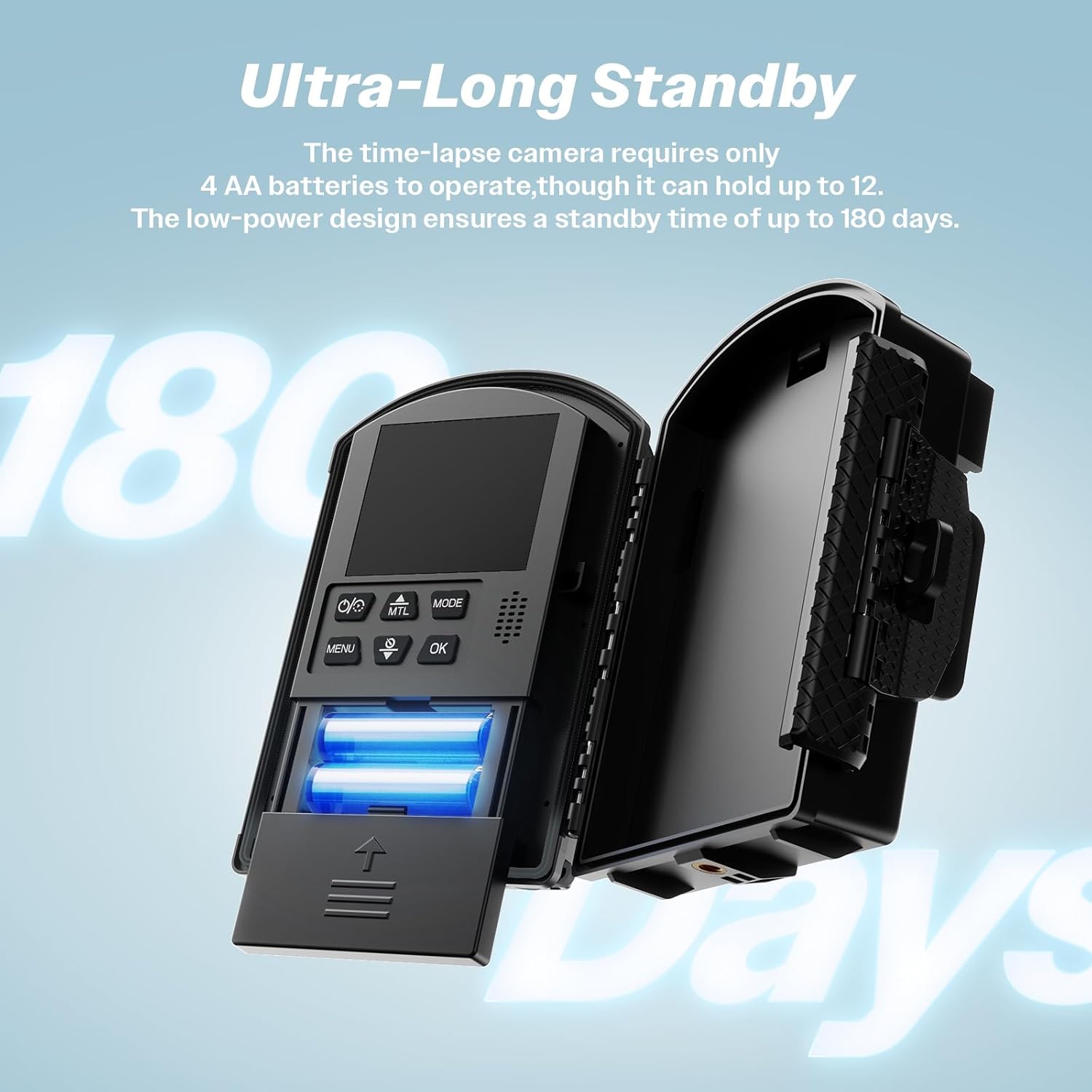
Image: The camera's battery compartment, illustrating where to insert AA batteries.
4.2 SD Card Insertion
Locate the SD card slot on the side of the camera. Insert the provided 64GB TF card (or another compatible Micro SD card up to 512GB) until it clicks into place. Ensure the card is inserted correctly to avoid damage.
4.3 Mounting Options
The camera comes with various mounting accessories to suit different environments:
- Wall Bracket: For secure attachment to flat surfaces.
- Round Tube Bracket: Ideal for mounting on poles or tree branches.
- Installation Strap and Rope: Provides flexible attachment options for various objects.
Video: Official guide on setting up the Dsoon TL2100 Time-Lapse Camera, demonstrating battery and SD card installation, and mounting.
Video: Detailed instructions on how to set up the Dsoon 1080p Time-Lapse Camera for outdoor use.
5. Operating Instructions
5.1 Basic Navigation
The camera features a 2.4" LCD screen and several buttons for navigation:
- MENU: Accesses the main settings menu.
- MODE: Switches between different shooting modes (Time-lapse Photo, Time-lapse Video, Timed Photo, Timed Video).
- OK: Confirms selections and starts/stops recording in certain modes.
- Up/Down Arrows: Navigate through menu options and adjust settings.
- MTL (Manual Time-Lapse): Initiates a manual time-lapse capture.
5.2 Initial Power On & Language Selection
After inserting batteries and an SD card, close the camera housing. Press the power button (usually located on top or side) to turn on the device. The camera may prompt you to select a language upon first use. Use the arrow buttons to select your preferred language and press OK.
5.3 Setting Time and Date
Navigate to the 'Time & Date' setting in the MENU. Use the arrow buttons to adjust the year, month, day, hour, and minute. Press OK to confirm each selection.
Video: A quick guide on how to set up automatic time-lapse shooting on the camera, including menu navigation for settings.
6. Modes and Settings
The Dsoon TL2100 offers a variety of modes and customizable settings to optimize your time-lapse projects:
- Timed Shooting: Capture images or video at predefined intervals.
- Video Time-Lapse: Records a series of video clips that are then compiled into a time-lapse video.
- Photo Time-Lapse: Captures individual photos at set intervals, which can be later compiled into a time-lapse video.
- Manual Macro Focus: Adjust the lens focus manually for detailed close-up shots or distant infinity focus.
- Exposure: Adjust exposure levels to suit different lighting conditions.
- Resolution: Select photo and video resolution (e.g., 1080P).
- Frequency: Set the frequency for power line synchronization (e.g., 50Hz, 60Hz).
- Video Length: Define the duration of each video clip in video time-lapse mode.
- Photo Stamp: Enable or disable date and time stamps on your captured media.
- Target Recording Time: Schedule specific start and end times for recording each day.
- Endless Capture: Allows the camera to continuously record, overwriting the oldest files when the SD card is full.
- Audio Recording: Enable or disable audio capture for video time-lapses.
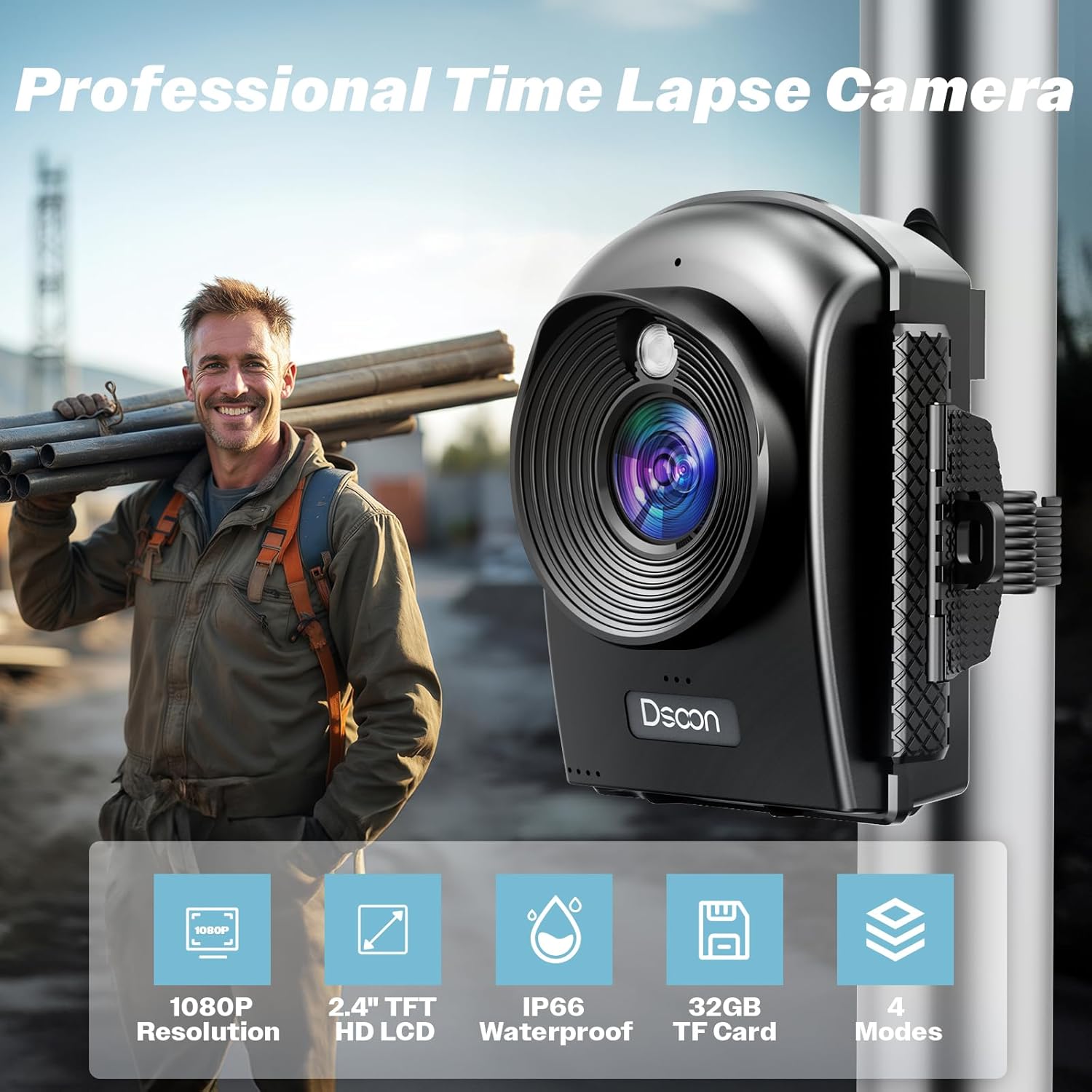
Image: Key features of the Dsoon TL2100 camera, including resolution, screen size, waterproofing, storage, and modes.

Image: The Dsoon TL2100 camera highlighting its 1080P HD time-lapse video capabilities.
7. Media Integration
7.1 Product Images

Image: The Dsoon TL2100 camera showcasing its IP66 waterproof and weather-resistant features for outdoor use.

Image: The camera's USB Type-C port and TF card slot, enabling high-speed data transfer and file management.
7.2 Official Product Videos
Video: A comprehensive overview of the Dsoon TL2100 Time Lapse Camera, specifically highlighting its use for construction projects.
Video: An official product video showcasing the Dsoon 1080P HD Time Lapse Camera and its capabilities.
Video: A product overview video from Amazon Product Imaging, detailing the features and design of the Dsoon TL2100.
8. Maintenance
To ensure the longevity and optimal performance of your Dsoon TL2100 Time Lapse Camera, follow these maintenance guidelines:
- Cleaning: Use a soft, dry cloth to clean the camera body and lens. Avoid abrasive cleaners or solvents. For the lens, use a specialized lens cleaning cloth.
- Storage: When not in use for extended periods, remove the batteries and store the camera in a cool, dry place away from direct sunlight and extreme temperatures.
- Battery Care: Replace all batteries simultaneously. Do not mix old and new batteries or different types of batteries. If using rechargeable batteries, ensure they are fully charged before deployment.
- Waterproof Seal: Regularly inspect the waterproof seals around the battery compartment and ports for any signs of wear or damage. Ensure they are clean and properly seated before outdoor use.
9. Troubleshooting
If you encounter issues with your Dsoon TL2100 camera, refer to the following common troubleshooting steps:
- Camera Not Powering On: Check if the batteries are inserted correctly with the right polarity and if they have sufficient charge. Ensure the battery compartment is securely closed.
- Recording Issues: Verify that an SD card is properly inserted and has sufficient free space. Format the SD card through the camera's menu if issues persist (this will erase all data). Check the selected shooting mode and interval settings.
- Poor Image/Video Quality: Ensure the lens is clean and free from smudges. Adjust the manual macro focus ring to achieve sharp focus for your subject. Check exposure settings for optimal brightness.
- Water Leakage: If used outdoors, ensure the waterproof housing is correctly assembled and all seals are intact and free from debris.
- Buttons Unresponsive: Try removing and reinserting the batteries to reset the camera.
10. Specifications
| Feature | Specification |
|---|---|
| Brand | Dsoon |
| Model Number | DSTL2100 (TL2100) |
| Video Capture Resolution | 1080p |
| Photo Sensor Technology | CMOS |
| Screen Size | 2.4 Inches |
| Maximum Aperture | 1.2 f |
| Connectivity Technology | USB |
| Flash Memory Type | Micro SD (up to 512GB) |
| Special Feature | Time Lapse, IP66 Waterproof |
| Item Weight | 2.01 pounds |
| Package Dimensions | 9.45 x 5.79 x 3.98 inches |
11. Warranty and Support
The Dsoon TL2100 Time Lapse Camera comes with a standard manufacturer's warranty. For specific warranty details, product support, or technical assistance, please refer to the warranty card included in your package or contact Dsoon customer service directly through their official website or the retailer where the product was purchased.


