
1. Introduction
Thank you for choosing the WLIVE Tall Nightstand with Charging Station. This manual provides essential information for the safe assembly, operation, and maintenance of your new nightstand. Please read these instructions carefully before use and retain them for future reference.
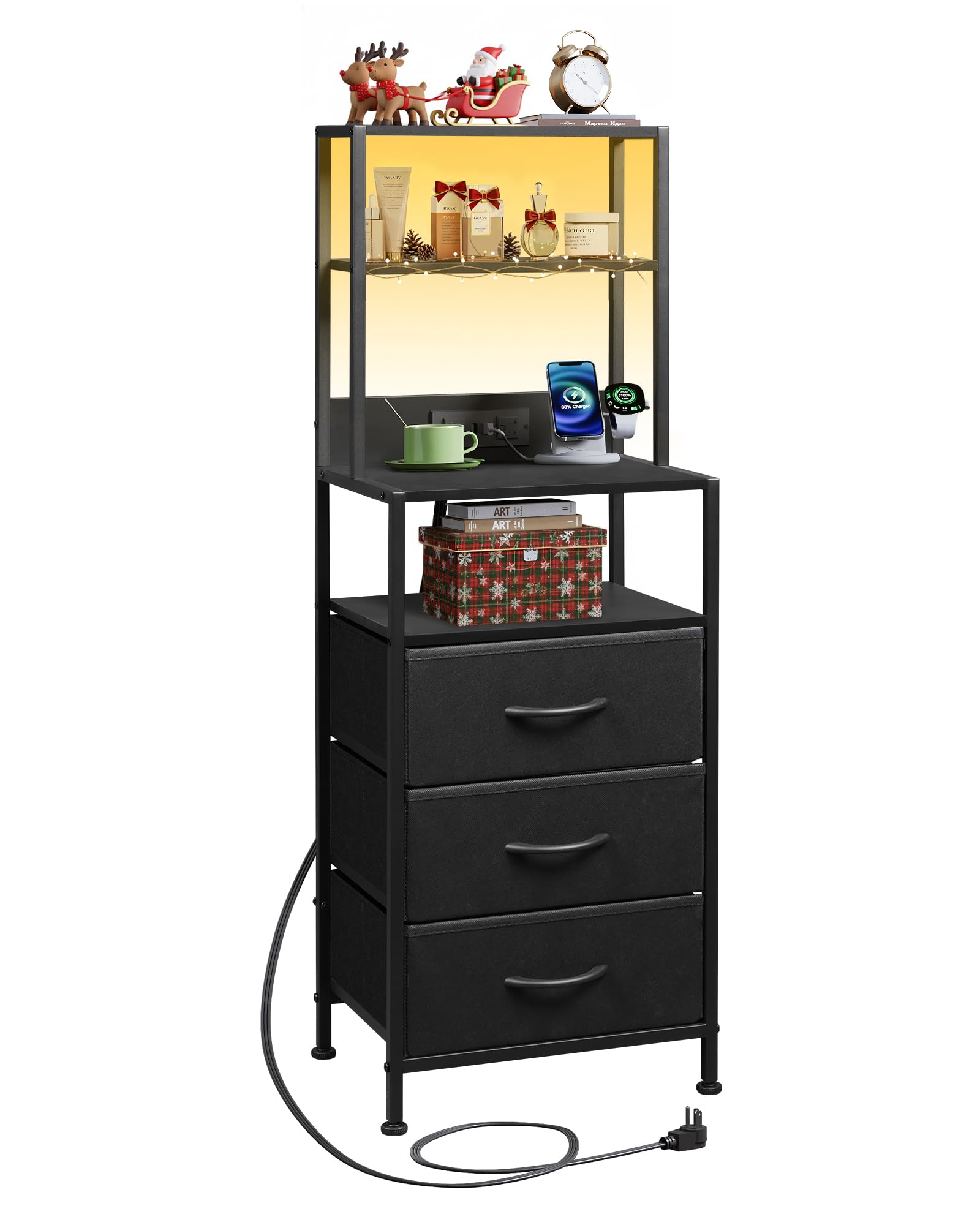
Image 1.1: The WLIVE Tall Nightstand with Charging Station, featuring LED lighting, three fabric drawers, and open shelves.
Video 1.1: An overview of the WLIVE LED Nightstand with 3 Fabric Drawers, showcasing its features and design.
2. Safety Information
- Always place the nightstand on a flat, stable surface.
- Do not overload the shelves or drawers. Refer to the specifications for weight limits.
- Keep liquids away from the charging station to prevent electrical hazards. The charging station features a spill-proof design, but caution is still advised.
- Ensure all connections for the LED lights and charging station are secure before use.
- This product includes an anti-tip device. It is highly recommended to install this device to prevent accidental tipping, especially in households with children or pets.

Image 2.1: Illustration of the anti-tipping device and its installation to secure the nightstand to a wall.
3. Package Contents
Before assembly, please ensure all components are present and undamaged. If any parts are missing or damaged, please contact customer support.
The package typically includes:
- Metal frame components
- Wooden shelves
- Fabric drawers (3 pieces)
- Charging station unit
- LED light strip and controller
- Assembly hardware (screws, wrench, etc.)
- Anti-tip device
- Instruction manual
4. Assembly Instructions
Assembly of the WLIVE Tall Nightstand is designed to be straightforward and typically takes approximately 25 minutes. Follow the clear instructions provided in the included assembly guide. All components are labeled for easy identification.
General Assembly Steps:
- Unpack all components and verify against the package contents list.
- Assemble the metal frame structure using the provided hardware.
- Attach the wooden shelves to the frame.
- Install the charging station and route its power cord.
- Affix the LED light strip to the designated areas.
- Insert the fabric drawers into their respective slots.
- Install the anti-tip device to a wall for enhanced stability.
- Adjust the leveling feet to ensure the nightstand is stable on uneven floors.

Image 4.1: Close-up of the adjustable feet, which can be rotated 360 degrees to stabilize the nightstand on various floor surfaces.
5. Operating Instructions
5.1 LED Lighting
The nightstand features customizable LED lighting. The lights can be controlled via a mobile application or a wired remote control. You can adjust colors, brightness, and choose from various lighting modes to create your desired ambiance.
- Mobile App Control: Download the recommended app (refer to the assembly guide for details) to access a wide range of colors and advanced functions like music sync and timing functions.
- Wired Remote Control: Use the inline remote to cycle through basic colors, adjust brightness, and turn the lights on/off.

Image 5.1: The nightstand's LED lighting in various colors, demonstrating control via a mobile app with options for 6000+ RGB colors, mic mode, music rhythm, and timing functions.
Video 5.2: A demonstration of the WLIVE 3 Drawer Nightstand with LED Lights, highlighting the various lighting options and effects.
5.2 Charging Station
The integrated charging station provides convenient power access for your electronic devices.
- AC Outlets: Two 125V/12A AC outlets are available for standard plugs.
- USB Ports: Three 5V/2.1A USB ports are included for charging phones, tablets, and other USB-powered devices.
- Ensure the nightstand's main power cord is securely plugged into a wall outlet for the charging station to function.

Image 5.3: Detail of the built-in charging station, showing two AC outlets and three USB ports for convenient device charging.
5.3 Storage Features
The nightstand offers versatile storage options:
- Fabric Drawers: Three fabric drawers provide enclosed storage for lightweight items such as clothing, accessories, or personal belongings.
- Open Shelves: Multiple open shelves are ideal for displaying decorative items, storing books, or keeping frequently used items within easy reach.

Image 5.4: The nightstand showcasing its four open shelves and three fabric storage drawers, providing ample space for various items.
6. Maintenance
- Cleaning: Wipe the metal frame and wooden shelves with a soft, damp cloth. Avoid harsh chemicals or abrasive cleaners.
- Fabric Drawers: The fabric drawers can be spot cleaned with a mild detergent and water. Allow to air dry completely. Do not machine wash.
- Spill Resistance: The wooden surfaces are designed to be waterproof. Promptly wipe up any spills to maintain the finish.
- Regularly check all screws and connections to ensure they remain tight.

Image 6.1: Close-up of the nightstand's surface demonstrating its waterproof properties with water droplets.
7. Troubleshooting
- LED Lights Not Working:
- Check if the LED strip is properly connected to the power source and controller.
- Ensure the power adapter is plugged into a functional wall outlet.
- Verify that the remote control or mobile app is correctly paired and has power (if battery-operated).
- Charging Station Not Functioning:
- Confirm the nightstand's main power cord is securely plugged into a live wall outlet.
- Test the outlets/USB ports with a different device to rule out device issues.
- Avoid overloading the charging station with too many high-power devices simultaneously.
- Nightstand is Unstable/Wobbly:
- Ensure all assembly screws are tightened.
- Adjust the leveling feet at the bottom of the nightstand to compensate for uneven floors.
- Verify the anti-tip device is correctly installed and secured to the wall.
8. Specifications

Image 8.1: Diagram illustrating the dimensions of the nightstand and the weight capacity of the top shelf.
| Feature | Detail |
|---|---|
| Brand | WLIVE |
| Model Number | ACTG022BL |
| Product Dimensions (D x W x H) | 11.42" x 15.35" x 43.09" |
| Item Weight | 7.96 kg (17.55 lbs) |
| Frame Material | Metal |
| Drawer Material | Fabric (Oxford Fabric, MDF Board, Non-Woven Fabric) |
| Color | Black |
| Number of Drawers | 3 |
| Number of Shelves | 4 (including top surface) |
| AC Outlet Output | 2 x 125V/12A |
| USB Port Output | 3 x 5V/2.1A |
| Power Cord Length | 4.9 feet |
| Special Features | LED Lighting, Charging Station, Scratch Resistant, Adjustable Feet, Anti-Tip Device |
9. Warranty and Support
WLIVE products are manufactured with quality and customer satisfaction in mind. For any questions regarding assembly, missing parts, or product functionality, please contact WLIVE customer support. Please refer to your purchase documentation for specific warranty details.
For further assistance, visit the official WLIVE store: WLIVE Store on Amazon
