
1. Introduction
This manual provides detailed instructions for the safe installation, operation, and maintenance of your YUHAO 42 Inch Flush Mount DC Ceiling Fan with Light and Remote Control. Please read this manual thoroughly before attempting to install or operate the fan. Keep these instructions for future reference.
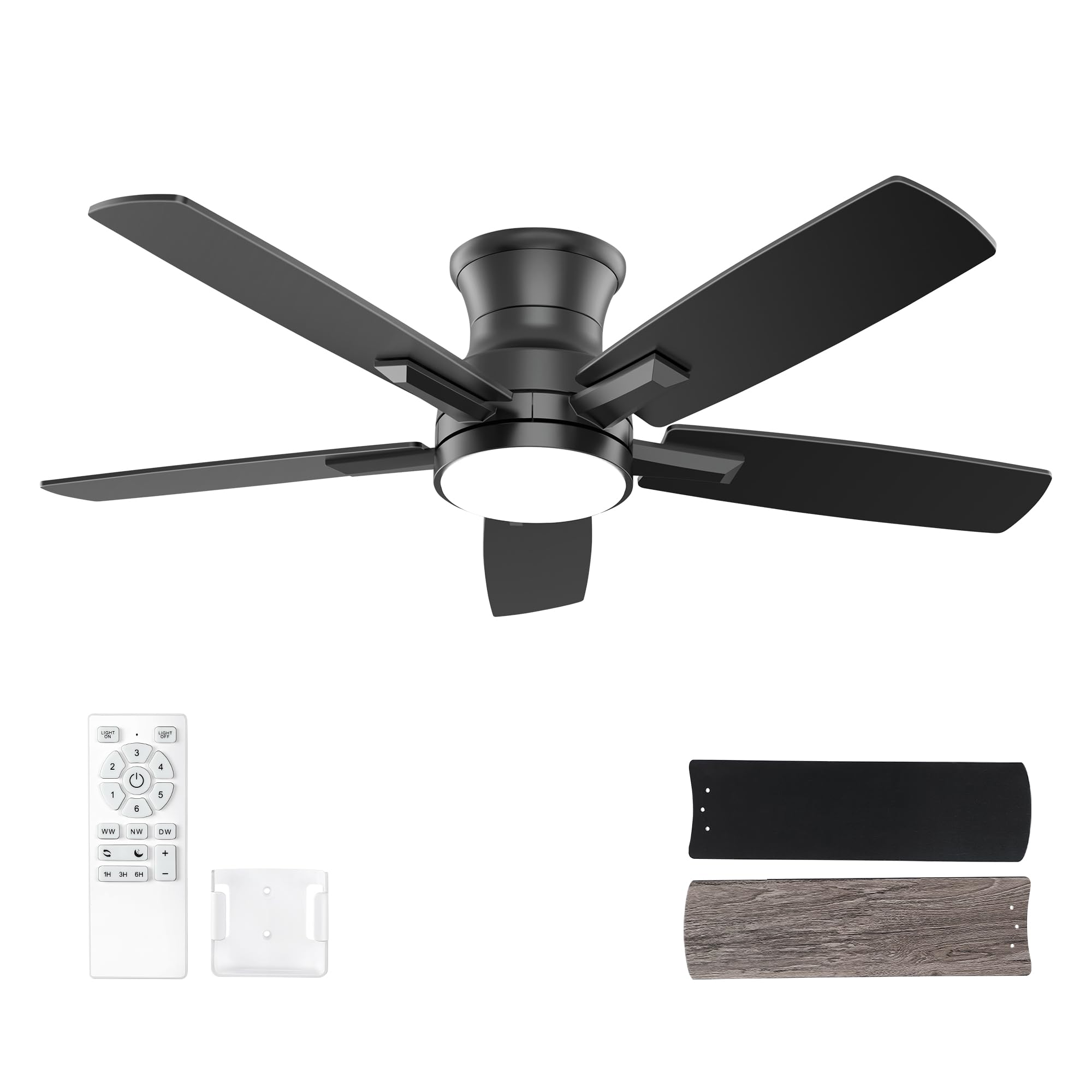
Image 1.1: YUHAO 42 Inch Flush Mount Black Ceiling Fan with Light and Remote Control.
2. Safety Information
WARNING: To reduce the risk of fire, electric shock, or personal injury, always follow these basic precautions:
- Read all instructions and safety information before installing your fan and save these instructions.
- Consult a qualified electrician for installation. All wiring must be in accordance with national and local electrical codes.
- Before beginning installation, disconnect power by turning off the circuit breakers at the main fuse box.
- Ensure the installation site allows the fan blades to rotate without obstruction and maintains a minimum clearance of 7 feet from the floor to the blade trailing edge.
- The outlet box and support structure must be securely mounted and capable of reliably supporting a minimum of 35 lbs (15.9 kg). Use only UL/ETL Listed outlet boxes marked "FOR FAN SUPPORT."
- Do not operate the fan with damaged power cords or plugs.
- Avoid placing objects in the path of the blades.
- Do not attempt to repair or replace parts unless specifically recommended in this manual. For other services, contact qualified service personnel.
3. Package Contents
Verify that all components listed below are included in your package:
- Ceiling Fan Motor Assembly
- Fan Blades (5)
- Light Kit with Integrated LED
- Remote Control
- Remote Control Wall Mount Bracket
- Mounting Hardware (screws, wire nuts, etc.)
- User Manual
- AAA Batteries (2) for Remote Control
4. Specifications
| Feature | Specification |
|---|---|
| Brand | YUHAO |
| Model Name | DY1256X-5B |
| Size | 42 Inch |
| Color | Black |
| Product Dimensions | 42"D x 42"W x 10.5"H |
| Installation Type | Flush Mount |
| Motor Type | DC Motor |
| Number of Blades | 5 |
| Air Flow Capacity | 3500 Cubic Feet Per Minute |
| Noise Level | 25 Decibels |
| Number of Power Levels | 6 Speeds |
| Light Wattage | 24 Watts (LED) |
| Color Temperatures | 3000K (Warm), 4000K (Natural), 6500K (Cool White) |
| Brightness | Dimmable (0%~100%) |
| Control Method | Remote Control |
| Voltage | 120 Volts |
| Indoor/Outdoor Usage | Indoor or Covered Outdoor Use |
| Item Weight | 12.67 pounds |

Image 4.1: Product dimensions and key features summary.
5. Installation
Installation of this ceiling fan requires basic electrical knowledge. If you are unsure, please consult a qualified electrician. Ensure power is disconnected at the circuit breaker before starting.
5.1 Pre-Installation Checks
- Verify that the ceiling joist or support structure can hold the fan's weight.
- Ensure all wires are properly stripped and ready for connection.
- Unpack all components and check against the package contents list.
5.2 Mounting the Bracket
Attach the mounting bracket to the ceiling outlet box using the screws provided. Ensure the bracket is firmly secured.
5.3 Wiring Connections
Connect the fan's electrical wires to the household wiring according to the wiring diagram in the full instruction manual. Typically, this involves connecting live, neutral, and ground wires. Use the provided wire nuts to secure connections.
5.4 Assembling the Fan
- Carefully lift the fan motor assembly and attach it to the mounting bracket.
- Install the fan blades onto the motor housing. The blades are double-sided, allowing you to choose between black or wood-grain finish.
- Attach the light kit to the bottom of the fan assembly.
5.5 Installation Video
For a visual guide, please refer to the product installation video. This video provides a step-by-step demonstration of the assembly and mounting process.
Video 5.1: Product overview and demonstration video. This video may contain installation guidance.
6. Operating Instructions
Your YUHAO ceiling fan is controlled by the included remote control. Ensure the two AAA batteries are correctly installed in the remote.

Image 6.1: Remote control layout and function descriptions.
6.1 Remote Control Functions
- Light ON/OFF: Press to turn the light on or off.
- Fan ON/OFF: Press to turn the fan on or off.
- Fan Speed (1-6): Select desired fan speed from 1 (lowest) to 6 (highest).
- Color Temperature (WW/NW/CW): Cycle through Warm White (3000K), Natural White (4000K), and Cool White (6500K) light settings.
- Brightness (+/-): Adjust the light brightness from 0% to 100%.
- Forward/Reverse: Changes the direction of blade rotation for summer (downward airflow) or winter (upward airflow) modes.
- Timer (1H/3H/6H): Set the fan to automatically turn off after 1, 3, or 6 hours.
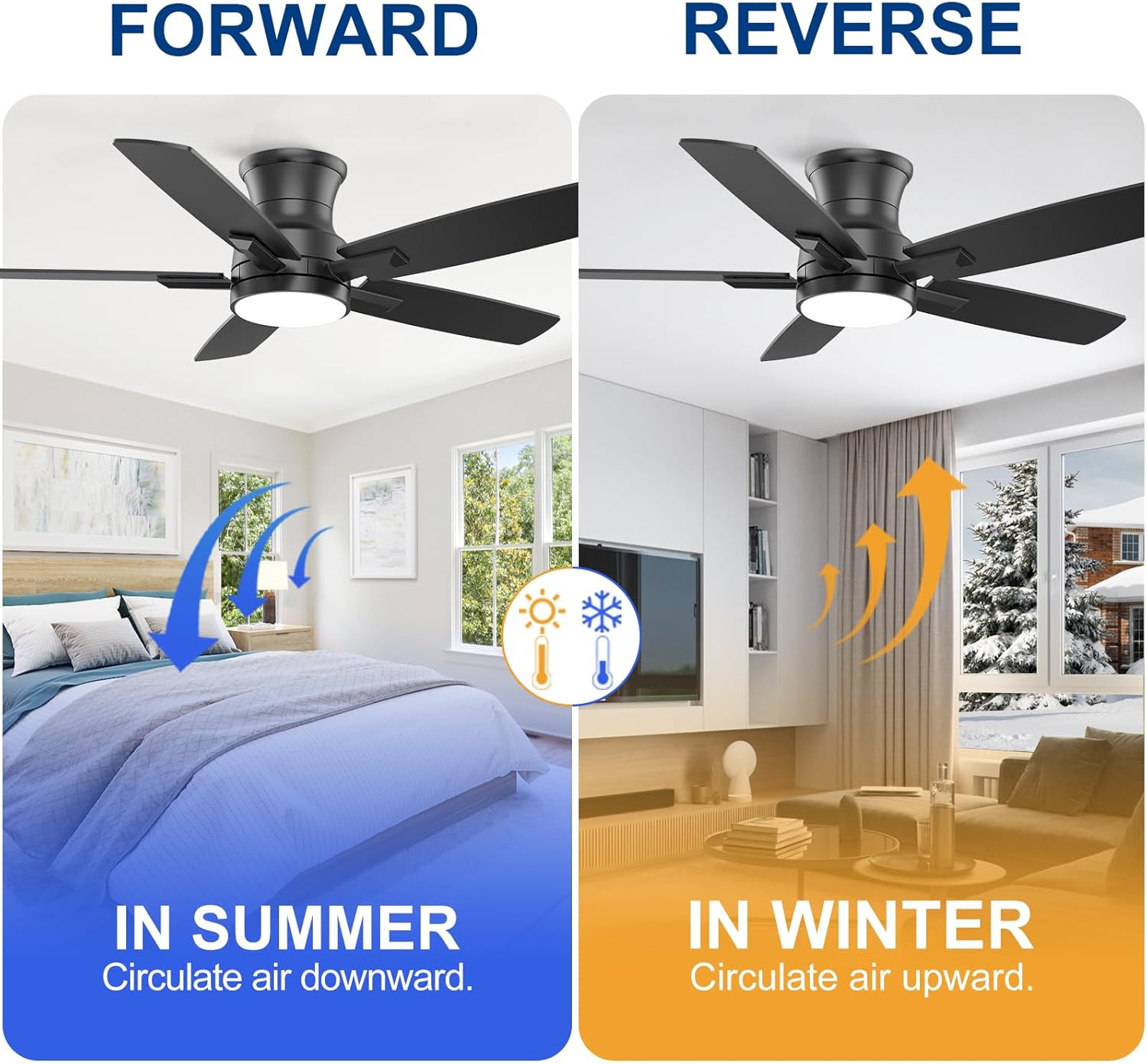
Image 6.2: Illustration of summer (forward) and winter (reverse) fan modes.

Image 6.3: Examples of the three adjustable color temperatures (Warm, Neutral, White).
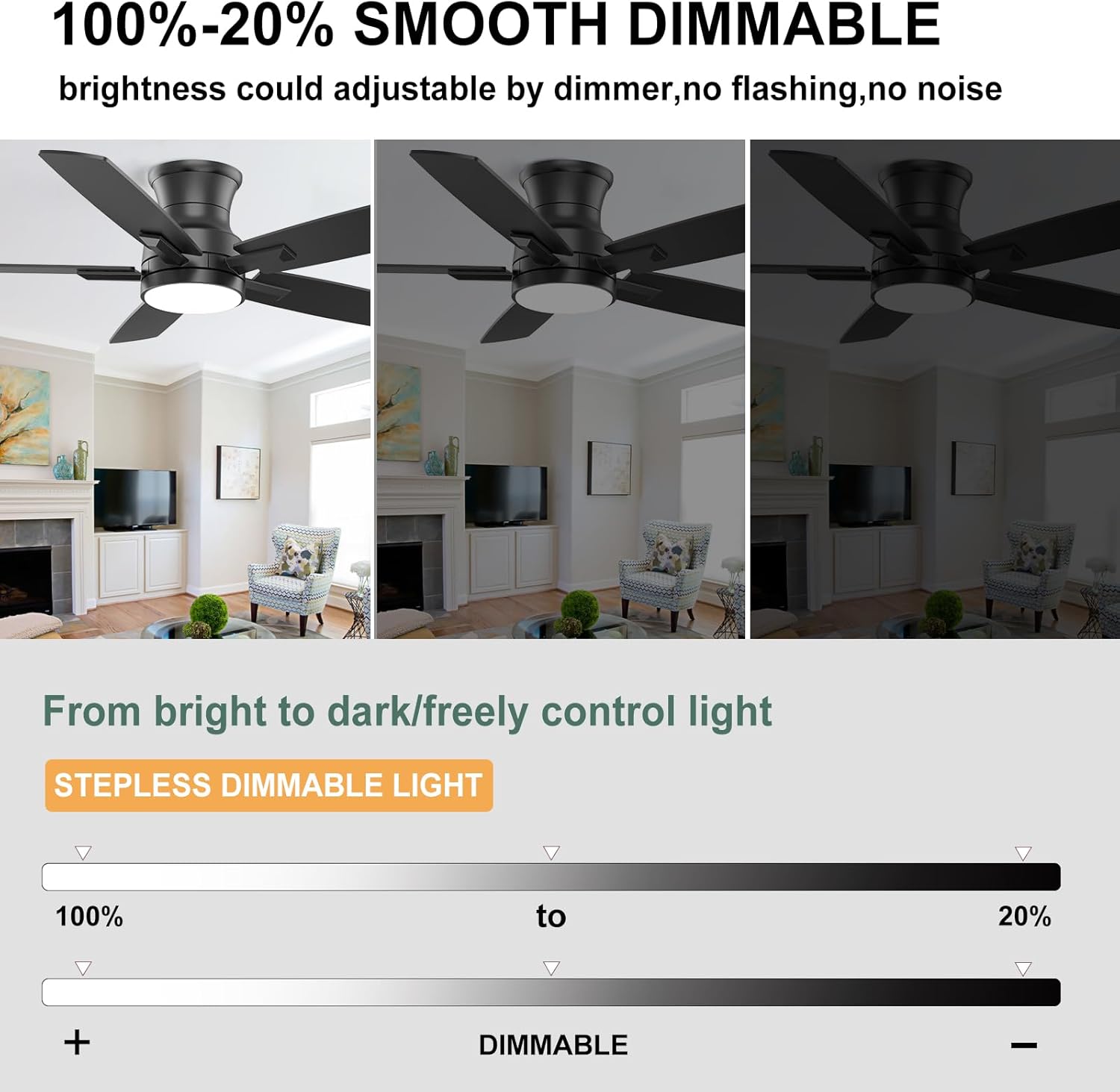
Image 6.4: Demonstration of the smooth dimmable light feature.
7. Maintenance
Regular maintenance ensures optimal performance and extends the lifespan of your ceiling fan.
- Cleaning: Periodically clean the fan blades and motor housing with a soft, damp cloth. Do not use abrasive cleaners or solvents. Ensure the fan is turned off and power is disconnected before cleaning.
- Blade Balance: Check for any wobbling. If wobbling occurs, ensure all blade screws are tightened. A balancing kit (not included) may be used if necessary.
- Light Source: The integrated LED light source is designed for long life. If replacement is ever needed, contact customer service for compatible parts.
- Connections: Annually check all electrical connections and mounting hardware for tightness.
8. Troubleshooting
If you experience issues with your fan, refer to the following common problems and solutions:
| Problem | Possible Cause | Solution |
|---|---|---|
| Fan does not start | No power to the fan; Loose wire connections; Remote control battery low or not paired. | Check circuit breaker; Ensure all wiring is secure; Replace remote batteries or re-pair remote. |
| Light does not work | Loose wire connection to light kit; Faulty LED driver; Remote control issue. | Check light kit wiring; Verify remote functionality; Contact customer service if LED driver is suspected. |
| Fan wobbles excessively | Loose blade screws; Unbalanced blades; Loose mounting bracket. | Tighten all blade screws; Use a balancing kit (if available); Ensure mounting bracket is secure. |
| Remote control not responding | Low or dead batteries; Remote not paired with fan. | Replace batteries; Follow pairing instructions (usually involves turning power off/on and pressing a button on the remote within a few seconds). |
9. Warranty and Support
For any problems you experience with your YUHAO ceiling fan, please contact our customer service team. We are committed to providing support and assistance.
How to Contact Customer Service:
- Locate your order for the ceiling fan.
- Click on "Get Product Support."
- In the dialog box, explicitly state that you need to contact the seller.
We aim to reply to your message within 24 hours. If any parts are damaged, we will send replacement parts as needed.


