
1. Introduction
Thank you for choosing the weidilixiang M33 Drone. This advanced aerial camera system features a 4.5-inch screen remote control, 4K triple lens camera, intelligent obstacle avoidance, and a powerful brushless motor. This manual provides essential information for safe operation, setup, maintenance, and troubleshooting to ensure you get the most out of your M33 Drone.
2. Product Overview & Components
Familiarize yourself with the main components of your M33 Drone and its remote control.

Figure 2.1: The M33 Drone (unfolded) and its dedicated remote control with integrated screen.

Figure 2.2: The M33 Drone system highlighting the 4.5-inch screen on the 5G remote control, optical flow hover, electrically adjustable triple lens, intelligent obstacle avoidance, and brushless motor.
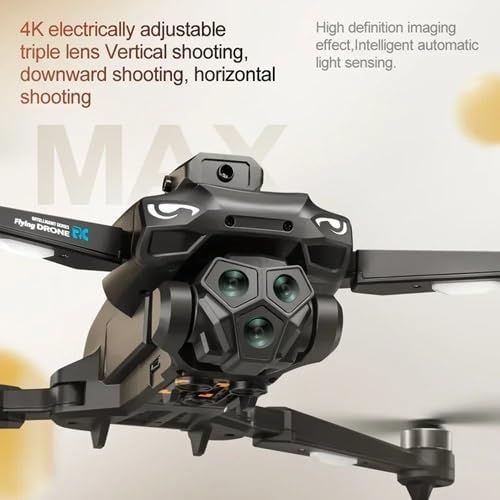
Figure 2.3: Close-up view of the 4K electrically adjustable triple lens camera system, capable of vertical, downward, and horizontal shooting with intelligent automatic light sensing for high-definition imaging.
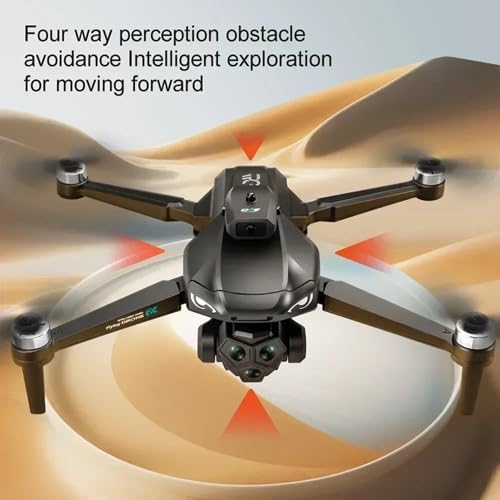
Figure 2.4: The M33 Drone's four-way perception obstacle avoidance system, enabling intelligent exploration and safe forward movement.
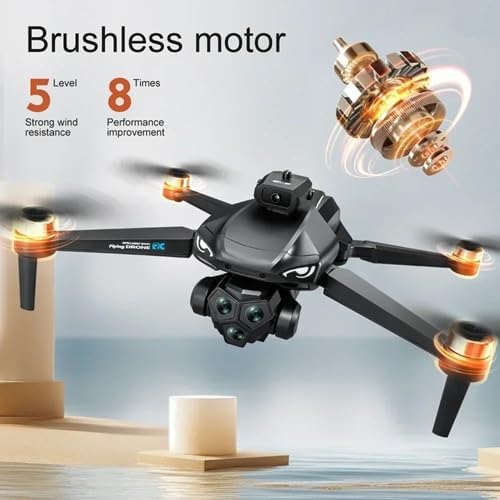
Figure 2.5: Illustration of the M33 Drone's brushless motor, providing 5 levels of strong wind resistance and 8 times performance improvement for stable flight.

Figure 2.6: The M33 Drone's remote control featuring a 4.5-inch large screen for an enhanced viewing experience, with support for charging.
3. Setup
3.1 Unfolding the Drone
- Gently unfold the front arms of the drone until they lock into place.
- Unfold the rear arms.
- Ensure all propellers are securely attached and free from obstruction.
3.2 Battery Installation
- Drone Battery: Insert the fully charged drone battery into the battery compartment on the drone's rear until it clicks securely.
- Remote Control Battery: Ensure the remote control is charged via its USB port. The 4.5-inch screen remote control has an integrated rechargeable battery.
3.3 Pairing the Drone and Remote Control
- Place the drone on a flat, level surface.
- Power on the drone by pressing and holding the power button. The indicator lights will flash.
- Power on the remote control.
- Push the left joystick (throttle) up once and then down once. The drone's indicator lights will become solid, indicating successful pairing.
3.4 App Download (Optional)
For advanced features and real-time image transmission, download the dedicated flight control APP by scanning the QR code found in the product packaging or searching for the app name (if provided) in your device's app store. Connect your smartphone to the drone's Wi-Fi network (usually named 'M33-XXXXXX').
4. Operating Instructions
4.1 Basic Flight Controls
- Take-off: Press the one-key take-off button or push both joysticks simultaneously outwards and downwards to arm the motors, then push the left joystick up slowly.
- Landing: Press the one-key landing button or pull the left joystick down slowly.
- Altitude Control: Left joystick (up/down).
- Forward/Backward: Right joystick (up/down).
- Left/Right Sideways Flight: Right joystick (left/right).
- Rotation (Yaw): Left joystick (left/right).
4.2 Camera Operation
- Photo: Press the photo button on the remote control or in the APP interface.
- Video: Press the video button to start/stop recording.
- Lens Adjustment: Use the dedicated buttons on the remote control or the APP to adjust the 4K triple lens camera's angle (vertical, downward, horizontal).
4.3 Intelligent Features
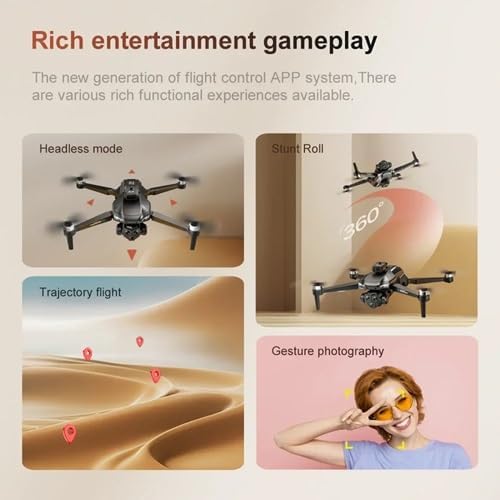
Figure 4.1: Examples of advanced flight modes including Headless Mode, Stunt Roll, Trajectory Flight, and Gesture Photography.
- Obstacle Avoidance: The drone is equipped with a four-way perception system to detect and avoid obstacles automatically. Ensure this feature is active in challenging environments.
- Headless Mode: In this mode, the drone's orientation is relative to the pilot, making it easier to control regardless of the drone's front direction.
- Trajectory Flight: Draw a path on the APP screen, and the drone will automatically follow the designated route.
- Stunt Roll (360° Flip): Press the stunt roll button and move the right joystick in the desired direction to perform a 360-degree flip. Ensure sufficient altitude.
- Gesture Photography: Perform specific hand gestures in front of the camera to trigger photo or video recording. Refer to the APP for specific gestures.
- Optical Flow Positioning: Provides stable hovering indoors or in areas with good ground texture.
5. Maintenance
- Cleaning: Use a soft, dry cloth to clean the drone body and camera lenses. Avoid using liquid cleaners.
- Propeller Inspection: Regularly check propellers for cracks, bends, or damage. Replace any damaged propellers immediately using the provided spares.
- Battery Care: Store batteries in a cool, dry place. Do not overcharge or over-discharge. If storing for extended periods, charge batteries to approximately 50% capacity.
- Storage: When not in use, fold the drone and store it in its high-end portable storage bag to protect it from dust and damage.
6. Troubleshooting
| Problem | Possible Cause | Solution |
|---|---|---|
| Drone does not power on | Low battery; Battery not installed correctly | Charge drone battery; Reinstall battery securely |
| Remote control not connecting | Not paired; Low remote battery | Follow pairing instructions (Section 3.3); Charge remote control |
| Unstable flight / Drifting | Not calibrated; Damaged propeller; Strong wind | Perform gyroscope calibration (refer to APP/remote instructions); Replace damaged propellers; Fly in calm conditions |
| No image on remote screen/APP | Not connected to drone Wi-Fi; APP not open | Connect phone to drone's Wi-Fi; Open the flight control APP |
| Obstacle avoidance not working | Feature disabled; Sensor obstruction | Ensure obstacle avoidance is enabled in settings; Clean sensors; Avoid flying in extremely dark or reflective environments |
7. Specifications
| Product Name | 4K Brushless Obstacle Avoidance Aerial Camera |
| Brand | weidilixiang |
| Model Number | 1 (M33) |
| Color | Black |
| Folding Size | 13 x 13 x 7.5 cm (5.12 x 5.12 x 2.95 inches) |
| Expand Size | 30 x 30 x 7.5 cm (11.81 x 11.81 x 2.95 inches) |
| Product Dimensions | 6.15 x 6 x 2 inches |
| Item Weight | 1.76 pounds |
| Camera Lens | 4K Electrically Adjustable Triple Camera |
| Flight System | Optical Flow Hovering, Obstacle Avoidance, Brushless Motor |
| Battery Life | Approximately 30 minutes |
| Charging Duration | Approximately 2 hours |
| Signal/Distance | 2.4G / Approximately 300 meters |
| Remote Control | 5G Remote Control with 4.5-inch Integrated Screen |
| Product Packaging | High-end Portable Storage Bag |
| UPC | 635412538737 |
| ASIN | B0DRRRFR72 |
| Date First Available | December 28, 2024 |
8. Warranty & Support
For warranty information and technical support, please refer to the contact details provided with your purchase or visit the official weidilixiang website. Keep your proof of purchase for any warranty claims.

