
1. Introduction
Thank you for purchasing the KAPBOM KA-8439 Portable Bluetooth Speaker. This device is designed to provide a powerful and immersive audio experience with the convenience of wireless connectivity and dynamic LED lighting. Its robust, water-resistant design makes it suitable for various environments, from indoor gatherings to outdoor adventures. Please read this manual carefully before using the product to ensure proper operation and to maximize its lifespan.

Figure 1.1: KAPBOM KA-8439 Portable Bluetooth Speaker and Packaging.
2. Safety Information
To ensure safe operation and prevent damage to the device, please observe the following safety precautions:
- Do not expose the speaker to extreme temperatures or direct sunlight for extended periods.
- Avoid dropping or subjecting the speaker to strong impacts.
- While the speaker is water-resistant (IPX6), do not submerge it completely in water. Ensure all port covers are securely closed before exposure to water.
- Do not attempt to disassemble, repair, or modify the speaker yourself. Contact qualified service personnel for any repairs.
- Use only the provided charging cable or a certified equivalent.
- Keep the speaker away from medical devices, as it may interfere with their operation.
- Dispose of the battery and speaker according to local regulations. Do not dispose of batteries in fire.
3. Package Contents
Verify that all items are present in the package:
- 1 x KAPBOM KA-8439 Portable Bluetooth Speaker
- 1 x USB Charging Cable
- 1 x Shoulder Strap
- 1 x User Manual (this document)
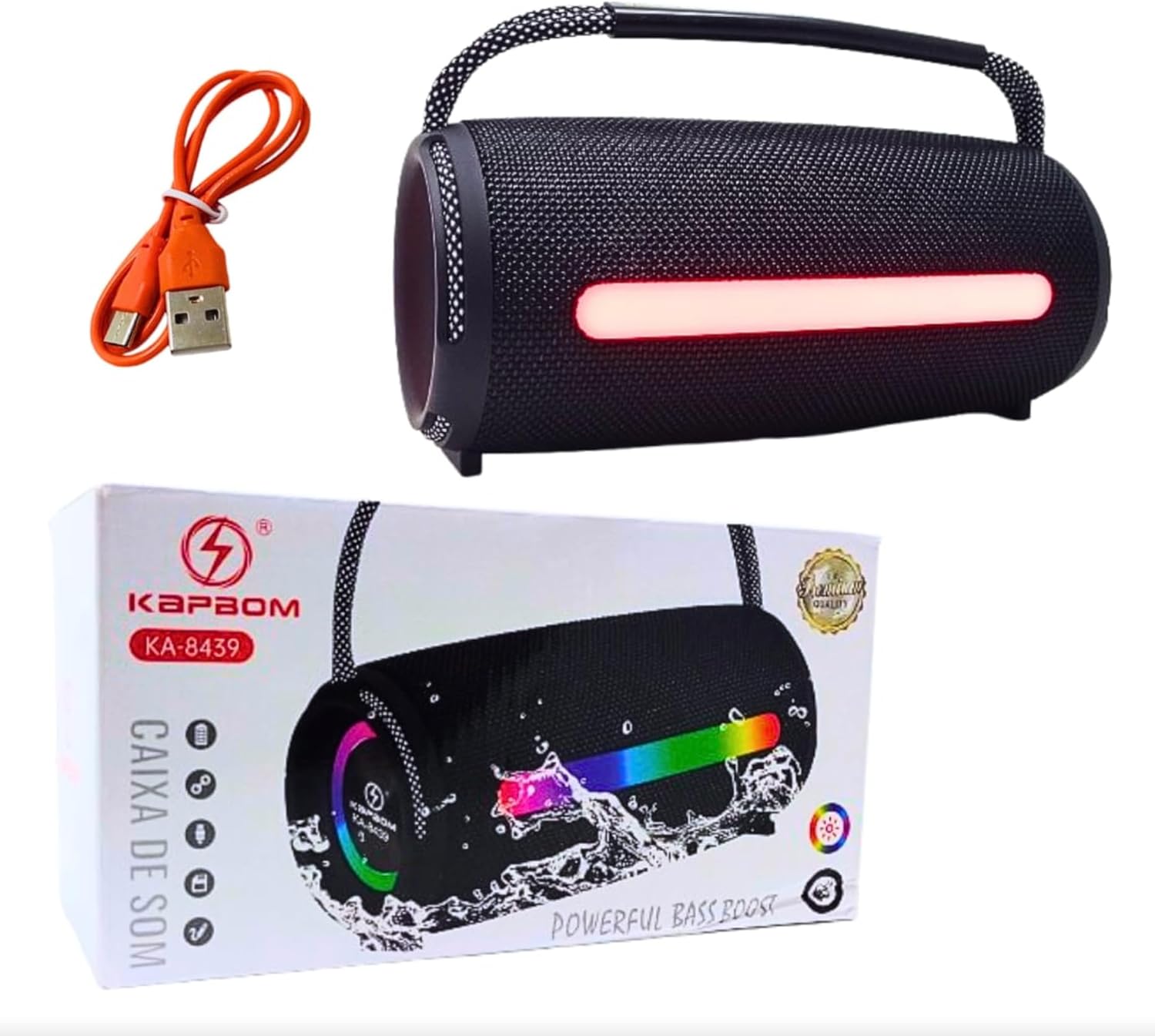
Figure 3.1: Included components: speaker, USB cable, and packaging.
4. Product Overview
Familiarize yourself with the speaker's features and controls.
4.1 Front Panel Controls
- Power Button: Press and hold to turn on/off.
- LED Control Button: Short press to cycle through LED light modes.
- Volume Down / Previous Track: Short press for volume down, long press for previous track.
- Play/Pause Button: Short press to play/pause audio.
- Volume Up / Next Track: Short press for volume up, long press for next track.
4.2 Rear Panel Ports
- USB-C Charging Port: For charging the speaker.
- USB-A Port: For connecting USB drives or charging other devices (power bank function).
- AUX-in Port: For wired audio connection.

Figure 4.1: Speaker controls and LED light in purple mode.
5. Setup
5.1 Initial Charging
Before first use, fully charge the speaker. Connect the provided USB charging cable to the speaker's USB-C port and the other end to a USB power adapter (not included) or a computer's USB port. The charging indicator light will illuminate. A full charge takes approximately 20 hours. The indicator will change or turn off once charging is complete.
5.2 Powering On/Off
Press and hold the Power button for approximately 3 seconds to turn the speaker on or off. You will hear an audible prompt.
6. Operating Instructions
6.1 Bluetooth Pairing
- Turn on the speaker. It will automatically enter Bluetooth pairing mode, indicated by a flashing LED light or an audible prompt.
- On your smartphone, tablet, or other Bluetooth-enabled device, go to the Bluetooth settings.
- Search for available devices and select "KAPBOM KA-8439" from the list.
- Once connected, the speaker will provide an audible confirmation, and the LED light may change its pattern.
- The speaker will automatically reconnect to the last paired device when powered on, if the device is within range and Bluetooth is enabled.
6.2 Audio Playback
- Play/Pause: Short press the Play/Pause button.
- Volume Up: Short press the Volume Up (+) button.
- Volume Down: Short press the Volume Down (-) button.
- Next Track: Long press the Volume Up (+) button.
- Previous Track: Long press the Volume Down (-) button.
6.3 LED Light Control
The speaker features dynamic RGB LED lighting. Short press the LED Control button to cycle through different light modes and colors. Press and hold the LED Control button to turn the lights off or on.

Blue LED mode.

Green LED mode.

Red LED mode.
6.4 Water Resistance (IPX6)
The KAPBOM KA-8439 is rated IPX6, meaning it is protected against high-pressure water jets from any direction. This makes it suitable for use near pools, beaches, or in light rain. Important: Ensure the rubber flap covering the charging and AUX ports is securely closed before exposing the speaker to water. Do not submerge the speaker.
6.5 Using the Shoulder Strap
Attach the included shoulder strap to the designated loops on the speaker for convenient portability. Ensure the strap is securely fastened before carrying the speaker.
7. Maintenance
- Cleaning: Wipe the speaker with a soft, damp cloth. Do not use abrasive cleaners or solvents.
- Storage: Store the speaker in a cool, dry place away from direct sunlight and extreme temperatures.
- Battery Care: To prolong battery life, avoid fully discharging the battery frequently. Charge the speaker regularly, even if not in use for extended periods.
8. Troubleshooting
| Problem | Possible Cause | Solution |
|---|---|---|
| Speaker does not turn on. | Low battery. | Charge the speaker fully. |
| Cannot pair via Bluetooth. | Bluetooth not enabled on device; speaker not in pairing mode; device too far. | Ensure Bluetooth is on. Turn speaker off and on to re-enter pairing mode. Move device closer to speaker (within 10 meters). |
| No sound. | Volume too low; device not connected; incorrect input source. | Increase volume on both speaker and connected device. Re-establish Bluetooth connection. Ensure correct input (Bluetooth/AUX). |
| LED lights not working. | Lights turned off; malfunction. | Short press the LED Control button to cycle modes, long press to turn on. If still not working, contact support. |
9. Specifications
| Model Name: | KA-8439 |
| Brand: | Genérico (KAPBOM) |
| Dimensions (L x W x H): | 23 cm x 8 cm x 8 cm |
| Weight: | 960 Grams |
| Connectivity Technology: | Bluetooth 5.1 |
| Wireless Range: | Up to 10 Meters |
| Speaker Type: | Woofer |
| Output Power: | 40 Watts (Rated), 26W (from product description) |
| Signal-to-Noise Ratio (SNR): | 80 dB |
| Frequency Response: | 20 KHz |
| Battery Capacity: | 7500 mAh (Lithium) |
| Battery Life: | Up to 20 Hours |
| Charging Time: | Approximately 20 Hours |
| Water Resistance: | IPX6 (Waterproof) |
| Input Voltage: | 110, 22 Volts |
| Certifications: | Anatel: 20249-22-13887 |
10. Warranty and Support
This KAPBOM KA-8439 speaker comes with a manufacturer's warranty. Please refer to the details below:
- Manufacturer Warranty: 30 days
- General Warranty Type: 1 Year
For technical support, warranty claims, or further assistance, please contact your retailer or the manufacturer directly. Keep your proof of purchase for warranty validation.
Note: Warranty terms may vary based on region and retailer.