
1. Introduction
Thank you for choosing the EWEADN GX710S Backlit Wired Keyboard. This full-size keyboard is designed for comfortable and efficient typing, featuring a simple white backlight, durable metal panel, and quiet pudding keycaps. This manual provides detailed instructions on setting up, operating, maintaining, and troubleshooting your new keyboard.

Figure 1: EWEADN GX710S Backlit Wired Keyboard in Pink.
2. Product Overview
The EWEADN GX710S keyboard combines aesthetic design with practical functionality for both office and gaming use.
Key Features:
- Simple White Backlight: Adjustable brightness for clear visibility in various lighting conditions.
- Upgraded Water Drop Pudding Keycaps: Enhanced light transmittance, comfortable concave and convex surface, and reduced typing noise by up to 95%.
- Ergonomic Design: Concave & convex keys and a 7° tilt (with adjustable footrests) for comfortable typing and reduced fatigue.
- 26-key Anti-ghosting: Ensures simultaneous key presses are registered accurately, ideal for fast typing and gaming.
- Durable Metal Panel: Thickened metal panel with a frosted matte finish provides scratch resistance and enhanced durability.
- Universal Compatibility: Plug-and-play functionality with Windows, Linux, Chrome, and Mac operating systems.

Figure 2: Overview of EWEADN V3 Wired Silent Keyboard features, highlighting membrane structure, metal panel, wired connectivity, ring light, pudding keycaps, 26-key anti-ghosting, ergonomic design, and ultra-thin body.

Figure 3: Illustration of dual-color injection-molded keycaps, emphasizing no fading and non-greasy properties compared to other keycaps.

Figure 4: Close-up of water drop pudding keycaps, showing how they fit fingers for comfortable typing and highlighting 99% noise reduction (37db-48db) and 100% translucency.

Figure 5: Detail of the durable aluminum alloy keyboard panel, emphasizing its scratch-resistant and touch-upgraded surface.

Figure 6: Visual representation of the keyboard's ergonomic design with bottom foot support, side ring lights, and silent membrane keyboard structure for comfortable and quiet use.
3. Setup
The EWEADN GX710S keyboard is designed for simple plug-and-play setup.
- Unpack the Keyboard: Carefully remove the keyboard from its packaging.
- Connect to Your Device: Insert the USB-A connector of the keyboard cable into an available USB port on your computer (PC, laptop, desktop), gaming console, or other compatible device.
- Automatic Installation: Your operating system (Windows, Mac, Linux, Chrome) will automatically detect and install the necessary drivers. This process usually takes a few seconds.
- Ready to Use: Once the installation is complete, your keyboard is ready for immediate use.
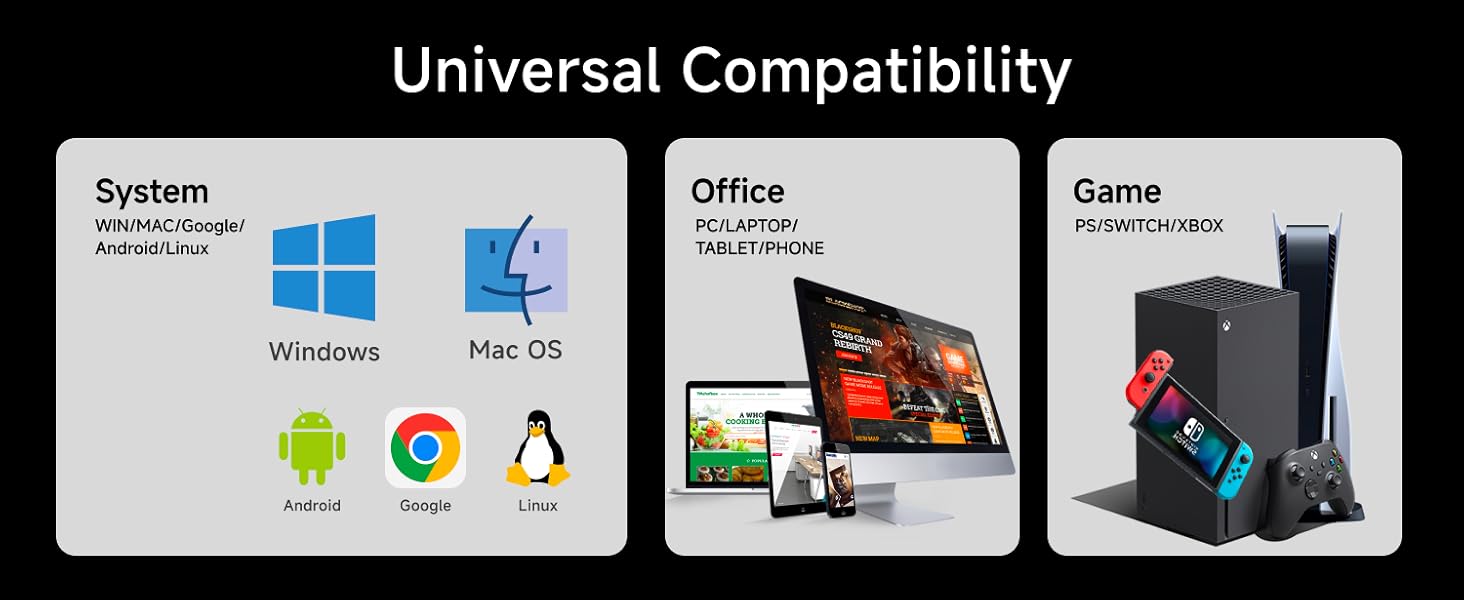
Figure 7: The keyboard's universal compatibility with various operating systems and devices, including Windows, Mac OS, Android, Google, Linux, PCs, laptops, tablets, phones, PS, Switch, and Xbox.
4. Operating Instructions
4.1 Backlight Adjustment
The GX710S keyboard features a simple white backlight with adjustable brightness levels.
- Increase Brightness: Press FN + PU (Page Up) to increase the backlight brightness. There are 5 levels of brightness.
- Decrease Brightness: Press FN + PD (Page Down) to decrease the backlight brightness.
- Turn On/Off Backlight: Press FN + Menu key (usually the key next to right Ctrl or Alt) to toggle the backlight on or off.

Figure 8: Instructions for adjusting backlight brightness (FN+PU/PD) and turning the light on/off (FN+Menu key).

Figure 9: The keyboard with its adjustable single-color backlight, showing the FN key combinations for light control.
4.2 Anti-Ghosting
The GX710S features 26-key anti-ghosting, which means up to 26 keys can be pressed simultaneously and all will be registered accurately. This is particularly beneficial for fast typists and gamers who require precise input during complex actions.
4.3 Ergonomic Features
The keyboard is designed with user comfort in mind:
- Concave & Convex Keycaps: The surface of the keycaps is shaped to fit your fingertips, providing a more natural and comfortable typing experience.
- Adjustable Tilt: Two foldable footrests on the bottom of the keyboard allow you to adjust the tilt angle to 7°, promoting a more ergonomic wrist position.
- Anti-slip Stickers: Four anti-slip stickers ensure the keyboard remains stable on your desk during use.

Figure 10: The ergonomic design of the keyboard, showing the foldable stand and anti-slip feet for comfortable and smooth typing.

Figure 11: Key features including Number Lock, Uppercase & Lowercase Switch, Win Lock, upgraded pudding keycaps, and bottom support for stability.
4.4 Quiet Operation
The GX710S utilizes a quiet membrane structure and upgraded water drop pudding keycaps to significantly reduce typing noise. This makes it suitable for environments where noise reduction is important, such as libraries, cafes, offices, or dormitories.

Figure 12: The quiet membrane structure with 2024 upgraded water drop pudding keycaps, highlighting ergonomic design and quiet click.

Figure 13: The benefit of reduced noise, allowing for more focus and efficient work without distracting click noises.
5. Maintenance
Proper maintenance will extend the lifespan of your EWEADN GX710S keyboard.
- Regular Cleaning: Use a soft, dry cloth to wipe down the keyboard surface and keycaps regularly. For deeper cleaning, you can use a keyboard brush or compressed air to remove dust and debris from between the keys.
- Keycap Cleaning: The water drop pudding keycaps are designed to be non-greasy and resist fading. If needed, they can be gently wiped with a slightly damp cloth (ensure no liquid enters the keyboard).
- Avoid Liquids: Do not spill liquids on the keyboard. In case of accidental spills, immediately disconnect the keyboard from your device and allow it to dry completely before reconnecting.
- Handle with Care: Avoid dropping the keyboard or subjecting it to excessive force, as this can damage the internal components or the metal panel.
6. Troubleshooting
If you encounter issues with your EWEADN GX710S keyboard, please refer to the following common solutions:
| Problem | Possible Cause | Solution |
|---|---|---|
| Keyboard not responding | Loose USB connection, faulty USB port, driver issue. | Ensure the USB cable is securely plugged into the computer. Try a different USB port. Restart your computer. |
| Backlight not working | Backlight turned off, brightness set to minimum. | Press FN + Menu key to toggle the backlight. Press FN + PU to increase brightness. |
| Keys are sticky or unresponsive | Debris under keycaps, liquid damage. | Clean the keycaps and spaces between them using compressed air or a keyboard brush. If liquid damage is suspected, disconnect and allow to dry completely. |
| Some keys not registering during fast typing/gaming | Software conflict, specific application issue. | Ensure your operating system and application drivers are up to date. This keyboard features 26-key anti-ghosting, so this issue is unlikely due to hardware limitations unless multiple keys beyond 26 are pressed simultaneously. |
If the problem persists after trying these solutions, please contact EWEADN customer support for further assistance.
7. Specifications
| Attribute | Detail |
|---|---|
| Product Dimensions | 17.32 x 5.11 x 0.78 inches |
| Item Weight | 1.59 pounds |
| Manufacturer | EWEADN |
| Item Model Number | GX710S |
| Brand | SEUNKWANG |
| Compatible Devices | PC, Laptop, Desktop, Gaming Console, Smart TV, Smartphone, Tablet |
| Connectivity Technology | USB-A (Wired) |
| Keyboard Description | Quiet Wired Membrane Keyboard |
| Special Features | Backlit, Ergonomic, Foldable (footrests), Lightweight, Quiet |
| Color | Pink (for this model variant) |
| Number of Keys | 104 |
| Keyboard Backlighting | Single Color (White) |
8. Official Product Videos
Watch these official videos from the seller for more insights into the EWEADN GX710S keyboard's features and functionality.
Video 1: "so cute V3 pink keyboard and mouse wireless". This video showcases the pink keyboard and a matching wireless mouse, highlighting its aesthetic appeal and quiet operation.
Video 2: "GX710S Wired Office Keyboard for Productivity & Aesthetics!". This video demonstrates the GX710S keyboard's suitability for office environments, focusing on its productivity features and aesthetic design.
Video 3: "Aesthetics GX710S Wired Quiet Office Keyboard". This video highlights the quiet operation and aesthetic appeal of the GX710S wired keyboard, perfect for a peaceful workspace.
Video 4: "EWEADN GX710S with thickened metal panel that durable!". This video emphasizes the durability of the EWEADN GX710S keyboard, showcasing its thickened metal panel construction.
Video 5: "Taro Purple Silent Keyboard". This video features the keyboard in a Taro Purple color, demonstrating its silent operation and appealing design.
9. Warranty and Support
EWEADN is committed to providing high-quality products and excellent customer service.
- Brand Support: The EWEADN GX710S keyboard comes with 48-month brand support.
- Customer Service: Our expert team is always ready to assist you. If you have any questions, concerns, or require technical support, please do not hesitate to contact us. We aim to reply within 24 hours.

Figure 14: EWEADN's commitment to customer support, including 24-hour reply time and 360 days of manufacturer brand support.