1. Introduction
This manual provides essential information for the safe and efficient operation of your BougeRV 55 Quart Rocky V2.0 Portable Refrigerator. Please read it thoroughly before use and retain it for future reference.
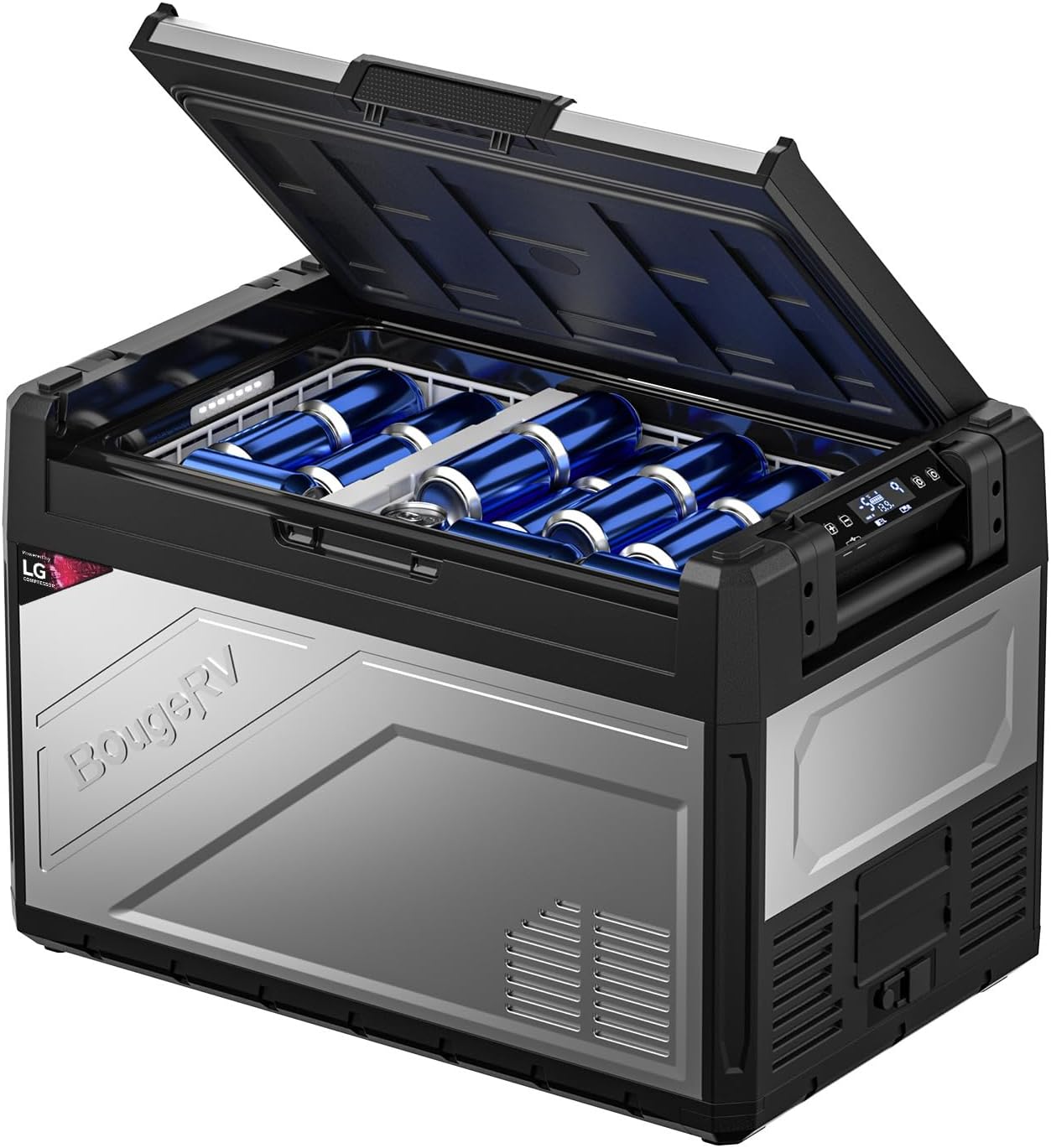
Image 1.1: BougeRV 55 Quart Rocky V2.0 Portable Refrigerator. This image displays the portable refrigerator with its lid open, revealing several blue beverage cans inside.
2. Safety Information
To ensure safe operation and reduce the risk of injury or damage, observe the following precautions:
- Do not operate the appliance if it is visibly damaged.
- Ensure proper ventilation around the unit. Do not block ventilation openings.
- Use only the provided power cords and adapters.
- Avoid placing the unit in direct sunlight or near heat sources.
- Keep the appliance away from water and moisture.
- Do not attempt to repair or modify the unit yourself. Contact qualified service personnel.
- Ensure the unit is stable and level before operation.
3. Product Overview
3.1 Components
The BougeRV Rocky V2.0 Portable Refrigerator includes the following main components:
- Main Refrigerator Unit
- Removable Divider
- Two Removable Baskets
- DC Power Cord (10.82 ft)
- AC Power Adapter (6.56 ft)
- User Manual

Image 3.1: Contents of the BougeRV Portable Refrigerator package. This image shows the main refrigerator unit, AC adapter, DC cord, two baskets, and the user manual.
3.2 Key Features
- Dual Zone Capability: Use as a single temperature zone or split into two zones (refrigeration and freezing) with the removable divider.
- Rapid Cooling: Achieves 32°F from 77°F in approximately 15 minutes (empty, Max mode).
- Wide Temperature Range: Cools from -4°F to 68°F (-20°C to 20°C).
- APP Control: Monitor and adjust settings via the BougeRV App (Bluetooth range up to 32ft).
- Efficient Compressor: Equipped with a 5.7cc compressor for reliable performance.
- Low Noise Operation: Operates at less than 45dB.
- Power Options: Compatible with 12/24V DC and 110-240V AC power sources.
- Integrated Battery Solution: Supports optional BougeRV 173Wh Detachable Battery and 100W Solar Panel (sold separately).
- Convenience Features: Built-in lights, folding handles, bottle opener, and drain plug.

Image 3.2: Dual Zone Configuration. This diagram illustrates the three customizable options for the refrigerator: Fridge/Freezer, Freezer/Freezer, and Fridge/Fridge, enabled by a removable divider.

Image 3.3: Cooling Performance. The refrigerator is shown cooling to -4°F in a 109°F ambient temperature, demonstrating its powerful cooling capability.
4. Setup
4.1 Unpacking and Placement
- Carefully remove the refrigerator from its packaging.
- Inspect the unit for any shipping damage. Report any damage to the retailer immediately.
- Place the refrigerator on a flat, stable surface. Ensure adequate ventilation around the unit (at least 6 inches on all sides).
- Allow the unit to stand upright for at least 12 hours before connecting to power. This allows the compressor lubricants to settle.
4.2 Power Connection
The refrigerator can be powered by 12/24V DC or 110-240V AC.
- DC Power (12/24V): Connect the DC power cord to the DC input port on the refrigerator and then to your vehicle's 12V/24V outlet or a portable power station.
- AC Power (110-240V): Connect the AC adapter to the AC input port on the refrigerator, then plug the adapter into a standard wall outlet.
Battery Protection: The unit features a 3-stage battery protection system to prevent your vehicle battery from draining. This can be adjusted via the control panel or APP.
4.3 Dual Zone Configuration
The removable divider allows you to configure the interior as a single large zone or two separate zones.
- To create two zones, insert the divider into the designated slot.
- To use as a single zone, remove the divider.
- Note: When in dual-zone mode, the temperature of the left zone cannot be set lower than the right zone.
Image 4.1: Dual Zone Setup. This image visually explains how to configure the refrigerator for single or dual-zone use with the removable divider.
5. Operating Instructions
5.1 Control Panel Operation
The control panel is located on the front of the unit. It typically includes a power button, temperature adjustment buttons, and a display.
- Power On/Off: Press and hold the power button to turn the unit on or off.
- Temperature Adjustment: Use the '+' and '-' buttons to set the desired temperature for each zone (if applicable).
- Mode Selection: Cycle through cooling modes (e.g., Max, Eco) using the mode button. Max mode provides faster cooling, while Eco mode conserves energy.
5.2 APP Control
The BougeRV App allows for convenient remote control of your refrigerator via Bluetooth.
- Download the BougeRV App from your smartphone's app store.
- Ensure Bluetooth is enabled on your smartphone.
- Open the App and follow the instructions to pair with your refrigerator.
- Once connected, you can adjust temperature settings, switch modes, and turn the unit on/off from your device within a 32ft range.

Image 5.1: Smartphone App Control. This image shows a smartphone displaying the BougeRV app interface, used to control the refrigerator's settings remotely.
6. Maintenance
6.1 Cleaning
- Always disconnect the power before cleaning.
- Clean the interior and exterior with a damp cloth and mild detergent. Avoid abrasive cleaners.
- Ensure all surfaces are dry before reconnecting power.
- Regularly clean the ventilation grilles to prevent dust buildup.

Image 6.1: Drain Plug. This image highlights the drain plug feature, which facilitates easy cleaning and water removal from the unit.
6.2 Defrosting
The refrigerator features manual defrost. Frost buildup can reduce cooling efficiency.
- When frost layer exceeds 0.2 inches (5mm), turn off the unit and disconnect power.
- Remove all contents.
- Allow the frost to melt naturally. Do not use sharp objects to remove ice.
- Wipe away melted water with a cloth. Use the drain plug for larger amounts of water.
- Ensure the interior is completely dry before restarting the unit.
6.3 Storage
If storing the refrigerator for an extended period:
- Clean and dry the unit thoroughly.
- Leave the lid slightly ajar to prevent odors and mold growth.
- Store in a dry, well-ventilated area, away from direct sunlight and extreme temperatures.
7. Troubleshooting
Refer to the following table for common issues and their solutions.
| Problem | Possible Cause | Solution |
|---|---|---|
| Unit does not turn on | No power supply; loose connection; blown fuse. | Check power cord connection; verify power source; inspect vehicle fuse or adapter fuse. |
| Insufficient cooling | Blocked ventilation; excessive ambient temperature; door not sealed properly; too much content. | Ensure clear ventilation; move to cooler area; check door seal; reduce contents for better airflow. |
| Temperature display inaccurate | Sensor issue; external factors. | This can sometimes occur; adjust set temperature lower if needed to achieve desired internal temperature. If persistent, contact support. |
| App not connecting | Bluetooth off; unit not powered; out of range. | Ensure Bluetooth is on; power on the unit; move closer to the unit (within 32ft). |
| Unit making unusual noises | Unit not level; internal component issue. | Ensure unit is on a flat surface. If noise persists and is abnormal, discontinue use and contact support. |
8. Specifications
| Feature | Detail |
|---|---|
| Brand | BougeRV |
| Model Number | CR05201 (RB016-SLUSEF) |
| Capacity | 55 Quarts (27.5 Quarts Refrigerator Fresh Food Capacity) |
| Item Weight | 49.9 pounds |
| Product Dimensions (D x W x H) | 17.72 x 28.03 x 18.74 inches |
| Voltage | 12 Volts (DC), 110-240 Volts (AC) |
| Cooling Temperature Range | -4°F to 68°F (-20°C to 20°C) |
| Compressor Type | 5.7cc Compressor |
| Defrost System | Manual |
| Special Features | Portable, Dual Zone, APP Control, Low Noise |
| Color | Silver & Black |
9. Warranty and Support
9.1 Warranty Information
Your BougeRV 55 Quart Rocky V2.0 Portable Refrigerator comes with a 2-Year Tech Support. Please retain your proof of purchase for warranty claims.
For detailed warranty terms and conditions, please refer to the official BougeRV website or contact customer service.
9.2 Customer Support
If you encounter any issues or have questions regarding your product, please reach out to BougeRV customer support. They provide one-on-one friendly technical support.
Contact information can typically be found on the official BougeRV website or on your purchase documentation.


