BougeRV Rocky V2.0 Portable Refrigerator User Manual
Model: 41 Quart (CR04001 / RB016-SLUSEE)
Brand: BougeRV
Introduction
This user manual provides essential information for the safe and efficient operation of your BougeRV Rocky V2.0 Portable Refrigerator. Please read this manual thoroughly before use and retain it for future reference.
Product Features
- Dual Zone Capability: Can operate as a single or dual zone refrigerator/freezer with a removable divider.
- Powerful Cooling: Achieves temperatures down to -4°F (-20°C) even in high ambient temperatures (up to 109°F / 43°C) using a 5.7cc compressor.
- Fast Cooling: Cools from 77°F (25°C) to 32°F (0°C) in approximately 15 minutes (single zone, empty, max mode).
- APP Control: Monitor and adjust settings remotely via the BougeRV App (up to 32ft distance).
- Versatile Power: Compatible with 12V/24V DC and 110-240V AC power sources.
- Low Noise Operation: Operates at less than 45dB.
- Reversible Door: The lid can be detached and re-attached to open from either the left or right side for convenience.
- Integrated Battery Solution: Supports optional BougeRV 173Wh detachable battery and 100W solar panel (sold separately).
- Additional Features: Built-in lights, folding handles, bottle opener, and drain plug for easy cleaning.
What's in the Box
- 1 x Rocky 41 Quart Portable Refrigerator
- 1 x 10.82 ft DC Power Cord
- 1 x 6.56 ft AC Power Adapter
- 2 x Removable Baskets
- 1 x User Manual

Image: A visual representation of the items included in the product packaging, showing the refrigerator, DC power cord, AC power adapter, two removable baskets, and the user manual.
Setup
- Unpacking: Carefully remove the refrigerator and all accessories from the packaging. Inspect for any damage.
- Placement: Place the refrigerator on a stable, level surface. Ensure adequate ventilation around the unit (at least 6 inches of space on all sides). Avoid direct sunlight or heat sources.
- Power Connection:
- AC Power (Home/Wall Outlet): Connect the AC power adapter to the refrigerator's AC input port (110-240V AC). Plug the other end into a standard wall outlet.
- DC Power (Vehicle/Battery): Connect the DC power cord to the refrigerator's DC input port (12V/24V DC). Plug the other end into your vehicle's cigarette lighter socket or a compatible portable power station.
- Solar Charging (Optional): If using a solar panel (sold separately), connect it to the designated solar input port on the refrigerator. This requires the optional detachable battery.
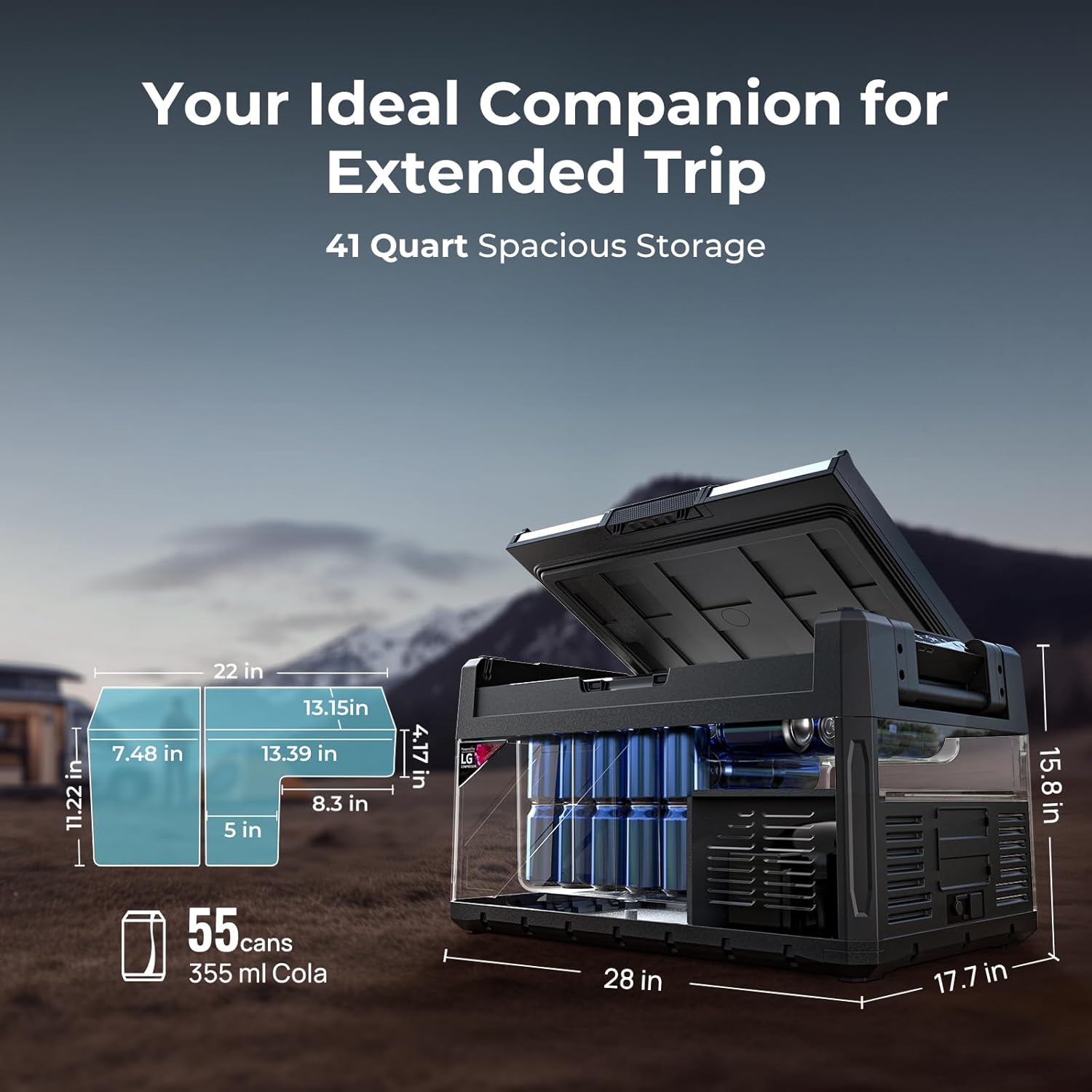
Image: The portable refrigerator showing its various power input ports, including DC (12V/24V) and AC (110-240V), and an optional solar input for charging the detachable battery.
- Initial Power On: Press the power button on the control panel to turn on the unit. The display will illuminate.
- Divider Installation (Optional): If dual-zone functionality is desired, insert the removable divider into the designated slot inside the main compartment.

Image: A visual guide demonstrating how to install or remove the internal divider to switch between single and dual zone cooling modes.
Operating Instructions
- Control Panel Overview: The control panel features buttons for power, temperature adjustment (+/-), mode selection (MAX/ECO), and settings.

Image: Close-up of the control panel showing the digital display, temperature adjustment buttons, and mode selection options.
- Temperature Setting:
- Press the '+' or '-' buttons to adjust the desired temperature for each zone (if dual zone is active).
- The temperature range is -4°F to 68°F (-20°C to 20°C).
- When in dual zone mode, the left zone's temperature cannot be lower than the right zone's.

Image: Illustrates the flexibility of dual-zone settings, allowing for different temperature configurations for the fridge and freezer compartments.
- Cooling Mode (MAX/ECO):
- Press the mode button to switch between MAX (fast cooling) and ECO (energy-saving) modes.
- ECO mode is recommended for extended use to conserve power.
- Battery Protection Setting:
- The refrigerator has a battery protection system (High, Medium, Low) to prevent your vehicle's battery from draining completely.
- Select the appropriate setting based on your power source. High is recommended when connected to a vehicle battery.
- APP Control:
- Download the BougeRV App from your smartphone's app store.
- Follow the in-app instructions to pair your refrigerator via Bluetooth.
- Once paired, you can control temperature, switch modes, and monitor status from your phone within a 32ft range.

Image: A smartphone displaying the BougeRV app interface, showing temperature control, mode selection, and battery status for the portable refrigerator.
- Reversible Door: The lid can be detached and re-attached to open from either the left or right side, providing flexibility for placement.

Image: Shows the lid being removed and re-attached to the opposite side, illustrating the two-way reversible door design for convenient access.
Maintenance
- Cleaning:
- Always disconnect power before cleaning.
- Clean the interior and exterior with a damp cloth and mild detergent. Avoid abrasive cleaners.
- Use the integrated drain plug at the bottom for easy water drainage after cleaning.
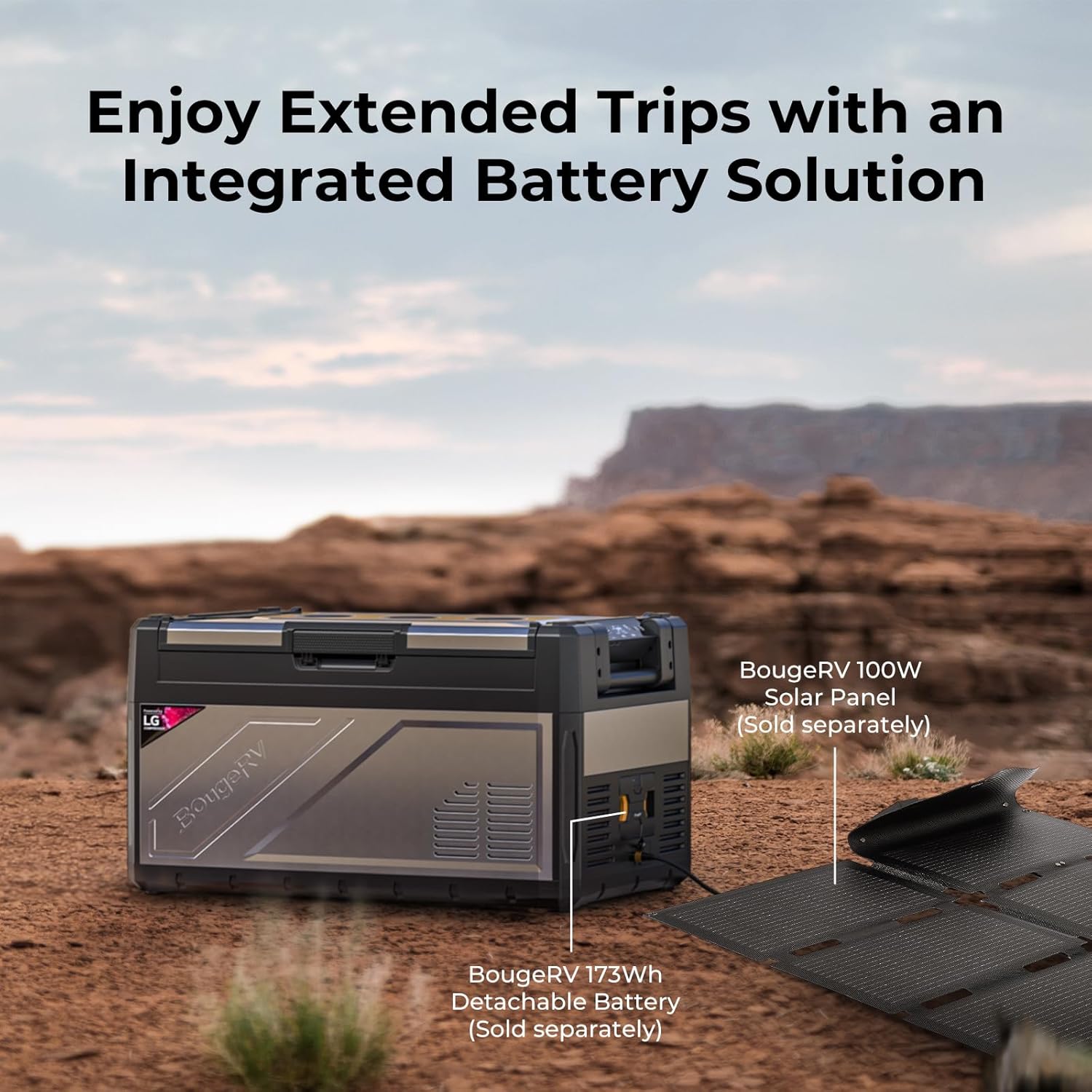
Image: The interior of the refrigerator showing the drain plug at the bottom for convenient cleaning and water removal.
- Ventilation: Regularly check that the ventilation openings are clear of obstructions to ensure proper airflow and cooling efficiency.
- Storage: When not in use for extended periods, ensure the refrigerator is clean and dry. Store with the lid slightly ajar to prevent odors and mold.
Troubleshooting
| Problem | Possible Cause | Solution |
|---|---|---|
| Refrigerator not cooling | No power supply; Incorrect temperature setting; Poor ventilation. | Check power connections; Adjust temperature setting; Ensure clear ventilation. |
| Temperature too high/low | Temperature setting incorrect; Ambient temperature too high. | Adjust temperature setting; Move to a cooler environment if possible. |
| Unit making unusual noise | Unit not level; Fan obstruction. | Place on a level surface; Check for and remove any obstructions from the fan. |
| APP connection issues | Bluetooth not enabled; Out of range; App not updated. | Ensure Bluetooth is on; Move closer to the unit; Update the BougeRV App. |
Specifications
| Feature | Detail |
|---|---|
| Brand | BougeRV |
| Model Info | CR04001 / RB016-SLUSEE |
| Capacity | 41 Quarts |
| Item Weight | 54.4 pounds |
| Product Dimensions | 17.72 x 28.03 x 15.79 inches |
| Voltage | 12V/24V DC, 110-240V AC |
| Cooling Temperature Range | -4°F to 68°F (-20°C to 20°C) |
| Compressor | 5.7cc |
| Noise Level | <45dB |
| Color | Silver & Black |
| First Available Date | December 27, 2024 |
Warranty and Support
BougeRV provides 2-Year Tech Support for the Rocky V2.0 Portable Refrigerator. If you have any questions or require assistance, please reach out to BougeRV customer service. For detailed warranty information, please refer to the official BougeRV website or contact their support team.
Contact information: www.bougerv.com


