
Ajgvq A219
Ajgvq USB Rechargeable Fan A219 - Instruction Manual
Brand: Ajgvq | Model: A219
1. Introduction and Overview
This manual provides comprehensive instructions for the safe and efficient use of your new Ajgvq USB Rechargeable Fan, Model A219. This compact and portable fan is designed to deliver quiet and effective cooling in various settings, including your home, office, or during travel. Please read this manual thoroughly before operating the device and retain it for future reference.

Image 1.1: The Ajgvq USB Rechargeable Fan in Ferreux color, showcasing its compact design and airflow.
2. Product Features
- Ultra-Quiet Operation: Engineered with a brushless motor and optimized vortex blades, this fan operates at a low noise level of approximately 28 dB, comparable to a whisper, ensuring minimal disturbance.
- Powerful Airflow: Despite its quiet operation, the fan delivers 40% increased airflow, capable of directing a gentle breeze up to 10 meters.
- Adjustable Angle: Features a 135° adjustable tilt, allowing you to direct airflow precisely where needed.
- Three Speed Settings: Choose from three distinct speed modes: Gentle (Speed 1), Standard (Speed 2), and Turbo (Speed 3) for customized cooling.
- Long Battery Life: Equipped with a 2000mAh rechargeable battery, providing up to 12 hours of continuous operation in ECO mode.
- Fast USB-C Charging: Fully recharges in approximately 2 hours using a compatible USB-C charger. The fan can operate while charging.
- Compact and Portable: With dimensions of 13x17 cm and a weight of 235g, this mini fan is highly portable and fits easily into bags.
- Stable Design: Features anti-slip feet and vibration-free operation for stable placement on any surface.
- Durable Material: Constructed from eco-friendly ABS material with a comfortable, odorless surface.

Image 2.1: Illustration of the fan's ultra-quiet operation, showing noise levels compared to whispering and talking.

Image 2.2: Diagram illustrating the fan's powerful airflow and internal components, highlighting the 2000mAh rechargeable battery and USB power.
3. Setup
3.1 Unboxing
Carefully remove the fan and all accessories from the packaging. Ensure all components are present:
- Ajgvq USB Rechargeable Fan
- USB-C Charging Cable
- User Manual (this document)
3.2 Initial Charge
Before first use, it is recommended to fully charge the fan. Connect the provided USB-C charging cable to the fan's charging port and plug the other end into a compatible USB power source (e.g., computer USB port, power bank, wall adapter). The charging indicator lights will illuminate during charging and turn off or change color when fully charged.
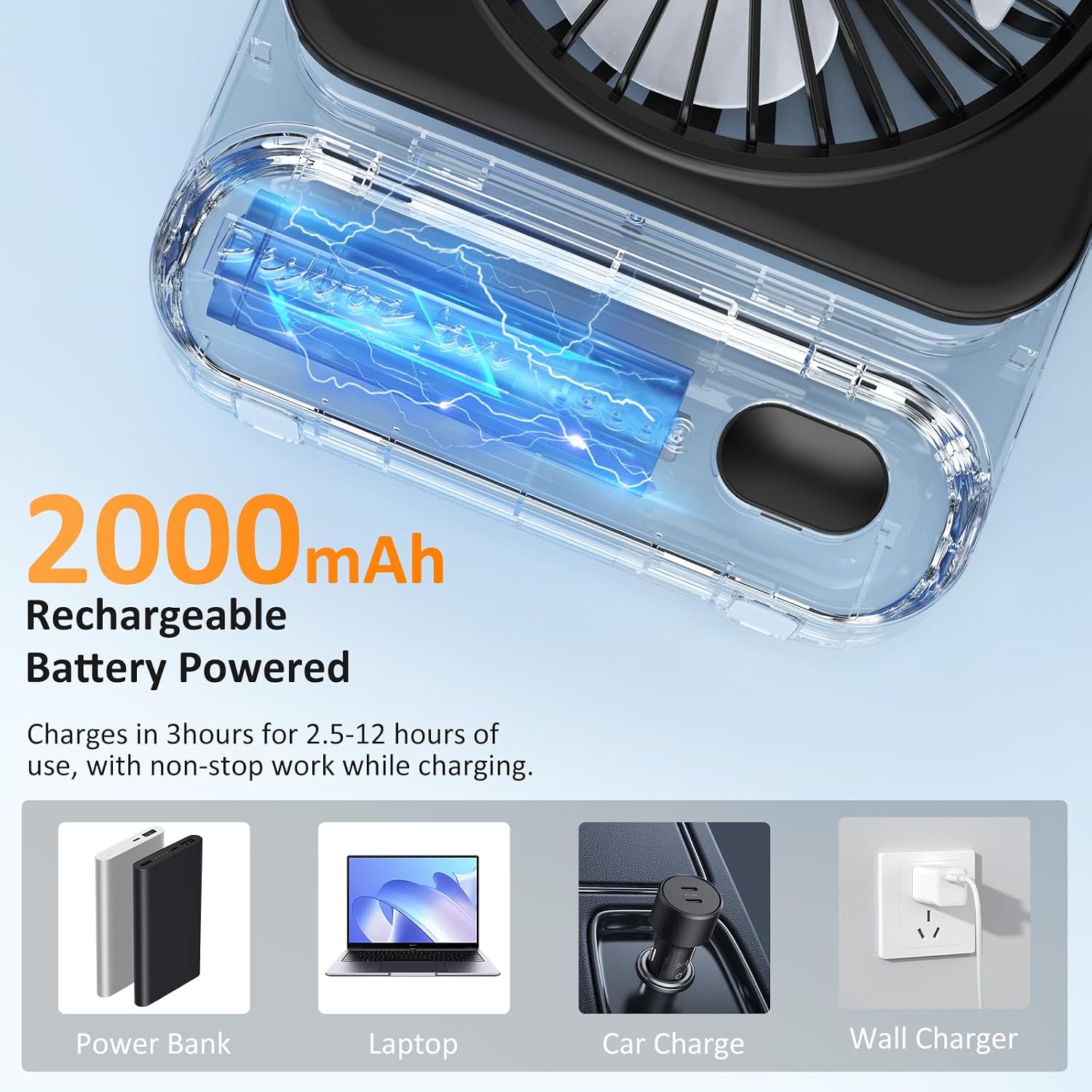
Image 3.1: Visual representation of the fan's 2000mAh rechargeable battery and various charging methods including power bank, laptop, car charger, and wall charger.
3.3 Placement
Place the fan on a stable, flat surface. The anti-slip feet ensure stability. Ensure there are no obstructions to the fan's airflow.
4. Operating Instructions
4.1 Power On/Off
Locate the power button on the base of the fan. Press the button once to turn the fan on to Speed 1 (Gentle mode). Press again to cycle through speeds.
4.2 Speed Adjustment
The fan has three speed settings:
- Press 1st time: Speed 1 (Gentle Wind) - Up to 12 hours autonomy.
- Press 2nd time: Speed 2 (Comfortable Wind) - Up to 4 hours autonomy.
- Press 3rd time: Speed 3 (Ultra Powerful Wind) - Up to 2.5 hours autonomy.
- Press 4th time: Turn off the fan.

Image 4.1: Diagram showing the three speed modes (Low, Mid, High) and their corresponding battery life durations.

Image 4.2: Visual guide to fan speed settings (Vitesse 1, 2, 3) and their respective battery life (12h, 4h, 2.5h).
4.3 Angle Adjustment
The fan head can be manually tilted up to 135 degrees to adjust the direction of airflow. Gently push or pull the fan head to achieve your desired angle.

Image 4.3: Illustration demonstrating the fan's free adjustment capabilities, including vertical height and 135-degree tilt.

Image 4.4: Detailed view of the fan's adjustable tilt mechanism, showing various angles from -100° to -135°.
5. Maintenance
5.1 Cleaning
To maintain optimal performance, clean the fan regularly. Ensure the fan is turned off and unplugged before cleaning.
- Use a soft, dry cloth to wipe the exterior of the fan.
- For dust accumulation on the fan blades, use a soft brush or compressed air. Do not use water or any liquid cleaners directly on the fan.
- Do not attempt to disassemble the fan for cleaning beyond what is easily accessible.
5.2 Storage
When not in use for extended periods, store the fan in a cool, dry place, away from direct sunlight and extreme temperatures. It is advisable to store it in its original packaging to protect it from dust and damage.
6. Troubleshooting
| Problem | Possible Cause | Solution |
|---|---|---|
| Fan does not turn on. | Battery is depleted. Power button not pressed correctly. | Charge the fan using the USB-C cable. Press the power button firmly. |
| Weak airflow. | Fan is on lowest speed setting. Obstruction in front or behind the fan. | Increase the fan speed. Ensure clear path for airflow. |
| Fan not charging. | Charging cable or adapter faulty. Charging port dirty. | Try a different USB-C cable and/or power adapter. Gently clean the charging port with a dry, soft brush. |
| Unusual noise during operation. | Dust or debris on fan blades. Fan not on a stable surface. | Clean the fan blades. Place the fan on a flat, stable surface. |
If the problem persists after attempting these solutions, please contact customer support.
7. Specifications
| Specification | Value |
|---|---|
| Brand | Ajgvq |
| Model Number | A219 |
| Color | Ferreux |
| Product Dimensions (L x W x H) | 4 x 13 x 17 cm |
| Item Weight | 235 g |
| Power | 5 Watts |
| Voltage | 5 Volts |
| Material | Acrylonitrile Butadiene Styrene (ABS) |
| Number of Speeds | 3 |
| Noise Level | 30 dB |
| Special Features | Quiet operation, Adjustable height, Adjustable tilt, Portable |
| Power Source | Battery Powered |
| Battery | 1 A - included |

Image 7.1: Detailed dimensions of the fan, showing its compact size (12.9cm x 17cm) and weight (228g).
8. Warranty and Support
Information regarding specific warranty terms for the Ajgvq USB Rechargeable Fan Model A219 is not explicitly provided in the product specifications. For any warranty claims or detailed support, please refer to the retailer's return policy or contact the seller directly through your purchase platform.
For technical assistance or inquiries about spare parts, please reach out to the manufacturer or seller. Spare parts availability information is currently unavailable.
Always ensure you purchase from authorized sellers to guarantee product authenticity and access to support.
Ask a question about this manual
Ask about setup, troubleshooting, compatibility, parts, safety, or missing instructions. Manuals+ will review the question and use this page’s manual context to help answer it.