
1. Introduction
Thank you for choosing the EDYELL C6 Motorcycle Bluetooth Headset. This device is designed to enhance your riding experience by providing seamless communication, high-fidelity music, and hands-free calling. Featuring Bluetooth V5.3, an OLED display, a 1000mAh battery, and IP67 waterproofing, the C6 offers reliable performance in various conditions. Please read this manual carefully to ensure proper installation and operation.
2. Package Contents
Verify that all items listed below are included in your package:
- 1x EDYELL C6 Motorcycle Bluetooth Headset
- 1x Hard Microphone Speakers Set
- 1x Clamping Base
- 2x Microphone Velcro Tape
- 2x Speaker Velcro
- 2x Booster Sticker
- 1x Stand Velcro Tape
- 1x Thick Double Sided Tape
- 1x User Manual
- 1x Charging Cable
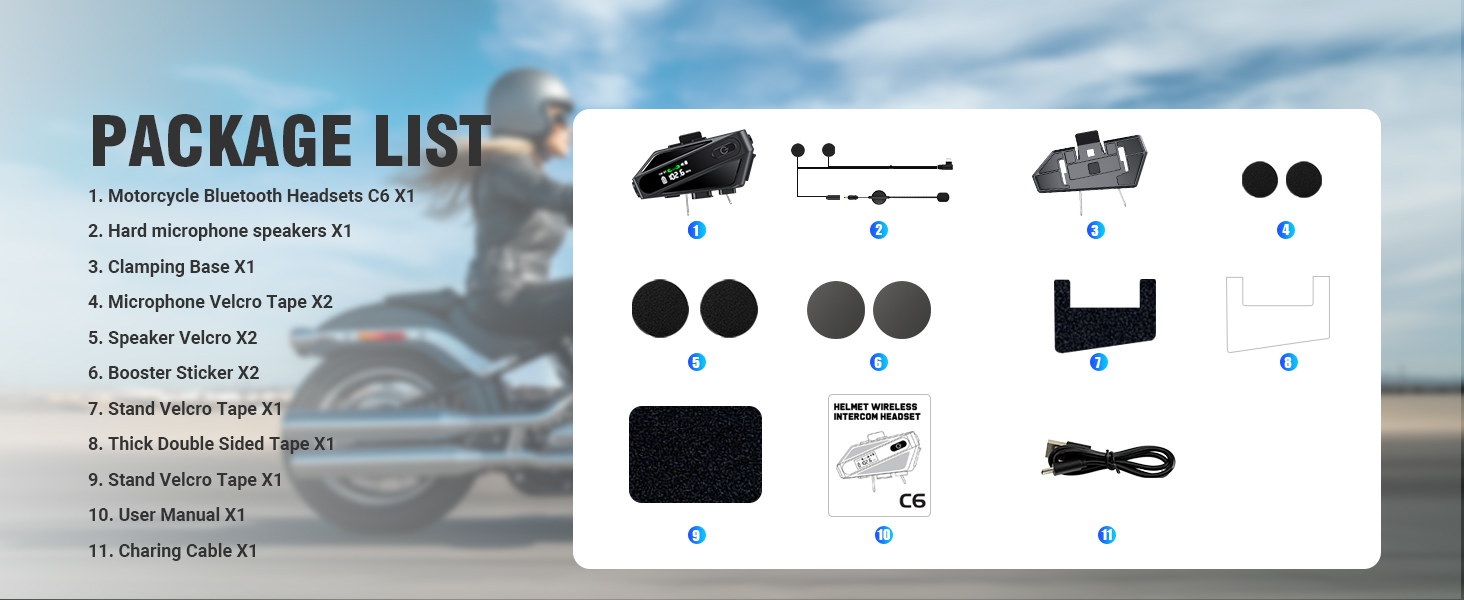
Image: Contents of the EDYELL C6 package, including the headset unit, speakers, microphone, mounting accessories, and charging cable.
3. Product Overview
The EDYELL C6 features an intuitive design with clearly labeled controls and an OLED screen for easy status monitoring.
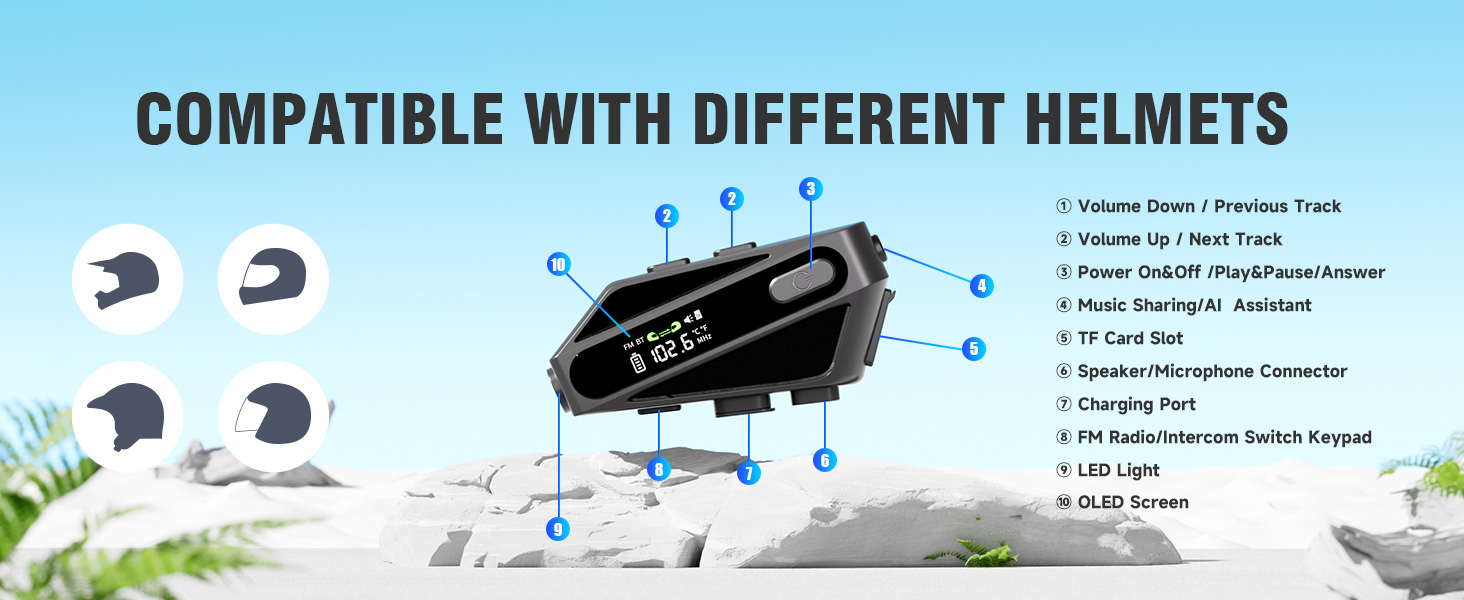
Image: Labeled diagram of the EDYELL C6 headset, highlighting its buttons, ports, and screen.
Controls and Indicators:
- Volume Down / Previous Track Button: Decreases volume or skips to the previous song.
- Volume Up / Next Track Button: Increases volume or skips to the next song.
- Power On/Off / Play/Pause / Answer Button: Controls power, music playback, and call management.
- Music Sharing / AI Assistant Button: Activates music sharing or the voice assistant.
- TF Card Slot: Insert a MicroSD card for offline music playback (up to 128GB).
- Speaker/Microphone Connector: Port for connecting the speaker and microphone assembly.
- Charging Port: USB Type-C port for charging the device.
- FM Radio / Intercom Switch Keypad: Toggles between FM radio and intercom modes.
- LED Light: Provides illumination.
- OLED Screen: Displays battery level, FM frequency, Bluetooth status, and other information.
4. Setup
4.1. Charging the Device
Before first use, fully charge the headset. Connect the provided USB Type-C charging cable to the charging port (7) on the device and to a USB power source. The OLED screen will indicate the charging status. A full charge takes approximately 1.5 hours.

Image: The EDYELL C6 headset connected to a Type-C charger, illustrating its 1000mAh battery capacity and fast charging capability.
4.2. Installation on Helmet
The EDYELL C6 can be installed on various helmet types using the clamping base or adhesive tape. Ensure the speakers are positioned directly over your ears inside the helmet for optimal audio quality, and the microphone is placed near your mouth.

Image: The EDYELL C6 headset securely attached to a helmet, demonstrating its waterproof design.
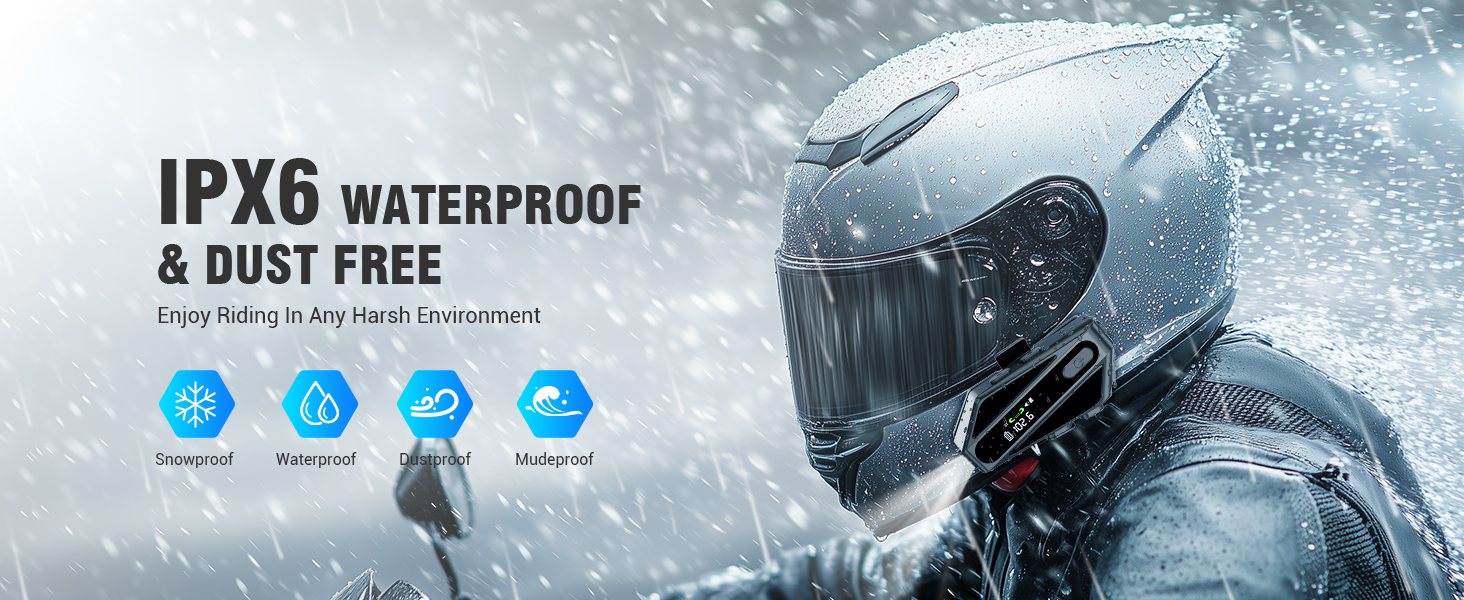
Image: Examples of different helmet types compatible with the EDYELL C6 headset.
5. Operating Instructions
5.1. Power On/Off
- Power On: Press and hold the Power On/Off button (3) for approximately 3 seconds until the OLED screen illuminates.
- Power Off: Press and hold the Power On/Off button (3) for approximately 3 seconds until the OLED screen turns off.
5.2. Bluetooth Pairing
To connect your EDYELL C6 to a mobile phone or other Bluetooth device:
- Ensure the headset is powered off.
- Press and hold the Power On/Off button (3) for approximately 5-7 seconds until the OLED screen shows 'Pairing' or a similar indicator, and the Bluetooth icon flashes.
- On your mobile phone, enable Bluetooth and search for available devices.
- Select 'EDYELL C6' from the list of devices.
- Once connected, the OLED screen will show a stable Bluetooth icon.

Image: The EDYELL C6 supports Bluetooth 5.3 for quick pairing and communication up to 600 meters.
5.3. Music Playback
- Play/Pause: Short press the Power On/Off button (3).
- Next Track: Short press the Volume Up button (2).
- Previous Track: Short press the Volume Down button (1).
- Volume Adjustment: Long press the Volume Up button (2) to increase volume, long press the Volume Down button (1) to decrease volume.
5.4. Phone Calls
- Answer Call: Short press the Power On/Off button (3) when a call comes in.
- End Call: Short press the Power On/Off button (3) during a call.
- Reject Call: Long press the Power On/Off button (3) when a call comes in.
- Redial Last Number: Double-press the Power On/Off button (3) in standby mode.
5.5. Intercom Function
The C6 supports intercom communication with another C6 unit up to 600 meters. Refer to the specific pairing instructions for intercom mode in the full user manual for detailed steps.
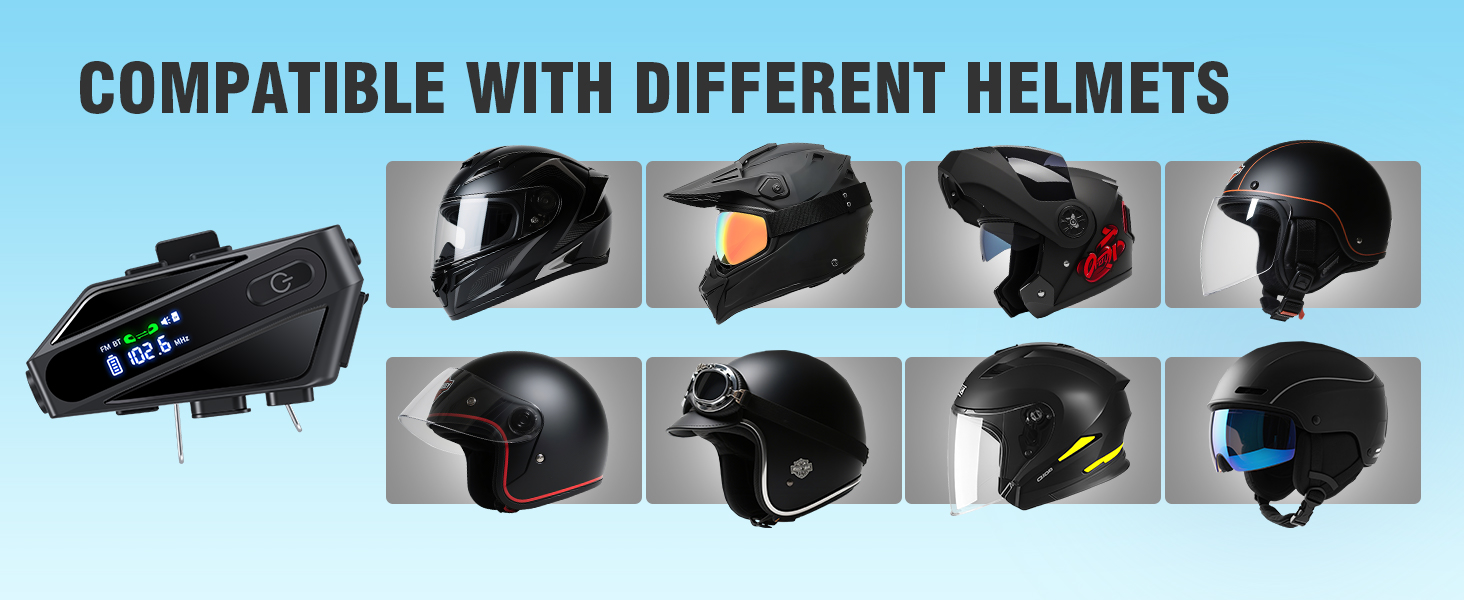
Image: The EDYELL C6 offers an extra-long communication distance of 600 meters for rider-to-rider intercom.
5.6. FM Radio
To activate FM radio, short press the FM Radio/Intercom Switch Keypad (8). Use the Volume Up/Down buttons (1, 2) to change stations. Short press the FM Radio/Intercom Switch Keypad (8) again to exit FM mode.
5.7. Voice Assistant
Activate your phone's voice assistant (e.g., Siri, Google Assistant) by short pressing the Music Sharing/AI Assistant button (4). You can then issue commands like "Hey Siri, call Mike."

Image: The EDYELL C6 supports intelligent voice assistant functions for hands-free control.
5.8. Music Sharing
To share music with a companion's EDYELL C6 headset, long-press the Music Sharing/AI Assistant button (4). Both headsets must be in intercom mode or paired for this feature to work.
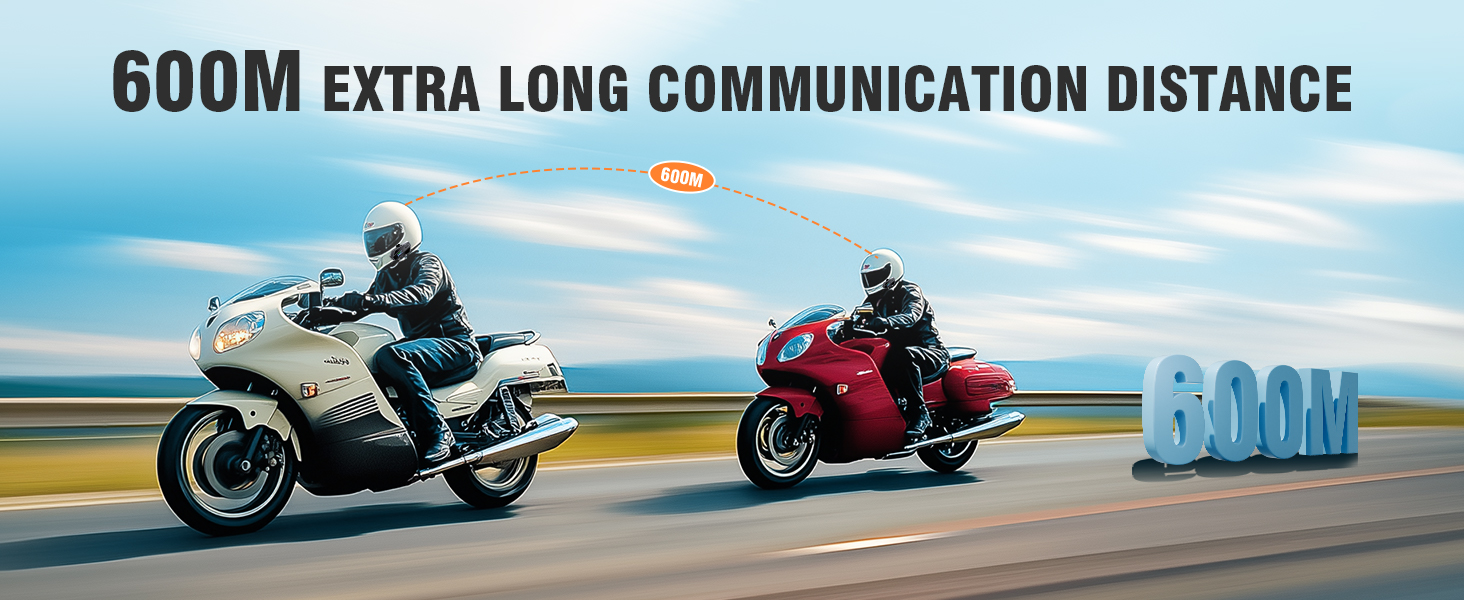
Image: Music sharing feature of the EDYELL C6, allowing two riders to listen to the same audio.
5.9. TF Card Offline Playback
Insert a MicroSD card (up to 128GB) into the TF Card Slot (5) to play music directly from the card without needing a Bluetooth connection to a phone.
6. Maintenance
To ensure the longevity and optimal performance of your EDYELL C6 headset:
- Cleaning: Wipe the device with a soft, damp cloth. Avoid using harsh chemicals or abrasive cleaners.
- Water Resistance: The device is IP67 waterproof. While it can withstand rain and splashes, avoid submerging it in water for extended periods. Ensure the charging port cover is securely closed.
- Storage: Store the headset in a cool, dry place away from direct sunlight and extreme temperatures.
- Battery Care: For long-term storage, charge the battery to about 50% every few months to prevent deep discharge.
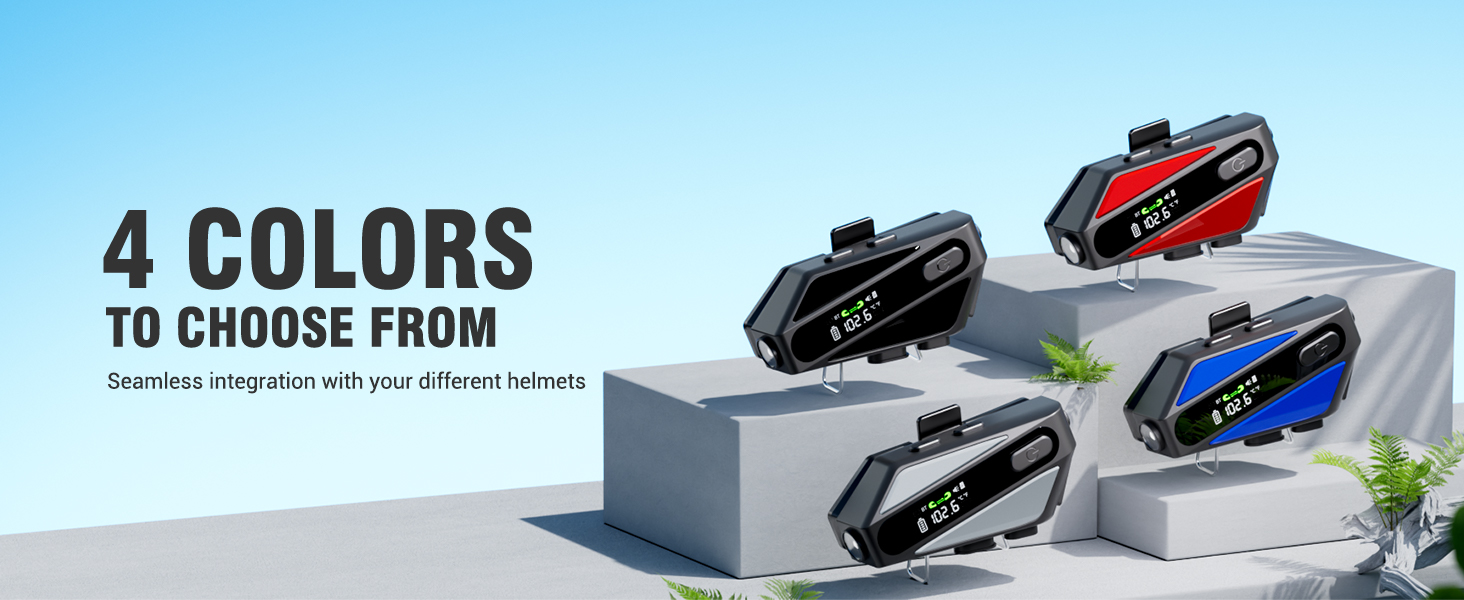
Image: The EDYELL C6 features IP67 waterproof and dustproof design for use in harsh environments.
7. Troubleshooting
If you encounter issues with your EDYELL C6, refer to the following common solutions:
- Device not powering on: Ensure the battery is charged. Connect to a charger and try again.
- Cannot pair with phone: Ensure the headset is in pairing mode (flashing Bluetooth icon). Turn off and on your phone's Bluetooth, then try pairing again.
- No sound from speakers: Check if the speakers are properly connected to the headset. Ensure volume is not set to minimum.
- Intercom not connecting: Ensure both units are within range (up to 600m) and are in intercom pairing mode.
- Poor audio quality: Check speaker placement inside the helmet. Ensure microphone is positioned correctly to reduce wind noise.
- Device unresponsive: Try resetting the device by holding the power button for an extended period (e.g., 10-15 seconds) or by allowing the battery to fully discharge and then recharging.
8. Specifications
| Feature | Specification |
|---|---|
| Model Name | C6 |
| Connectivity Technology | Wireless (Bluetooth V5.3) |
| Bluetooth Version | 5.3 |
| Battery Capacity | 1000mAh Lithium Polymer |
| Charging Time | Approx. 1.5 Hours |
| Music Playback Time | Up to 30 Hours |
| Call Time | Up to 40 Hours |
| Standby Time | Over 300 Hours |
| Intercom Range | Up to 600 Meters |
| Water Resistance Level | IP67 Waterproof |
| Noise Control | Passive Noise Cancellation (ENC) |
| Audio Driver Size | 50mm Dynamic Driver |
| TF Card Support | Up to 128GB |
| Control Method | Voice, Button |
| Item Weight | 180 Grams |
| Product Dimensions | 10 x 5 x 2 cm |
9. Warranty and Support
The EDYELL C6 Motorcycle Bluetooth Headset comes with a 12 Months EDYELL India Warranty. For any quality problems, technical assistance, or warranty claims, please contact our customer support team:
Email: support@fenman.in
Phone: +91 8882786235
Please have your purchase details and model number (C6) ready when contacting support.