
ACMER P1 S PRO 6W
ACMER P1 S Pro Laser Engraver
Model: P1 S PRO 6W
Brand: ACMER
Introduction
The ACMER P1 S Pro Laser Engraver is a versatile and powerful tool designed for precision engraving and cutting across a wide range of materials. Featuring a 6W (6,000mW) output laser, this machine offers high speed and accuracy, making it suitable for both hobbyists and professionals. Its modular design ensures ease of assembly and maintenance, while broad software compatibility provides a user-friendly experience.

The ACMER P1 S Pro Laser Engraver, showcasing its design and engraving capabilities on a wooden surface.
Key Features
- Powerful Cutting Capability: Equipped with a 6W machine power, ultra-fine laser focus of 0.06mm, and minimum engraving accuracy of 0.01mm. Engraving speed can reach up to 10000mm/min. Capable of cutting 30mm wood board, 20mm acrylic, and 0.1mm stainless steel plate in a single pass.
- Easy to Use: Modular design for convenient assembly, repair, and part replacement. Compatible with multiple systems and mobile applications, allowing connection via Wi-Fi, USB cable, or TF card.
- Versatile Material Compatibility: Features a 380 x 370mm large engraving area. Can engrave over one hundred materials including paper, bamboo, wood, leather, PCB board, aluminum oxide, metal, and glass.
- Enhanced Safety: Class 4 laser certification (IEC 60825-1 compliant). Includes a laser shield to protect eyes and filter 97% of UV rays. Equipped with limit switches on X and Y axes for safety and convenient reset.

Overview of the ACMER P1 S Pro's key specifications and capabilities, including working area, speed, and precision.
Setup and Assembly
The ACMER P1 S Pro Laser Engraver features a modular design, simplifying the assembly process. Users can easily put together the components, which also aids in future repairs or part replacements.
Connectivity Options
The machine offers flexible connectivity to suit various user preferences:
- Wi-Fi: Connect wirelessly to your smartphone or PC for convenient data transfer and control.
- USB Cable: Direct connection to a computer for stable data transmission.
- TF Card: Use a TF card for offline operation, allowing you to load designs directly onto the machine.

Design features enhancing user-friendliness, including cable management and module separation.
Operation
Engraving and Cutting Performance
The P1 S Pro is engineered for both intricate engraving and robust cutting tasks. Its 6W laser module provides a fine spot size of 0.06mm x 0.08mm, ensuring detailed and lifelike results. The machine's high speed of 10000mm/min significantly reduces project completion times.

Demonstration of the laser's precision and eye protection features.
Working Area
The generous working area of 380mm x 370mm (approximately 14.9 x 14.5 inches) accommodates larger workpieces, reducing the need for multiple setups or adjustments for bigger projects.

Visual representation of the spacious engraving area.
Software Compatibility
The P1 S Pro is compatible with popular engraving software, ensuring a smooth workflow:
- LightBurn: Fully compatible, supporting both Windows and Mac OS.
- LaserGRBL: Compatible with Windows.
- ACMER APP: Available for mobile devices (Android and iOS).
Supported file formats include JPG, PNG, DXF, SVG, AI, BMP, and more.
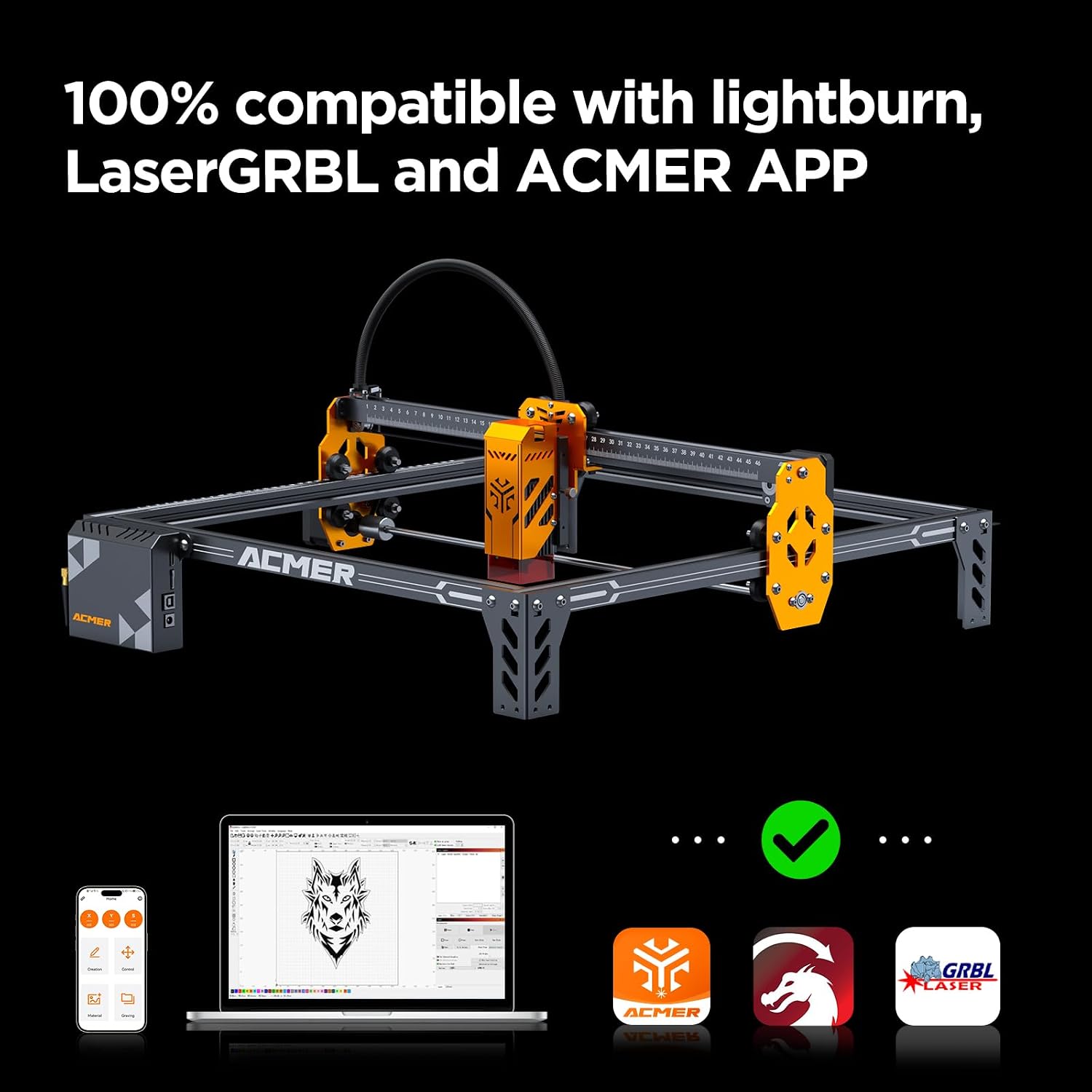
Software compatibility for the laser engraver, including desktop and mobile applications.
Multi-Machine Control
For increased productivity and efficiency, a single computer can control multiple P1 S Pro laser engraving machines simultaneously for carving and cutting operations.

Illustration of the multi-machine control capability.
Maintenance
Regular maintenance ensures the longevity and optimal performance of your ACMER P1 S Pro. The laser filter is designed to be disassemblable for easier cleaning, which helps maintain laser efficiency and clarity of output.
Cleaning the Laser Filter
To clean the laser filter, carefully disassemble the laser module as instructed in the detailed product manual (not provided here). Gently clean the filter to remove any accumulated dust or debris. Ensure the filter is completely dry before reassembling the module.
Troubleshooting
This section provides general guidance for common issues. For detailed troubleshooting steps, please refer to the comprehensive online support resources or contact ACMER customer service.
- Machine Not Powering On: Ensure all power connections are secure and the power adapter is functioning correctly. Check the power outlet.
- Laser Not Firing/Weak Output: Verify the laser module is properly seated and connected. Clean the laser lens and filter. Ensure the material is within the correct focal distance.
- Engraving/Cutting Inaccuracy: Check that the machine frame is stable and level. Ensure belts are properly tensioned and wheels are clean. Verify software settings for speed and power are appropriate for the material.
- Connectivity Issues: For Wi-Fi, ensure the machine is within range of your router and the network credentials are correct. For USB, try a different port or cable. Restart the machine and your controlling device.
Specifications
| Specification | Value |
|---|---|
| Manufacturer | ACMER |
| Item Weight | 10.88 pounds |
| Product Dimensions | 23.43 x 13.39 x 6.3 inches |
| Item Model Number | P1 S PRO 6W |
| Color | P1 Spro 6w |
| Item Package Quantity | 1 |
| Batteries Included? | No |
| Batteries Required? | No |
| Date First Available | July 3, 2023 |

Detailed view of the working area, measuring ruler, and the ESP32 MCU.
Warranty and Support
Warranty Information
The ACMER P1 S Pro Laser Engraver comes with a 12-month warranty period from the date of purchase. Please retain your proof of purchase for warranty claims.
Customer Support
ACMER provides 24/7 online support to assist with any inquiries or issues you may encounter. For technical assistance, troubleshooting, or general questions, please visit the official ACMER support channels or contact their customer service team.

Certifications demonstrating compliance with international safety and quality standards.
Related documentsP1 S PRO 6W


Ask a question about this manual
Ask about setup, troubleshooting, compatibility, parts, safety, or missing instructions. Manuals+ will review the question and use this page’s manual context to help answer it.