
1. Introduction
This manual provides detailed instructions for the installation, operation, and maintenance of your HIBOITEC 600W Low Voltage Landscape Transformer. This device converts 120V AC household current to a safe 12V or 15V AC output, suitable for various outdoor landscape lighting applications. It features a photocell sensor, multiple timing modes, and a memory function for consistent performance.

Image 1.1: Overview of the HIBOITEC 600W Low Voltage Landscape Transformer, highlighting its 120V AC input and 12V/15V AC output capabilities.
2. Safety Information
- Electrical Safety: Always disconnect power at the circuit breaker before installing or servicing the transformer or lighting system. Ensure all connections are secure and waterproof for outdoor use.
- Placement: Mount the transformer at least 1 foot (30 cm) above ground level to prevent water damage. Ensure the photocell sensor is exposed to natural daylight for accurate dusk-to-dawn operation. Avoid enclosed spaces or deep overhangs that might obstruct light to the sensor.
- Load Capacity: Do not exceed 80% of the transformer's rated wattage (e.g., 480W for a 600W unit) to ensure optimal performance and longevity. Overloading can trip the resettable circuit breaker.
- Wiring: Use only low-voltage landscape lighting wire suitable for outdoor burial or exposure. Ensure proper gauge wire is used for the total wattage and length of your lighting runs to prevent voltage drop.
- Maintenance: Regularly inspect the transformer and wiring for any signs of damage or wear. Keep the photocell sensor clean and free from obstructions.
3. Package Contents
Verify that all components are present in the package:
- HIBOITEC 600W Low Voltage Landscape Transformer
- Instruction Manual
4. Product Features
- Multiple Operating Modes: Includes Dusk-to-Dawn, Countdown (4/6/8/10 hours after dusk), Minute-precision Timer, and Manual ON/OFF. A TEST mode is available for installation verification.
- Permanent Memory Function: Retains programmed settings even after a power outage, ensuring consistent operation without reprogramming (except in Manual Mode).
- 12V/15V AC Output Taps: Provides both 12V and 15V output options. The 15V tap compensates for voltage drop over longer cable runs, maintaining consistent brightness for all fixtures.
- Durable Construction: Features galvanized steel construction with a high-temperature powder coat, IP65 rating, and 500-hour salt spray certification for weather resistance (operating range: -4°F to +104°F).
- Overload Protection: Equipped with a resettable circuit breaker to protect the system from overload.

Image 4.1: The transformer's robust construction ensures durability in diverse weather conditions, including rain, snow, and dust, with an operating temperature range of -4°F to 104°F.
5. Setup and Installation
5.1 Mounting the Transformer
The transformer is designed for wall mounting. Choose a location that is at least 1 foot (30 cm) above ground, allows direct natural light to reach the photocell sensor, and is within reach of a 120V AC outlet.
- Mark the desired mounting points on the wall.
- Drill appropriate holes for the mounting hardware (not included).
- Securely fasten the transformer to the wall.

Image 5.1: Step-by-step guide for installing the transformer and connecting landscape lights.
5.2 Wiring Landscape Lights
Connect your low-voltage landscape lights to the transformer's output terminals.
- Identify the 12V AC and 15V AC output terminals. Use 12V for shorter wire runs and 15V for longer runs to compensate for voltage drop.
- Strip approximately 1/2 inch (1.2 cm) of insulation from the ends of your landscape lighting wire.
- Loosen the terminal screws on the desired output tap (12V or 15V).
- Insert the bare wire ends into the terminals and tighten the screws securely. Ensure no stray wire strands are exposed.
- Connect the transformer's 120V AC input plug to a grounded outdoor electrical outlet.

Image 5.2: Detailed view of the wiring terminals and input/output connections.
6. Operating Instructions
The transformer features a digital display and control buttons (MENU, Up, Down, ENTER) for setting operating modes.

Image 6.1: The control panel with various operating modes and indicators.
6.1 Setting the Clock
Press the MENU button to navigate to the clock setting. Use the Up/Down buttons to adjust the time and ENTER to confirm.
6.2 Selecting an Operating Mode
Press the MENU button to cycle through the available modes. Press ENTER to select a mode and use Up/Down to adjust settings if applicable.
- Dusk-to-Dawn: Lights automatically turn on at dusk and turn off at dawn, based on the integrated photocell sensor.
- Countdown: Lights turn on at dusk and remain on for a set duration (4, 6, 8, or 10 hours).
- Timer: Allows you to set specific ON and OFF times for your lights. This mode is not affected by ambient light levels.
- Manual ON/OFF: Lights are controlled manually by pressing the ON/OFF button. Note: In Manual Mode, the transformer will not automatically resume operation after a power outage; it requires manual activation.
- TEST Mode: Activates lights for a short period to verify connections during installation.
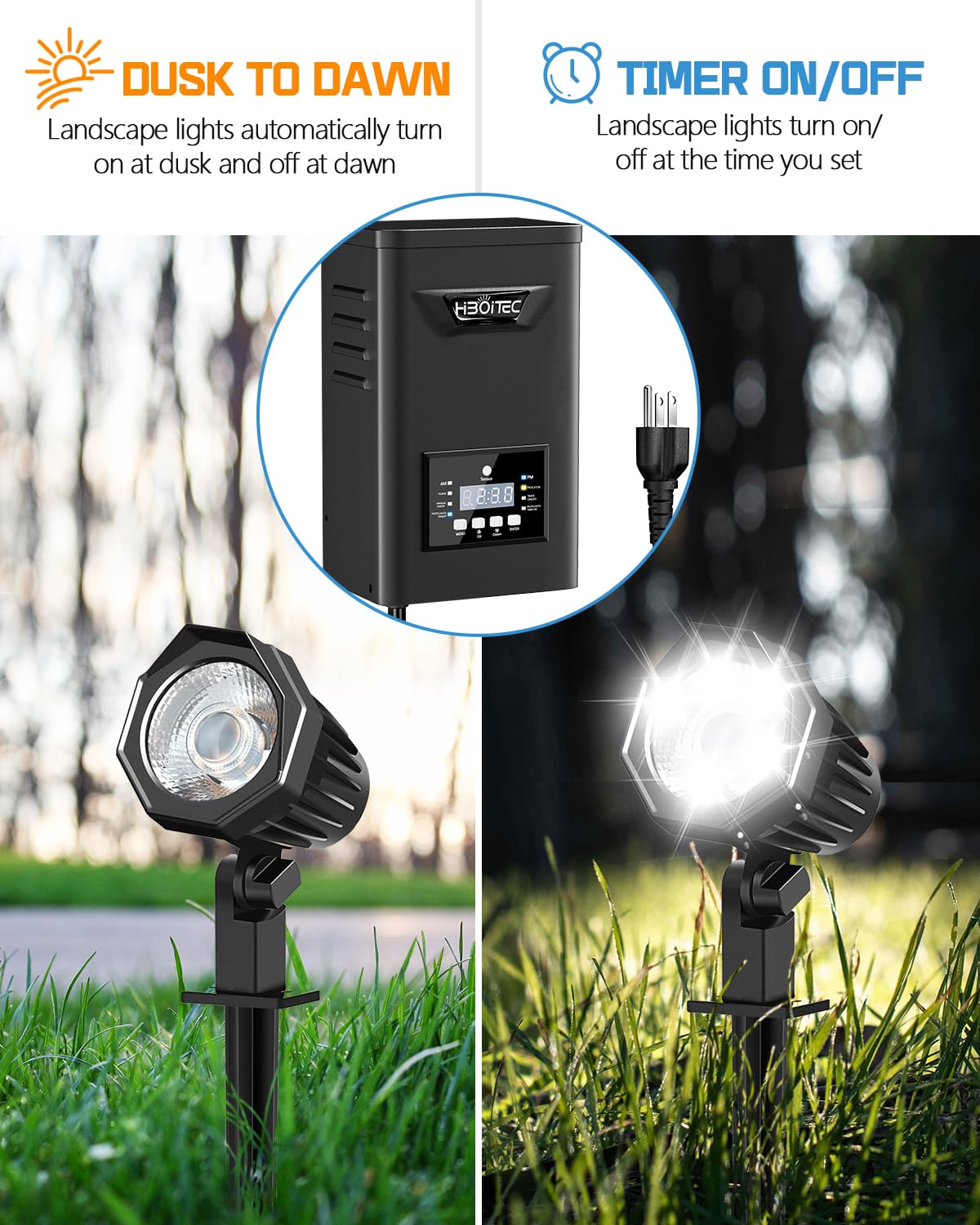
Image 6.2: Illustration of Dusk-to-Dawn and Timer ON/OFF modes.
6.3 Memory Function
The transformer is equipped with a permanent memory function. Once a mode and its settings are configured, they are stored and will resume automatically after a power outage, except when the unit is set to Manual Mode.

Image 6.3: The transformer's memory function ensures settings persist through power interruptions.
7. Maintenance
- Cleaning: Periodically wipe the transformer's exterior and photocell sensor with a soft, damp cloth to remove dirt and debris. Do not use abrasive cleaners.
- Inspection: Annually inspect all wiring and connections for signs of damage, corrosion, or loose connections. Ensure the transformer remains securely mounted.
- Photocell Sensor: Ensure the photocell sensor is not obstructed by leaves, dirt, or other objects, as this can affect its ability to detect light levels accurately.
8. Troubleshooting
| Problem | Possible Cause | Solution |
|---|---|---|
| Lights do not turn on. |
|
|
| Lights are dim or flicker. |
|
|
| Lights do not turn on after a power outage. | Transformer was in Manual Mode. | Manually press the ON button or switch to an automatic mode (Dusk-to-Dawn, Timer, Countdown). |
| Photocell not working correctly. |
|
|
9. Specifications
| Specification | Detail |
|---|---|
| Model Number | BYQ-600W |
| Input Voltage | 120V AC |
| Output Voltage | 12V AC / 15V AC |
| Maximum Wattage | 600W (Recommended load: <480W) |
| Product Dimensions | 30.5 x 20.5 x 15.8 cm |
| Product Weight | 5.57 kg |
| Weather Rating | IP65 |
| Operating Temperature | -4°F to +104°F |
| Certifications | FCC, UL |
| Power Source | Corded Electric |
| Mounting Type | Wall Mount |
| UPC | 635405284658 |

Image 9.1: Dimensions of the HIBOITEC 600W Low Voltage Landscape Transformer.
10. Warranty and Support
The HIBOITEC 600W Low Voltage Landscape Transformer comes with a 1-year warranty covering the complete unit. The integrated photocell sensor is covered under a separate 10-year warranty.
For technical support, warranty claims, or any questions regarding your product, please contact HIBOITEC customer service through the retailer where the product was purchased or directly via the manufacturer's contact information provided with your purchase.