
Shot Navi Nexia SMART EYE B
Shot Navi Nexia SMART EYE B Golf Rangefinder Instruction Manual
Model: Nexia SMART EYE B | Brand: Shot Navi
Introduction
This manual provides detailed instructions for the proper use and maintenance of your Shot Navi Nexia SMART EYE B Golf Rangefinder. Please read this manual thoroughly before using the device to ensure optimal performance and longevity. Keep this manual for future reference.
Package Contents
Verify that all items listed below are included in your package:
- Shot Navi Nexia SMART EYE B Golf Rangefinder
- USB Type-C Charging Cable
- Carabiner
- Cleaning Cloth
- Instruction Manual (this document)
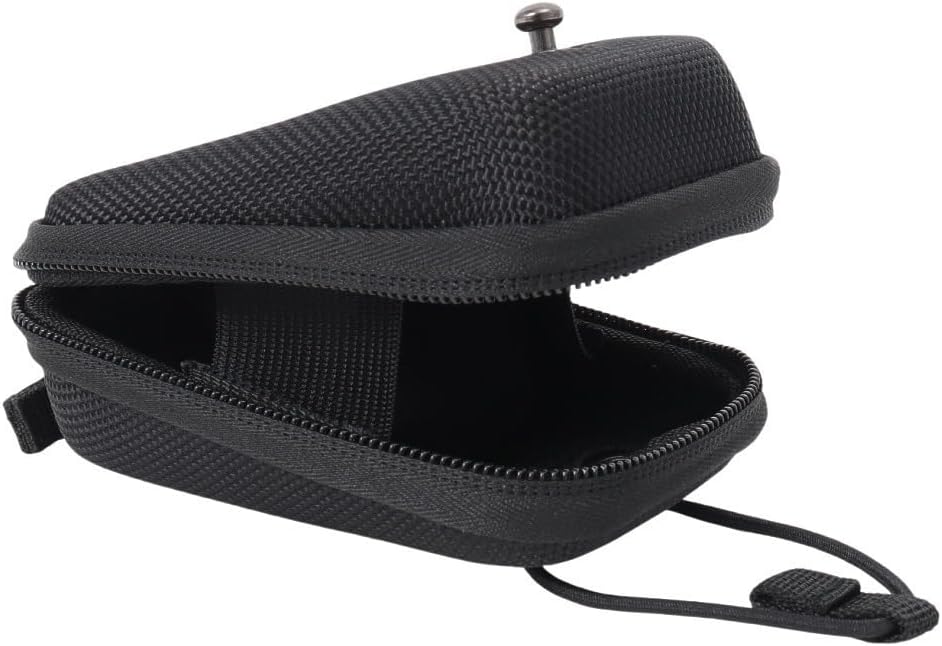
Image: The included black zippered carrying case, designed to protect your rangefinder.
Product Overview
The Shot Navi Nexia SMART EYE B is a compact and lightweight golf rangefinder designed for accurate distance measurement on the golf course. It features a 6x magnification and a measurement range of 5-874 yards.

Image: Main view of the Shot Navi Nexia SMART EYE B golf rangefinder, showcasing its sleek black design.

Image: Side view of the rangefinder, displaying the "Shot Navi Nexia SMART EYE" logo.

Image: Top view of the rangefinder, showing the power and mode buttons.
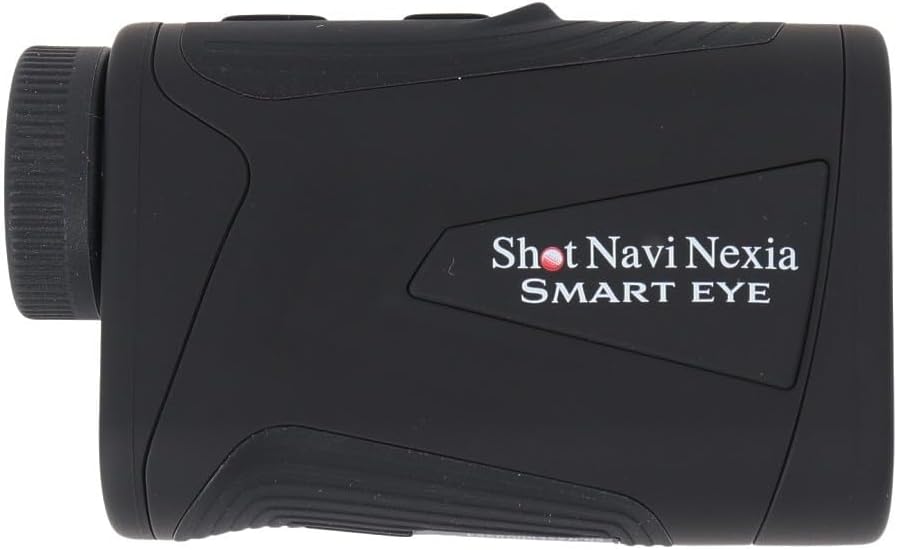
Image: Front view of the rangefinder, with the objective lens and laser emitter clearly visible.

Image: Diagram showing the compact dimensions (93.2mm x 56.5mm x 32.6mm) of the rangefinder, illustrating its portability.
Setup
1. Charging the Battery
Before initial use, fully charge the device. The Shot Navi Nexia SMART EYE B uses a rechargeable Lithium Polymer battery.
- Locate the USB Type-C charging port on the device.
- Connect the provided USB Type-C cable to the rangefinder and the other end to a compatible USB power adapter (not included) or a computer's USB port.
- The charging indicator will illuminate. A full charge takes approximately 3.5 hours.
- Once fully charged, disconnect the cable.

Image: The USB Type-C charging port with the charging cable connected.
2. Initial Power On
Press and hold the Power button (usually the top button) for a few seconds until the display activates.
Operating Instructions
1. Adjusting Focus
Rotate the eyepiece (diopter adjustment ring) until the display and target appear clear and sharp to your eye.
2. Basic Distance Measurement
- Look through the eyepiece and aim the crosshairs at your desired target.
- Press the Power/Measurement button (typically the top button) once. The distance to the target will be displayed in the viewfinder.
- For continuous scanning, press and hold the Power/Measurement button while sweeping across multiple targets. The distance will update in real-time.
3. Mode Selection
The Shot Navi Nexia SMART EYE B may feature different measurement modes (e.g., standard, flag-lock, slope-adjusted). Refer to the on-screen indicators or a separate mode button (if present) to cycle through available modes. Consult the display for the active mode.
Maintenance
1. Cleaning
- Lenses: Use the provided cleaning cloth or a soft, lint-free cloth to gently wipe the lenses. Do not use abrasive materials or harsh chemicals.
- Body: Wipe the body of the rangefinder with a soft, damp cloth. Avoid excessive moisture.
2. Storage
- Store the rangefinder in its protective case when not in use.
- Keep the device in a cool, dry place, away from direct sunlight and extreme temperatures (-20°C to 60°C).
- Avoid storing in areas with high humidity.
Troubleshooting
If you encounter issues with your Shot Navi Nexia SMART EYE B, please refer to the following common problems and solutions:
- Device does not power on:
- Ensure the battery is fully charged. Connect to a charger and wait for the charging indicator.
- Press and hold the Power button firmly for several seconds.
- Inaccurate measurements:
- Ensure the target is within the measurement range (5-874 yards).
- Verify that the lenses are clean and free from smudges or debris.
- Ensure you have a clear line of sight to the target.
- Avoid measuring through glass or other reflective surfaces.
- Display is blurry:
- Adjust the diopter by rotating the eyepiece until the display is sharp.
- No display in viewfinder:
- Check if the device is powered on.
- Ensure the battery has sufficient charge.
If the problem persists, contact Shot Navi customer support for further assistance.
Specifications
| Feature | Specification |
|---|---|
| Model | Nexia SMART EYE B |
| Dimensions (L x W x H) | 93.2 x 56.5 x 32.6 mm |
| Weight | 116g |
| Battery Type | Rechargeable Lithium Polymer |
| Charging Port | USB Type-C |
| Charging Time | Approx. 3.5 hours |
| Usage per Full Charge | Approx. 30,000 point measurements |
| Measurement Range | 5 - 874 yards (4.5 - 800 meters) |
| Measurement Accuracy | ±1m |
| Magnification | 6x |
| Laser Wavelength | 905nm |
| Laser Classification | IEC60825-1 Class 1M Laser Product |
| Lens Diameter / Effective Aperture | 20mm / 19.8mm |
| Exit Pupil | 3.3mm |
| Eye Relief | 14.7mm |
| Operating Temperature | 0 - 50°C |
| Storage Temperature | -20 - 60°C |
| Water Resistance | IPX4 equivalent (splash-proof) |
| Origin | Made in China |
Safety Information
- Do not look directly into the sun or any bright light source through the rangefinder, as this can cause permanent eye damage.
- Do not aim the laser at people or animals.
- Keep the device out of reach of children.
- Do not attempt to disassemble or modify the rangefinder. This will void the warranty and could result in injury.
- Use only the specified charging cable.
- Dispose of the battery and device according to local regulations.
Warranty and Support
Information regarding product warranty and customer support is typically provided with your purchase documentation or available on the official Shot Navi website. Please refer to those resources for details on warranty coverage, service, and technical assistance.
For further inquiries, please visit the Shot Navi Brand Store on Amazon.
Ask a question about this manual
Ask about setup, troubleshooting, compatibility, parts, safety, or missing instructions. Manuals+ will review the question and use this page’s manual context to help answer it.