
1. Introduction
Thank you for purchasing the ASHATA 1080P 16MP Digital Camcorder. This device is designed to capture high-quality video and photos, featuring a 16X digital zoom, a 2.4-inch rotatable screen, and an integrated fill light. This manual provides essential information for the proper setup, operation, and maintenance of your camcorder.
The camcorder is suitable for various recording scenarios, including family events, travel, and campus activities. Please read this manual thoroughly before using the product to ensure optimal performance and longevity.

2. Safety Information
- Do not expose the camcorder to water or moisture.
- Avoid dropping or subjecting the device to strong impacts.
- Keep the camcorder away from extreme temperatures and direct sunlight.
- Use only approved accessories and power adapters.
- Do not attempt to disassemble or repair the camcorder yourself. Contact qualified service personnel.
- Keep out of reach of children.
3. Package Contents
Please check the package for the following items:
- ASHATA 1080P 16MP Digital Camcorder
- USB Cable
- User Manual
- Power Adapter (may vary by region)
- Rechargeable Battery
Note: Memory card (up to 32GB standard) and tripod are not included and must be purchased separately.
4. Product Overview
The ASHATA Digital Camcorder is a compact and user-friendly device designed for capturing memories. Key features include:
- Video Resolution: 1080P
- Still Image Resolution: 16MP
- Zoom: 16X Digital Zoom
- Screen: 2.4-inch Rotatable Screen
- Lighting: Integrated Fill Light
- Connectivity: USB, HD Output
- Special Functions: Selfies, Electronic Anti-shake, Loop Recording, Time Watermarking, Recording Pause


5. Setup
5.1. Battery Installation
- Open the battery compartment cover, usually located at the bottom or side of the camcorder.
- Insert the rechargeable battery according to the polarity indicators (+/-).
- Close the battery compartment cover securely.
5.2. Memory Card Installation
The camcorder supports a standard memory card up to 32GB (not included).
- Locate the memory card slot, typically near the battery compartment or on the side.
- Insert the memory card with the metal contacts facing the correct direction until it clicks into place.
- To remove, gently push the card in until it springs out.

5.3. Charging the Battery
Connect the camcorder to a power source using the provided USB cable and power adapter. The camcorder supports recording while charging.
5.4. Powering On/Off
Press and hold the Power button (usually located on the top or side) to turn the camcorder on or off.
6. Operating Instructions
6.1. Basic Video Recording
- Turn on the camcorder.
- Ensure the mode is set to video recording (check the screen icon).
- Press the Record button (usually a red circle) to start recording.
- Press the Record button again to stop recording.
6.2. Taking Photos
- Switch the camcorder to photo mode (check the screen icon).
- Frame your shot using the rotatable screen.
- Press the Shutter button (often integrated with the Record button or a separate button) to take a picture.
6.3. Using the 16X Digital Zoom
Use the zoom rocker switch (usually labeled 'W' for Wide and 'T' for Telephoto) to zoom in or out during recording or photo mode.

6.4. Rotatable Screen
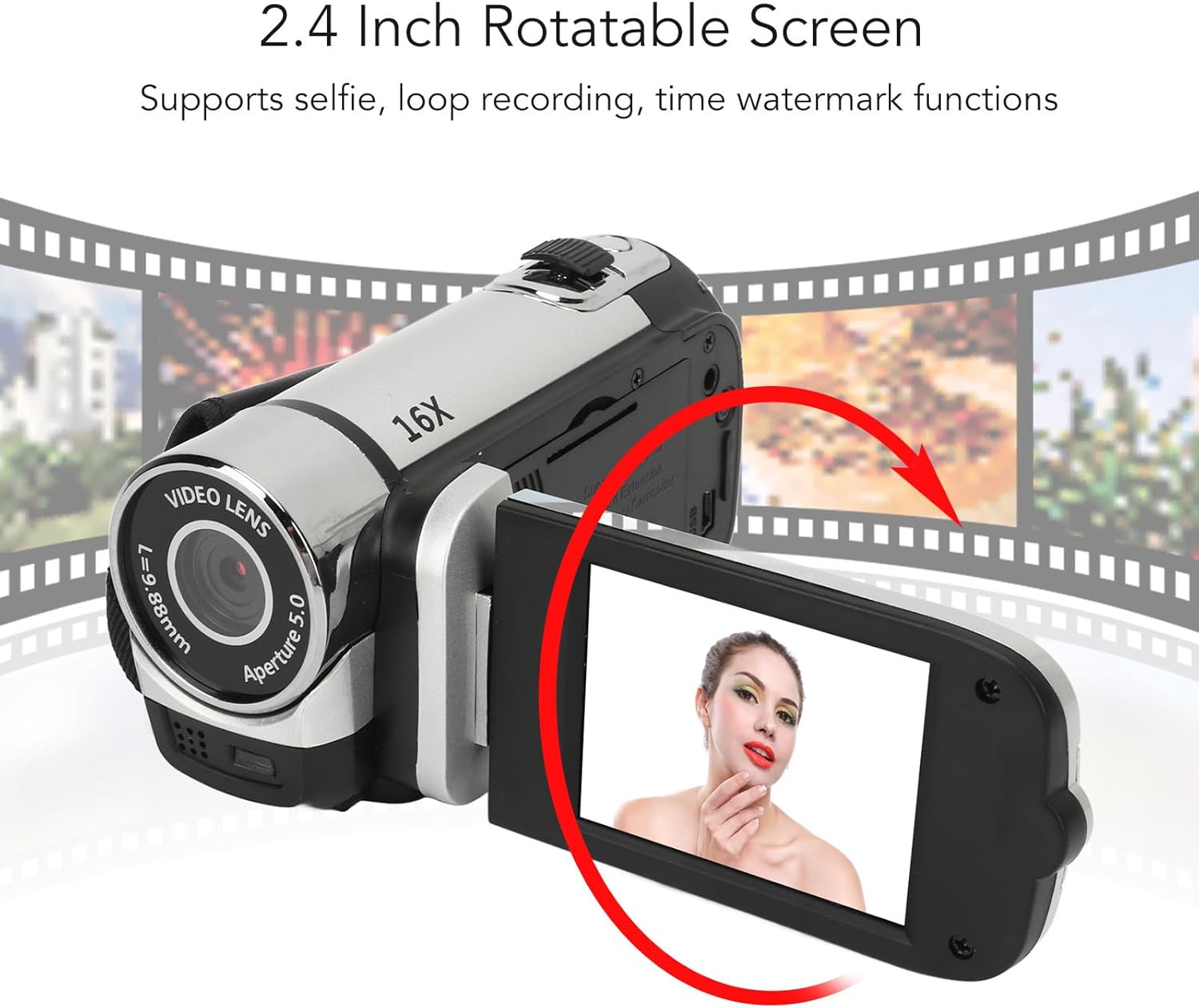
The 2.4-inch screen can be rotated to various angles, making it ideal for vlogging, selfies, or viewing playback from different perspectives.
6.5. Using the Fill Light
The integrated fill light can be activated to provide additional illumination in low-light conditions. Refer to the on-screen menu or a dedicated button for activation.
6.6. Advanced Functions
- Electronic Anti-shake: Helps stabilize footage during recording.
- Loop Recording: Overwrites the oldest files when the memory card is full.
- Time Watermarking: Adds a date and time stamp to your recordings.
- Recording Pause: Allows you to pause and resume video recording without creating multiple files.
- External Microphone Support: Connect an external microphone for improved audio quality.
6.7. Connecting to a Computer
Use the provided USB cable to connect the camcorder to your computer. The device will appear as a removable disk, allowing you to transfer photos and videos.
6.8. Video Demonstration
7. Maintenance
- Cleaning: Use a soft, dry cloth to clean the camcorder body. For the lens and screen, use a specialized lens cleaning cloth and solution.
- Storage: When not in use, store the camcorder in a cool, dry place, away from dust and direct sunlight. Remove the battery if storing for extended periods.
- Battery Care: Fully charge the battery before first use. Avoid completely draining the battery frequently to prolong its lifespan.
8. Troubleshooting
| Problem | Possible Cause | Solution |
|---|---|---|
| Camcorder does not power on. | Battery is low or not inserted correctly. | Charge the battery or reinsert it correctly. |
| Cannot record video/take photos. | Memory card is full, not inserted, or corrupted. | Insert a memory card, delete files, or format the card (this will erase all data). |
| Poor image/video quality. | Lens is dirty; insufficient lighting. | Clean the lens; use the fill light or record in better-lit conditions. |
| Computer does not recognize camcorder. | USB cable issue; driver issue. | Try a different USB port or cable. Ensure the camcorder is powered on. |
9. Specifications
- Brand: ASHATA
- Model Name: ASHATAwr0z9cf1yk-15
- Video Resolution: 1080P
- Photo Resolution: 16MP
- Digital Zoom: 16X
- Screen Size: 2.4 Inches (Rotatable)
- Connectivity: USB
- Special Features: Fill Light, Electronic Anti-shake, Loop Recording, Time Watermarking, Recording Pause
- Memory Card Support: Standard up to 32GB (not included)
- Item Weight: 7.4 ounces
- Dimensions: 5.16 x 3.7 x 2.91 inches
10. Warranty and Support
This ASHATA product comes with a standard manufacturer's warranty. For detailed warranty terms and conditions, please refer to the warranty card included in your package or contact ASHATA customer support.
If you encounter any issues or have questions regarding your camcorder, please contact the retailer or ASHATA customer service for assistance. Provide your product model number (ASHATAwr0z9cf1yk-15) and purchase details when seeking support.