
1. Introduction
Thank you for choosing the gorsun Kids Bluetooth Headphones, Model E69. These headphones are designed specifically for children, prioritizing hearing protection, comfort, and durability. Featuring an 85dB volume limit, Bluetooth 5.3 connectivity, and a built-in microphone, they provide a safe and enjoyable audio experience for learning, travel, and entertainment.
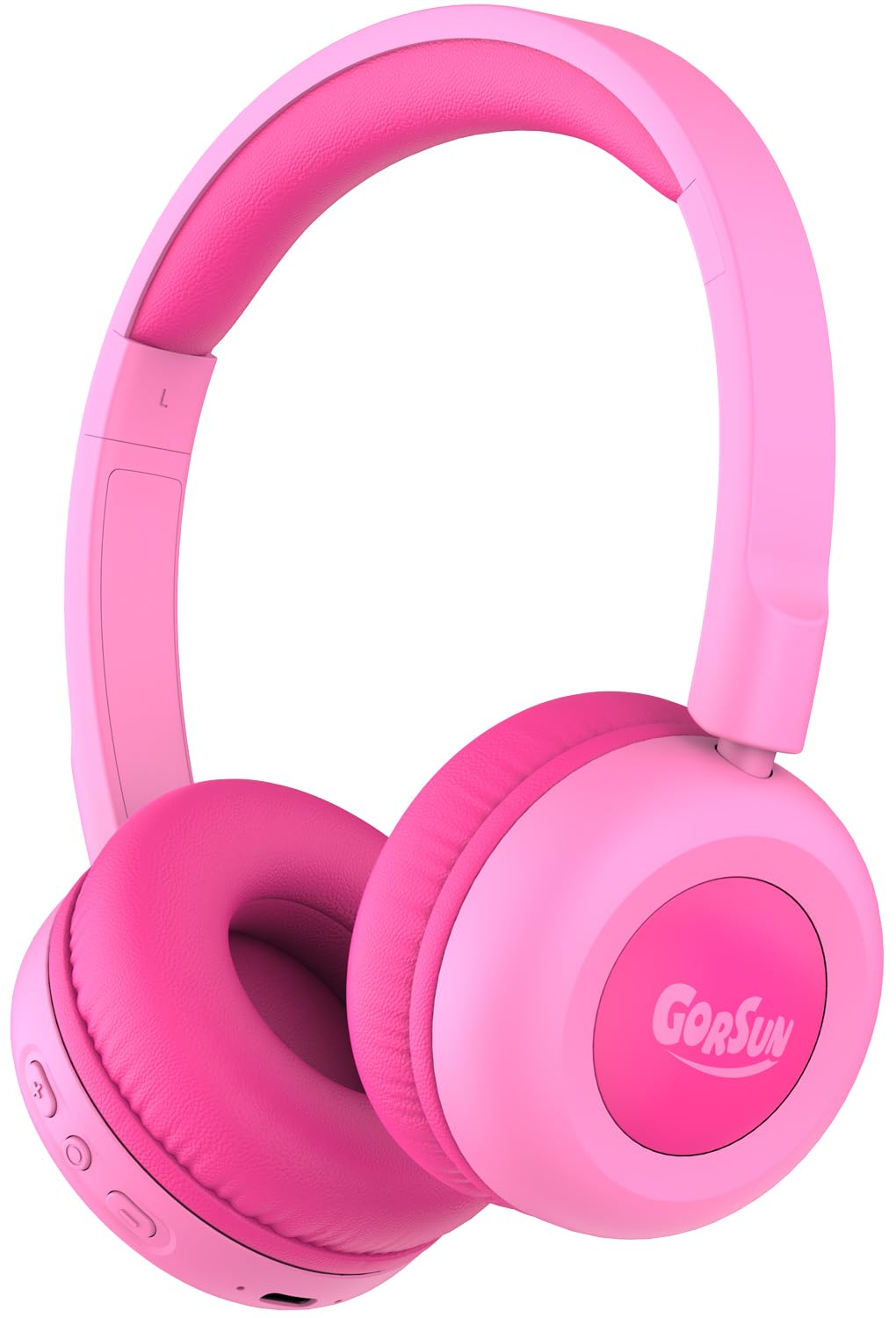
Image: gorsun Kids Bluetooth Headphones E69 in Pink.
2. What's in the Box
- gorsun Kids Wireless Headphones (Model E69)
- USB-C Charging Cable
- User Manual
3. Product Features
- Hearing Protection: Built-in fixed safety volume limit set to 85dB to protect children's ears, meeting strict safety standards.
- Unmatched Comfort & Durability: Lightweight design with memory-protein cushions for comfort. Adjustable headband accommodates children aged 3-12 years. Constructed with food-grade silicone parts to withstand daily use and accidental drops.
- Extended Battery Life: Enjoy up to 50 hours of continuous playtime on a single charge, ideal for long trips and extended use without frequent recharging.
- Bluetooth 5.3 & Built-in Microphone: Equipped with the latest Bluetooth 5.3 technology for stable and fast wireless connections. The integrated microphone allows for clear communication during online classes, video calls, or talking with friends.
- Clear Sound & 40mm Driver: Delivers balanced audio specifically tuned for developing ears, with enhanced clarity. Precisely-tuned speakers eliminate harsh frequencies while maintaining rich detail.

Image: The headphones are designed to be flexible and durable, suitable for active children.

Image: A child comfortably wearing the gorsun Kids Bluetooth Headphones.
4. Setup
4.1 Charging the Headphones
Before first use, fully charge the headphones. Connect the provided USB-C charging cable to the charging port on the headphones and the other end to a compatible USB power source (e.g., computer, wall adapter). A full charge takes approximately 2 hours and provides up to 50 hours of playtime.

Image: The headphones connected to a USB-C charging cable.
4.2 Bluetooth Pairing
- Ensure the headphones are charged.
- Press and hold the Power button on the headphones until the LED indicator flashes blue and red, indicating pairing mode.
- On your device (smartphone, tablet, laptop), go to Bluetooth settings and turn Bluetooth on.
- Search for available devices and select "gorsun E69" from the list.
- Once connected, the LED indicator on the headphones will show a solid blue light.
4.3 Wired Connection (Optional)
For devices without Bluetooth or when battery is low, you can use the included 3.5mm audio cable (if provided, check package contents) to connect the headphones directly to your device's audio jack. This model supports both Bluetooth and 3.5mm wired connection.
5. Operating Instructions
5.1 Basic Controls
The headphones feature intuitive controls located on the earcup:
- Power Button: Press and hold to power on/off.
- Volume Up (+): Short press to increase volume.
- Volume Down (-): Short press to decrease volume.
- Multi-function Button (Play/Pause/Call):
- Single press to Play/Pause music.
- Single press to Answer/End calls.
- Double press for Next track.
- Triple press for Previous track.
5.2 Volume Limit
The gorsun E69 headphones are designed with a fixed 85dB volume limit to protect children's hearing. This limit cannot be exceeded, ensuring a safe listening experience at all times.
6. Maintenance
- Clean the headphones regularly with a soft, dry cloth. Do not use harsh chemicals or abrasive materials.
- Avoid exposing the headphones to extreme temperatures, humidity, or direct sunlight.
- When not in use, store the headphones in a clean, dry place. The foldable design allows for compact storage.
7. Troubleshooting
| Problem | Possible Solution |
|---|---|
| Headphones won't turn on | Ensure the headphones are fully charged. Press and hold the power button for a few seconds. |
| Cannot pair with device | Make sure headphones are in pairing mode (flashing blue/red LED). Turn off and on Bluetooth on your device. Ensure headphones are within 10 meters of the device. |
| No sound | Check device volume and headphone volume. Ensure headphones are properly paired or connected via audio cable. Try restarting both devices. |
| Microphone not working | Ensure the headphones are connected via Bluetooth. Check device settings to confirm the headphone microphone is selected as the input device. |
8. Specifications
- Model Name: E69
- Connectivity Technology: Wireless (Bluetooth 5.3) / Wired (3.5mm, if cable included)
- Bluetooth Range: 15 Meters
- Audio Driver Type: Dynamic Driver
- Audio Driver Size: 40 Millimeters
- Battery Life: 50 Hours
- Charging Time: 2 Hours
- Headphones Jack: Type-C (for charging)
- Noise Control: Sound Isolation
- Control Type: Volume Control, Push Button
- Material: Acrylonitrile Butadiene Styrene (ABS), Leather
- Item Weight: 5.3 ounces
- Age Range (Description): Kid
- Special Feature: Volume Limited to 85dB for Kids' Hearing Protection
9. Official Product Videos
Gorsun Kids Headphones - Safe Sound for Little Ears
Video: An overview of the gorsun Kids Headphones, highlighting their safe sound features for young users.
Comfort & Durability
Video: Demonstrates the comfort and durable construction of the gorsun Kids Headphones, including their flexibility.
Perfect Toddler Headphones with Good Sound Quality
Video: A user review highlighting the suitability of the headphones for toddlers and their sound quality.
10. Warranty and Support
gorsun provides 24-hour customer service. If you encounter any issues or have questions regarding your headphones, please feel free to contact us via Amazon email. We are committed to providing satisfactory solutions.
