
FLEXISPOT Maple Top + White Frame, 40x24 Inches
FLEXISPOT One-Piece Electric Standing Desk User Manual
Model: Maple Top + White Frame, 40x24 Inches
Introduction
This manual provides detailed instructions for the assembly, operation, maintenance, and troubleshooting of your FLEXISPOT One-Piece Electric Standing Desk. Please read this manual thoroughly before use to ensure proper function and safety.

Image: The FLEXISPOT One-Piece Electric Standing Desk, featuring a maple top and white frame, with a monitor, keyboard, mouse, and headphones. This desk offers a seamless and sturdy workspace.
Setup and Assembly
Your FLEXISPOT standing desk is shipped in two separate packages, which may arrive at different times. Ensure all components are present before beginning assembly.
Package Contents
- One-piece desktop (Maple Top, 40x24 inches)
- Electric lifting frame (White Frame)
- Control panel and motor
- Assembly hardware and tools (some assembly may require an electric drill, not included)
- Instruction manual
Assembly Instructions
- Unpack all components and verify against the parts list provided in the separate assembly guide.
- Attach the lifting columns to the desktop, ensuring proper alignment.
- Install the foot supports to the lifting columns.
- Connect the control panel and motor cables according to the wiring diagram.
- Secure all connections and ensure the desk is stable.

Image: Desktop dimensions indicating a width of 40 inches, a depth of 24 inches, and a thickness of 1 inch. This illustrates the compact and sturdy design of the one-piece desktop.

Image: A detailed view of the dual-stage legs, highlighting their robust construction and the mechanism for continuous height adjustment from 28.1 to 45.7 inches.
Operating Instructions
Height Adjustment
The desk features an electric height control system, allowing for effortless adjustment. The height can be adjusted from a minimum of 28.1 inches to a maximum of 45.7 inches.
- Use the Up and Down buttons on the control panel to manually adjust the desk to your desired height.
- The motor operates quietly, under 50 dB, ensuring a peaceful work environment.

Image: Visual representation of the desk's height adjustment capabilities, demonstrating its range from a minimum of 28.1 inches to a maximum of 45.7 inches, suitable for various user heights and preferences.

Image: A close-up of the desk surface with a graphic illustrating minimal noise during operation, emphasizing the smooth and quiet movement of the electric motor.
Memory Presets
The control panel includes 4 memory height presets, allowing you to save and quickly recall your preferred sitting and standing positions.
- Adjust the desk to your desired height using the Up/Down buttons.
- Press the 'M' button (or similar memory set button, if applicable) followed by the desired preset number (1, 2, 3, or 4) to save the current height.
- To recall a saved height, simply press the corresponding preset number button.

Image: A detailed view of the smart control panel, illustrating the LED display, the Up and Down adjustment buttons, and the four programmable memory preset buttons for quick height recall.
Additional Features
- Seamless One-Piece Desktop: The 1-inch thick desktop provides a smooth, gap-free, and stable surface.
- Headphone Hook: The desk includes a convenient headphone hook for organized storage.

Image: The desk showcasing its whole-piece desktop with smoothly rounded edges, emphasizing the seamless and durable surface design.
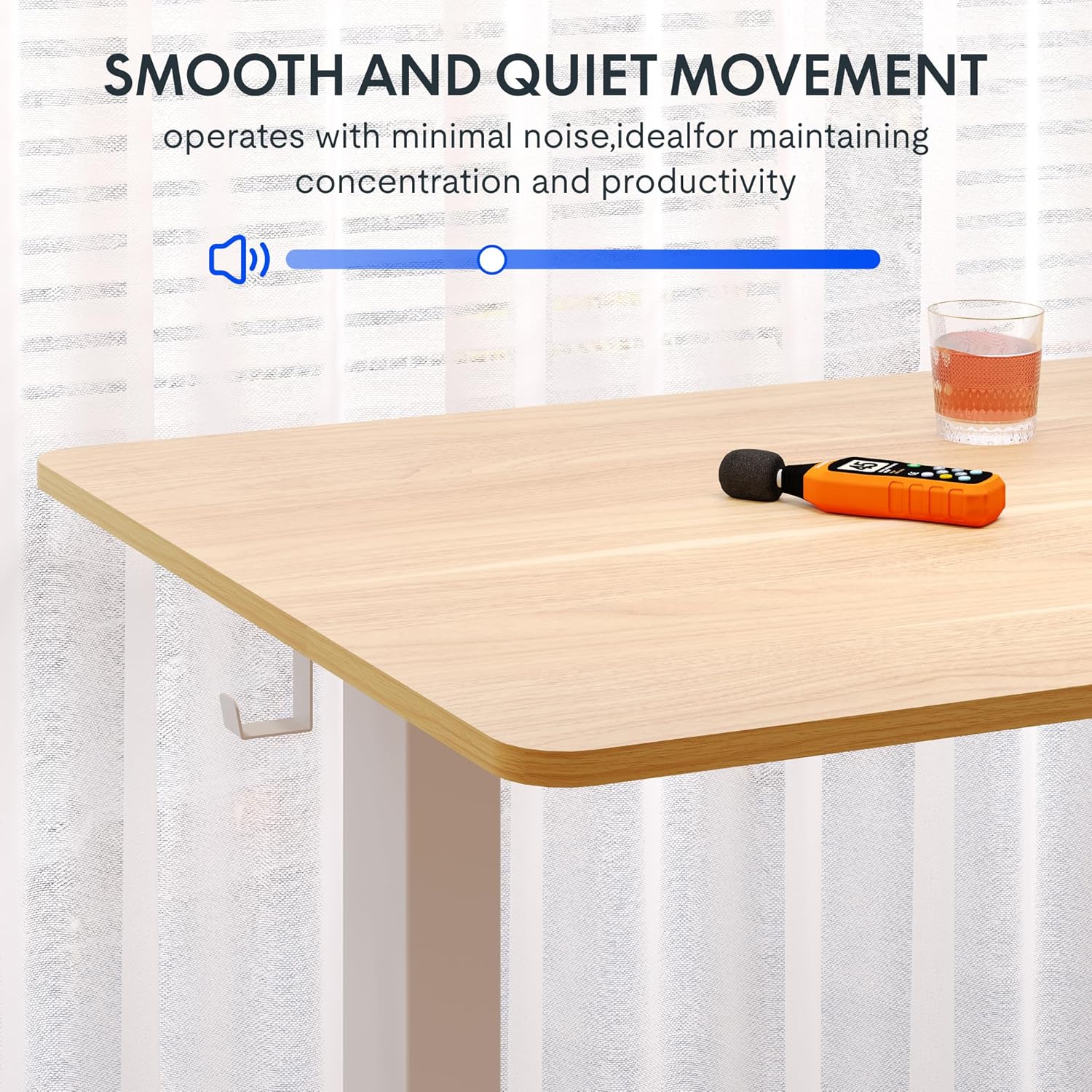
Image: A close-up of the two integrated desk hooks, designed for convenient storage of items such as headphones or bags, keeping your workspace tidy.
Maintenance and Care
General Care
- Clean the desktop surface with a soft, damp cloth. Avoid abrasive cleaners or harsh chemicals.
- Regularly check all screws and connections to ensure they remain tight.
- Keep the desk away from direct heat sources and excessive moisture.
Safety Precautions
- Do not exceed the maximum weight recommendation of 132 pounds on the desktop. The frame is built to hold up to 176 lbs, but the desktop's recommended limit is 132 lbs.
- Be cautious when adjusting the desk height to prevent injury or pinching. Ensure no objects are obstructing the desk's movement.
- Ensure the desk is placed on a level surface and is stable before use.
- Do not allow children to operate the desk without adult supervision.
Troubleshooting
If you encounter any issues with your FLEXISPOT standing desk, please refer to the following common troubleshooting tips. For more complex problems, contact customer support.
| Problem | Possible Cause | Solution |
|---|---|---|
| Desk does not move or respond to controls. | Power cable disconnected; motor overload; control panel error. | Check power connection. Unplug and replug the desk. Reduce weight on the desk. Perform a reset (refer to specific reset instructions in the full manual, if available). |
| Desk moves unevenly or makes unusual noises. | Loose connections; uneven weight distribution; obstruction. | Ensure all assembly screws are tight. Redistribute weight evenly on the desktop. Check for any obstructions under or around the desk. |
| Memory presets are not working. | Incorrect saving procedure; temporary control panel glitch. | Re-save the memory presets following the operating instructions. Power cycle the desk. |
Product Specifications
- Brand: FLEXISPOT
- Model: Maple Top + White Frame, 40x24 Inches
- Product Dimensions (D x W x H): 24"D x 40"W x 28"H (minimum height)
- Height Adjustment Range: 28.1" to 45.7"
- Desktop Material: Engineered Wood (Maple finish)
- Desktop Thickness: 1 Inch (One-Piece)
- Frame Material: Alloy Steel (White finish)
- Maximum Weight Capacity: 132 Pounds (Desktop), 176 Pounds (Frame)
- Noise Level: Under 50 dB
- Special Features: 4 Memory Height Presets, Headphone Hook, Seamless One-Piece Desktop
- Assembly Required: Yes
- UPC: 840460428897
Warranty and Support
Warranty Information
FLEXISPOT provides the following warranty for your electric standing desk:
- Frame, Motor, and Mechanical Parts: 5-year limited warranty.
- Electronic Components: 2-year limited warranty.
Please retain your proof of purchase for warranty claims. The warranty covers defects in materials and workmanship under normal use.
Customer Support
For technical assistance, warranty claims, or any questions regarding your FLEXISPOT product, please visit the official FLEXISPOT store or contact their customer service directly.
Official FLEXISPOT Store: FLEXISPOT Store on Amazon
Ask a question about this manual
Ask about setup, troubleshooting, compatibility, parts, safety, or missing instructions. Manuals+ will review the question and use this page’s manual context to help answer it.