Introduction
This manual provides essential information for the safe and effective use of your Anker SOLIX EverFrost 2 Removable Battery. This portable battery is designed to extend the operational time of your Anker SOLIX EverFrost 2 Portable Refrigerator, offering reliable power for your outdoor adventures and daily needs. It also functions as a power bank for charging various electronic devices.

Image: The Anker SOLIX EverFrost 2 Removable Battery, a compact, dark gray rectangular unit with a black top, featuring power indicators and USB ports on its upper surface.
What's in the Box
Verify that all components are present upon unboxing:
- Anker SOLIX EverFrost 2 Removable Battery
No other accessories are included with this specific product. Please refer to your Anker SOLIX EverFrost 2 Portable Refrigerator manual for its included components.
Specifications
| Feature | Detail |
|---|---|
| Model Name | SOLIX EverFrost 2 |
| Model Number | A17D2 |
| Battery Pack Rated Capacity | 19.2V / 15000mAh (288Wh) |
| Battery Type | LFP (LiFePO4) Rechargeable Li-ion Battery |
| USB-A Output | 5V = 2.4A (12W Max) |
| USB-C Output | 5V = 3A / 9V = 3A / 15V = 3A / 20V = 3A (60W Max) |
| Product Dimensions (D x W x H) | 5.43"D x 7.29"W x 4.37"H |
| Item Weight | 5.5 Pounds (approx. 2.5 kg) |
| Color | Black |
| Compatibility | Anker SOLIX EverFrost 2 40L/58L Electric Cooler (Not compatible with Anker EverFrost first generation) |

Image: The bottom of the battery showing the product label with detailed specifications and regulatory marks.
Setup
Charging the Battery
Before first use, it is recommended to fully charge the battery. The battery can be charged by inserting it into a compatible Anker SOLIX EverFrost 2 Portable Refrigerator which is connected to a power source, or potentially via its USB-C port if it supports input charging (refer to the main cooler manual for charging methods).
- Ensure the battery is clean and dry before charging.
- Insert the battery into the designated battery slot on your Anker SOLIX EverFrost 2 Portable Refrigerator.
- Connect your Anker SOLIX EverFrost 2 Portable Refrigerator to an appropriate power source (AC adapter, car charger, or solar panel, as supported by the cooler).
- Monitor the battery indicator lights on the battery or the cooler's display to confirm charging status.
Installing the Battery into the Cooler
The battery is designed for easy installation and removal from the compatible Anker SOLIX EverFrost 2 Portable Refrigerator.
- Locate the battery compartment on your Anker SOLIX EverFrost 2 Portable Refrigerator.
- Align the battery with the compartment and gently slide it in until it clicks securely into place.
- Ensure the battery is fully seated to establish proper electrical connection.

Image: The Anker SOLIX EverFrost 2 Removable Battery shown securely installed in the side compartment of a compatible Anker SOLIX EverFrost 2 Portable Refrigerator.
Operating the Battery
Powering the Cooler
Once installed, the battery automatically provides power to the Anker SOLIX EverFrost 2 Portable Refrigerator. The cooler will draw power from the battery when not connected to an external power source, or to supplement power during peak demand.

Image: The Anker SOLIX EverFrost 2 Portable Refrigerator, powered by its removable battery, shown in an outdoor camping environment, illustrating extended cooling capability.
Using as a Power Bank
The Anker SOLIX EverFrost 2 Removable Battery can also function as a standalone power bank to charge your electronic devices.
- Locate the USB-A and USB-C ports on the top surface of the battery.
- Connect your device's charging cable to the appropriate USB port on the battery.
- The battery will automatically begin charging your device.
- The LED indicators on the battery will show the remaining charge level.
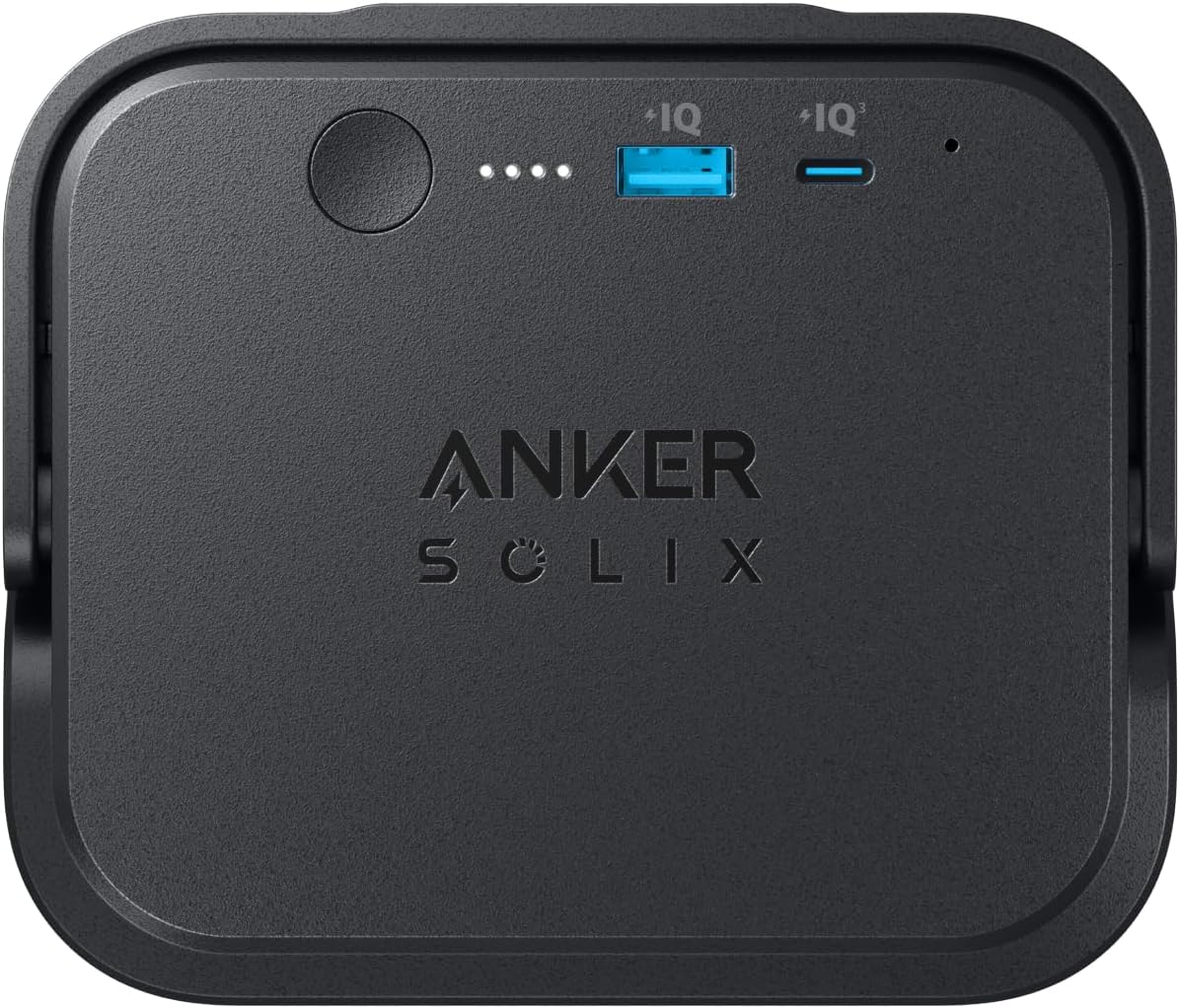
Image: A close-up view of the top of the Anker SOLIX EverFrost 2 Removable Battery, highlighting the USB-A and USB-C output ports and the power indicator lights.
Battery Level Indicators
The battery features LED indicators to display its current charge level. Press the power button briefly to activate the indicators.
- Four LEDs lit: 75-100% charge
- Three LEDs lit: 50-75% charge
- Two LEDs lit: 25-50% charge
- One LED lit: 0-25% charge (recharge soon)
Maintenance
- Cleaning: Use a dry, soft cloth to clean the battery. Avoid using abrasive cleaners or solvents.
- Storage: If storing the battery for an extended period, charge it to approximately 50-75% and store in a cool, dry place away from direct sunlight and extreme temperatures. Recharge every 3-6 months to maintain battery health.
- Battery Longevity: The LFP (LiFePO4) battery is designed for a long lifespan, providing reliable power for up to 10 years under normal usage conditions.
- Avoid Extreme Temperatures: Do not expose the battery to extremely high or low temperatures, as this can degrade performance and shorten its lifespan.
Troubleshooting
| Problem | Possible Cause | Solution |
|---|---|---|
| Battery not charging when inserted into cooler. | Cooler not connected to power, cooler malfunction, or battery not properly seated. | Ensure the cooler is connected to a working power source. Re-insert the battery firmly. Check the cooler's manual for charging indicators. |
| Devices not charging from USB ports. | Battery is depleted, cable is faulty, or device is incompatible. | Charge the battery. Try a different USB cable. Ensure your device is compatible with the battery's output specifications. |
| Battery indicators not lighting up. | Battery is completely depleted or a malfunction. | Attempt to charge the battery. If still unresponsive, contact customer support. |
| Battery does not fit in cooler. | Incorrect cooler model. | This battery is only compatible with Anker SOLIX EverFrost 2 40L/58L Electric Coolers. It is NOT compatible with the first generation Anker EverFrost coolers. Verify your cooler model. |
Safety Information
Please read and understand all safety instructions before using this product.
- Do not disassemble, crush, incinerate, or expose the battery to high temperatures.
- Do not short-circuit the battery terminals.
- Keep out of reach of children.
- Do not use the battery if it is damaged, swollen, or leaking.
- Dispose of the battery responsibly according to local regulations. Do not dispose of with household waste.
- Use only with compatible Anker SOLIX EverFrost 2 Portable Refrigerators.
- Avoid dropping or subjecting the battery to severe impacts.

Image: The back view of the Anker SOLIX EverFrost 2 Removable Battery, showing its smooth surface and design.
Warranty and Support
Anker provides a limited warranty for this product. For detailed warranty information, please refer to the official Anker website or the warranty card included with your purchase. The battery is designed for 10 years of reliable power under normal use.
For technical support, troubleshooting assistance, or warranty claims, please contact Anker Customer Service:
- Website: www.anker.com
- Email: Refer to the Anker website for specific support email addresses.
- Phone: Refer to the Anker website for regional support phone numbers.
When contacting support, please have your product model number (A17D2) and purchase information ready.


