
1. Introduction
This manual provides essential information and instructions for the XIAOMI Redmi Note 14 Pro+ 5G smartphone. Please read this guide thoroughly to understand the device's features, setup procedures, operation, and maintenance to ensure optimal performance and longevity.

Image 1.1: Front and back view of the XIAOMI Redmi Note 14 Pro+ 5G smartphone, showcasing its display and camera module.
2. Setup
2.1. What's in the Box
- XIAOMI Redmi Note 14 Pro+ 5G Smartphone
- SIM Tray Ejector
- USB Cable
- 120W In-box Charger
2.2. SIM Card Installation
- Locate the SIM card tray on the side of your device.
- Insert the SIM tray ejector tool into the small hole next to the tray and press firmly until the tray pops out.
- Place your Nano-SIM card(s) into the designated slots on the tray. This device supports Dual SIM functionality but does not have a Micro SD slot.
- Carefully reinsert the SIM tray into the phone. Ensure it is fully seated to prevent dust and moisture ingress.
Note: This device is designed for use with T-Mobile, Mint, Tello, and other T-Mobile network carriers in the USA. Outside the USA, it works with any GSM carrier SIM. Ensure your SIM card is already activated.
2.3. Initial Power On
- Press and hold the Power button until the XIAOMI logo appears.
- Follow the on-screen instructions to complete the initial setup, including language selection, Wi-Fi connection, and Google account login.
3. Operating Your Device
3.1. Display Features
The Redmi Note 14 Pro+ 5G features a 6.67-inch CrystalRes AMOLED display with a resolution of 2712 x 1220 (1.5K). It offers a refresh rate of up to 120Hz and a touch sampling rate of up to 480Hz for smooth interactions. The display boasts a peak brightness of 3000 nits, 12-bit color depth, and a 5,000,000:1 contrast ratio, supporting DCI-P3 wide color gamut and Dolby Vision. It is protected by Corning Gorilla Glass Victus 2 and includes features like Reading mode, 1920Hz PWM dimming, and TÜV Rheinland certifications for low blue light and flicker-free viewing.
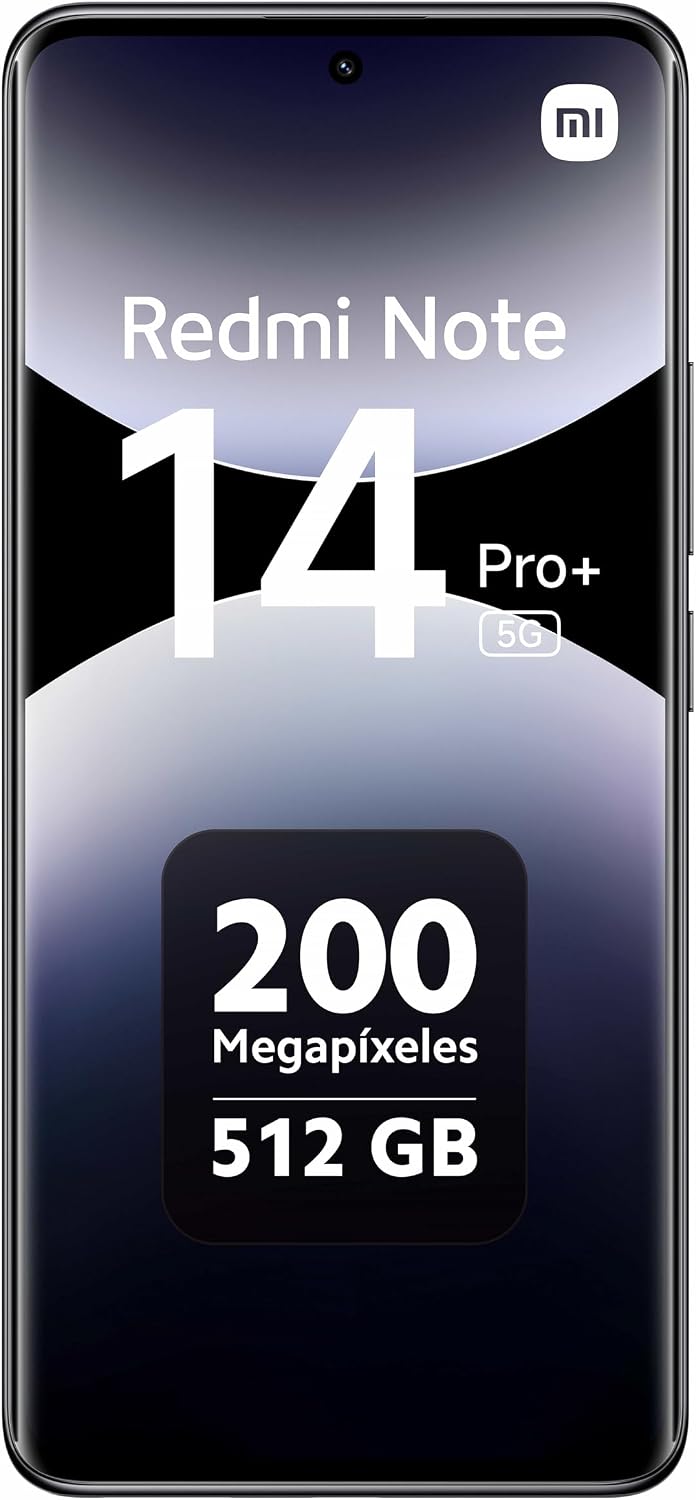
Image 3.1: Front view of the XIAOMI Redmi Note 14 Pro+ 5G, highlighting its expansive AMOLED display.
3.2. Camera System
The device is equipped with a 200MP main camera with Optical Image Stabilization (OIS) and an f/1.65 aperture, featuring a 1/1.4-inch sensor size and 7P lens. It utilizes 16-in-1 binning for a large 2.24µm pixel size, enhancing detail and low-light performance. Additional cameras include an 8MP ultra-wide camera (f/2.2) and a 2MP macro camera (f/2.4).
- Rear Camera Features: Dynamic shots, Motion tracking focus, Lightning Burst, filmFrame, Portraits, Document, Night mode, Dual video, Steady video.
- Rear Video Recording: 4K at 24/30fps, 1080p at 30/60fps, 720p at 30fps. Slow motion at 1080p (120fps) and 720p (120/240fps).
- Front Camera: 20MP (f/2.2) with Soft-light ring, AI beautify, Night mode, Portrait mode, Palm Shutter, Selfie timer.
- Front Video Recording: 1080p at 30/60fps, 720p at 30fps.

Image 3.2: Rear view of the XIAOMI Redmi Note 14 Pro+ 5G, showcasing the 200MP camera system.
3.3. Performance and AI Features
Powered by the Snapdragon 7s Gen 3 (4nm manufacturing process) Octa-core processor up to 2.5GHz and Adreno GPU, the device offers smooth performance. It includes advanced AI tools such as Circle to Search with Google, Google Gemini, AI Interpreter, AI Notes, AI Recorder, AI Subtitles, AI Film, and AI image editing.
3.4. Connectivity
The device supports 5G (n1/2/3/5/7/8/20/28/38/40/41/48/66/77/78) and 4G LTE (FDD:1/2/3/4/5/7/8/12/13/17/18/19/20/26/28/32/66; TDD:38/40/41/42/48) networks. It features Bluetooth 5.4, Wi-Fi 6/6E/Wi-Fi 5/Wi-Fi 4 (802.11a/b/g) with 2.4GHz and 5GHz support, 2x2 MIMO, and Wi-Fi Direct. GPS, GLONASS, Galileo, QZSS, and A-GPS are supported for precise positioning.
4. Maintenance
4.1. Battery and Charging
The Redmi Note 14 Pro+ 5G is equipped with a 5110mAh (typical) battery. It supports 120W HyperCharge technology, allowing for rapid charging using the included 120W in-box charger. The estimated charging time is 3 hours for a full charge.
4.2. General Care
- Keep the device away from extreme temperatures, direct sunlight, and liquids.
- Clean the screen and body with a soft, lint-free cloth. Avoid abrasive materials.
- Regularly back up your data to prevent loss.
5. Troubleshooting
5.1. Network Connectivity Issues
- No Signal/Limited Service: Ensure your SIM card is correctly inserted and activated. Verify that your device is compatible with your carrier's network bands. For USA users, confirm compatibility with T-Mobile, Mint, or Tello networks.
- Wi-Fi Connection Problems: Restart your router and phone. Forget the network and reconnect. Ensure you are within range of the Wi-Fi signal.
5.2. Device Unresponsive
- If the device is unresponsive, press and hold the Power button for approximately 10-15 seconds to force a restart.
5.3. Battery Draining Quickly
- Check background app usage and close unnecessary applications.
- Reduce screen brightness and disable features like always-on display if not needed.
- Ensure the device is running the latest software updates.
6. Specifications
| Feature | Specification |
|---|---|
| Model Name | Note 14 Pro+ 5G |
| Operating System | Hyper OS Based on Android 14 |
| CPU Model | Snapdragon 7s Gen 3 Octa-core |
| CPU Speed | Up to 2.5 GHz |
| RAM | 12 GB |
| Memory Storage Capacity | 512 GB |
| Screen Size | 6.67 Inches |
| Resolution | 2712 x 1220 (1.5K) |
| Refresh Rate | 120 Hz |
| Main Camera | 200MP with OIS |
| Front Camera | 20MP |
| Battery Capacity | 5110 mAh |
| Charging | 120W HyperCharge |
| Connectivity | 5G, 4G, Wi-Fi 6/6E, Bluetooth 5.4, NFC, GPS |
| Special Features | Dual SIM, In-screen fingerprint sensor, AI Face Unlock |
| Dimensions | 6.89 x 3.54 x 1.57 inches |
| Item Weight | 7.4 ounces (0.21 Kilograms) |
7. Warranty and Support
For warranty information and customer support, please refer to the warranty card included with your product or visit the official XIAOMI website. You can also contact XIAOMI customer service for assistance with product-related inquiries or technical support.
Manufacturer: Xiaomi
Date First Available: February 5, 2025


