
1. Introduction
This manual provides instructions for the assembly, operation, and maintenance of your IRONCK Corner TV Stand, Model HK-BZDSG-03. Please read these instructions carefully before assembly and use to ensure proper function and safety.
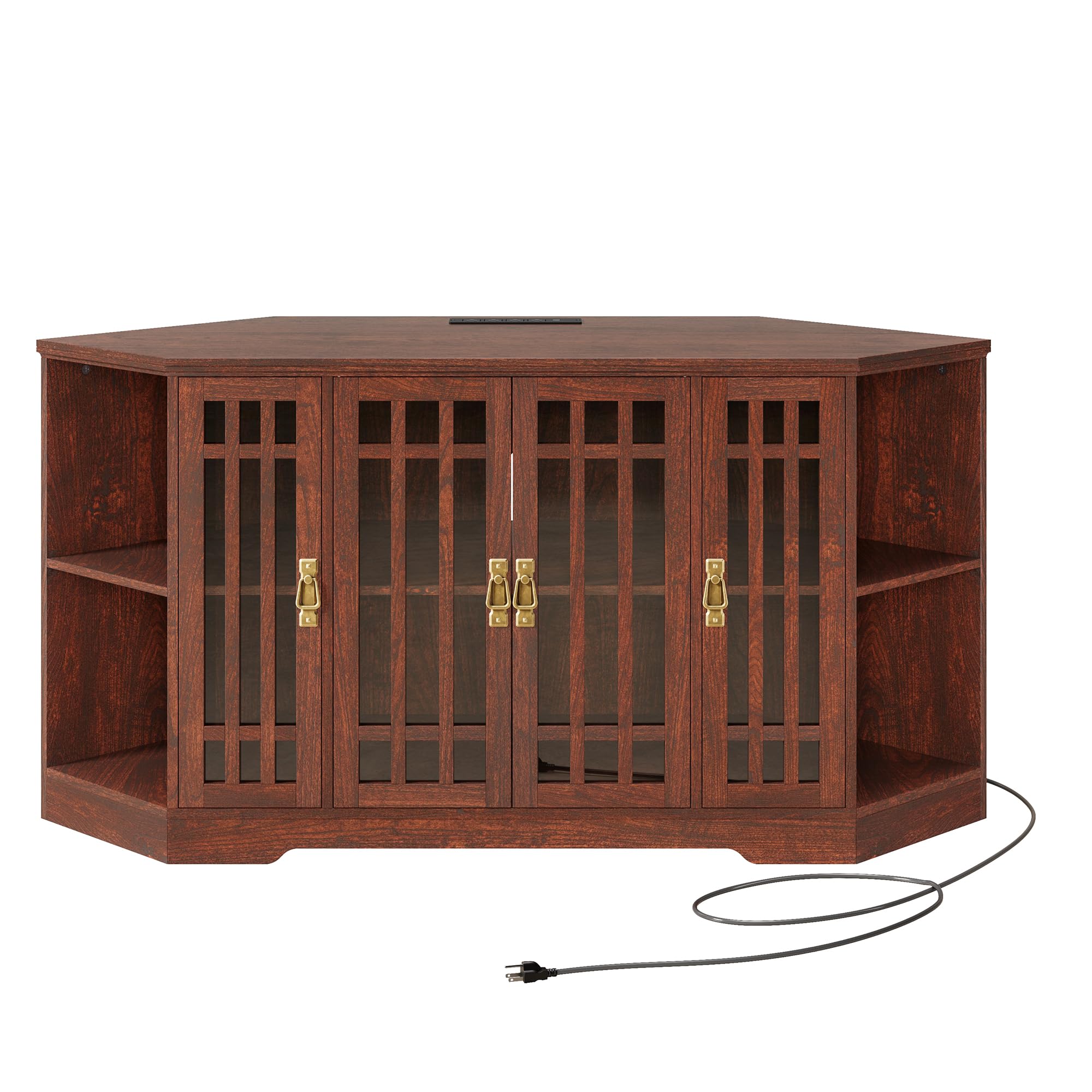
Image 1.1: Assembled IRONCK Corner TV Stand with a television.
Safety Information
- Always assemble the product according to the provided instructions.
- Keep the product away from heat sources.
- Do not place heavy objects on the glass doors to prevent breakage.
- Keep the product away from children and pets to prevent injury.
- Ensure all connections for the power outlet are secure before use.
2. Package Contents
Before beginning assembly, verify that all parts are present and undamaged. Refer to the detailed parts list included in your product packaging. Typical components include:
- Top Panel
- Bottom Panel
- Side Panels (Left and Right)
- Back Panels
- Adjustable Shelves
- Glass Doors
- Door Hinges and Handles
- Built-in Power Outlet Unit
- Screw Kits and Fasteners
- Assembly Tools (e.g., Allen wrench, if required)
3. Assembly Instructions
The IRONCK Corner TV Stand is designed for easy assembly. A comprehensive, step-by-step assembly manual with illustrations is included in your package. Please follow those instructions precisely. The general assembly process involves:
- Unpack and Identify Parts: Lay out all components on a clean, soft surface to prevent scratches. Identify each part using the provided labels and the parts list.
- Assemble the Main Frame: Attach the side panels to the bottom panel, then secure the back panels.
- Install Shelves: Insert the adjustable shelf pins into the desired holes and place the shelves.
- Attach Top Panel: Secure the top panel to the assembled frame.
- Install Doors: Attach hinges to the glass doors and then to the cabinet frame. Adjust as necessary for proper alignment.
- Install Handles: Secure the rustic brass-colored metal pulls to the glass doors.
- Integrate Power Outlet: Install the built-in power outlet unit into its designated slot on the top panel.

Image 3.1: Detail of the glass doors and handles.
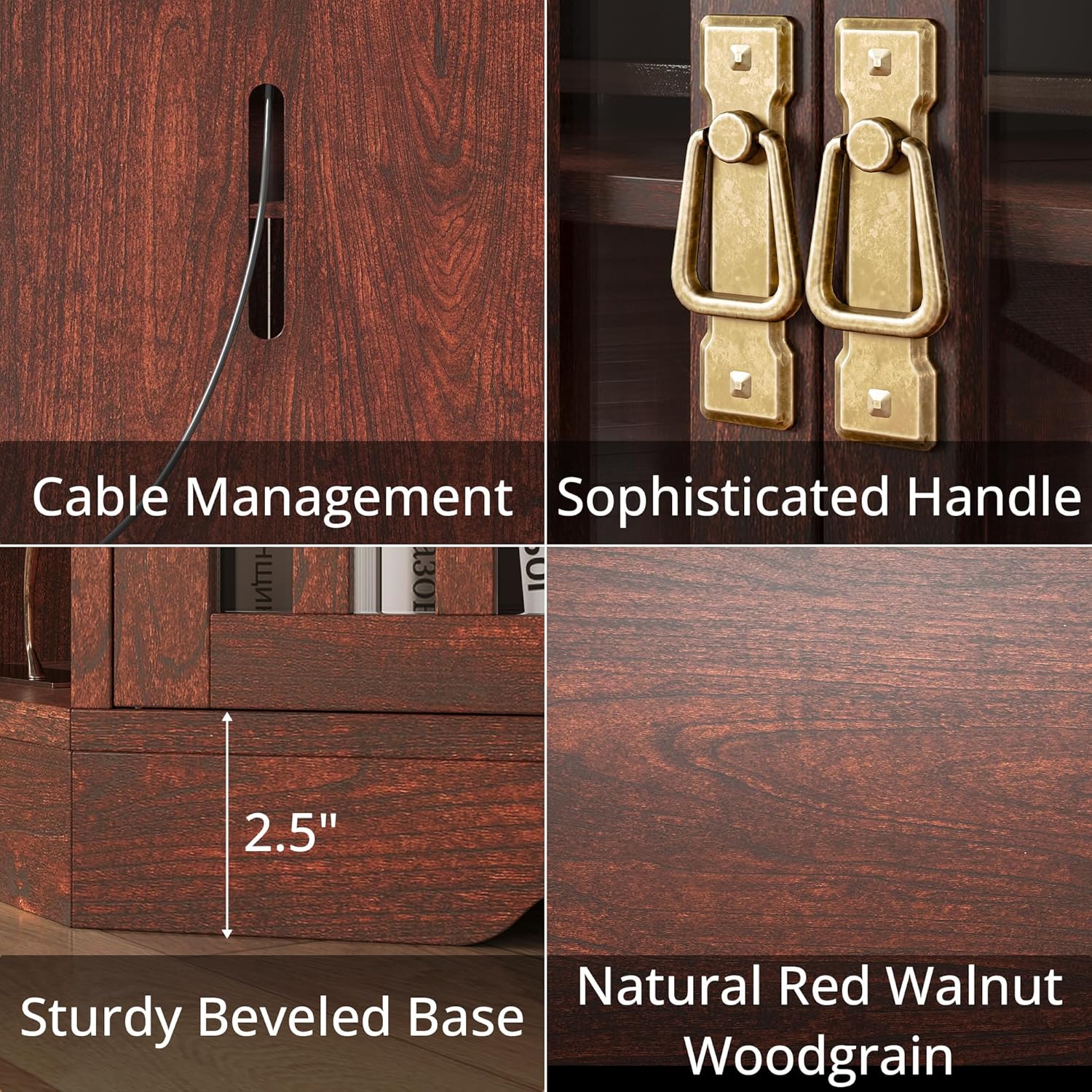
Image 3.2: Side storage panels with shelves.
4. Operating Instructions
Using the Built-in Charging Station
The TV stand features a built-in power outlet with 2 USB ports and 2 standard plug sockets. To use:
- Ensure the power cord from the TV stand is securely plugged into a wall outlet.
- Connect your devices (TV, stereo, WiFi router, etc.) to the available USB ports or standard sockets.

Image 4.1: Built-in charging station in use.
Cable Management
A long power cord hole is located on the back panel to help organize and route cables for your electronic devices, maintaining a tidy appearance.

Image 4.2: Cable management hole.
Adjustable Shelves
The internal shelves can be adjusted to different heights to accommodate various items. Simply remove the shelf pins, reposition them to the desired height, and place the shelf back into position.
5. Maintenance
To ensure the longevity and appearance of your TV stand, follow these maintenance guidelines:
- Cleaning: Wipe surfaces with a soft, damp cloth. Avoid harsh chemicals or abrasive cleaners that may damage the finish or glass.
- Dusting: Regularly dust with a dry, soft cloth.
- Spills: Clean spills immediately to prevent staining, especially on the woodgrain finish.
- Glass Care: Use a glass cleaner for the doors, applying it to a cloth first, not directly to the glass, to avoid overspray on wood.
- Hardware: Periodically check and tighten any loose screws or fasteners to maintain stability.
6. Troubleshooting
If you encounter any issues with your IRONCK Corner TV Stand, refer to the following common troubleshooting steps:
| Problem | Possible Cause | Solution |
|---|---|---|
| Stand is wobbly or unstable. | Loose fasteners; uneven floor. | Ensure all screws and bolts are tightened. Place shims under the base if the floor is uneven. |
| Glass doors do not align or close properly. | Hinges are loose or misaligned. | Adjust the screws on the hinges to align the doors. Refer to the assembly manual for hinge adjustment details. |
| Power outlet not working. | Power cord not plugged in; circuit breaker tripped; faulty device. | Check if the TV stand's power cord is fully plugged into a functional wall outlet. Test the wall outlet with another device. Check your home's circuit breaker. Ensure the device you are trying to charge is working. |
| Missing parts during assembly. | Packaging overlooked; manufacturing error. | Carefully re-check all packaging materials. If still missing, contact IRONCK customer support with your model number and a description of the missing part. |
7. Specifications
Key specifications for the IRONCK Corner TV Stand (Model HK-BZDSG-03):
- Model Number: HK-BZDSG-03
- Color: Red Walnut
- Material: Glass, Metal, Wood
- Item Dimensions (L x W x H): 55.1 x 21.2 x 27.5 inches
- Item Depth: 45 inches (for corner placement)
- Item Weight: 97.7 pounds
- Number of Shelves: 6 (including side shelves)
- Additional Features: Built-in Charging Station (2 USB ports, 2 standard sockets), Adjustable Shelves, Cable Management Hole
- TV Size Compatibility: Up to 60 inches (or up to 65 inches with a tabletop mount)
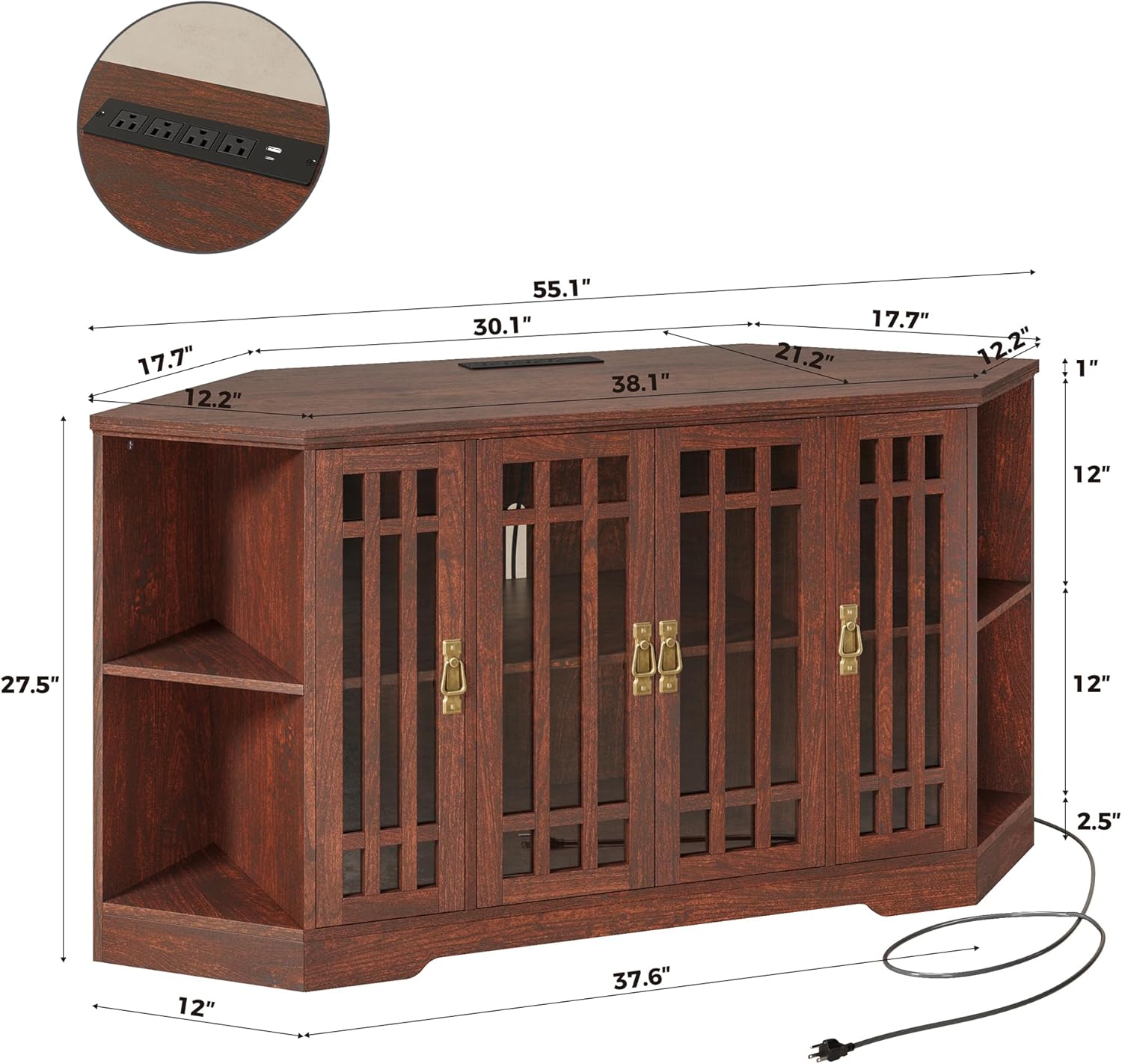
Image 7.1: Product dimensions diagram.

Image 7.2: TV size compatibility illustration.
8. Product Overview Video
Watch this video for a visual overview of the IRONCK Corner TV Stand's features and design.
Video 8.1: Official product video showcasing the IRONCK Corner TV Stand, highlighting its built-in charging station, glass doors, and storage options.
9. Warranty and Support
For warranty information or technical support, please refer to the documentation included with your purchase or contact IRONCK customer service directly. Contact details can typically be found on the manufacturer's official website or on your purchase receipt.