
Demotio MA-600S
Demotio MA-600S Mixed Denomination USD Bill Counter
User Instruction Manual
Model: MA-600S | Brand: Demotio
1. Introduction
The Demotio MA-600S is an advanced mixed denomination money counter designed for efficient and accurate processing of USD bills. Equipped with Bank-Grade CIS and multi-detection sensors, it ensures reliable counterfeit detection and precise denomination recognition. This machine can count and calculate the total quantity and value of mixed bills, generating detailed reports for each type of bill. It also supports optional receipt printing and is upgradable for new currencies.
This manual provides comprehensive instructions for setting up, operating, maintaining, and troubleshooting your MA-600S bill counter. Please read it thoroughly before first use to ensure optimal performance and longevity of the device.
2. Safety Information
- Always connect the machine to a grounded power outlet with the correct voltage.
- Do not expose the machine to water or excessive humidity.
- Avoid placing the machine in direct sunlight or near heat sources.
- Keep the machine away from dust and debris.
- Do not attempt to open or repair the machine yourself. Refer to qualified service personnel.
- Unplug the machine before cleaning or performing any maintenance.
- Ensure hands are clear of the bill feeding mechanism during operation.
3. Package Contents
Upon unpacking, please verify that all the following items are included:
- Demotio MA-600S Mixed Denomination Bill Counter
- Power Cord
- External Display (4+6 digits)
- Cleaning Brush
- CIS Calibration Bar and Paper
- Dust Cover
- User Manual (this document)
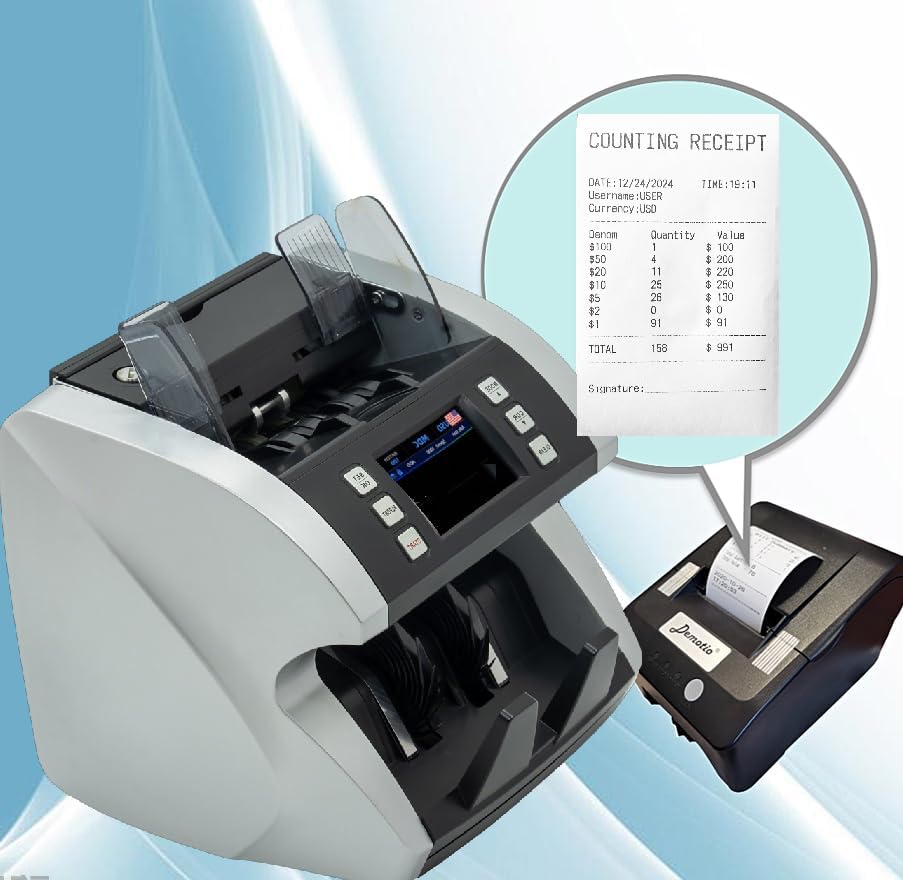
Figure 3.1: Included accessories with the Demotio MA-600S.
4. Product Overview
Familiarize yourself with the main components of the Demotio MA-600S bill counter:

Figure 4.1: Front view of the MA-600S with main display and controls.

Figure 4.2: Rear view of the MA-600S showing connectivity ports.
Key Components:
- Hopper: Where bills are loaded for counting.
- Stacker: Where counted bills are collected.
- Touch Screen Display: Intuitive interface for operation and settings.
- Control Panel Buttons: Physical buttons for common functions (MODE, CUR, CLEAR, SET OK, REPORT, START).
- External Display Port: For connecting the included external display.
- USB Ports: For software updates and data export.
- Power Input: For connecting the power cord.
5. Setup
- Unpack the Machine: Carefully remove the MA-600S and all accessories from the packaging.
- Place the Machine: Position the bill counter on a stable, flat, and dry surface. Ensure adequate space around the machine for ventilation and operation.
- Connect External Display: Plug the external display cable into the designated port on the rear of the MA-600S.
- Connect Power: Insert the power cord into the power input on the rear of the machine, then plug the other end into a suitable grounded electrical outlet.
- Power On: Flip the power switch located on the rear of the machine to the 'ON' position. The machine will perform a self-test and the display will light up.
6. Operating Instructions
6.1. Basic Counting (Mixed Denomination)
- Ensure the machine is powered on.
- On the touch screen, select "USD" and "MDC" (Mixed Denomination Count) mode.
- Place a stack of mixed USD bills into the hopper. The machine will automatically start counting.
- The display will show the total number of pieces and the total value.
- To view a detailed report of denominations, press the REPORT button.
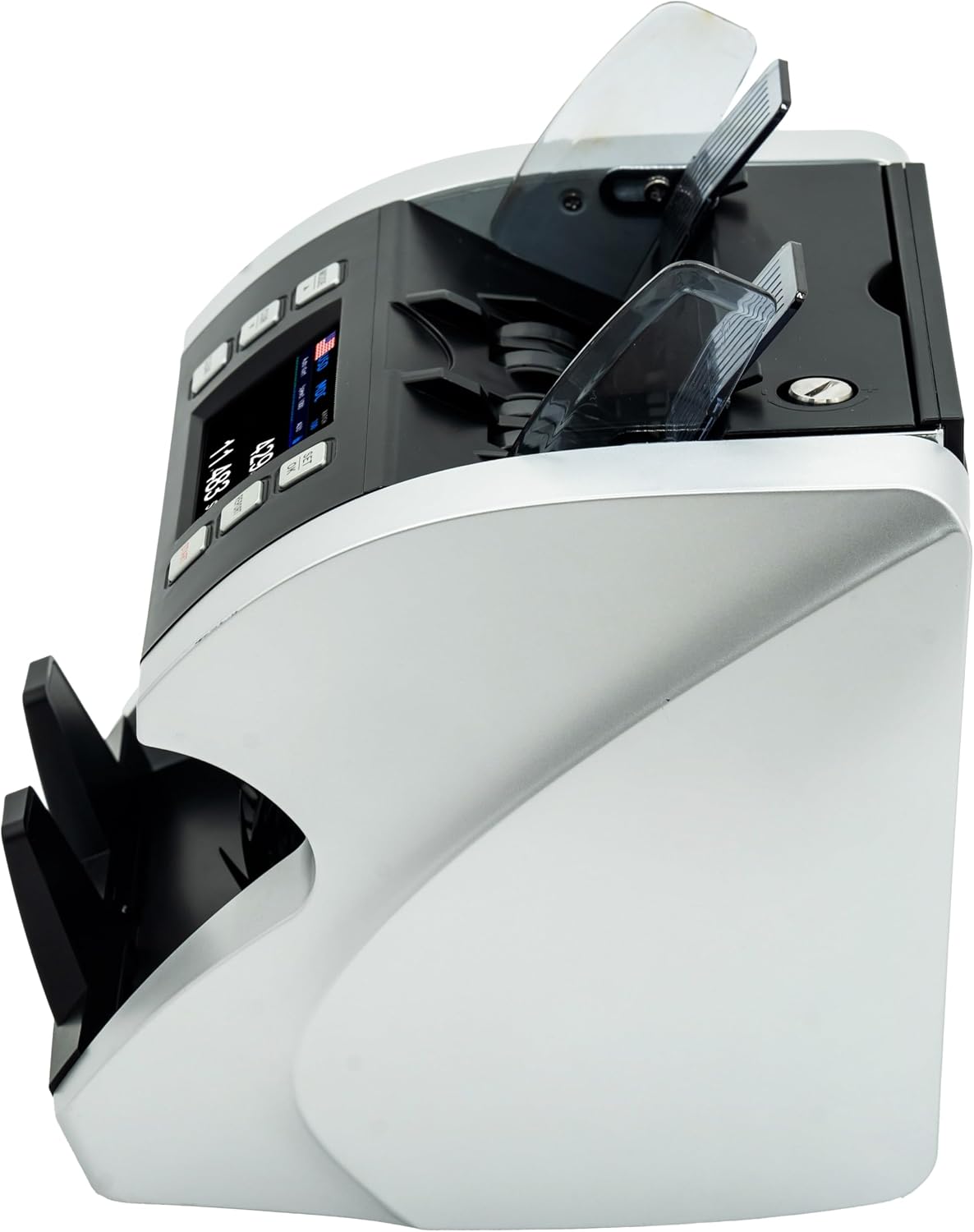
Figure 6.1: Main operating screen with mode selection.

Figure 6.2: Example of a detailed counting report.
6.2. Batch Counting Function
The batch function allows you to count bills into specific quantities. For example, setting a batch of 100 will stop the machine after 100 bills are counted.
- From the main screen, tap on "BATCH" to enter batch setting.
- Use the on-screen keypad to input the desired batch quantity.
- Press SET OK or Save to confirm the batch setting.
- Place bills into the hopper. The machine will count until the set batch quantity is reached, then pause. Remove the counted batch and continue feeding bills for the next batch.
Video 6.1: Demonstration of the BATCH function on the Demotio MA-600S Model. This video illustrates how to set a batch quantity and how the machine pauses after counting the specified number of bills.
6.3. Error Handling (Denomination Error Example)
If the machine detects an anomaly, such as a different denomination in a single-denomination count mode or a suspected counterfeit, it will stop and display an error message. For example, a "DENOMINATION ERROR" indicates a bill of an unexpected denomination was detected.
- When an error occurs, the machine will stop and display a message.
- Remove the bill(s) from the stacker. The problematic bill is usually the last one counted or the one causing the error.
- Press the START button to resume counting the remaining bills.
Figure 6.3: Example of a Denomination Error message on the display.
7. Maintenance
7.1. Cleaning
Regular cleaning is essential for maintaining the accuracy and longevity of your bill counter.
- Frequency: Clean the machine after every 8 hours of continuous operation or when you notice a decrease in counting accuracy.
- Procedure:
- Turn off the machine and unplug it from the power outlet.
- Open the top cover of the machine.
- Use the provided cleaning brush to gently remove any dust, lint, or paper residue from the sensors, rollers, and bill path.
- Close the top cover securely.
7.2. CIS Calibration
The Contact Image Sensor (CIS) may require calibration periodically to ensure optimal detection performance. Use the provided CIS Calibration Bar and Paper.
- When to Calibrate: If you experience frequent mis-counts, false rejections, or "CIS Error" messages.
- Procedure: Refer to the on-screen menu for "CIS Calibration" and follow the prompts. This typically involves feeding the calibration paper through the machine.

Figure 7.1: CIS Sensor and Calibration Tools.
8. Troubleshooting
This section addresses common issues you might encounter. For more complex problems, please contact Demotio customer support.
| Problem | Possible Cause | Solution |
|---|---|---|
| Machine does not power on. | Power cord not connected, power switch off, power outlet issue. | Check power cord connection, ensure power switch is ON, try a different outlet. |
| Frequent mis-counts or errors. | Dust/debris on sensors, bills not properly aligned, worn rollers, CIS calibration needed. | Clean the machine thoroughly. Ensure bills are neatly stacked. Perform CIS calibration. |
| Bills jam frequently. | Bills are wrinkled/torn, hopper overloaded, foreign objects in bill path. | Remove damaged bills. Do not overload hopper. Clear any obstructions. |
| Software-related mis-counting or mis-alarms. | Outdated software, specific bill series not recognized. | Contact Demotio support for online software upgrade guidance. |

Figure 8.1: Software updates via USB connection.
9. Specifications
| Feature | Detail |
|---|---|
| Model Number | MA-600S |
| Brand | Demotio |
| Dimensions (W x D x H) | 10.24 x 11.02 x 10.63 inches |
| Item Weight | 16.37 pounds |
| Color | Black and Silver |
| Detection Technology | Bank-Grade CIS, UV, MG, IR, DD, Image Processing |
| Currency Support | USD (upgradable for 100+ currencies) |
| Display | Touch Screen + External Display |
10. Warranty and Support
Demotio is committed to providing comprehensive support for its products. All after-sales support comes directly from the manufacturer.
- Software Support: Software-related issues, such as mis-counting or mis-alarms, can often be resolved through online software upgrades with detailed guidance from Demotio engineers.
- Hardware Support: In the event of accidental hardware failures that cannot be fixed online, a new replacement machine will be sent directly from the factory.
- Parts Supply: Full life parts supply is available.
- Technical Assistance: Experienced engineers are available to answer your questions within 24 hours.
- Customization: For currency customization or other specific demands (e.g., adding a logo to the startup page), please contact Demotio directly.
For support, please visit the official Demotio store on Amazon or contact their customer service directly through the platform.
Ask a question about this manual
Ask about setup, troubleshooting, compatibility, parts, safety, or missing instructions. Manuals+ will review the question and use this page’s manual context to help answer it.