
Introduction
This manual provides essential instructions for the safe and efficient operation, maintenance, and troubleshooting of your CoasTeering Planet Robotic Pool Cleaner. Please read this manual thoroughly before using the device to ensure optimal performance and longevity.
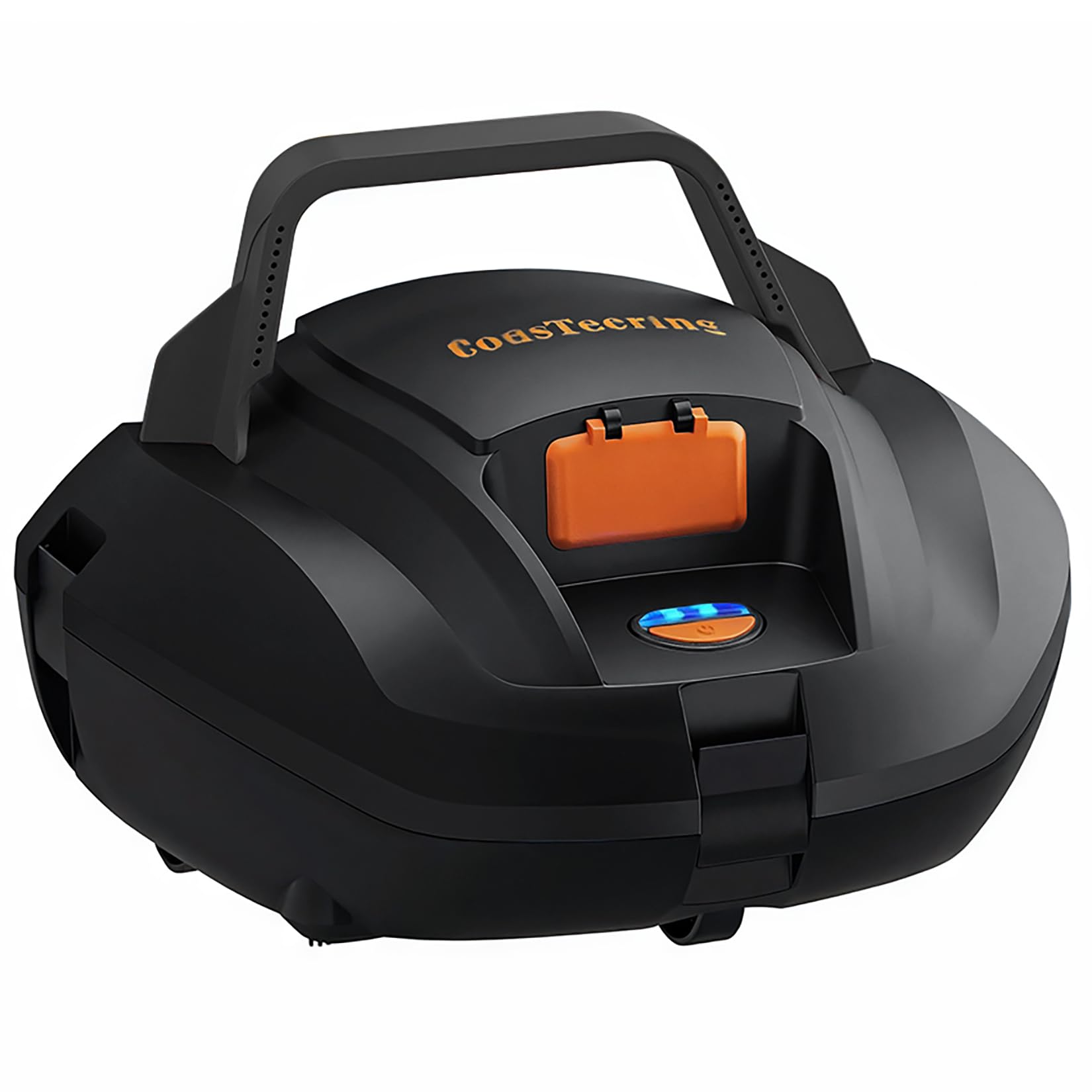
Image: CoasTeering Planet Robotic Pool Cleaner, a compact, dark grey and orange device designed for pool cleaning.
Safety Information
- Always ensure the pool cleaner is fully charged before use.
- Do not operate the cleaner if the charging port is wet or damaged.
- Keep children and pets away from the pool area while the cleaner is in operation.
- Remove the cleaner from the pool before adding chemicals or performing maintenance on the pool filtration system.
- Store the cleaner in a cool, dry place away from direct sunlight when not in use.
- Use only the provided charger for the device.
Setup
- Unpack the Cleaner: Carefully remove the CoasTeering Planet Robotic Pool Cleaner from its packaging. Verify all components are present.
- Charge the Battery: Locate the charging port on the underside of the cleaner. Connect the provided charger to the port and plug it into a power outlet. Ensure the port is dry before charging. The indicator light will show charging status.
Video: Demonstrates how to connect the charger to the robotic pool cleaner's charging port.
- Initial Inspection: Before first use, inspect the cleaner for any visible damage or debris.
Operating Instructions
- Place in Pool: Gently lower the charged cleaner into the pool. Ensure it sinks to the bottom.
- Start Cleaning: Press the power button located on the top of the unit to initiate the cleaning cycle. The cleaner will begin to move across the pool floor.
- Automatic Operation: The cleaner will operate autonomously, navigating the pool floor to collect debris. It is designed to automatically stop near the edge of the pool when its battery is low.
- Retrieval: Once the cleaning cycle is complete or the battery is low, use the provided pole hook to carefully retrieve the cleaner from the pool.
Maintenance
- Empty and Clean Filter: After each use, remove the filter basket and empty any collected debris. Rinse the filter thoroughly under running water to remove fine particles.
Video: Demonstrates the process of cleaning the pool robot's filter basket.
- Dry the Unit: Allow the cleaner to dry completely before charging or storing. This helps prevent water intrusion and potential damage to internal components.
- Storage: Store the cleaner in a dry, shaded area when not in use. Avoid prolonged exposure to direct sunlight or extreme temperatures.
- Brush Replacement: Periodically check the condition of the brushes. Replace them with the provided spare brushes when they show signs of wear to maintain cleaning efficiency.
Troubleshooting
- Cleaner not moving or operating: Ensure the battery is fully charged. Check for any obstructions in the wheels or suction inlet. If the unit turns on but does not move, or flashes erratically, there may be an internal issue requiring professional inspection.
- Poor cleaning performance: Clean the filter basket thoroughly. Ensure the pool floor is relatively flat, as uneven surfaces can affect navigation and debris collection.
- Cleaner stops prematurely: This typically indicates a low battery. Recharge the unit.
- Water inside the unit after use: While the unit is designed for underwater use, significant water accumulation inside the sealed compartments can indicate a leak. Discontinue use and contact customer support.
Specifications
| Feature | Detail |
|---|---|
| Brand | CoasTeering |
| Model Number | Planet |
| Power Source | Battery Powered |
| Battery Type | Lithium-Ion |
| Lithium Battery Energy Content | 44.4 Watt Hours |
| Control Method | Touch |
| Load Capacity | 2.2 Pounds |
| Assembly Required | No |
| Installation Type | Robotic |
Warranty
The CoasTeering Planet Robotic Pool Cleaner comes with a 1-year warranty from the date of purchase. This warranty covers manufacturing defects under normal use. It does not cover damage resulting from improper use, neglect, accidents, or unauthorized modifications. Please retain your proof of purchase for warranty claims.
Support
For technical assistance, warranty claims, or general inquiries, please contact CoasTeering customer support through their official website or the retailer where the product was purchased. Please have your model number (Planet) and proof of purchase ready when contacting support.

