
1. Introduction
Thank you for choosing the Akxomel Fluted Nightstands. This manual provides essential information for the safe assembly, operation, and maintenance of your new nightstands. Please read these instructions carefully before beginning assembly and retain them for future reference.

Image 1.1: Akxomel Fluted Nightstands, showcasing their design and functionality.
2. Safety Information
WARNING: To prevent tipping, ensure the nightstand is anchored to the wall using the provided anti-tip kit. Handle all components with care to avoid accidental bumps or damage during assembly and use. Keep small parts away from children.
3. Package Contents
Before assembly, verify that all components listed below are present and undamaged. If any parts are missing or damaged, please contact customer support.
- Nightstand components (engineered wood panels, drawer parts)
- Charging Station module (2 power outlets, 2 USB ports)
- LED Strip Light kit
- Golden Handle(s)
- Assembly Guide
- Installation Tool(s) (e.g., screwdriver)
- Hardware pack (screws, dowels, anti-tip kit)
4. Setup and Assembly
The Akxomel Fluted Nightstands are designed for straightforward assembly. All necessary hardware and tools are included. Follow the step-by-step instructions provided in the separate Assembly Guide for detailed visual instructions.
- Unpack Components: Carefully remove all parts from the packaging and lay them out on a clean, soft surface to prevent scratches.
- Assemble Frame: Follow the Assembly Guide to connect the main panels of the nightstand frame.
- Install Drawer: Assemble the drawer components and install the drawer slides according to the instructions.
- Attach Charging Station: Secure the charging station module into the designated slot on the top panel.
- Install LED Light: Adhere the LED strip light to the interior of the open shelf as indicated in the guide. Connect the power cable.
- Secure Anti-Tip Kit: Attach the anti-tip hardware to the back of the nightstand and to the wall as per the safety instructions. This step is crucial for stability.

Image 4.1: Dimensional diagram of the nightstand and its drawer for assembly reference.
5. Operating Instructions
5.1. Charging Station
The integrated charging station provides convenient power access for your electronic devices.
- Power Connection: Plug the nightstand's main power cord into a standard 120V wall outlet.
- Using Outlets: Insert device power adapters into the two 120V/12A power outlets.
- Using USB Ports: Connect your USB charging cables to the two 5V/2A USB ports.
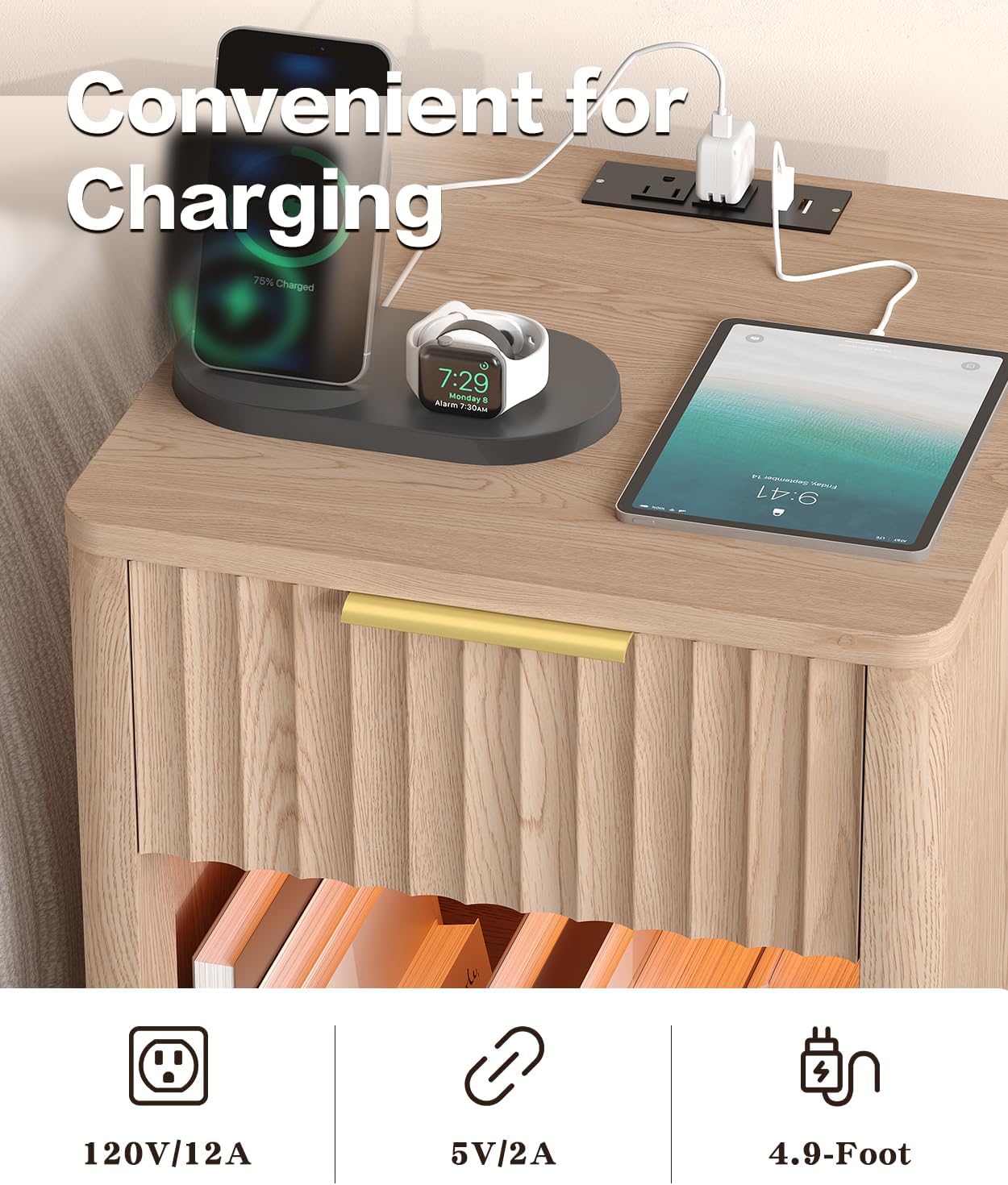
Image 5.1: Devices charging on the nightstand's integrated power station.
5.2. LED Strip Light
The built-in LED strip light enhances the ambiance of your space.
- Activation: The LED light is controlled via a remote control (if included) or a switch on the power cord.
- Color and Mode Selection: Use the remote to select RGB colors, dynamic modes, music modes, or timing functions. Refer to the LED light kit's specific instructions for detailed control options.

Image 5.2: The nightstand's LED light feature with various control options.
5.3. Storage Drawer and Open Shelf
The nightstand features a smooth-gliding drawer and an open storage shelf for your bedside essentials.
- Drawer Use: Pull the golden handle to open the drawer for concealed storage.
- Open Shelf Use: Utilize the open shelf for books, decorative items, or other frequently accessed belongings.
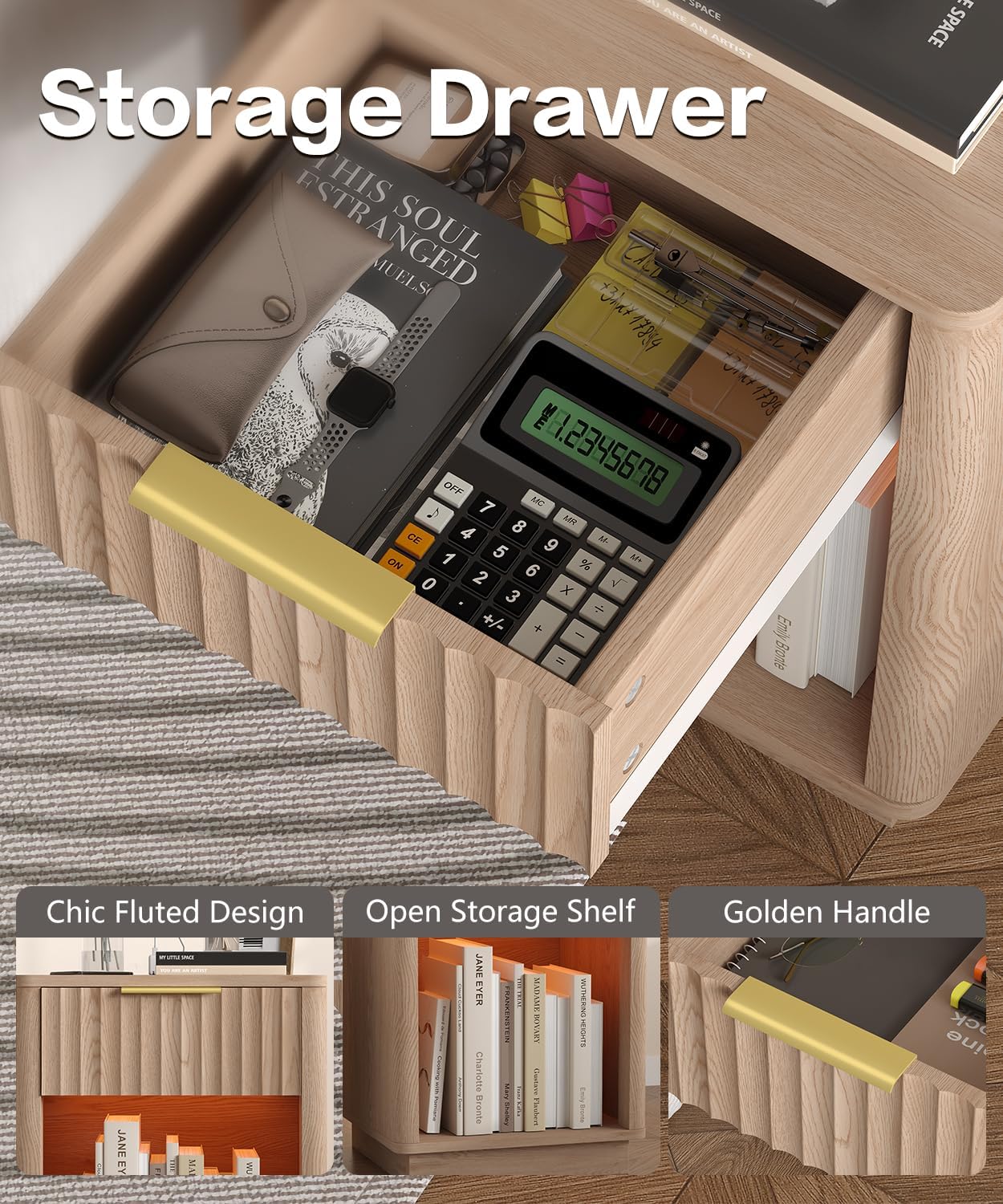
Image 5.3: The nightstand's storage drawer in use.
6. Maintenance
To ensure the longevity and appearance of your Akxomel Fluted Nightstands, follow these maintenance guidelines:
- Cleaning: Wipe surfaces with a soft, damp cloth. Avoid harsh chemicals or abrasive cleaners, which can damage the finish.
- Spills: Clean up spills immediately to prevent staining, especially on the natural oak finish.
- Dusting: Regularly dust with a dry, soft cloth.
- Hardware: Periodically check and tighten all screws and fasteners to maintain structural integrity.
- Avoid Direct Sunlight: Prolonged exposure to direct sunlight can cause fading or discoloration.
7. Troubleshooting
If you encounter any issues with your nightstands, refer to the following common problems and solutions:
- Wobbly Nightstand:
- Ensure all screws are securely tightened.
- Verify the nightstand is on a level surface. Adjust floor glides if present.
- Confirm the anti-tip kit is properly installed and secured.
- Drawer Not Sliding Smoothly:
- Check that the drawer slides are correctly aligned and free of obstructions.
- Ensure the drawer is assembled correctly and not overloaded.
- Charging Station Not Working:
- Verify the nightstand's main power cord is securely plugged into a functional wall outlet.
- Test the outlet with another device to confirm it has power.
- Ensure devices are properly connected to the outlets/USB ports.
- LED Light Not Illuminating:
- Check the power connection for the LED strip.
- Ensure the remote control (if applicable) has working batteries and is pointed correctly.
For issues not covered here, please contact Akxomel customer support.
8. Specifications
| Feature | Detail |
|---|---|
| Brand | Akxomel |
| Model Name | nightstand |
| Model Number | nightstand 103H |
| Product Dimensions (D x W x H) | 15"D x 15.7"W x 22.6"H (38cm D x 40cm W x 57.5cm H) |
| Item Weight | 45.8 Pounds (approx. 20.77 kg) |
| Color | Natural Oak |
| Frame Material Type | Engineered Wood |
| Top Material Type | Engineered Wood |
| Handle Material | Alloy Steel (Gold finish) |
| Number of Drawers | 1 |
| Charging Station | 2 Power Outlets (120V/12A), 2 USB Ports (5V/2A) |
| LED Light | RGB LED Strip Light with various modes |
| Included Components | Assembly Guide, Charging Station, Installation Tool |
| Tools Recommended For Assembly | Screwdriver |
9. Warranty and Support
Akxomel is committed to providing quality products. For specific warranty details, please refer to the documentation included with your purchase or contact Akxomel customer support directly. If you require assistance with assembly, missing parts, or troubleshooting, please reach out to our support team.
Contact Information: Please refer to your purchase receipt or the Akxomel official website for the most current customer support contact details.