
1. Safety Information
WARNING: Small parts may be generated. Not for children under 3 years. Always use official Nerf N1 darts. Do not modify darts or blaster. Eyewear is recommended (not included).
2. What's in the Box
- Nerf Loadout Shadowspeed Recon Blaster
- 14-Dart Storage Attachment
- 14 Nerf N1 Darts
3. Setup
3.1 Attaching the Dart Storage
Locate the 14-dart storage attachment. Align the attachment with the designated slot on the underside of the blaster, near the trigger guard. Push firmly until it clicks into place. This attachment provides convenient storage for additional darts.

Image: The Nerf Loadout Shadowspeed Recon Blaster with the yellow 14-dart storage attachment securely connected to its underside.
3.2 Loading Darts
The blaster features a 6-dart revolving cylinder. To load, insert one Nerf N1 dart into each of the six chambers in the cylinder. Ensure darts are fully seated. Only use Nerf N1 darts with this blaster.

Image: A close-up view of a hand carefully placing an orange Nerf N1 dart into one of the chambers of the blaster's revolving cylinder.
3.3 Dart Compatibility
This blaster is designed exclusively for Nerf N1 darts. Using other dart types may result in poor performance or damage to the blaster.
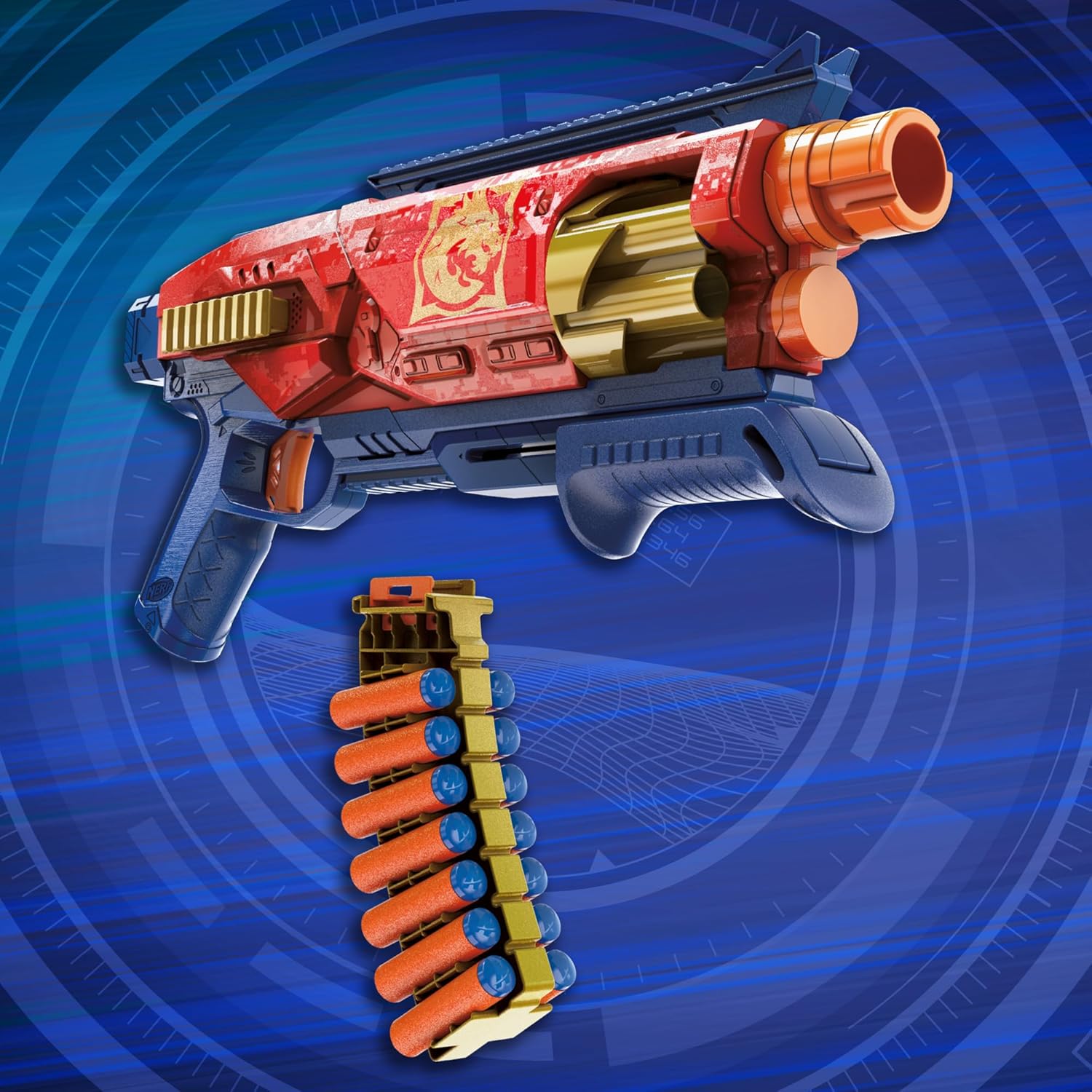
Image: Four orange Nerf N1 darts with blue tips, depicted against a blue background, emphasizing their aerodynamic design.
4. Operating the Blaster
4.1 Priming the Blaster
To prime the blaster, firmly pull the pump-action handle located under the barrel all the way back until it clicks, then push it forward until it clicks again. This action rotates the cylinder and prepares a dart for firing.
4.2 Firing Darts
After priming, aim the blaster and press the trigger to fire a dart. Repeat the priming and firing steps for subsequent shots until the cylinder is empty.

Image: A person in safety glasses holding and firing the red and blue Nerf blaster, with an orange dart in flight from the barrel.
4.3 Customization with Loadout System
The Nerf Loadout Shadowspeed Recon Blaster is part of the Nerf Loadout system, allowing for interchangeable attachments. You can mix and match the dart storage attachment with other compatible Nerf Loadout blasters and accessories (sold separately) to create various configurations.

Image: A visual guide demonstrating the modularity of the Nerf Loadout system, displaying a core blaster and various stock, barrel, and grip attachments that can be interchanged to form over 1000 combinations.
5. Maintenance
5.1 Cleaning
Wipe the blaster with a dry or slightly damp cloth to remove dust and debris. Do not submerge the blaster in water or use harsh cleaning agents.
5.2 Dart Care
Inspect darts regularly for damage. Discard any darts that are ripped, bent, or otherwise compromised, as they can affect performance and potentially jam the blaster.
6. Troubleshooting
6.1 Darts Not Firing
- Ensure the blaster is fully primed by pulling the pump-action handle all the way back and then pushing it all the way forward until it clicks twice.
- Check that darts are properly loaded into the revolving cylinder.
6.2 Darts Jamming
- Verify that only official Nerf N1 darts are being used.
- Inspect darts for any damage (e.g., bends, tears) and replace damaged darts.
- Ensure darts are fully inserted into the cylinder chambers.
7. Specifications
| Model Number | G1759S00 |
| Product Dimensions | 16 x 2.63 x 10 inches |
| Item Weight | 1.74 pounds |
| Manufacturer Recommended Age | 8 years and up |
| Dart Type | Nerf N1 Darts (14 included) |
| Cylinder Capacity | 6 Darts |
8. Warranty and Support
For warranty information, product support, or to purchase replacement parts, please refer to the official Nerf website or contact Hasbro customer service directly. Contact details can typically be found on the product packaging or the manufacturer's official website.


