
Introduction
The Shark Performance Powered Lift-Away UV2500 upright vacuum is designed for comprehensive home cleaning. It features powerful suction, DuoClean PowerFins HairPro nozzle technology, and Odor Neutralizer Technology. The Lift-Away function allows for versatile cleaning across various surfaces and hard-to-reach areas. This manual provides instructions for assembly, operation, maintenance, and troubleshooting to ensure optimal performance of your vacuum cleaner.

Image: The Shark Performance Powered Lift-Away Upright Vacuum UV2500 in its upright configuration.
What's in the Box
Your Shark Performance Powered Lift-Away Upright Vacuum UV2500 package includes the following components:
- Upright Vacuum Unit
- DuoClean PowerFins HairPro Nozzle
- Pet Crevice Tool
- Wide Upholstery Tool
- HairPro Self-Cleaning Pet Power Brush
- Dusting Brush
- Precision Duster
- Small Accessory Bag
- HEPA Filter (pre-installed)
- Odor Neutralizer Technology Cartridge (pre-installed)
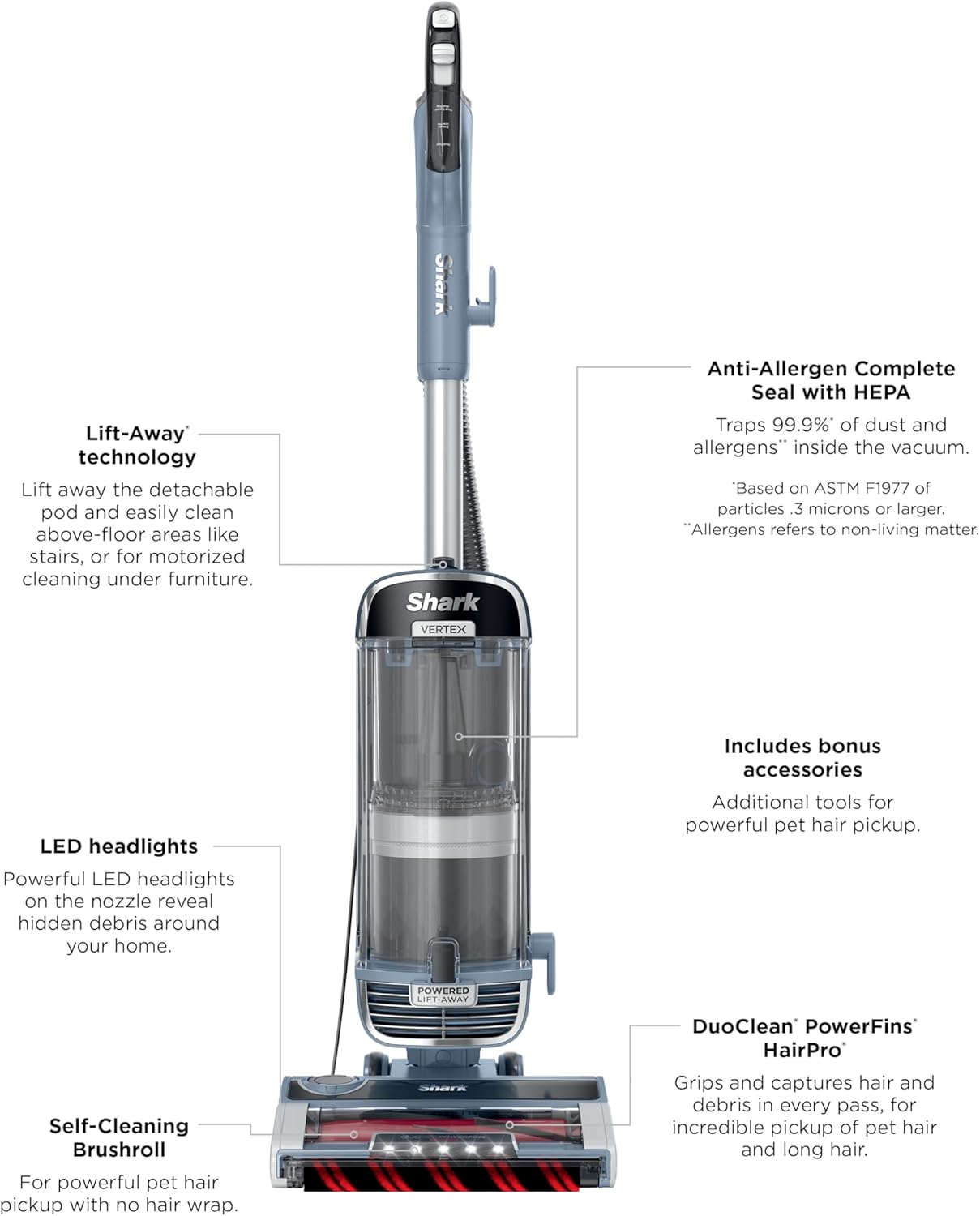
Image: Visual representation of the Shark UV2500 vacuum and its included accessories.
Assembly
Follow these general steps to assemble your Shark UV2500 vacuum. Refer to the quick start guide included in your packaging for detailed diagrams.
- Insert the wand into the floor nozzle until it clicks securely.
- Slide the pod onto the wand until it clicks into place.
- Attach the handle to the top of the wand, ensuring it clicks.
- Connect the hose to the back of the vacuum pod.
- Store accessories on the onboard posts.
Operating Instructions
Power and Surface Settings
The vacuum features a power switch with multiple settings to optimize cleaning for different floor types:
- OFF (0): Turns the vacuum off.
- HARD FLOOR (I): Provides gentle suction and brushroll speed for hard floors.
- CARPET (II): Delivers powerful suction and optimized brushroll speed for deep cleaning carpets.
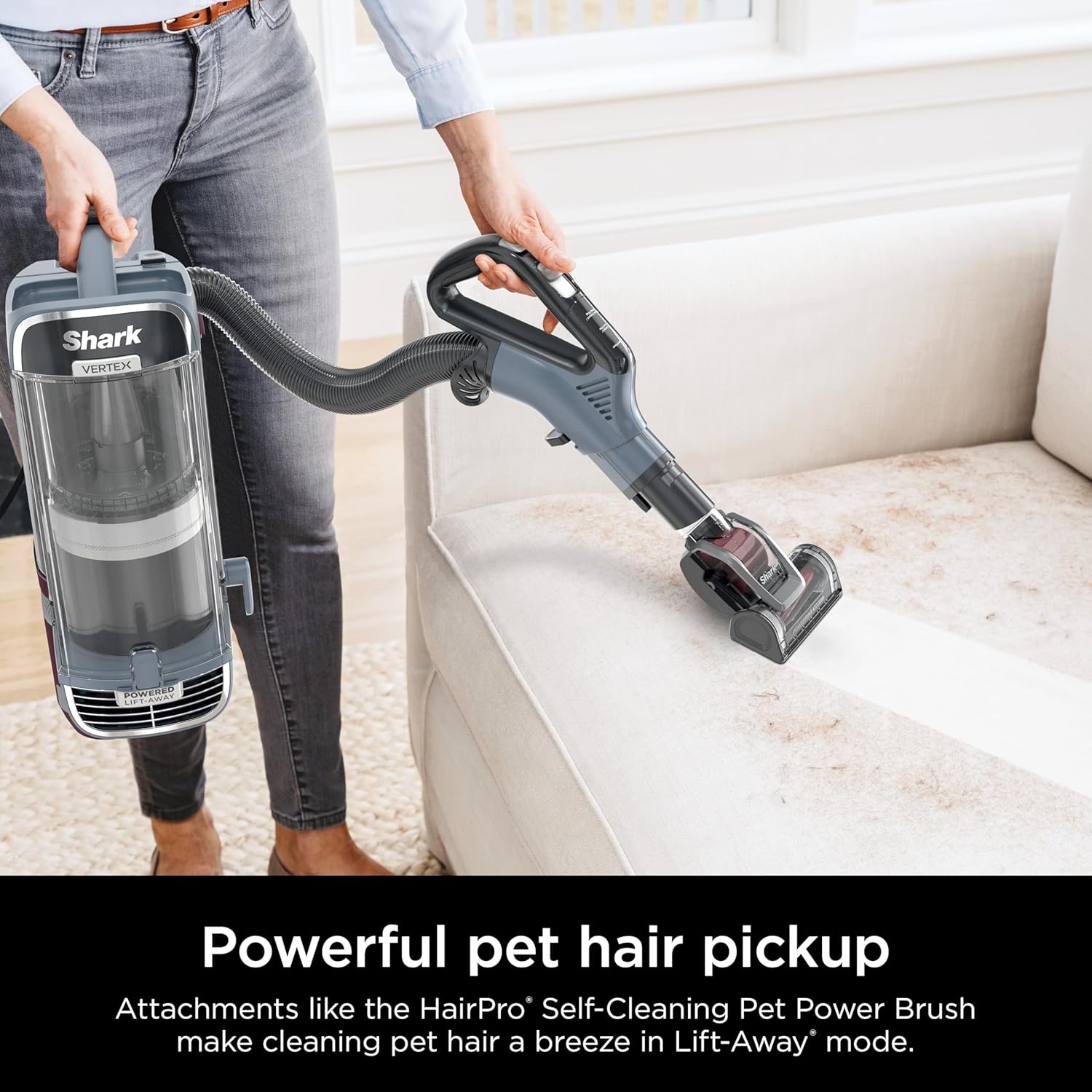
Image: The Shark UV2500 vacuum transitioning from hard floor to carpet cleaning.
Lift-Away Mode
The Powered Lift-Away feature allows you to detach the canister from the nozzle for portable cleaning while maintaining motorized brushroll power. This is ideal for cleaning under furniture, stairs, and above-floor areas.
- Press the Lift-Away button to detach the canister.
- Use the wand with the nozzle for extended reach under furniture.
- Attach desired accessories directly to the handle or wand for above-floor cleaning.

Image: Vacuum in Powered Lift-Away mode, reaching under furniture.

Image: Vacuum in Lift-Away mode, cleaning stairs with an attachment.
DuoClean PowerFins HairPro Nozzle
The DuoClean PowerFins HairPro nozzle features two brushrolls that work together to deep clean carpets and directly engage hard floors. The self-cleaning brushroll design helps prevent hair wrap, ensuring consistent performance.

Image: Close-up of the DuoClean PowerFins HairPro nozzle effectively picking up pet hair.
Maintenance
Emptying the Dust Cup
Empty the dust cup after each use or when debris reaches the MAX FILL line to maintain optimal suction.
- Press the dust cup release latch to remove the dust cup from the vacuum pod.
- Hold the dust cup over a trash bin and press the bottom release latch to open the bottom flap and empty debris.
- Close the bottom flap until it clicks securely.
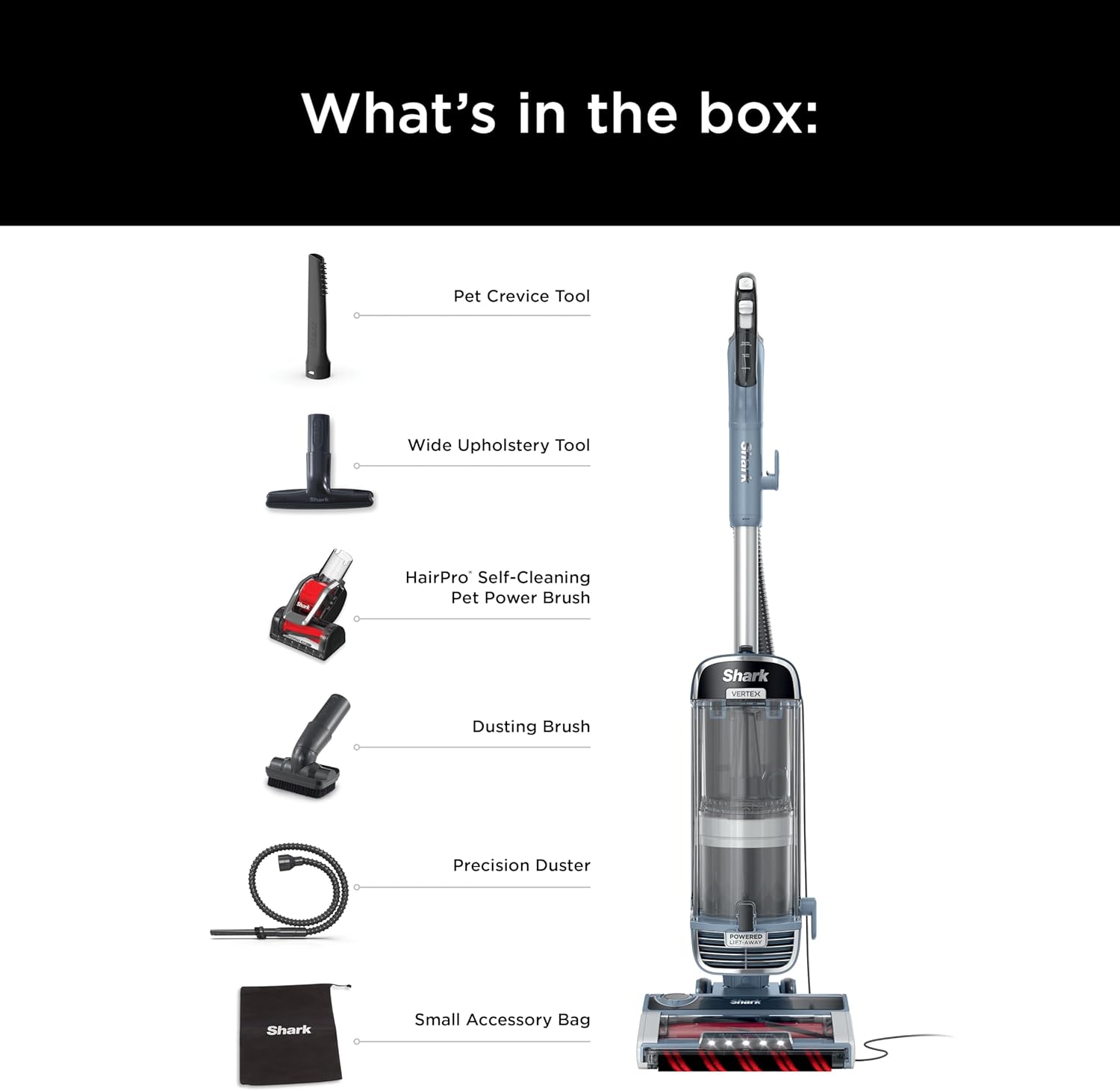
Image: User demonstrating how to easily empty the removable dust cup.
Filter Cleaning
Regularly clean the filters to ensure powerful suction and proper functioning of the Anti-Allergen Complete Seal with HEPA filtration system. Refer to your product manual for specific cleaning intervals and instructions for each filter type.
- Pre-Motor Filters (Foam & Felt): Rinse with water and air-dry completely before reinserting.
- Post-Motor HEPA Filter: Tap clean to remove loose dirt. Rinse with water and air-dry completely before reinserting.
Odor Neutralizer Technology
The integrated Odor Neutralizer Technology guards against bad odors inside your vacuum. Replace the Odor Neutralizer Technology cartridge as needed to maintain a fresh scent. Follow the instructions in your manual for cartridge replacement.

Image: Close-up of the Odor Neutralizer Technology dial on the vacuum.
Troubleshooting
If your vacuum is not performing as expected, check the following common issues:
- No Power: Ensure the power cord is securely plugged into an outlet and the power switch is ON.
- No Suction or Low Suction: Check if the dust cup is full and needs emptying. Inspect the hose and nozzles for blockages. Ensure all filters are clean and properly installed.
- Brushroll Not Spinning: Verify the surface setting is correct (CARPET mode for brushroll activation). Check the nozzle for any obstructions or hair wrap.
- Odor: Replace the Odor Neutralizer Technology cartridge. Clean all filters.
For further assistance, please refer to the full product manual or contact Shark Customer Support.
Specifications
| Model Name | Performance Powered Lift-Away Upright Vacuum |
| Model Number | UV2500 |
| Brand | Shark |
| Dimensions (L x W x H) | 12.6"L x 11.97"W x 46.18"H |
| Item Weight | 16.06 pounds |
| Power Source | Corded Electric |
| Wattage | 1300 watts |
| Amperage | 11 Amps |
| Capacity | 1.06 Quarts |
| Filter Type | HEPA Filter |
| Special Features | Headlight, High Power, Odor Neutralizer Technology, DuoClean PowerFins HairPro nozzle with Lift-Away |
| Recommended Uses | Carpet, Hard Floor, Home |
Warranty and Support
For warranty information, product registration, or customer support, please visit the official Shark website or contact their customer service department. Keep your purchase receipt as proof of purchase for warranty claims.
Online Support: www.sharkclean.com


