
1. Introduction
The SUPERJARE 5.9 Inch Narrow Console Table with Outlet is designed to optimize space and provide convenient charging solutions for your living area. This versatile table seamlessly fits behind sofas, in entryways, or along walls, transforming unused spaces into functional areas. Its durable construction and integrated charging station make it a practical addition to any home.
Key Features:
- Space-saving narrow design (5.9 inches deep).
- Integrated charging station with 2 AC outlets, 1 USB port, and 2 Type-C ports.
- Durable engineered wood top and sturdy metal frame.
- Modular design allows for connecting multiple tables.
- Adjustable feet for stability on uneven surfaces.
- Includes anti-tipping kits for enhanced security.
2. Setup and Assembly
Assembly of your SUPERJARE console table is designed to be straightforward, typically taking around 16 minutes with the included tools and easy-to-follow instructions.
2.1 Components Overview
The table consists of engineered wood top sections and a robust metal frame. Ensure all components are present before beginning assembly.

2.2 Connecting Multiple Tables
If you have purchased a set of two tables, they can be connected using the provided metal sheets for increased flexibility and length. This creates a continuous surface, ideal for longer sofas or entryways.

2.3 Adjustable Feet
The table is equipped with upgraded adjustable feet. These can be rotated to stabilize the table on uneven floor surfaces, preventing wobbling and ensuring a level display area.
2.4 Anti-Tipping Kit Installation
For enhanced safety and stability, especially in households with children or pets, it is recommended to attach the console table to the wall using the provided anti-tipping kits. Follow the instructions carefully to secure the table.

3. Operating the Charging Station
The integrated charging station provides convenient power access for your electronic devices.
3.1 Power Outlets and USB Ports
Each charging station features 2 AC outlets (125V/12A), 1 USB port (5V-2A), and 2 Type-C ports (5V-2A). Simply plug in your devices to charge them directly from the table.
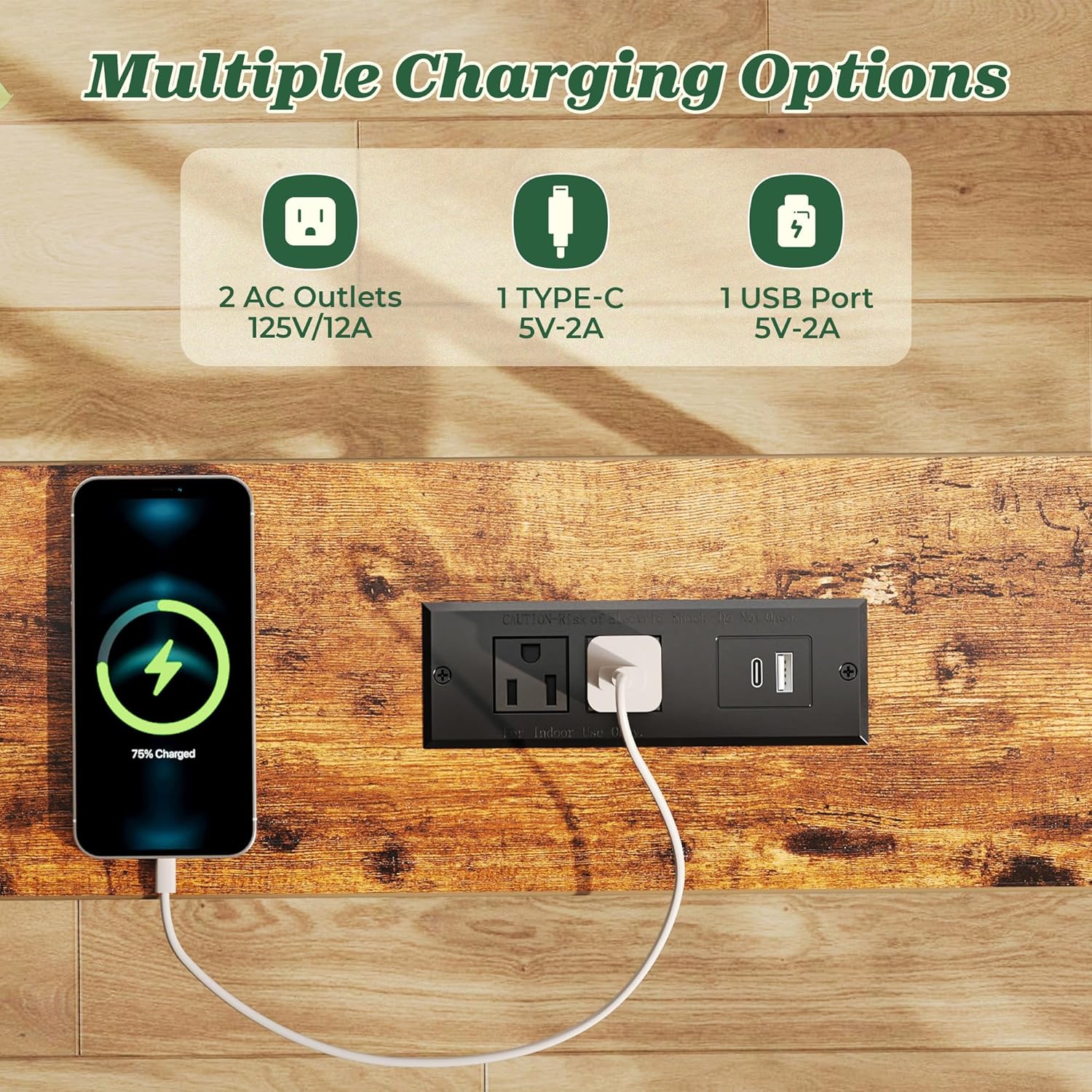
3.2 Flexible Placement
The charging modules can be positioned either in the middle or at the edge of the table sections, allowing you to customize access based on your setup and preference.

3.3 Charging Station Demonstration
4. Maintenance
To maintain the appearance and longevity of your console table, follow these simple care instructions:
- Wipe the surface with a damp cloth to remove dust and spills.
- Avoid using harsh chemicals or abrasive cleaners, as these may damage the finish.
- Keep the table away from direct sunlight and excessive moisture to prevent warping or discoloration.
5. Troubleshooting
5.1 Table Wobbling
If your table appears to wobble, first ensure that the adjustable feet are properly configured to compensate for any unevenness in your floor. If the wobbling persists, especially when placed against a wall with trim, the wall trim might be preventing the table from sitting perfectly flush against the wall.
Consider using additional wall anchors or furniture pads to create a more stable fit if wall trim is an issue. The anti-tipping kits provided can also help secure the table more firmly to the wall.
6. Specifications
| Attribute | Detail |
|---|---|
| Brand | SUPERJARE |
| Product Dimensions | 5.9"D x 78"W x 29.5"H (for set of 2) |
| Item Weight | 17.4 Pounds |
| Maximum Weight Recommendation | 22 Pounds |
| Frame Material | Metal |
| Top Material Type | Engineered Wood |
| Color | Rustic Brown |
| Number of Items | 2 |
| Indoor/Outdoor Usage | Indoor |
| Tools Recommended For Assembly | Screw Driver |
7. Warranty and Support
For warranty information, product support, or to inquire about replacement parts, please contact SUPERJARE customer service directly. Refer to your purchase documentation for specific contact details or visit the official SUPERJARE website.