
Introduction
This manual provides detailed instructions for the setup, operation, and maintenance of your ONEED Haute42 X1-MX Leverless Arcade Controller. Please read this manual thoroughly before using the product to ensure proper function and to maximize your gaming experience.
Product Overview
The ONEED Haute42 X1-MX is a high-performance leverless arcade stick designed for competitive gaming. It features a durable CNC machined aluminum panel, ambient RGB lighting, a tournament lock switch, and interchangeable modules for customization. It is compatible with various platforms including PC, Nintendo Switch, PS3, and PS4 (with adapter).

Image: The Haute42 Leverless Controller X Series, showcasing its large metal panel, ambient RGB lighting, and button layout. Key features like GP2040-CE, <1ms input latency, RGB, lock switch, hot-swappable keys, M1/M2 custom keys, Type-C ports, and web configuration are highlighted.
Setup
1. Initial Connection
Connect the controller to your desired device (PC, Switch, PS3, PS4) using the provided USB-C cable. The controller will automatically attempt to detect the correct input mode.
2. System Compatibility
- PC (Windows 10 or above, Steam Deck): Connect directly via USB. The controller will typically default to XInput mode.
- Nintendo Switch: Connect directly via USB.
- PS3: Connect directly via USB.
- PS4 (PlayStation 4): An adapter is required for PS4 compatibility. This adapter is not included with the product. For PS4/PS5 connection details, refer to the official website cosmoxgaming.com/support/.
- PS5 (PlayStation 5): An adapter is required for PS5 compatibility. This adapter is not included with the product. For PS4/PS5 connection details, refer to the official website cosmoxgaming.com/support/.
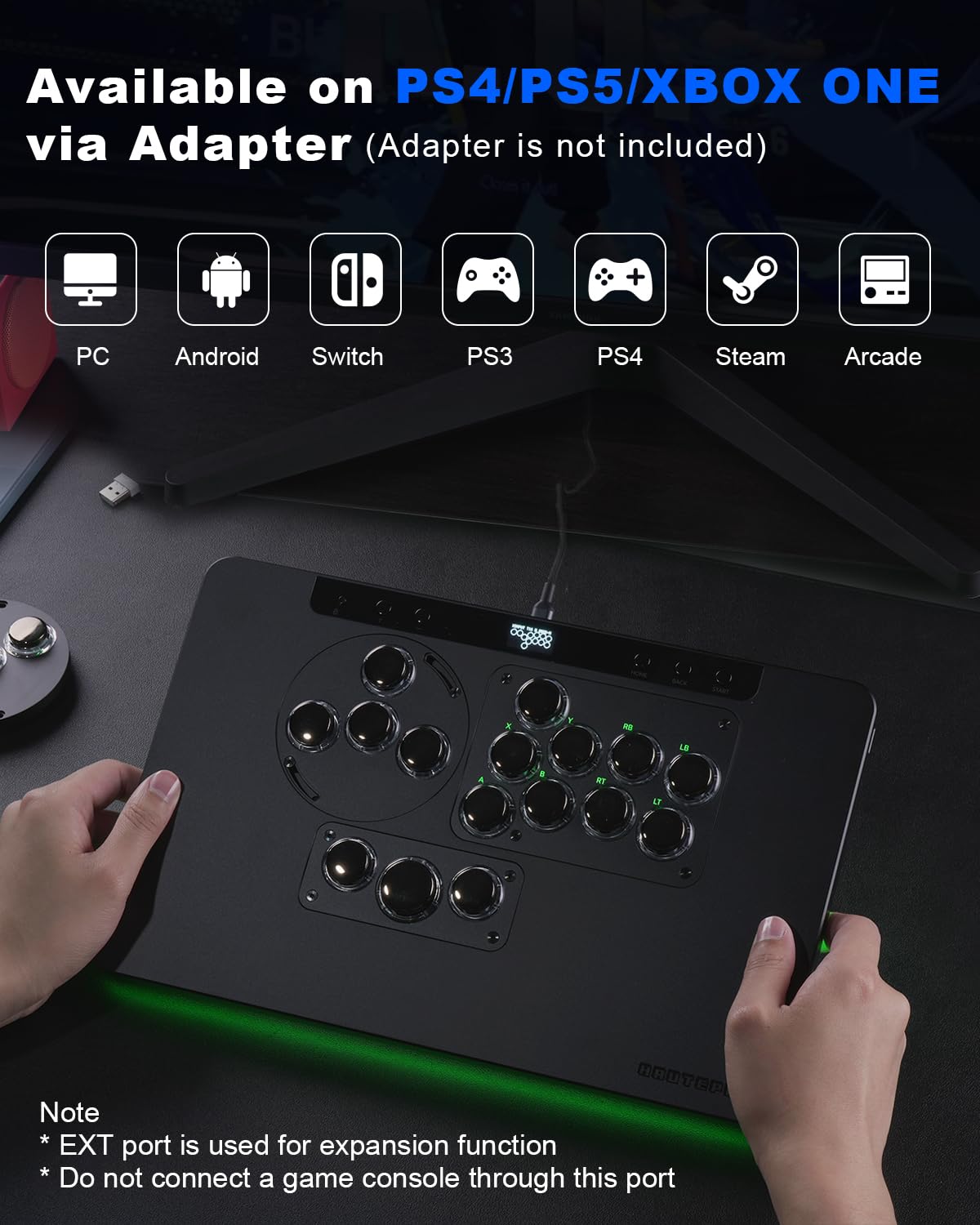
Image: The Haute42 Leverless Controller X Series in use, with hands positioned on the buttons. Icons above indicate compatibility with PC, Android, Switch, PS3, PS4, Steam, and Arcade. A note clarifies that the EXT port is for expansion and should not be used for game console connections.
3. Web Configuration Tool
The controller utilizes the GP2040 firmware, allowing for advanced customization via a web configuration interface. To access this:
- Hold the START button on the controller.
- While holding START, connect the controller to your computer via USB.
- Open a web browser and navigate to 192.168.7.1.
- From the web interface, you can adjust various settings including input modes, button mapping, and LED configurations.
Video: This video demonstrates how to access the web configuration tool and adjust input mode settings for the controller. It shows navigating to 192.168.7.1, selecting different input modes like XInput, Nintendo Switch, PS3/DirectInput, Keyboard, PS4, PS5, and Xbox One, and explains the need for dongles for PS4/PS5/Xbox One authentication. It also shows how to customize boot input modes.
Operating Instructions
1. Button Layout and Functionality
The controller features a standard leverless button layout with 16 buttons. Refer to the key value table for specific button assignments across different input modes.

Image: A detailed view of the Haute42 Leverless Controller X Series, highlighting its dimensions (337.5mm x 216.5mm x 18.5mm) and keycap sizes (25.8mm and 20.6mm). It also shows various interchangeable modules and a carrying bag for storage.
2. Tournament Lock Switch
The controller includes a tournament lock switch to prevent accidental inputs during competitive play. When activated, this switch disables non-essential buttons. Ensure the switch is in the desired position before starting a match.

Image: The Haute42 Leverless Controller X Series in use, with a close-up highlighting the tournament lock switch. The switch is designed to prevent accidental inputs during gameplay.
3. RGB Lighting Customization
The ambient RGB lighting can be customized via the web configuration tool. You can adjust colors, animations, and brightness to match your preferences. Refer to the "LED Configuration" section in the web interface.
Video: This video demonstrates how to customize the RGB lighting on the Haute42 Leverless Controller. It shows accessing the web configuration tool, navigating to LED Configuration, and adjusting button colors and layout. It also highlights various shortcuts for on-the-fly adjustments.
4. Interchangeable Modules
The X Series controller supports interchangeable modules, allowing you to customize the input method (e.g., leverless, joystick, WASD). Modules are sold separately. Ensure proper alignment when installing or removing modules to avoid damage.
Maintenance
1. Cleaning
To clean the controller, use a soft, dry cloth. For stubborn dirt, a slightly damp cloth can be used, but ensure no liquid enters the internal components. Avoid abrasive cleaners or solvents.
2. Storage
When not in use, store the controller in a dry, cool place. The product comes with a woven storage pouch for protection against dust and scratches.

Image: The Haute42 Leverless Controller X Series being placed into its woven storage pouch, emphasizing portability and protection.
3. Firmware Updates
The controller supports firmware updates. Regularly check the official website (cosmoxgaming.com/support/) for the latest firmware versions to ensure optimal performance and access to new features.
Troubleshooting
- Controller not recognized: Ensure the USB cable is securely connected. Try a different USB port or cable. Verify the correct input mode is selected via the web configuration tool.
- PS4/PS5 connection issues: Ensure you are using the required adapter for authentication. Check the official website for detailed PS4/PS5 connection guides.
- Buttons unresponsive: Check button mapping in the web configuration tool. Ensure the tournament lock switch is not activated if you intend to use all buttons.
- RGB lighting issues: Verify LED configuration in the web interface. Ensure the ordering of assigned buttons is not disrupted, as this can cause LED issues.
- Input lag: The controller is designed for ultra-low latency (<1ms). Ensure your system drivers are up to date and there are no conflicting software or hardware causing interference.
Specifications
| Feature | Detail |
|---|---|
| Model Name | ON-X1-MX |
| Dimensions (L x W x H) | 337.5mm x 216.5mm x 18.5mm (13.28"D x 8.52"W x 0.72"H) |
| Controller Type | Leverless Arcade Stick |
| Connectivity | USB-C |
| Compatibility | Windows 10+, Steam Deck, PS3, PS4 (with adapter), Switch, Android |
| Switches | Kailh Ice Cream Switches (Hot-swappable) |
| Latency | <1ms |
| Features | Ambient RGB, Tournament Lock Switch, Interchangeable Modules, Web Configuration |
Warranty and Support
For warranty information, technical support, or further assistance, please visit the official ONEED website or contact customer service through your retailer. Keep your purchase receipt for warranty claims.
Official Support Website: cosmoxgaming.com/support/