
1. Introduction
The HYVOHEX P100 Portable Electric Ball Pump is designed for efficient and precise inflation of various sports balls. This device features a digital LED display, preset pressure functionality, and automatic shut-off, making it suitable for basketballs, soccer balls, volleyballs, and more. Its compact design and rechargeable battery ensure convenience and portability.
2. Package Contents
Verify that all items are present in the package:
- 1 x HYVOHEX P100 Sports Pump
- 1 x Ball Needle
- 1 x USB-C Charging Cable (not explicitly listed but implied by rechargeable battery)
3. Product Features
- Fast Inflation: Quickly inflates sports balls, reducing manual effort and saving time.
- Smart Operation: Equipped with a high-sensitivity pressure sensor and digital LED screen to detect current ball pressure and automatically stop upon reaching the preset pressure.
- Wide Compatibility: Supports a pressure range of 2-17 PSI, suitable for basketball, soccer, volleyball, and other inflatable sports equipment.
- Memory Function: Retains the last pressure setting for quick and easy repeated use.
- Portable Design: Compact, palm-sized unit with built-in hidden needle storage for easy transport and to prevent loss or damage of the needle.
- Rechargeable Battery: Features a 1500mAh rechargeable battery for multiple inflations on a single charge, with USB-C charging and an LED battery indicator.

Image: The HYVOHEX P100 pump is compact and portable, fitting easily in one hand.

Image: The 1500mAh battery allows for inflation of approximately 45 balls per charge.
4. Setup
- Charge the Device: Before first use, fully charge the ball pump using the provided USB-C cable. The LED battery indicator will show charging status.
- Attach the Needle: Retrieve the inflation needle from the hidden storage compartment (located at the top of the pump). Carefully screw the needle into the inflation port on the top of the device.

Image: The inflation needle can be securely stored within the pump's top compartment.
5. Operating Instructions
- Power On: Press and hold the power button (central button) to turn on the device. The digital LED display will illuminate.
- Select Pressure Unit: Long press the power button to cycle through pressure units: PSI, BAR, KPA. Release the button when your desired unit is displayed.
- Set Desired Pressure: Use the '+' and '-' buttons to adjust the target pressure. Refer to the ball manufacturer's recommendations for optimal pressure (e.g., Basketball: 7-9 PSI, Football: 12-14 PSI, Soccer: 8-16 PSI, Volleyball: 4-5 PSI). The pump will remember your last setting.
- Insert Needle: Carefully insert the attached needle into the ball's valve. The display will show the current pressure of the ball.
- Start Inflation: Press the power button once to start inflation. The pump will automatically stop when the preset pressure is reached.
- Power Off: Press and hold the power button to turn off the device.
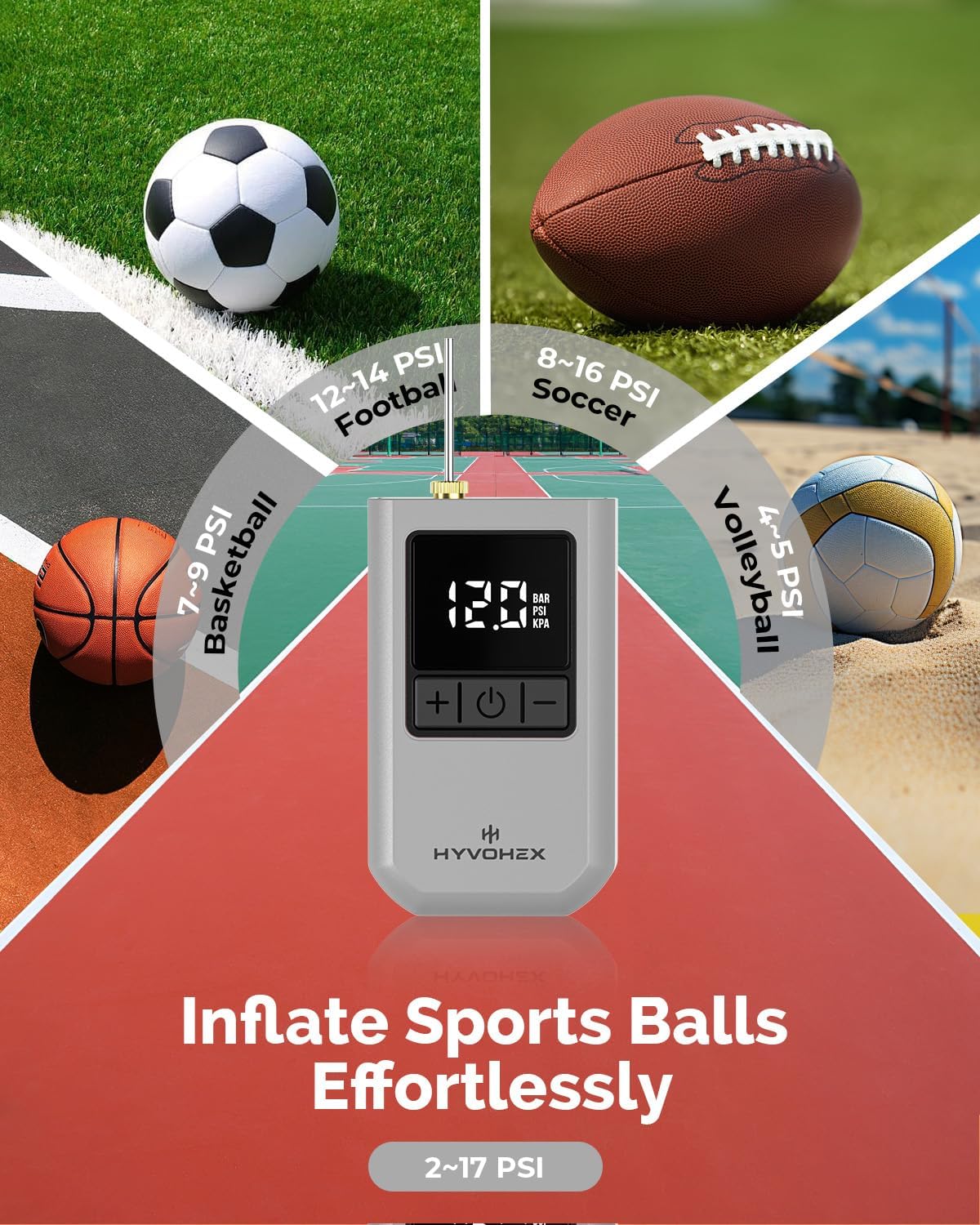
Image: The pump is compatible with various sports balls, with recommended pressure ranges displayed.

Image: Long press the power button to switch between PSI, Bar, and KPA pressure units.
Video: Demonstration of how to power on the HYVOHEX P100 pump and set the desired PSI for inflation.
6. Maintenance
- Charging: Recharge the device regularly to maintain battery health. Use a standard USB-C charger.
- Needle Storage: Always store the inflation needle in its designated compartment when not in use to prevent bending or loss.
- Cleaning: Wipe the pump's exterior with a soft, dry cloth. Do not use abrasive cleaners or immerse the device in water.
- Storage: Store the pump in a cool, dry place away from direct sunlight and extreme temperatures.
7. Troubleshooting
- Pump not turning on: Ensure the battery is charged. Connect to a USB-C power source and allow it to charge for at least 30 minutes before attempting to power on again.
- Ball not inflating: Check that the needle is securely attached to the pump and fully inserted into the ball's valve. Verify that the preset pressure is higher than the current ball pressure.
- Inaccurate pressure reading: Ensure the needle is fully inserted into the ball's valve. If the issue persists, try recalibrating by turning the pump off and on again.
- Pump stops prematurely: The pump automatically stops when the preset pressure is reached. If it stops before the ball is firm enough, increase the preset pressure.
- Pump is noisy: A certain level of operating noise is normal for air pumps. If the noise is excessive or unusual, ensure no obstructions are present in the air intake or output.
8. Specifications
| Brand | HYVOHEX |
| Model | P100 |
| Power Source | Battery Powered |
| Battery Type | 1 Lithium Ion (included) |
| Battery Capacity | 1500mAh |
| Maximum Pressure | 17 PSI (Pound per Square Inch) |
| Material | Plastic |
| Item Weight | 0.19 Kilograms (190g) |
| Parcel Dimensions | 8.99 x 7.49 x 3.91 cm |
9. Safety Information
- Do not use the pump for purposes other than inflating sports balls.
- Keep out of reach of children. Adult supervision is recommended during use.
- Avoid over-inflating balls beyond their recommended pressure, as this can cause damage or injury.
- Do not expose the device to water or extreme temperatures.
- Do not attempt to disassemble or repair the device yourself. Contact customer support if issues arise.
- Ensure the inflation needle is properly secured before use to prevent accidental detachment.
10. Warranty and Support
Specific warranty details and customer support contact information are not provided within this document. Please refer to the manufacturer's official website or the product packaging for comprehensive warranty terms and support options.