
1. Introduction
The eufy Robot Vacuum C10 with Self Emptying Station is designed to provide efficient and hands-free floor cleaning. This intelligent robotic vacuum features powerful suction, precise navigation, and a convenient self-emptying dustbin, making daily cleaning effortless.

Figure 1: eufy Robot Vacuum C10 with Self Emptying Station
Key Features:
- Self-Empty Station: Automatically empties the robot's dust bin into a 3L dust bag, requiring replacement only every 60 days.
- 4000Pa Powerful Suction: Effectively picks up pet hair, dirt, crumbs, and other debris from various floor types.
- Unique CornerRover Arm: An extendable side brush mechanism ensures thorough cleaning in corners and tight spaces.
- Laser Navigation: Creates optimized cleaning paths for comprehensive coverage of your home.
- 2.85-Inch Slim Shape: Allows the robot to reach under low-profile furniture and hard-to-access spots.
2. Setup Guide
2.1 What's in the Box
Before starting, ensure all components are present:
- C10 Robot (with Dust Bin)
- Auto-Empty Station (includes Auto-Empty Station Lid and Dust Bag)
- Quick Start Guide
- Safety Document
2.2 Charging Station Placement
Place the Auto-Empty Station against a wall in an open area, ensuring there are no large obstacles around it that would prevent the robot from recharging. Avoid placing the base station on carpet for optimal performance.
2.3 App Installation and Connection
The eufy Robot Vacuum C10 is controlled via the eufy Clean App. Download the app from your device's app store. The app supports 2.4GHz WiFi networks (5GHz is not supported). Follow the in-app instructions to connect your robot vacuum to your home network.
For a visual guide on controlling your device via the eufy Clean App, please refer to the video below:
Video: How to Control Your Device via the eufy Clean App. This video demonstrates the steps to connect your eufy C10 to the app and utilize its various control features.
3. Operating Instructions
3.1 Initial Mapping
For the first clean, the robot will map your home using its Laser Navigation. This process creates an optimized cleaning path. Ensure all doors to rooms you want the robot to clean are open, and clear any objects that might trap or entangle the robot. Do not manually move the robot or the base station during mapping.
3.2 Cleaning Modes and Suction Adjustment
You can select various cleaning modes and adjust suction power via the eufy Clean App:
- Quiet: For minimal noise.
- Standard: Default cleaning mode.
- Turbo: Increased suction for tougher messes.
- Max: Maximum suction power (4000Pa) for deep cleaning, especially useful for pet hair.
Actual performance may vary based on floor type and dust level.
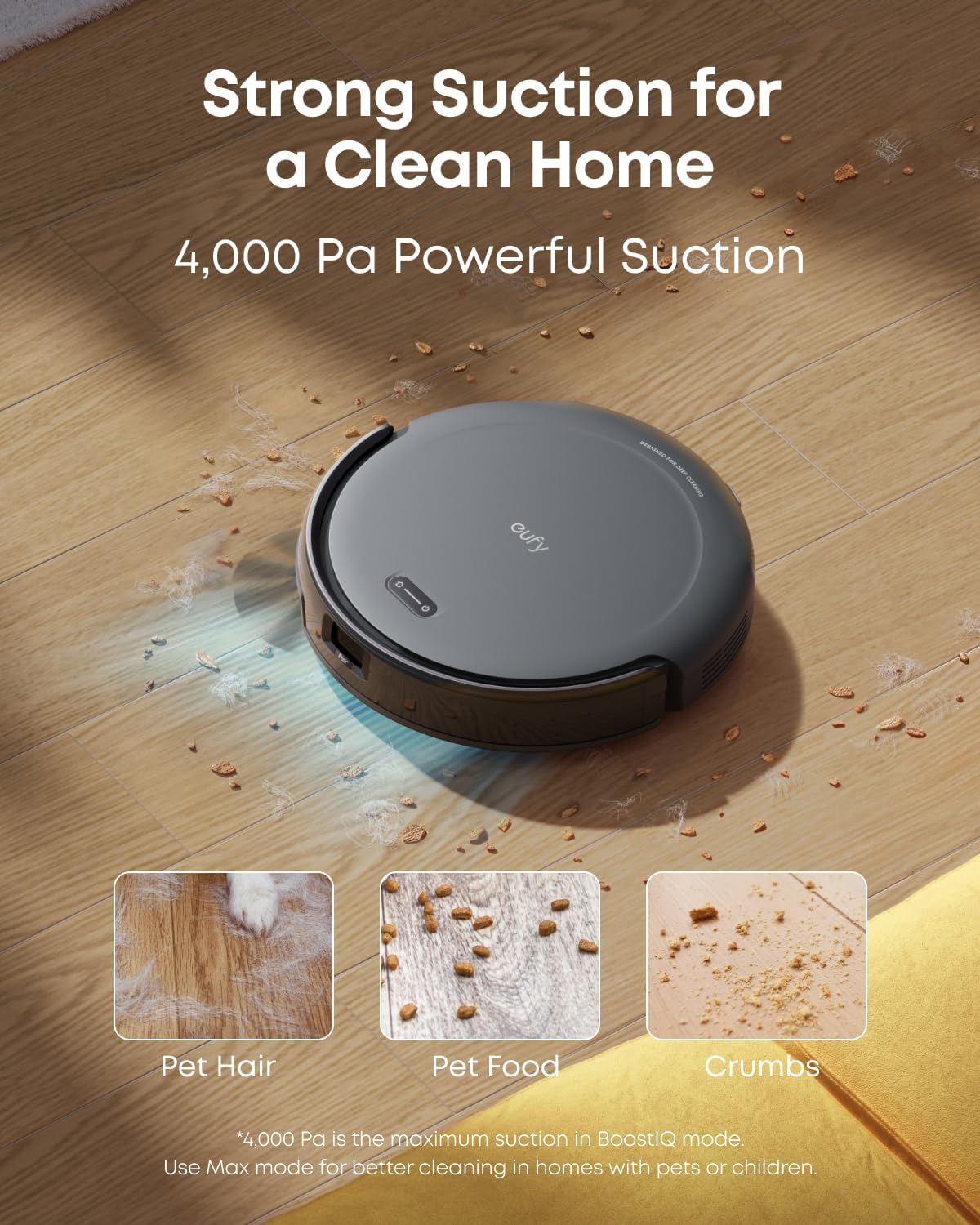
Figure 2: Powerful Suction for a Clean Home
3.3 Smart Mapping and No-Go Zones
The eufy Clean App allows for advanced control over cleaning areas:
- Personalized Cleaning Modes: Customize cleaning times and modes for specific rooms.
- No-Go Zones: Designate specific areas where the robot should not enter, ensuring uninterrupted cleaning and avoiding obstacles like wires, socks, or toys.
- Multi-Level Mapping: Stores up to three detailed floor maps for homes with multiple levels.

Figure 3: App-Driven Smart Cleaning Features
3.4 Voice Control
Enjoy hands-free convenience by commanding your RoboVac with a few words. The C10 supports Amazon Alexa and Google Assistant.
3.5 Auto-Return and Resume
When the battery runs low, the C10 automatically returns to its charging station. Once sufficiently charged, it resumes cleaning from where it left off to complete the task.
4. Maintenance
4.1 Self-Emptying Dust Bag
The C10's dust bin is automatically emptied into the station's 3L dust bag. Thanks to its large capacity, it only needs replacing every 60 days (actual intervals may vary based on usage and environment).

Figure 4: Up to 60 Days of Hands-Free Cleaning
4.2 Cleaning the Robot
Regular maintenance ensures optimal cleaning performance:
- Dustbin and Filter: Clean the dustbin and washable filter regularly, ideally every week.
- Rolling Brush: Check and clean the rolling brush frequently, especially if you have pets, to prevent hair entanglement.
- Side Brush: The Unique CornerRover Arm extends to clean corners. Ensure it is free from debris.
5. Troubleshooting
5.1 Obstacle Avoidance
The C10 robot vacuum uses laser emits onto surfaces and receives reflected signals to avoid obstacles. However, it has limitations:
- Clear the Floor: Remove wires, toys, socks, and clothing to prevent the vacuum from getting stuck.
- Set No-Go Zones: For dark-colored stairs, walls, furniture (bottom within 71-75mm), and carpets thicker than 25mm, set up no-go zones to prevent the machine from getting stuck and affecting cleaning performance.
- Secure Carpet Edges: Fix the edges of thin carpets to avoid entanglement.
5.2 Performance Issues
If you encounter issues with cleaning performance:
- Suction Adjustment: If you have pets or kids, use Turbo or Max suction mode and set the empty frequency to 20 minutes via the eufy Clean app for better cleaning performance.
- Cleaning Frequency: For heavy debris or hair, select the area and choose to clean it twice via the app.
- Auto-Return Cleaning: If your home has a large area, enable the auto-return cleaning function via the app.
- Accessories Maintenance: Clean the dustbin and filter regularly every week. Please check the dust bag in time and replace it when full to avoid affecting the cleaning performance.
5.3 Recharging Failures
If the C10 fails to recharge:
- Avoid Carpet: Please avoid placing the base station on carpet.
- Check Accessories: Confirm if the side wheels and the swivel wheel at the bottom are stuck with hair. Please clean them and try again.
- Check Station Location: Ensure that the base station is placed against the wall and there are no large obstacles around it that would prevent the device from recharging.
- Check App Map: It may indicate an abnormality if there is a significant discrepancy between the map in the app and your actual home environment. Please rebuild a map.
6. Specifications
| Feature | Specification |
|---|---|
| Brand | eufy |
| Model Name | C10 |
| Item Model Number | T2292 |
| Special Feature | Unique CornerRover Arm, Easy to use, Quiet Cleaning, 2.85-Inch Ultra-Slim Body, Self-Empty Station |
| Color | Black |
| Product Dimensions | 12.8"L x 12.8"W x 8.34"H |
| Included Components | Self Empty Station, Robot vacuum Cleaner, Quick Start Guide |
| Filter Type | Washable |
| Battery Life | 120 minutes |
| Capacity (Dust Bag) | 3 Liters |
| Power Source | Battery Powered |
| Control Method | App, Voice |
| Item Weight | 12.3 pounds |
| UPC | 194644228941 |
7. Warranty and Support
For detailed warranty information and customer support, please refer to the official eufy website or the contact information provided in your Quick Start Guide.
An electronic version of the User Manual is available for download: eufy Robot Vacuum C10 User Manual (PDF)